Wstęp
This manual provides instructions for the Pelican 1120 Protective Case with Foam. Designed for durability and protection, this case safeguards sensitive equipment from environmental elements.
The Pelican 1120 case features a robust construction, watertight seal, and customizable foam interior, making it suitable for various applications requiring secure storage and transport.
Cechy produktu
- Copolymer Polypropylene Construction: Built with an open cell core and solid wall construction for strength and lightness.
- Double-Throw Latches: Easy-to-open latches with stainless steel pins for secure closure.
- Watertight Seal: Achieved with a tongue and groove fit and a polymer O-ring.
- Automatic Pressure Equalization Valve: Releases built-up air pressure while preventing water entry, ensuring easy opening after pressure changes.
- Reinforced Padlock Protectors: Stainless steel reinforced areas for added security.
- Customizable Pick N Pluck Foam: Allows for precise shaping of the interior to fit specific items.
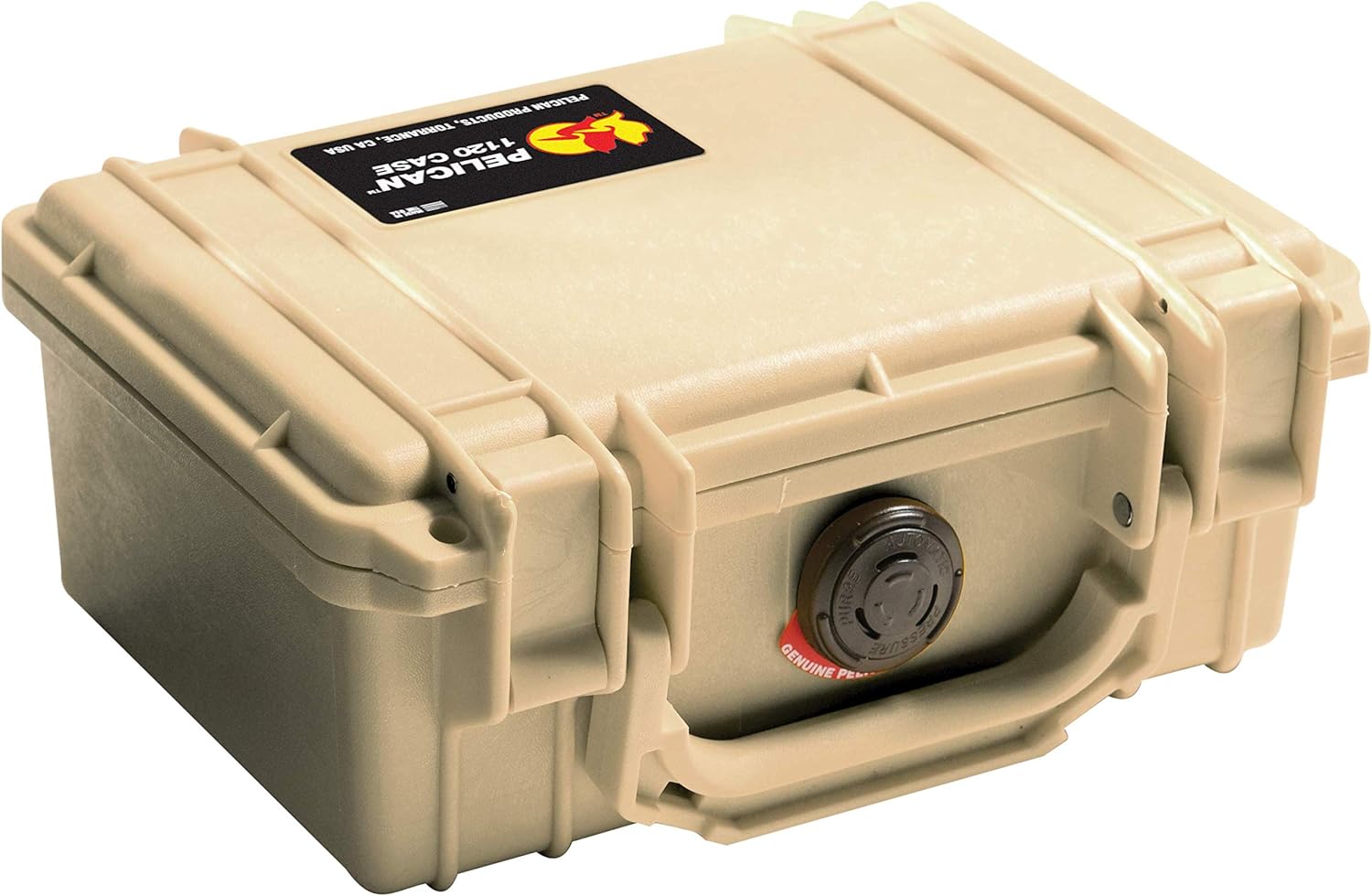
This image displays the Pelican 1120 Protective Case in Desert Tan, viewed from an angle. The case is closed, showcasing its robust construction, two secure latches, and the automatic pressure equalization valve on the front.
Setup: Customizing the Foam Interior
The Pelican 1120 case includes Pick N Pluck foam for custom interior organization. This foam consists of pre-scored cubes that can be removed to create a snug fit for your equipment.
- Zaplanuj swój układ: Arrange your items on top of the foam to determine the optimal placement. Ensure adequate spacing between items and from the case walls.
- Trace the Outline: Using a marker or chalk, carefully trace the outline of each item onto the foam.
- Remove Foam Cubes: Gently pull or cut out the foam cubes along your traced lines. Start with smaller sections and expand as needed to achieve a precise fit.
- Test dopasowania: Place your equipment into the customized foam to ensure a secure and protective fit. Adjust by removing more foam if necessary.

The Pelican 1120 Protective Case is shown open, revealing the pre-scored Pick N Pluck foam layers within. This foam allows users to customize the interior to fit specific items securely.

Byłyample of a Pelican 1120 case interior, demonstrating how the customizable foam can be shaped to securely hold various items such as a compact camera, rolls of film, and a small flashlight. This illustrates the protective capabilities of the foam.
Obsługa obudowy
Otwieranie i zamykanie
To open the case, lift the two Double-Throw latches. To close, align the lid and press down firmly on the latches until they click into place, ensuring a secure seal.
Watertight Seal
The case is designed with a tongue and groove fit and a polymer O-ring to create a watertight seal. Ensure the O-ring is clean and free of debris for optimal performance.
Automatic Pressure Equalization Valve
The automatic pressure equalization valve allows air pressure to equalize between the case interior and exterior, preventing vacuum lock and making the case easier to open, especially after changes in altitude or temperature. This valve is maintenance-free and designed to keep water out.

A detailed close-up of the automatic pressure equalization valve, a key feature of Pelican cases. This valve automatically adjusts internal air pressure to prevent vacuum lock, making the case easier to open while maintaining its watertight integrity.
Konserwacja
- Czyszczenie: Clean the exterior of the case with mild soap and water. For the interior, vacuum or wipe down the foam as needed.
- Pielęgnacja pierścieni uszczelniających: Periodically inspect the O-ring for cracks, tears, or debris. Clean it with a soft cloth and apply a thin layer of silicone grease (not petroleum-based) to maintain its flexibility and sealing properties. Replace the O-ring if it shows signs of damage.
- Składowanie: Przechowuj etui w chłodnym i suchym miejscu, z dala od bezpośredniego światła słonecznego, gdy nie jest używane.
Rozwiązywanie problemów
Difficulty Opening the Case
If the case is difficult to open, especially after changes in altitude or temperature, the automatic pressure equalization valve may be working to balance internal pressure. Allow a few moments for the pressure to equalize. Ensure the latches are fully disengaged.
Water or Dust Intrusion
If water or dust enters the case, inspect the O-ring for damage or debris. Ensure the O-ring is properly seated in its groove and that the latches are fully closed and secured.
Specyfikacje
| Funkcja | Szczegół |
|---|---|
| Numer modelu | 1120-000-190 |
| Wymiary zewnętrzne (dł. x szer. x wys.) | 8.41 x 6.76 x 3.87 cala |
| Wymiary wewnętrzne (dł. x szer. x wys.) | 7.29 x 4.78 x 3.33 inches (approximate, due to foam) |
| Weight (with foam) | 1.43 funta |
| Tworzywo | Copolymer Polypropylene |
| Kolor | Opalenizna pustynna |
| Wodoszczelny | Tak |
| Odporny na zgniatanie | Tak |
| Pyłoszczelny | Tak |
Gwarancja i wsparcie
Pelican Products offers a Dożywotnia gwarancja doskonałości for the 1120 case. This guarantee covers defects in materials and workmanship for the lifetime of the product.
For warranty claims, technical support, or replacement parts, please visit the official Pelican Products webstronie lub skontaktuj się z działem obsługi klienta.


