1. Wprowadzenie
The Seagate FreeAgent Desktop USB Portable Hard Drive is designed to provide reliable and convenient external storage for your digital content. This device allows you to easily back up and access your important photos, videos, music, and documents. Its compact design and simple connectivity make it an ideal solution for expanding your storage capacity.

Figure 1.1: Seagate FreeAgent 500 GB External Hard Drive retail packaging (front view).
2. Zawartość opakowania
Verify that all items are present in your Seagate FreeAgent package:
- FreeAgent Desktop drive
- Kabel USB 2.0
- Zasilacz sieciowy
- Szybki przewodnik

Figure 2.1: Back of the product packaging, detailing package contents and system requirements.
3. Konfiguracja
The Seagate FreeAgent drive is designed for simple plug-and-play operation. Follow these steps to set up your device:
- Podłącz zasilacz: Plug the AC power adapter into the power port on the back of the FreeAgent drive. Then, plug the other end of the power adapter into a wall outlet.
- Podłącz kabel USB: Connect one end of the USB 2.0 cable to the USB port on the FreeAgent drive.
- Połącz z komputerem: Podłącz drugi koniec kabla USB 2.0 do wolnego portu USB w komputerze (PC lub Mac).
- Rozpoznawanie systemu: Your operating system (Windows XP, Windows 2000, Windows Vista, or Mac OS X 10.4.8 or higher) should automatically detect and configure the drive. No additional drivers are typically required.
- Gotowy do użycia: Once recognized, the drive will appear as an available storage device in 'My Computer' (Windows) or on the 'Desktop' (Mac).
4. Działanie
Using your Seagate FreeAgent drive is similar to using any other external storage device:
- Przenoszenie Files: Przeciągnij i upuść files or folders directly to and from the FreeAgent drive icon. You can also use your operating system's copy and paste functions.
- Oprogramowanie do tworzenia kopii zapasowych: The drive may come with pre-loaded software for automatic file copying and retrieval. Refer to the quick start guide for details on utilizing this feature.
- Bezpieczne usuwanie: Always safely remove or eject the drive before disconnecting it from your computer. This prevents data corruption. For Windows, use the 'Safely Remove Hardware and Eject Media' icon in the system tray. For Mac, drag the drive icon to the Trash or use 'Eject' from the File menu.
5. Konserwacja
To ensure the longevity and optimal performance of your Seagate FreeAgent drive, consider the following maintenance tips:
- Ochrona fizyczna: Handle the drive with care. Avoid dropping it or subjecting it to physical shocks, as this can damage internal components.
- Wentylacja: Ensure the drive is placed in a location with adequate airflow to prevent overheating. Do not block the ventilation slots.
- Czystość: Utrzymuj dysk w czystości i zapobiegaj jego zakurzeniu. Do czyszczenia zewnętrznej części używaj miękkiej, suchej ściereczki.
- Warunki środowiskowe: Store and operate the drive within recommended temperature and humidity ranges. Avoid extreme conditions.
6. Rozwiązywanie Problemów
If you encounter issues with your Seagate FreeAgent drive, try the following solutions:
- Napęd nie został wykryty:
- Upewnij się, że zasilacz jest prawidłowo podłączony do dysku i do sprawnego gniazdka elektrycznego.
- Verify the USB cable is firmly connected to both the drive and your computer. Try a different USB port on your computer.
- Uruchom ponownie komputer.
- Niska wydajność:
- Aby uzyskać optymalną prędkość transferu, upewnij się, że używasz portu USB 2.0.
- Zamknij wszystkie niepotrzebne aplikacje uruchomione na komputerze.
- Sprawdź, czy na dysku jest wystarczająca ilość wolnego miejsca.
- Problemy z dostępem do danych:
- Always perform a safe removal before disconnecting the drive. If data corruption occurs due to improper disconnection, run a disk check utility on your operating system.
- Upewnij się, że Twój system operacyjny jest aktualny.
For further assistance, refer to the official Seagate support resources.
7. Specyfikacje
| Numer modelu | ST305004FDA1E1-RK |
| Pojemność pamięci cyfrowej | 500 GB |
| Interfejs dysku twardego | USB 2.0 |
| Technologia łączności | USB |
| Współczynnik kształtu dysku twardego | 3.5 cali |
| Opis dysku twardego | Mechaniczny dysk twardy |
| Kompatybilne urządzenia | Pulpit |
| Typ instalacji | Dysk twardy zewnętrzny |
| Kolor | Czarny |
| Wymiary produktu | 10.83 x 6.38 x 7.48 cala |
| Waga przedmiotu | 1.98 funta |
| Producent | SEAGATE - RETAIL |
| UPC | 0763649003008 |
| Serial Number (Example) | 9QM2VE08 |
| Numer części (np.ample) | 9NF2AL-575 |
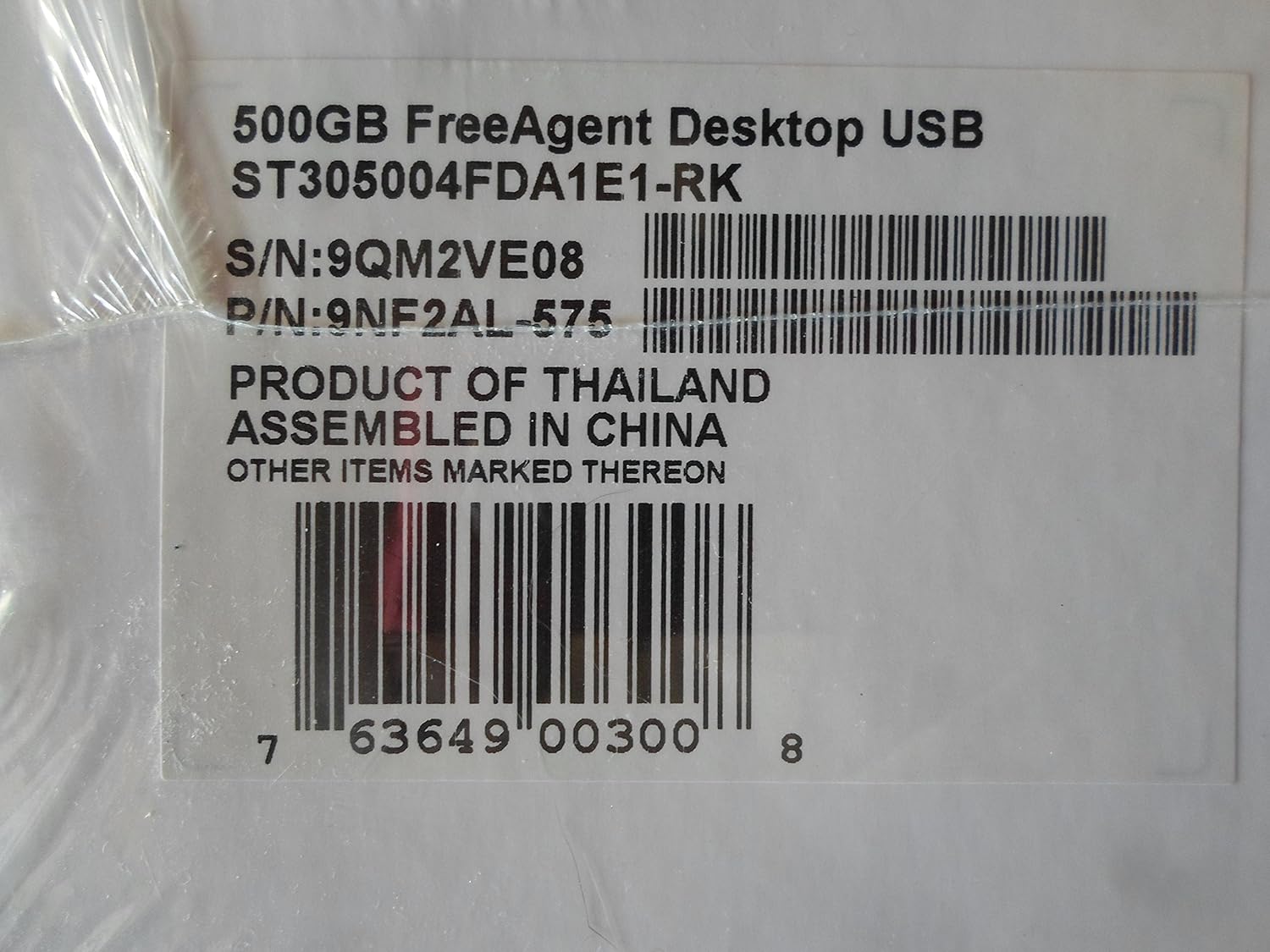
Figure 7.1: Product label showing model, serial, and part numbers.
8. Gwarancja i wsparcie
The Seagate FreeAgent 500 GB External Hard Drive comes with a pięcioletnia ograniczona gwarancja, zapewniając spokój ducha w kwestii Twojej inwestycji.
For detailed warranty terms, technical support, or additional resources, please visit the official Seagate website. You can find more information and support at the Seagate Store on Amazon or the main Seagate support portal.


