Wstęp
Welcome to the world of portable gaming with your Nintendo Game Boy Color. This manual will guide you through the essential steps to set up, operate, and maintain your system, ensuring an enjoyable gaming experience.
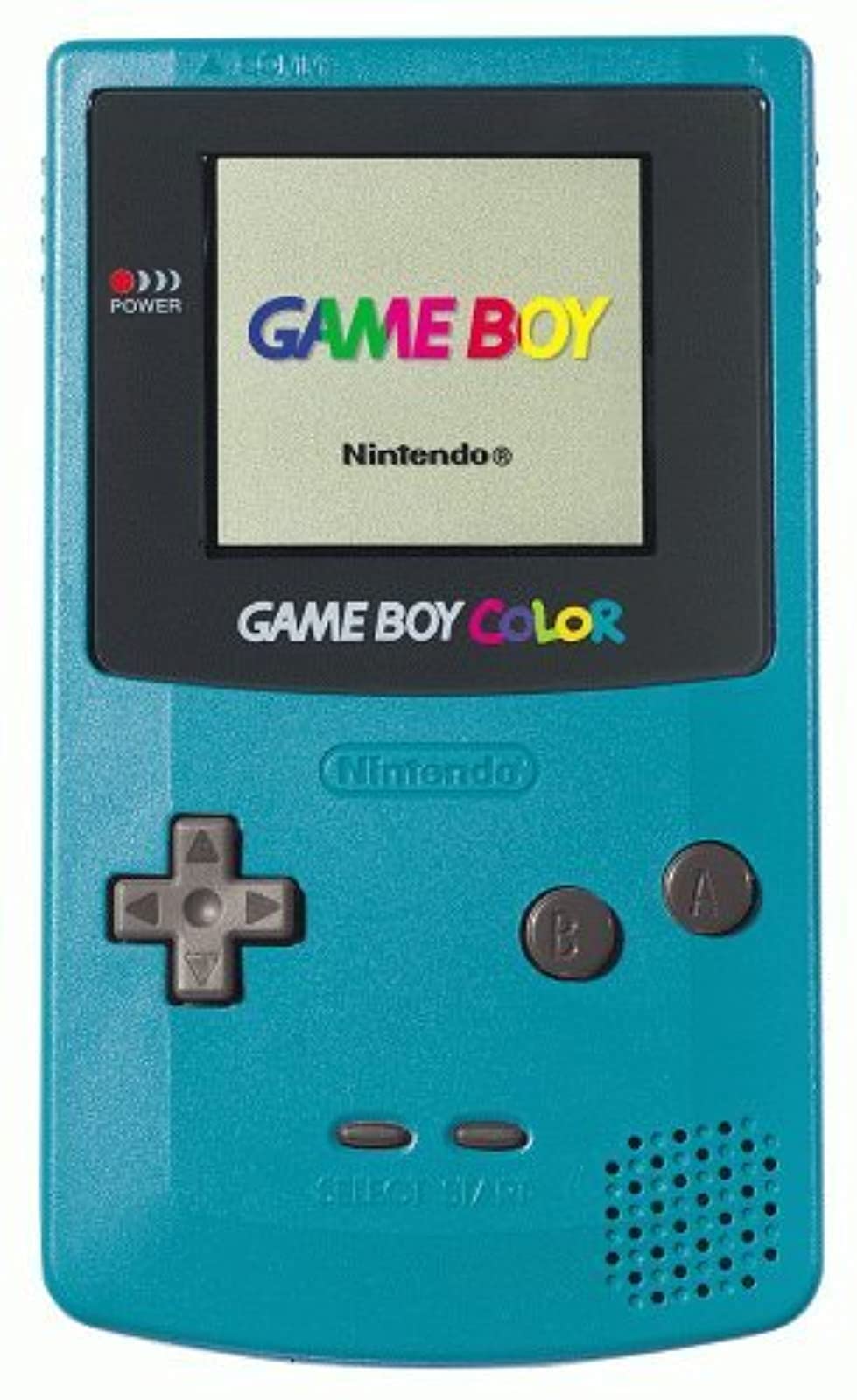
Obraz: Przód view of the Teal Game Boy Color console, displaying the "GAME BOY" and "Nintendo" logos on its screen, with the D-pad, A/B buttons, Start/Select buttons, and speaker visible.
Organizować coś
1. Instalacja baterii
Game Boy Color wymaga do działania dwóch (2) baterii AA. Aby je zainstalować, wykonaj następujące kroki:
- Locate the battery compartment cover on the back of the Game Boy Color unit.
- Aby zdjąć pokrywę, przesuń ją w dół.
- Włóż dwie baterie AA, upewniając się, że bieguny dodatni (+) i ujemny (-) są prawidłowo ustawione względem wskaźników wewnątrz komory.
- Załóż pokrywę komory baterii, przesuwając ją do góry, aż zatrzaśnie się na swoim miejscu.

Obraz: Tył view of the Teal Game Boy Color console with the battery cover open, revealing two AA batteries correctly inserted. The model number CGB-001 is visible on the label.
2. Inserting a Game Cartridge
To play a game, insert a Game Boy or Game Boy Color cartridge into the slot at the top of the unit. Push it firmly until it clicks into place.
3. Włączanie
Locate the power switch on the top left side of the unit. Slide it to the "ON" position. The power indicator light (red LED) will illuminate, and the Nintendo logo will appear on the screen.
Operating Your Game Boy Color
Podstawowe sterowanie
- Klawisz kierunkowy (D-Pad): Znajduje się po lewej stronie, służy do poruszania się i nawigacji po menu.
- Przycisk: Używane zazwyczaj do potwierdzania wyborów lub wykonywania podstawowych czynności w grach.
- Przycisk B: Używane zazwyczaj do anulowania wyborów lub wykonywania działań drugorzędnych w grach.
- Przycisk Start: Służy do wstrzymywania gry i potwierdzania wyboru.
- Przycisk WYBIERZ: Używany do różnych funkcji gry i nawigacji po menu.
- Pokrętło głośności: Located on the right side of the unit, rotate to adjust sound output.
- Gniazdo słuchawkowe: Located at the bottom, for private listening with 3.5mm headphones.
Granie w gry
Once powered on with a game cartridge inserted, the game will automatically load. Follow the on-screen instructions and use the controls as described above to play.
Wyłączanie
To turn off the system, slide the power switch to the "OFF" position. Always power off the system before removing a game cartridge.
Konserwacja
Czyszczenie konsoli
Use a soft, dry cloth to wipe the exterior of the Game Boy Color. Do not use liquid cleaners or solvents, as they may damage the unit. For the screen, use a soft, lint-free cloth. Avoid scratching the screen surface.
Pielęgnacja baterii
- Aby zapobiec wyciekowi baterii, wyjmij je, jeśli urządzenie nie będzie używane przez dłuższy czas.
- Nie mieszaj starych i nowych baterii ani różnych typów baterii.
- Zużytych baterii należy pozbywać się w sposób odpowiedzialny, zgodnie z lokalnymi przepisami.
Składowanie
Store your Game Boy Color in a cool, dry place away from direct sunlight and extreme temperatures. Keep it free from dust and moisture.
Rozwiązywanie problemów
| Problem | Możliwa przyczyna | Rozwiązanie |
|---|---|---|
| System nie włącza się. |
|
|
| Game does not load or displays garbled graphics. |
|
|
| Brak dźwięku lub niski dźwięk. |
|
|
| Screen is dark or difficult to see. |
|
|
Specyfikacje
- Numer modelu: CGB-001
- Wymiary: 5.1 x 3 x 1.1 cala (w przybliżeniu)
- Waga: 7.4 uncji (bez baterii)
- Źródło zasilania: 2 baterie AA
- Wyświetlacz: Reflective STN LCD, 160x144 pixels, 56 simultaneous colors from a palette of 32,768
- Procesor: Procesor 8-bitowy
- Dźwięk: 4-channel stereo sound (via headphones), mono speaker
- Gniazdo na wkład: Compatible with Game Boy and Game Boy Color cartridges
- Data wydania: 18 listopada 1998 r.
Gwarancja i wsparcie
Specific warranty information for this product is not provided in this manual. For details regarding warranty coverage, repairs, or additional support, please refer to the original product packaging or contact Nintendo customer support directly.
You can visit the official Nintendo store for more information: Nintendo Store.


