
1. Wprowadzenie
The LAFVIN Quadruped Spider Robot is an educational robot kit designed around the ESP8266 module. This kit allows users to build and program a spider-like robot with flexible, multi-degree-of-freedom movement. Its biomimetic design enables complex motion combinations, making it an ideal platform for STEM learning, robotics development, and electronic DIY projects.
2. Co znajduje się w pudełku
Przed rozpoczęciem montażu sprawdź, czy w opakowaniu znajdują się wszystkie wymienione poniżej elementy.

Image: All components included in the LAFVIN Spider Robot Kit, laid out for inspection.
- ESP8266 x 1
- Expansion Board x 1
- HC-SR04 Ultrasonic Sensor x 1
- MG90S Servo x 8
- Pilot na podczerwień x 1
- Tibia (Leg Segment) x 4
- Coxa (Hip Joint) x 8
- Femur (Thigh Segment) x 4
- Rubber Sleeve x 8
- Body (Main Chassis) x 1
- Body - Top Plate x 1
- Eyes (Decorative) x 1
- Screw Pack x 2 (various screws and nuts)
- Wkrętak x 1
- Opaski kablowe x 4
- Kabel Micro USB x 1
3. Instalacja i montaż
Follow the step-by-step instructions to assemble your LAFVIN Spider Robot. Detailed visual tutorials and code examples are available to guide you through the process.

Image: Visual representation of assembly steps, including code snippets and app interface for calibration.
- Step 1: Assemble Expansion Board. Refer to the provided diagrams for correct placement of the ESP8266 module onto the expansion board.
- Step 2: Assemble Development Board. Secure the ESP8266 development board to the main chassis.
- Step 3: Tibia and Femur Assembly. Connect the tibia (lower leg) and femur (upper leg) segments using the appropriate screws and nuts.
- Step 4: Attach Servos. Mount the MG90S servos to the robot's body and leg segments as indicated in the assembly guide. Ensure correct orientation for proper movement.
- Krok 5: Okablowanie. Connect all servos, the ultrasonic sensor, and the ESP8266 module to the expansion board according to the wiring diagram. Pay attention to polarity.
- Step 6: Initial Power-Up and Calibration. After assembly, connect the robot to a power source. Follow the software tutorial to upload the initial program and calibrate the servo motors for accurate movement.
For detailed assembly instructions and programming guides, refer to the comprehensive tutorials provided with the kit or available online from LAFVIN.
4. Instrukcja obsługi
Metody sterowania 4.1
The LAFVIN Spider Robot offers multiple control options for versatile operation.
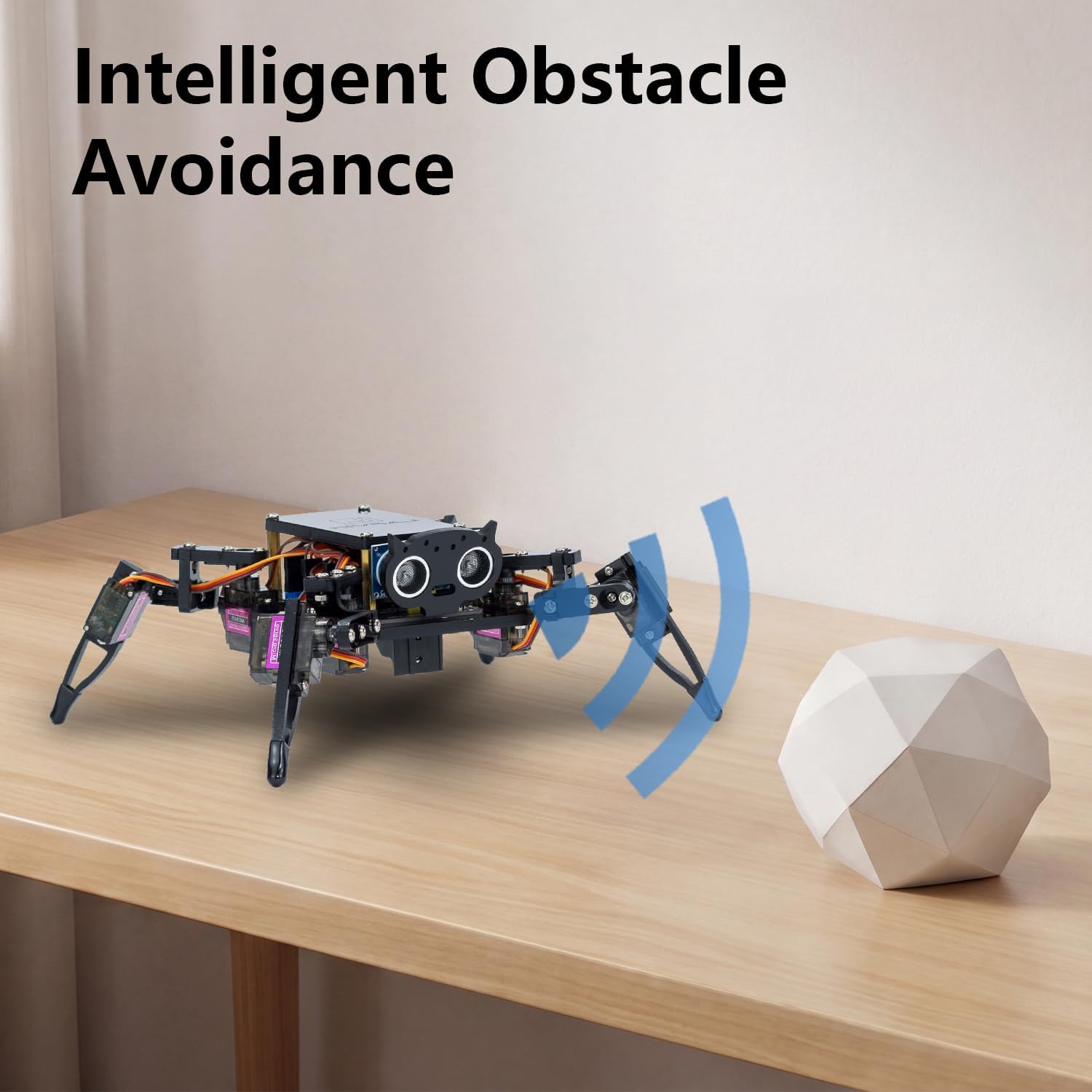
Image: Illustration of the two primary control methods: a smartphone app interface for WiFi control and a physical infrared remote control.
- WiFi Mobile Phone Remote Control: Use the dedicated mobile application to control the robot via WiFi. This interface provides intuitive controls for movement, dance modes, and other functions. Ensure your mobile device is connected to the robot's WiFi network.
- Pilot na podczerwień (IR): The included IR remote allows for instant command response. Point the remote at the robot's IR receiver to issue commands for basic movements and preset actions.
- Ultrasonic Sensor Automatic Obstacle Avoidance: The robot can operate autonomously using its ultrasonic sensor to detect obstacles and navigate around them. This mode can be activated via the control interface.
4.2 Motion Modes and Stunt Actions
The robot is equipped with 8 MG90 servos, enabling a wide range of flexible movements and pre-programmed actions.

Image: Visual guide to the robot's various postures and movements, including Fighting, Standby, Push-Up, Sleep, Lie Down, Greet, Leg Raise, Swing, and Relax.

Image: The LAFVIN Spider Robot demonstrating dynamic movement, with motion arrows indicating its agility.
- Adjustable Walking Postures: The robot supports 6 adjustable walking postures, allowing for different gaits and stability.
- Built-in Preset Stunt Actions: Access 9 pre-programmed stunt actions, such as "Fighting," "Standby," "Push-Up," "Sleep," "Lie Down," "Greet," "Leg Raise," "Swing," and "Relax." These can be triggered via the control interface.
4.3 Unikanie przeszkód
The integrated ultrasonic sensor enables the robot to detect objects in its path and automatically adjust its movement to avoid collisions.

Image: The LAFVIN Spider Robot on a table, with blue waves emanating from its front, indicating the ultrasonic sensor detecting a white geometric object.
To activate obstacle avoidance, select the appropriate mode in the mobile application or via the IR remote, if supported by your uploaded program.
5. Konserwacja
- Czyszczenie: Use a soft, dry cloth to clean the robot's surfaces. Avoid using liquids or abrasive cleaners, which can damage electronic components.
- Servo Inspection: Periodically check the servo motors for any signs of wear or loose connections. Ensure all servo horns are securely attached.
- Pielęgnacja baterii: If using rechargeable batteries, follow the manufacturer's guidelines for charging and storage. Avoid overcharging or fully discharging batteries. The expansion board supports direct charging.
- Kontrola połączenia: Ensure all wires and connectors are firmly seated. Loose connections can lead to erratic behavior or component failure.
- Aktualizacje oprogramowania: Regularly check the LAFVIN official website or community forums for any software or firmware updates for the ESP8266 module, which may improve performance or add new features.
6. Rozwiązywanie Problemów
| Problem | Możliwa przyczyna | Rozwiązanie |
|---|---|---|
| Robot się nie włącza. | Loose power connection, discharged battery, faulty power supply. | Check all power connections. Ensure the battery is charged or replace it. Verify the power adapter is functioning. The expansion board has reverse connection protection and a safety fuse. |
| Servos are not moving or moving erratically. | Incorrect wiring, loose servo connection, servo not calibrated, faulty servo. | Verify servo wiring according to the diagram. Ensure servo connectors are secure. Re-run the servo calibration routine. Test with a known good servo if available. |
| Robot nie reaguje na sterowanie zdalne. | IR remote batteries dead, IR receiver blocked, incorrect control mode selected, WiFi not connected. | Replace IR remote batteries. Ensure a clear line of sight to the IR receiver. Switch to the correct control mode (IR or APP). For APP control, ensure your device is connected to the robot's WiFi. |
| Unikanie przeszkód nie działa. | Ultrasonic sensor blocked, incorrect wiring, sensor faulty, obstacle avoidance mode not activated. | Ensure the ultrasonic sensor is clear of obstructions. Check sensor wiring. Verify the sensor is functioning. Activate obstacle avoidance mode via the control app. |
| Robot movements are not smooth or balanced. | Improper servo calibration, mechanical imbalance, loose joints. | Re-calibrate all servos. Check for any loose screws or joints in the leg mechanisms. Ensure the robot is assembled symmetrically. |
7. Specyfikacje

Image: The LAFVIN Spider Robot with its dimensions labeled: 17cm (6.7in) length, 16cm (6.3in) width, and 9cm (3.54in) height.
- Marka: Łafwin
- Model: Spider Robot Kit for ESP8266
- Moduł kontrolny: ESP8266
- Serwa: 8 x MG90S
- Czujniki: Czujnik ultradźwiękowy HC-SR04
- Metody kontroli: WiFi Mobile App, Infrared Remote Control
- Wymiary (dł. x szer. x wys.): Około 17 x 16 x 9 cm (6.7 x 6.3 x 3.54 cala)
- Zasilanie: Expansion board supports direct charging (specific voltage/current not provided, refer to product documentation).
- Cechy: 6 adjustable walking postures, 9 built-in preset stunt actions, automatic obstacle avoidance, open-source code.
- Kod UPC: 786354850804
8. Informacje o gwarancji
For detailed warranty information regarding your LAFVIN Spider Robot Kit, please refer to the official LAFVIN website or contact their customer support directly. Warranty terms typically cover manufacturing defects for a specified period from the date of purchase.
9. Obsługa klienta
If you encounter any issues or have questions not covered in this manual, please contact LAFVIN customer support. You can typically find contact information, FAQs, and additional resources on the official LAFVIN webstrona.
Zasoby internetowe: Visit the LAFVIN official website for updated tutorials, code examples i fora społecznościowe.