
1. Wprowadzenie
This manual provides detailed instructions for the safe and effective use of your DIGIERA DGW100BL 5K Digital Camera. Please read this manual thoroughly before operating the camera and retain it for future reference.
The DIGIERA DGW100BL is a versatile digital camera designed for high-quality photography and videography, featuring 5K video recording, 80MP photo resolution, a 3.0-inch IPS LCD flip screen, and advanced autofocus capabilities.
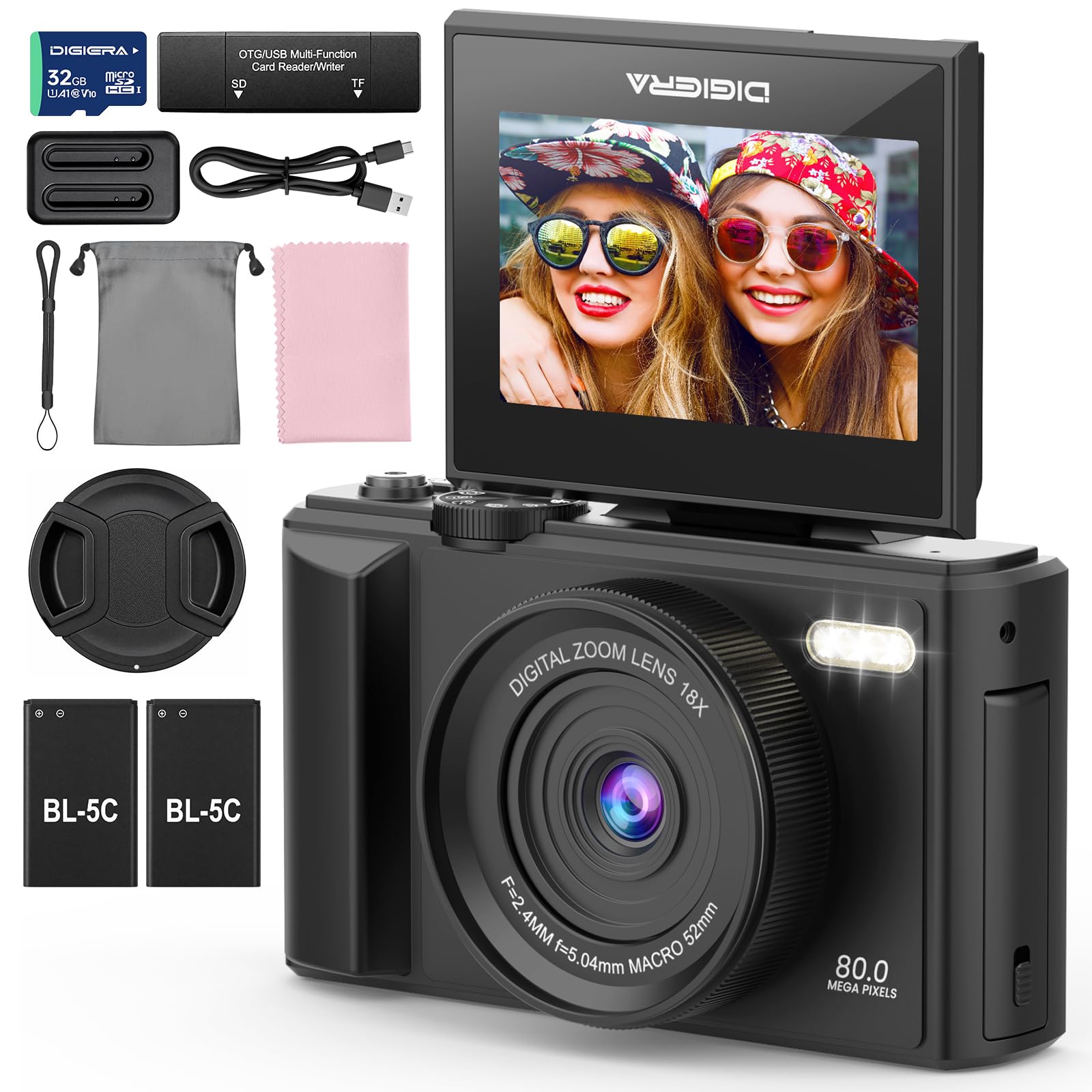
Image 1.1: The DIGIERA DGW100BL 5K Digital Camera.
2. Zawartość opakowania
Sprawdź, czy w przesyłce znajdują się wszystkie elementy:
- DIGIERA DGW100BL Camera Body
- 2 x Detachable Rechargeable Lithium-ion Batteries
- Ładowarka baterii
- Karta SD 32 GB
- Kabel USB
- Instrukcja obsługi
- Pasek na nadgarstek
3. Konfiguracja
3.1. Montaż i ładowanie akumulatora
- Otwórz pokrywę komory baterii znajdującą się na spodzie aparatu.
- Insert a rechargeable lithium-ion battery, ensuring the contacts align correctly. Close the cover.
- To charge the battery, insert it into the provided external charger. Connect the charger to a power source using the USB cable. The indicator light on the charger will show charging status.
- A fully charged battery provides approximately 80 minutes of 4K video recording.
3.2. Instalacja karty SD
- Locate the SD card slot, typically on the side or bottom of the camera.
- Insert the included 32GB SD card with the metal contacts facing the correct direction (refer to the diagram near the slot). Push until it clicks into place.
- To remove, gently push the SD card inward until it springs out.
3.3. Włączanie/wyłączanie zasilania
- Aby włączyć urządzenie, naciśnij i przytrzymaj przycisk zasilania, aż ekran się podświetli.
- To power off, press and hold the Power button again until the screen shuts down.
3.4. Ustawienia początkowe
Upon first power-on, you may be prompted to set the date, time, and language. Use the navigation buttons to select and confirm your preferences.
4. Obsługa aparatu
4.1. Podstawy fotografii i nagrywania wideo
The camera supports 80MP still images and 5K video recording.

Image 4.1: Demonstrating 5K video and 80MP photo capabilities.
- Przełączanie trybów: Use the mode dial or menu options to switch between photo, video, and playback modes.
- Robienie zdjęć: In photo mode, frame your shot and press the Shutter button halfway to focus, then fully to capture the image.
- Nagrywanie filmów wideo: In video mode, press the Record button to start and stop recording.
- Snapshot While Recording: You can capture still photos during video recording by pressing the Shutter button.
4.2. Tryby ostrości
The camera offers flexible focusing options:
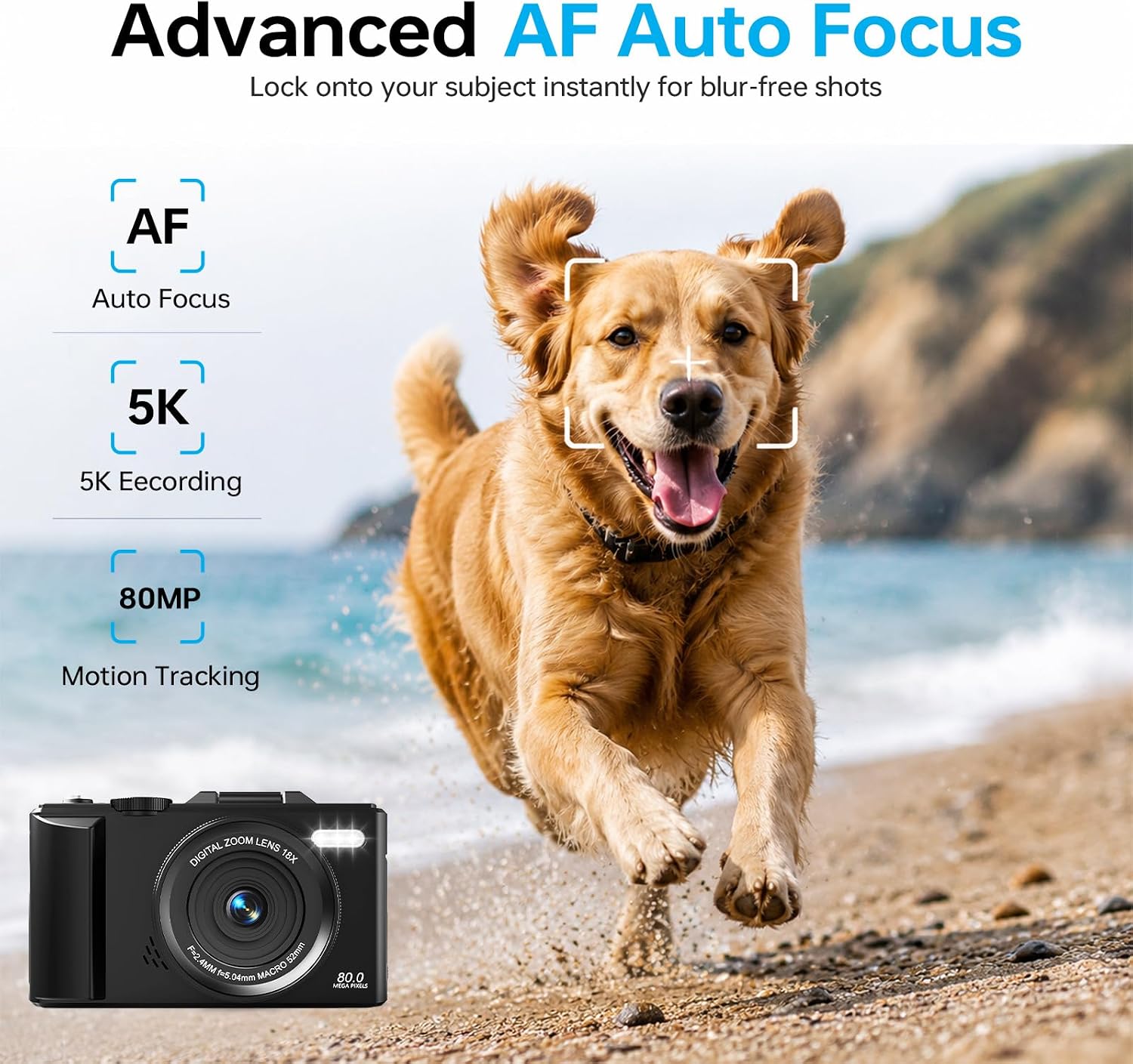
Image 4.2: Advanced Autofocus for sharp images.
- Autofokus (AF): The camera automatically detects and focuses on subjects. This is ideal for most situations, including moving subjects.
- Naprawiono ostrość: Maintains a fixed focus distance, suitable for specific scenarios where manual adjustment is not desired.
- Manualne ustawianie ostrości (MF): Allows you to manually adjust the focus for precise control.
4.3. Using the Flip Screen and Digital Zoom

Image 4.3: The 180° flip screen for easy selfies and vlogging.
- Odwróć ekran: The 3.0-inch IPS LCD screen can be flipped 180 degrees, making it convenient for self-portraits, vlogging, and monitoring your shots from various angles.
- 18-krotny zoom cyfrowy: Use the zoom controls (usually 'W' for wide and 'T' for telephoto) to digitally zoom in or out on your subject. Note that digital zoom may reduce image quality compared to optical zoom.
4.4. Anti-Shake Technology
The built-in anti-shake technology helps to stabilize your footage and photos, reducing blur caused by camera movement, especially useful during handheld shooting or when using digital zoom.
4.5. Funkcje specjalne
- Upływ czasu: Capture sequences of images over time to create time-lapse videos. Access this feature through the camera's menu. For extended sessions, consider connecting a power bank.
- Zwolnione tempo: Record videos at a higher frame rate to play back in slow motion.
- Filtry kreatywne: Apply various artistic filters and effects directly to your photos and videos.

Obraz 4.4: Examples of built-in creative filters.
4.6. Łączność Wi-Fi i sterowanie aplikacją

Image 4.5: Wi-Fi transfer for instant sharing.
The camera features built-in Wi-Fi for seamless transfer of photos and videos to your smartphone via a dedicated mobile app. This also enables remote control for convenient selfies and group shots.
- Download the official DIGIERA camera app from your device's app store.
- Enable Wi-Fi on your camera and connect your smartphone to the camera's Wi-Fi network.
- Use the app to browse, transfer, and share your media, or to control the camera remotely.
4.7. External Lens Support

Image 4.6: The camera supports external 52mm wide-angle lenses (sold separately).
The camera supports external 52mm wide-angle lenses (not included) to expand your field of view, ideal for capturing landscapes or group photos.
5. Konserwacja
5.1. Czyszczenie aparatu
- Obiektyw: Użyj miękkiej, niepozostawiającej włókien ściereczki lub szczoteczki do soczewek, aby delikatnie usunąć kurz. W przypadku smug użyj specjalnego środka do czyszczenia soczewek nałożonego na ściereczkę, a nie bezpośrednio na soczewkę.
- Ekran: Wipe the LCD screen with a soft, dry microfiber cloth. Avoid harsh chemicals.
- Ciało: Use a dry, soft cloth to clean the camera body. Do not use water or cleaning solvents.
5.2. Pielęgnacja baterii
- Baterie, które nie są używane, przechowuj w chłodnym i suchym miejscu.
- Aby przedłużyć żywotność baterii, należy unikać ich całkowitego rozładowywania.
- Nie wystawiaj baterii na działanie ekstremalnych temperatur.
5.3. Przechowywanie
When storing the camera for extended periods, remove the battery and SD card. Store the camera in a protective case in a dry, dust-free environment.
6. Rozwiązywanie Problemów
Jeśli masz problemy z aparatem, zapoznaj się z poniższymi typowymi problemami i ich rozwiązaniami:
| Problem | Możliwa przyczyna | Rozwiązanie |
|---|---|---|
| Kamera się nie włącza. | Bateria jest rozładowana lub nieprawidłowo włożona. | Ensure battery is fully charged and correctly inserted. Try a different charged battery. |
| Nie można robić zdjęć/nagrywać filmów. | Karta SD jest pełna, zablokowana lub nie została włożona. | Check SD card status. Ensure it is unlocked, has sufficient space, and is inserted correctly. Format the SD card if necessary (this will erase all data). |
| Obrazy są niewyraźne. | Nieprawidłowa ostrość, drżenie aparatu lub brudny obiektyw. | Check focus mode. Ensure anti-shake is enabled. Clean the lens. Hold the camera steady. |
| Problemy z połączeniem Wi-Fi. | Incorrect Wi-Fi settings or app issues. | Ensure Wi-Fi is enabled on both camera and phone. Reconnect to the camera's Wi-Fi network. Restart the camera and the app. |
| Krótki czas pracy baterii. | Frequent use of power-intensive features or old battery. | Reduce screen brightness, limit continuous recording. Ensure batteries are fully charged. Consider replacing old batteries. |
Jeśli po wypróbowaniu tych rozwiązań problem nadal występuje, skontaktuj się z obsługą klienta.
7. Specyfikacje
| Funkcja | Szczegół |
|---|---|
| Nazwa modelu | DGW100BL |
| Technologia czujnika fotograficznego | CMOS |
| Maksymalny WebRozdzielczość obrazu kamery | 80 MP |
| Rozdzielczość wideo | 5K |
| Zoom cyfrowy | 18X |
| Rozmiar ekranu | 3.0 cali |
| Typ wyświetlacza | IPS LCD (Flip Screen) |
| Stabilizacja obrazu | Cyfrowy (antywstrząsowy) |
| Tryby ostrości | Autofocus, Fixed Focus, Manual Focus |
| Utrzymany File Format | JPEG (Photos) |
| Pojemność pamięci masowej | 32 GB (w zestawie karta SD) |
| Compatible Flash Memory Type | Karta microSD |
| Technologia łączności | USB, Wi-Fi |
| Typ baterii | Detachable Rechargeable Lithium-ion |
| Średnia żywotność baterii | Około 80 minut (nagranie w jakości 4K) |
| Cechy specjalne | Anti-Shake, Slow Motion, Wi-Fi Control, Time-Lapse, Snapshot While Recording, 5K Ultra-HD |
| Producent | Shenzhen Kerun E-commerce Co.,Ltd |
8. Informacje o gwarancji
This DIGIERA DGW100BL camera comes with a Roczna gwarancja producenta od daty zakupu. Niniejsza gwarancja obejmuje wady produkcyjne i wykonawcze wynikające z normalnego użytkowania. Nie obejmuje ona uszkodzeń spowodowanych niewłaściwym użytkowaniem, wypadkami, nieautoryzowanymi modyfikacjami ani klęskami żywiołowymi.
Proszę zachować dowód zakupu na potrzeby roszczeń gwarancyjnych.
9. Obsługa klienta
For technical assistance, troubleshooting not covered in this manual, or warranty inquiries, please contact DIGIERA customer support. We offer 4/7 after-sale support to assist you.
- E-mail: Refer to your product packaging or the official DIGIERA webstrona dla danych kontaktowych.
- Webstrona: Visit the DIGIERA Store on Amazon