
1. Wprowadzenie
The GOOLOO DS600 is a professional OBD2 diagnostic scanner designed for comprehensive vehicle system analysis. This device provides advanced diagnostic capabilities for a wide range of vehicles, offering essential functions for both automotive enthusiasts and professional technicians. It features a user-friendly interface and robust hardware for reliable performance.
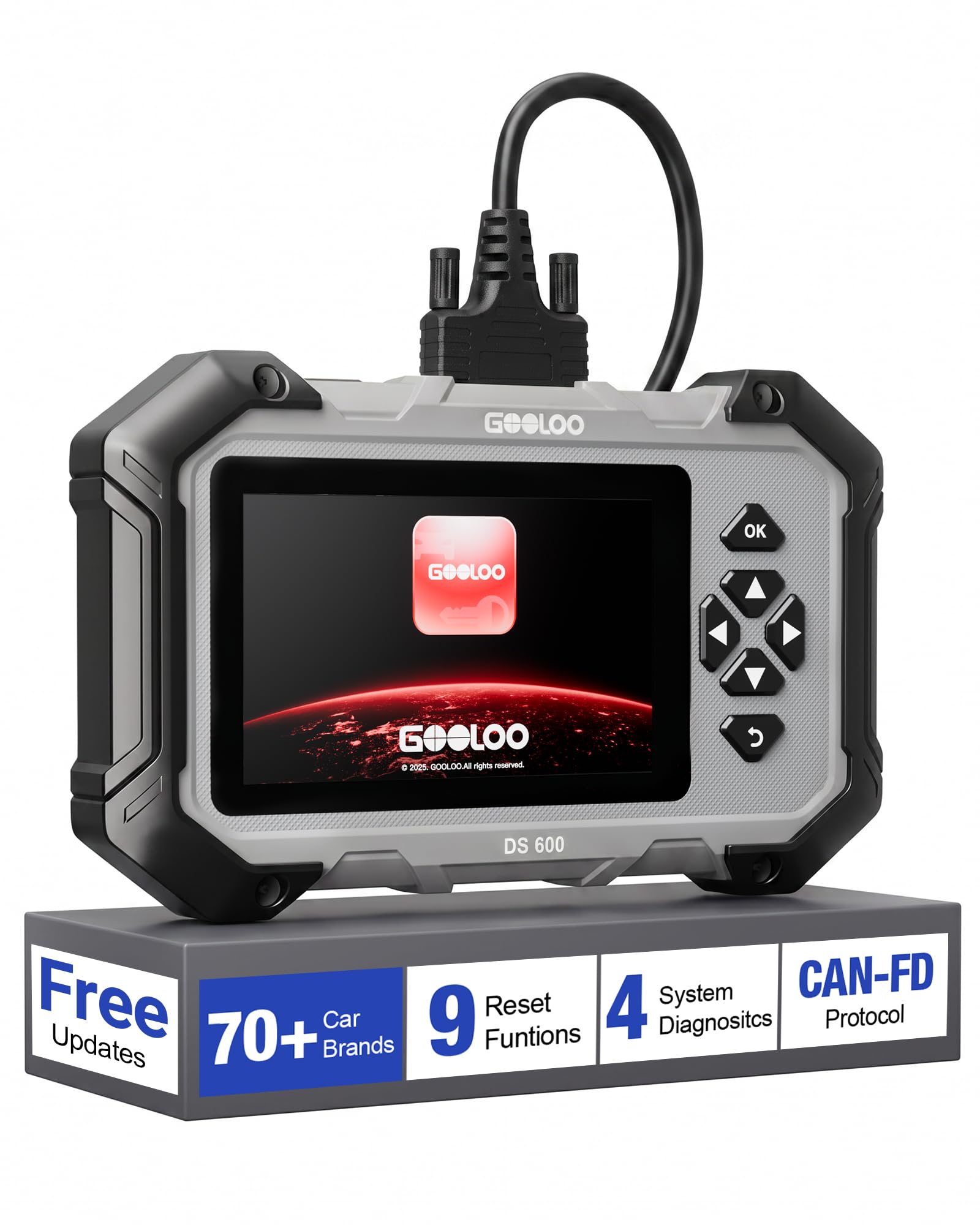
Image 1.1: The GOOLOO DS600 OBD2 Scanner, a handheld diagnostic tool with a 5-inch touchscreen and physical navigation buttons.
2. Koniec produktuview
2.1 Główne cechy
- Szeroka kompatybilność z pojazdami: Compatible with OBDII-equipped vehicles built after 1996, supporting over 70 vehicle brands. Supports Diesel (12v only), gasoline, 12V passenger cars, pickups, light-duty trucks, SUVs, and minivans.
- Obsługa protokołów: Compatible with OBD2, CAN, and CAN-FD protocols.
- System operacyjny: Runs on Android 11.0.
- Wyświetlacz: 5-inch touchscreen interface.
- Pamięć: 2 GB pamięci RAM i 64 GB pamięci ROM.
- Łączność: 2.4GHz and 5GHz Wi-Fi for updates.
- Moc: Internal 3500mAh lithium battery, rechargeable via USB-C.
- Aktualizacje: Lifetime free updates and use for core functions.
2.2 Zawartość opakowania
The GOOLOO DS600 package typically includes:
- GOOLOO DS600 OBD2 Scanner Unit
- Kabel połączeniowy OBD2
- Kabel ładujący USB do USB-C
- Ochronne etui transportowe
- Krótki przewodnik referencyjny
3. Konfiguracja
3.1 Pierwsze uruchomienie i rejestracja
- Naładuj urządzenie: Connect the scanner to a power source using the provided USB-C charging cable. Ensure the device is sufficiently charged before first use.
- Włączanie: Press and hold the power button located on the top edge of the scanner.
- Kreator konfiguracji początkowej: Follow the on-screen prompts to complete the initial setup, including language selection and time zone.
- Połącz się z Wi-Fi: Navigate to the Wi-Fi settings and connect the device to a stable 2.4GHz or 5GHz Wi-Fi network.
- Zarejestruj urządzenie: Input your email address when prompted. A verification code will be sent to your email. Enter this code on the device to activate and register it. No personal data beyond email is typically required for basic operation.
- Pobierz aktualizacje: After registration, the device will prompt you to download and apply available software and vehicle diagnostic profile updates. It is highly recommended to install all updates to ensure the broadest compatibility and latest features. This process may take some time depending on your internet speed.

Image 3.1: The GOOLOO DS600 displaying the one-click update feature and demonstrating automatic VIN detection.
3.2 Podłączanie do pojazdu
- Zlokalizuj port OBD2: Identify the vehicle's OBD2 diagnostic port, typically located under the dashboard on the driver's side.
- Kabel połączeniowy: Firmly connect one end of the provided OBD2 cable to the vehicle's OBD2 port and the other end to the designated port on the top edge of the GOOLOO DS600 scanner.
- Zapłon włączony: Przekręć zapłon pojazdu do pozycji „ON” (silnik wyłączony).
- Nawiąż komunikację: The scanner will automatically detect the vehicle's battery voltage and attempt to establish communication.
4. Instrukcja obsługi
4.1 Main System Diagnostics
The DS600 can perform in-depth diagnostics on four primary vehicle systems:
- Układ silnika: Odczytuje i kasuje kody błędów silnika, viewdane na żywo dotyczące wydajności silnika.
- Dodatkowy system bezpieczeństwa (SRS): Diagnoses airbag system issues, reads and clears SRS fault codes.
- Układ zapobiegający blokowaniu kół podczas hamowania (ABS): Checks ABS system status, reads and clears ABS fault codes.
- System przesyłowy: Diagnoses automatic transmission issues, reads and clears transmission fault codes.

Image 4.1: The GOOLOO DS600 interface showing options for Engine, SRS, ABS, and Transmission diagnostics.
4.2 Pełne funkcje OBD
Access the 'Diagnostics' menu to perform standard OBD2 functions:
- Odczyt i kasowanie kodów: Pobierz kody błędów diagnostycznych (DTC) i usuń je po naprawie.
- Dane na żywo: View real-time sensor data, parameters, and PIDs in text or graph format.
- Gotowość I/M: Sprawdź stan gotowości monitorów związanych z emisjami.
- Monitorowanie na pokładzie: Review results of on-board diagnostic monitoring tests for specific components/systems.
- Test komponentów: Przeprowadź test szczelności układu EVAP pojazdu.
- Informacje o pojeździe: Pobierz numer identyfikacyjny pojazdu (VIN), identyfikator kalibracji (CALID) i numer weryfikacyjny kalibracji (CVN).
- Status pojazdu: Zapewnia ponadview of the vehicle's current diagnostic status.

Image 4.2: The GOOLOO DS600 interface showing various full OBD functions.
4.3 Specjalne funkcje resetowania
The DS600 offers 9 commonly used reset and service functions:
- Reset oleju: Resetuje system kontroli żywotności oleju po jego wymianie.
- Adaptacja przepustnicy: Re-learns the throttle body position.
- Reset hamulca (Reset EPB): Resetuje elektroniczny układ hamulca postojowego po wymianie klocków hamulcowych.
- Krwawienie z układu ABS: Performs brake fluid bleeding procedures for the ABS system.
- Regeneracja DPF: Rozpoczyna proces regeneracji filtra cząstek stałych.
- Kodowanie wtryskiwacza: Koduje nowe numery wtryskiwaczy do ECU.
- Reset SAS (czujnik kąta skrętu): Resetuje czujnik kąta skrętu.
- Reset BMS (system zarządzania baterią): Rejestruje wymianę baterii.
- Reset TPMS (system monitorowania ciśnienia w oponach): Re-learns TPMS sensors.

Image 4.3: The GOOLOO DS600 interface showing the 9 special reset functions.
4.4 Funkcje zaawansowane
- Numer VIN samochodu: Automatically identifies the vehicle's Vehicle Identification Number (VIN) for quick and accurate vehicle identification.
- CAN-FD & FCA AutoAuth: Supports the Controller Area Network Flexible Data-Rate (CAN-FD) protocol and FCA AutoAuth for enhanced coverage and direct communication with modern Fiat Chrysler Automobiles (FCA) vehicles protected by a Security Gateway Module (SGW). This allows for deeper, bidirectional diagnostics on compatible vehicles.
- Professional Battery Diagnostics: Assesses battery starting power and monitors real-time voltage trends.

Image 4.4: The GOOLOO DS600 interface highlighting CAN-FD and Gateway Ready capabilities for modern vehicles.

Image 4.5: The GOOLOO DS600 demonstrating professional battery diagnostics, including assessing starting power and monitoring voltage trends.
5. Konserwacja
- Aktualizacje oprogramowania: Regularly connect the device to Wi-Fi and check for software updates. GOOLOO provides lifetime free updates for the core OBD2 functions and 9 reset functions. Installing updates ensures optimal performance and compatibility with new vehicle models.
- Czyszczenie: Do czyszczenia ekranu i zewnętrznej części urządzenia należy używać miękkiej, suchej ściereczki. Unikaj stosowania środków czyszczących o właściwościach ściernych i rozpuszczalników.
- Składowanie: When not in use, store the DS600 in its protective carrying case in a cool, dry place to prevent damage from dust, moisture, or impacts.
- Pielęgnacja baterii: To prolong battery life, avoid fully discharging the battery frequently. Charge the device periodically if it's not used for extended periods.
6. Rozwiązywanie Problemów
- Urządzenie nie włącza się: Upewnij się, że bateria jest naładowana. Podłącz urządzenie do źródła zasilania za pomocą kabla USB-C i spróbuj ponownie.
- Brak komunikacji z pojazdem:
- Verify the OBD2 cable is securely connected to both the scanner and the vehicle's OBD2 port.
- Upewnij się, że zapłon pojazdu jest w pozycji „ON” (silnik wyłączony).
- Sprawdź pojemność akumulatora pojazdutagmi. Niska objtagmoże uniemożliwić komunikację.
- Try connecting to a different compatible vehicle to rule out a vehicle-specific issue.
- Problemy z połączeniem Wi-Fi:
- Ensure you are within range of a known Wi-Fi network.
- Sprawdź, czy hasło Wi-Fi jest wprowadzone poprawnie.
- Uruchom ponownie skaner i router Wi-Fi.
- Screen Responsiveness Issues: If the touchscreen is unresponsive or inaccurate, try restarting the device. Ensure the screen is clean and free of debris.
- Niska wydajność: Ensure the device has the latest software updates installed. Close any unnecessary applications running in the background if applicable.
7. Specyfikacje
| Numer modelu | DS600 |
| System operacyjny | Android 11.0 |
| Rozmiar ekranu | 5 cali |
| BARAN | 2 GB |
| ROM | 64 GB |
| Procesor | 1.8 GHz 4-rdzeniowy |
| Pojemność baterii | 3500mAh |
| Wi-Fi | 2.4GHz / 5GHz |
| Źródło zasilania | Zasilany bateryjnie |
| Wymiary (w przybliżeniu) | 22.6 cm x 13.7 cm x 3.5 cm (8.9" x 5.4" x 1.4") |
| Waga (w przybliżeniu) | 998 g (19.79 uncji) |
| Typ dopasowania samochodowego | Uniwersalne dopasowanie |
8. Gwarancja i wsparcie
The GOOLOO DS600 comes with lifetime free updates for its full OBD2 functions and the 9 special reset functions, ensuring the device remains current without subscription fees for these core features.
For specific warranty details, including coverage period and terms, please refer to the official GOOLOO website or contact GOOLOO customer support directly. It is recommended to retain your proof of purchase for warranty claims.
For technical assistance, troubleshooting, or any product-related inquiries, please contact GOOLOO customer support through their official channels. Contact information can typically be found on the GOOLOO webmiejscu lub w opakowaniu produktu.