
1. Koniecview
This manual provides essential information for setting up, operating, maintaining, and troubleshooting your INSIGNIA 85-inch Class QF Series QLED 4K UHD Smart Fire TV. This television offers a high-quality viewing experience with 4K UltraHD resolution, Quantum Dot Technology for enhanced color, and Direct LED Backlight for uniform brightness. It integrates the Fire TV Smart OS, providing access to various streaming services and features like the Voice Remote with Alexa. The design features a metal bezel-less display for a modern aesthetic.
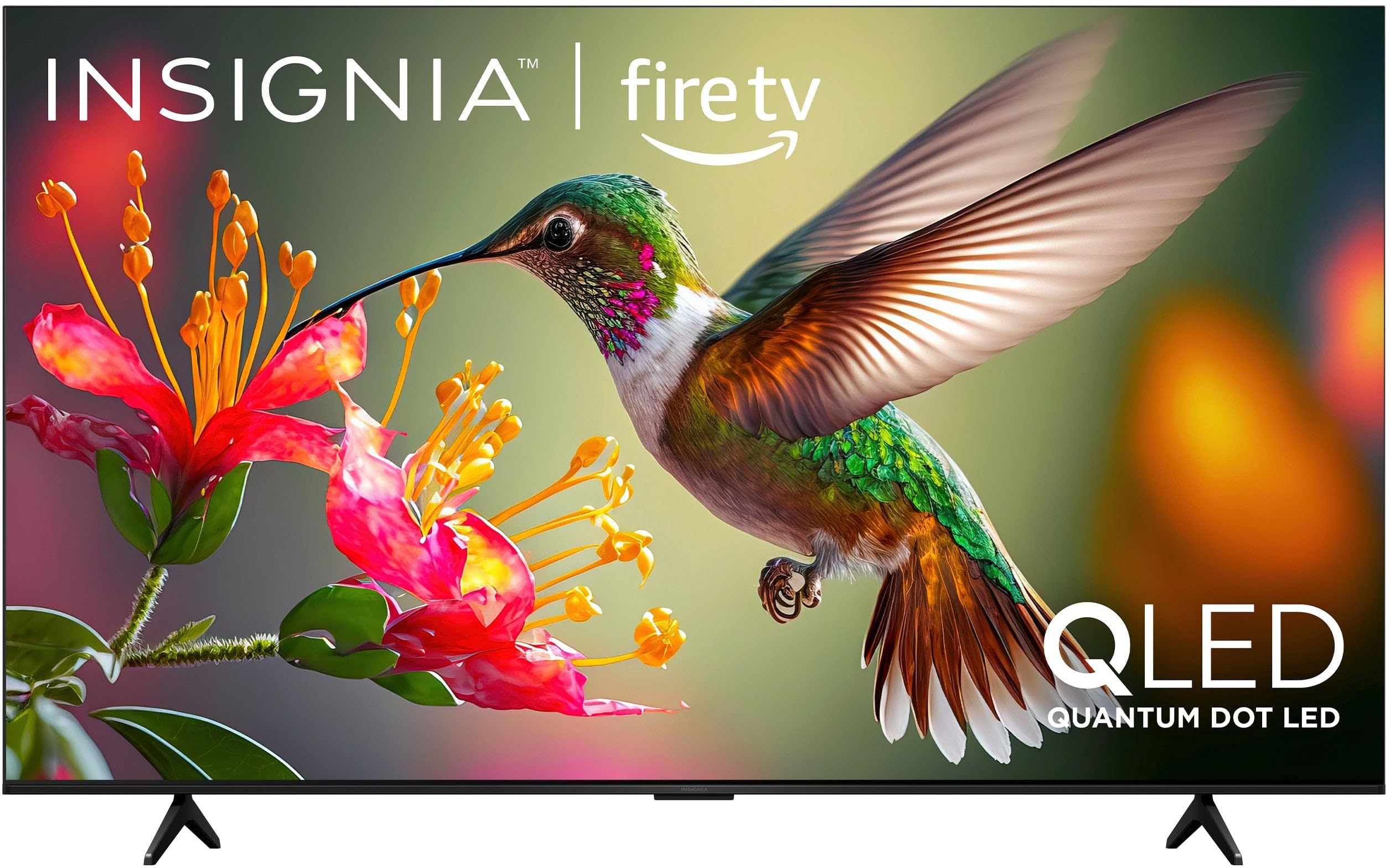
Obraz 1.1: Przód view of the INSIGNIA 85-inch QF Series QLED 4K UHD Smart Fire TV.
2. Co znajduje się w pudełku
Przed przystąpieniem do instalacji sprawdź, czy wszystkie komponenty są obecne:
- INSIGNIA 85-inch QF Series QLED 4K UHD Smart Fire TV
- Pilot głosowy z Alexą
- Baterie do pilota (2 AAA)
- Stojak TV
- Śruby do montażu stojaka
- Szybki przewodnik konfiguracji (ten dokument)
3. Konfiguracja
3.1. Montaż stojaka pod telewizor
If you are not wall-mounting your TV, attach the included stand:
- Ostrożnie połóż telewizor ekranem do dołu na miękkiej i czystej powierzchni, aby zapobiec uszkodzeniu ekranu.
- Dopasuj nogi stojaka do otworów na śruby znajdujących się na spodzie telewizora.
- Przymocuj nogi stojaka za pomocą dołączonych śrub. Upewnij się, że są mocno dokręcone.
3.2. Pierwsze włączenie i połączenie sieciowe
- Podłącz przewód zasilający do telewizora, a następnie do gniazdka elektrycznego.
- Naciśnij przycisk zasilania na telewizorze lub pilocie, aby włączyć telewizor.
- Follow the on-screen instructions to select your language, connect to your Wi-Fi network, and sign in to your Amazon account.
3.3. Parowanie zdalne
Your Voice Remote with Alexa should pair automatically. If it does not, press and hold the Dom button on the remote for 10 seconds until the LED indicator flashes blue, then release. The remote will attempt to pair.

Image 3.1: The Voice Remote with Alexa, used for controlling the TV and accessing smart features.
4. Instrukcja obsługi
4.1. Fire TV Smart OS Navigation
The Fire TV Smart OS provides a centralized hub for all your entertainment. Use the navigation buttons on your remote to browse:
- Ekran główny: Access recommended content, recently used apps, and various streaming services.
- Aplikacje: Download and manage your favorite streaming applications.
- Telewizja na żywo: Integrate live TV channels from supported services or an antenna.
- Ustawienia: Adjust picture, sound, network, and device preferences.

Image 4.1: The Fire TV interface displaying a selection of streaming services and content.
4.2. Voice Remote with Alexa
Utilize the built-in Alexa voice assistant for hands-free control:
- Naciśnij i przytrzymaj przycisk mikrofonu na pilocie.
- Speak commands such as "Find action movies," "Launch Netflix," "Switch to HDMI 2," or "Show me the weather."
- Alexa can also control compatible smart home devices.
4.3. Podłączanie urządzeń zewnętrznych
Your TV is equipped with four HDMI inputs for connecting external devices:
- Connect gaming consoles, Blu-ray players, soundbars, or cable/satellite boxes to the HDMI ports.
- One HDMI port supports eARC for enhanced audio return channel functionality with compatible sound systems.
- Aby przełączyć wejście, naciśnij Wejście button on your remote and select the desired source.

Image 4.2: Illustration of the TV's connectivity options, including HDMI ports.
4.4. Ulepszenia obrazu i dźwięku
This TV features advanced technologies for an immersive experience:
- QLED (Quantum Dot LED): Delivers vibrant, lifelike colors and improved brightness.
- Rozdzielczość 4K UltraHD: Provides four times the detail of Full HD TVs.
- Dolby Vision i Dolby Atmos: Supports advanced HDR for enhanced contrast and accurate colors, along with immersive spatial audio.

Image 4.3: Visual representation of Dolby Vision and Dolby Atmos features, highlighting cinematic picture and immersive sound.
5. Konserwacja
5.1. Czyszczenie telewizora
To maintain the TV's appearance and performance:
- Zawsze odłączaj telewizor od zasilania przed czyszczeniem.
- Do delikatnego przecierania ekranu i obudowy używaj miękkiej, suchej i niepozostawiającej włókien ściereczki.
- W przypadku uporczywych plam na ekranie delikatnie przetrzyjampPrzetrzyj ściereczkę wodą lub specjalnym środkiem do czyszczenia ekranów. Nigdy nie spryskuj ekranu bezpośrednio płynem.
- Unikaj stosowania środków czyszczących o właściwościach ściernych, wosków i rozpuszczalników.
5.2. Aktualizacje oprogramowania
Your Fire TV automatically receives software updates to improve performance and add new features. Ensure your TV is connected to the internet to receive these updates. You can manually check for updates in the Settings menu.
6. Rozwiązywanie Problemów
Jeśli masz problemy z telewizorem, zapoznaj się z poniższymi typowymi rozwiązaniami:
| Problem | Rozwiązanie |
|---|---|
| Brak zasilania | Upewnij się, że przewód zasilający jest prawidłowo podłączony zarówno do telewizora, jak i do sprawnego gniazdka elektrycznego. Spróbuj użyć innego gniazdka. |
| Brak obrazu, ale dźwięk jest | Sprawdź źródło sygnału wejściowego. Naciśnij Wejście button on the remote to cycle through inputs. Verify external devices are powered on and connected correctly. |
| Pilot nie odpowiada | Replace the AAA batteries in the remote. If the issue persists, re-pair the remote by holding the Dom przycisk przez 10 sekundy. |
| Nie można połączyć się z siecią Wi-Fi | Ensure your Wi-Fi router is on and within range. Restart your router and TV. Check Wi-Fi settings in the TV's menu to ensure the correct network and password are entered. |
| Niska jakość obrazu | Adjust picture settings (brightness, contrast, color) in the TV's menu. Ensure the content source is high-quality (e.g., 4K content for 4K resolution). |
| Brak dźwięku | Check the volume level and ensure the TV is not muted. Verify external audio devices (soundbar, receiver) are connected and configured correctly. |
7. Specyfikacje
| Funkcja | Szczegół |
|---|---|
| Nazwa modelu | NS85-UQFL27 |
| Rozmiar ekranu | 84.6 inches (85-inch class) |
| Technologia wyświetlania | QLED (dioda LED z kropkami kwantowymi) |
| Rezolucja | Rozdzielczość 4K Ultra HD (3840 x 2160) |
| Częstotliwość odświeżania | 60 Hz |
| System operacyjny | FireOS |
| Obsługa HDR | Wizja Dolby |
| Technologia audio | Dolby Atmos |
| Łączność | Wi-Fi |
| Wejścia HDMI | 4 (w tym 1 eARC) |
| Cechy specjalne | Voice Remote with Alexa, Apple Airplay |
| Wymiary produktu (Gł. x Szer. x Wys.) | 2.5" gł. x 74.4" szer. x 42.8" wys. |
| Item Weight Without Stand | 64.6 funtów |
| Zawarte komponenty | Remote Control, Remote Control Battery, Screws, Stand |
| UPC | 600603325472 |
8. Gwarancja i pomoc techniczna
8.1. Informacje o gwarancji
This INSIGNIA TV comes with a 1-letnia gwarancja. For specific terms and conditions, please refer to the warranty card included with your product or visit the official INSIGNIA support webstrona.
8.2. Obsługa klienta
If you require further assistance or encounter issues not covered in this manual, please contact INSIGNIA customer support. Contact information can typically be found on the manufacturer's webmiejscu lub w opakowaniu produktu.