
1. Wprowadzenie
Thank you for choosing the Generic LP V57 Wireless Bluetooth Speaker. This portable speaker offers versatile audio playback options including Bluetooth, FM radio, TF card, and USB. It features a removable battery, strong bass, and an LED display, making it suitable for various indoor and outdoor activities. Please read this manual carefully before using the product to ensure proper operation and to maximize its lifespan.
2. Zawartość opakowania
- LP V57 Wireless Bluetooth Speaker
- Kabel ładujący USB
- Instrukcja obsługi
3. Koniec produktuview
Familiarize yourself with the various components and features of your LP V57 speaker.
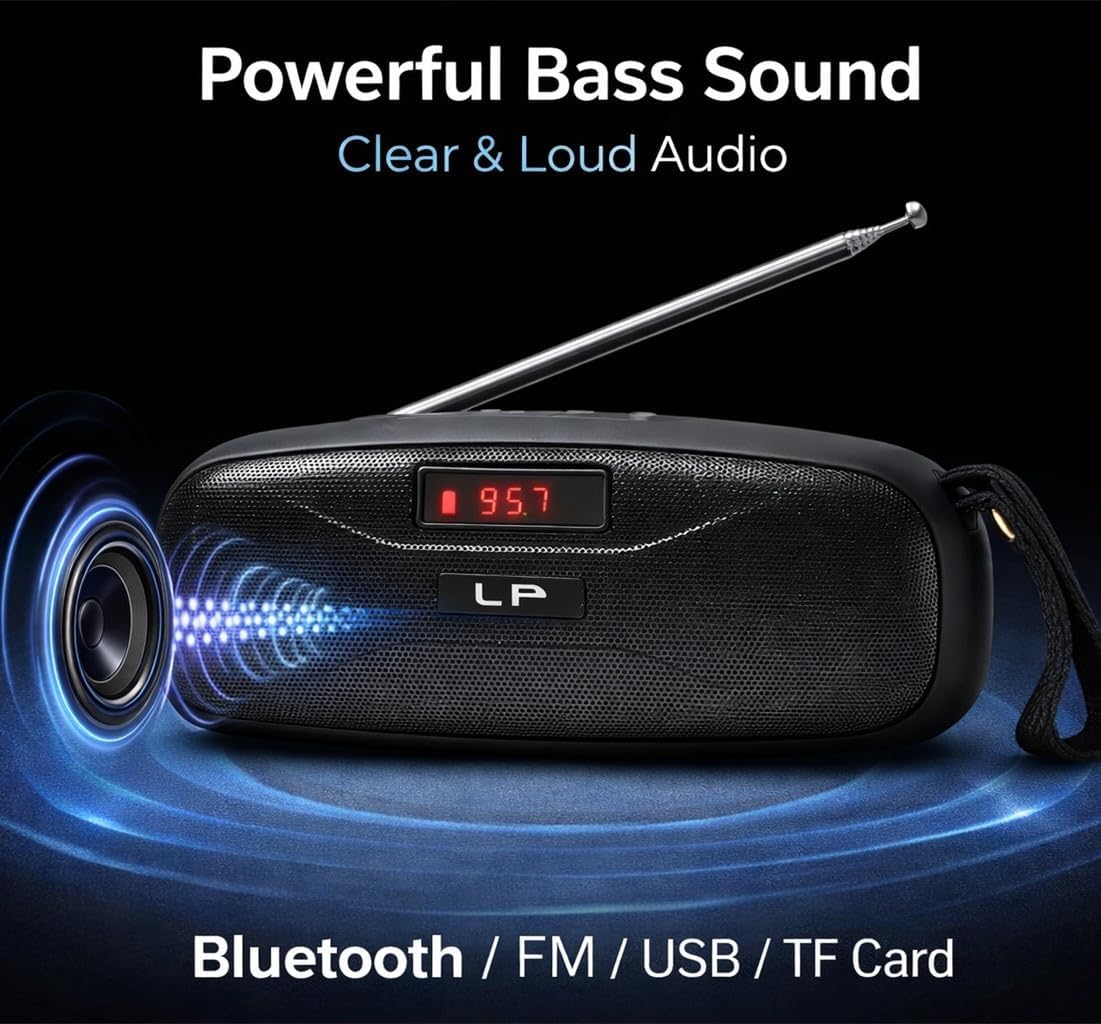
Image: The LP V57 speaker showcasing its powerful bass sound and multiple connectivity options including Bluetooth, FM, USB, and TF Card. The LED display shows '95.7'.

Image: An illustration of the LP V57 speaker highlighting its 'All-in-One' functionality with distinct icons for Bluetooth, FM radio, USB, and TF card playback.

Image: The LP V57 speaker with its back panel open, revealing the removable 1500mAh Li-ion battery compartment. An illustration of a charged battery is shown next to it.
4. Konfiguracja
4.1 Ładowanie akumulatora
- Podłącz dołączony kabel ładujący USB do portu ładowania głośnika.
- Podłącz drugi koniec kabla USB do standardowego zasilacza USB (nie ma go w zestawie) lub do portu USB komputera.
- The LED indicator will show charging status. Once fully charged, the indicator will change or turn off.
- Pełne ładowanie trwa zwykle 2-3 godziny.
4.2 Inserting TF Card / USB Drive
- Locate the TF card slot or USB port on the speaker.
- Insert your TF card (microSD) or USB flash drive with the metal contacts facing the correct direction until it clicks into place.
- The speaker will automatically switch to TF card or USB mode and begin playing music if filesą obecne.
5. Instrukcja obsługi
5.1 Włączanie/wyłączanie zasilania
- To power on, slide the power switch to the 'ON' position. The LED display will light up.
- Aby wyłączyć urządzenie, przesuń wyłącznik zasilania do pozycji „WYŁ.”.
5.2 Wybór trybu
Press the 'M' (Mode) button to cycle through available modes: Bluetooth, FM Radio, TF Card, and USB.
5.3 Tryb Bluetooth
- Turn on the speaker and switch to Bluetooth mode. The LED display will show 'BLUE' or a similar indicator, and you will hear an audible prompt.
- Włącz Bluetooth w swoim urządzeniu mobilnym (smartfonie, tablecie itp.).
- Szukaj Bluetooth devices and select 'LP V57' from the list.
- Po sparowaniu usłyszysz dźwięk potwierdzający i będziesz mógł odtwarzać dźwięk z urządzenia przez głośnik.
Tryb radia FM 5.4
- Rozłóż antenę, aby uzyskać lepszy odbiór sygnału.
- Switch the speaker to FM Radio mode. The LED display will show the frequency.
- Naciśnij i przytrzymaj przycisk „Odtwórz/Pauza”, aby automatycznie przeskanować i zapisać dostępne stacje FM.
- Use the 'Previous' and 'Next' buttons to navigate between saved stations.
5.5 TF Card / USB Playback Mode
- Insert a TF card or USB drive containing MP3 audio files. The speaker will automatically detect and switch to the corresponding mode.
- Use the 'Play/Pause' button to pause or resume playback.
- Use the 'Previous' and 'Next' buttons to skip tracks.
5.6 Regulacja głośności
Press and hold the 'Previous' button to decrease volume. Press and hold the 'Next' button to increase volume.
6. Informacje o baterii
The LP V57 speaker is equipped with a removable 1500mAh Li-ion battery. This design allows for extended usage time and easy replacement if needed.
- Czas pracy baterii: A fully charged battery provides several hours of playback, depending on volume level and usage mode.
- Wymiana: To replace the battery, carefully open the battery compartment cover on the back of the speaker, remove the old battery, and insert a new compatible 1500mAh Li-ion battery. Ensure correct polarity.
- Sprzedaż: Dispose of used batteries responsibly according to local regulations. Do not dispose of batteries in general household waste.
7. Konserwacja
- Czyszczenie: Do czyszczenia obudowy głośnika należy używać miękkiej, suchej ściereczki. Nie należy używać środków czyszczących o właściwościach ściernych ani rozpuszczalników.
- Składowanie: Przechowuj głośnik w chłodnym, suchym miejscu, z dala od bezpośredniego światła słonecznego i ekstremalnych temperatur.
- Narażenie na działanie wody: Ten głośnik nie jest wodoodporny. Unikaj narażania go na działanie wody i wysokiej wilgotności.
8. Rozwiązywanie Problemów
| Problem | Możliwa przyczyna | Rozwiązanie |
|---|---|---|
| Głośnik się nie włącza | Bateria jest rozładowana | Ładuj głośnik przez co najmniej 30 minut. |
| Brak dźwięku | Głośność jest zbyt niska; Wybrano niewłaściwy tryb; Urządzenie nie jest sparowane (Bluetooth) | Increase volume; Switch to correct mode (Bluetooth, FM, TF, USB); Re-pair Bluetooth device. |
| Słaby odbiór radia FM | Antena nie jest wysunięta; Obszar o słabym sygnale | Rozłóż całkowicie antenę. Spróbuj przenieść głośnik w inne miejsce. |
| Karta TF/USB nie działa | Card/drive not inserted correctly; Incompatible file format; uszkodzony files | Re-insert card/drive; Ensure files are MP3 format; Try a different card/drive. |
9. Specyfikacje
- Marka: Ogólny
- Model: V57
- Łączność: Bluetooth, FM Radio, TF Card, USB
- Bateria: Removable 1500mAh Li-ion
- Wymiary (dł. x szer. x wys.): 18Dł. x 7Sz. x 7Wys. centymetrów
- Dodatek specjalny: Lightweight, LED Display
- Kolor: Czarny
10. Gwarancja i wsparcie
Please note that this product is provided with Brak gwarancji zgodnie ze specyfikacją producenta.
For any operational questions or issues not covered in this manual, please refer to the retailer where the product was purchased for further assistance.