
Wstęp
This manual provides essential information for setting up, operating, and maintaining your VIZIO Onn 32S2V1 32-inch Class (720p) HD Smart TV. This television offers a crisp HD viewing experience, smart streaming capabilities via the integrated Roku platform, and universal smart home support, including compatibility with Apple AirPlay, Apple HomeKit, Amazon Alexa, and Google Assistant.
Its modern and slim design, featuring a slim bezel and flat profile, maximizes your viewing area. The Direct-Lit LED technology ensures consistent brightness for a reliable, everyday viewzdobywania doświadczenia.
Informacje dotyczące bezpieczeństwa
Please read all safety instructions before using your television. Keep this manual for future reference. Always ensure the TV is placed on a stable surface or securely mounted to prevent tipping. Do not block ventilation openings. Avoid exposing the TV to rain or moisture. Disconnect the power cord during lightning storms or when unused for long periods.
Organizować coś
1. Rozpakowanie i wstępna inspekcja
Carefully remove the TV and all components from the packaging. Verify that all included items are present:
- VIZIO Onn 32S2V1 TV
- Zdalne sterowanie
- Bateria do pilota zdalnego sterowania
- TV Stands (if not wall-mounting)
- Przewód zasilający
Inspect the TV for any physical damage. If any damage is found, do not proceed with setup and contact customer support.
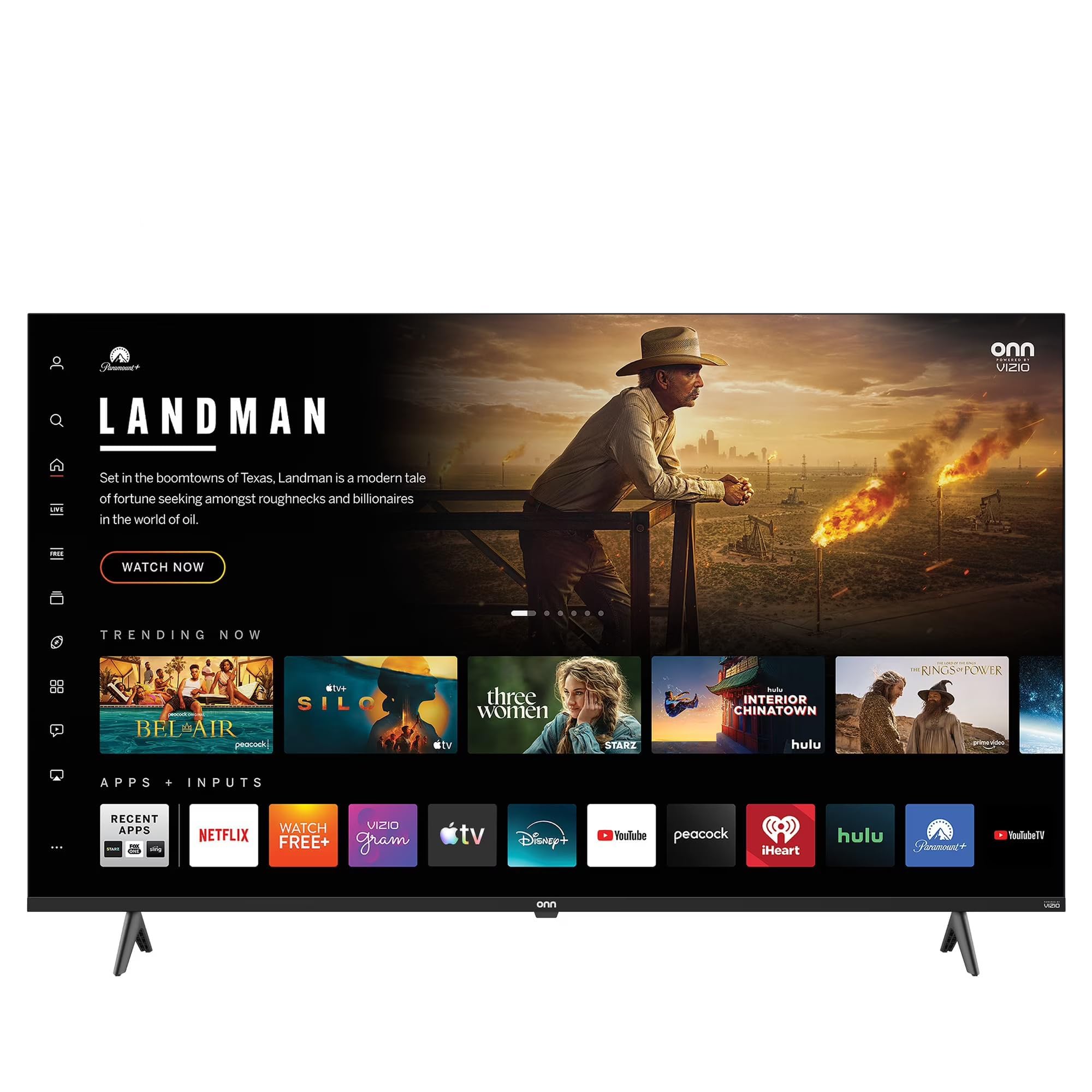
Image: The VIZIO Onn 32S2V1 32-inch HD Smart TV, showcasindzięki smukłej konstrukcji i wyświetlaczowi.
2. Attaching the TV Stands (Optional)
If you are not wall-mounting, attach the included TV stands to the bottom of the television using the provided screws. Ensure the stands are securely fastened to prevent the TV from wobbling.
3. Podłączanie urządzeń peryferyjnych
Connect your external devices such as cable boxes, gaming consoles, or Blu-ray players to the TV's HDMI ports. This model features 3 HDMI ports. Ensure cables are securely connected.
4. Włączanie i konfiguracja początkowa
Plug the power cord into the TV and then into a wall outlet. Press the power button on the remote control or the TV. The TV will guide you through the initial setup process, which includes:
- Wybór języka: Wybierz preferowany język.
- Połączenie internetowe: Connect to your home Wi-Fi network. This TV has built-in Wi-Fi for seamless streaming.
- Konfiguracja konta Roku: Follow the on-screen instructions to set up or link your Roku account. The integrated Roku platform provides access to thousands of streaming channels.
- Skanowanie kanałów: Jeśli używasz anteny, przeskanuj kanały, aby znaleźć dostępne transmisje naziemne.
Obsługa telewizora
1. Funkcje pilota
The remote control allows you to navigate the TV's interface, select inputs, adjust volume, and access smart features. Insert the included battery into the remote control. Familiarize yourself with buttons for power, volume, channel, input selection, and the Roku home button.
2. Funkcje Smart TV i strumieniowanie
Your VIZIO Onn TV comes with the Roku platform integrated, offering instant access to a vast library of movies and TV episodes across popular streaming services like Netflix, Disney+, and YouTube. Navigate the home screen to browse and launch your favorite apps.
3. Universal Smart Home Support and Voice Control
This TV is compatible with multiple voice assistance platforms, including Apple AirPlay, Apple HomeKit, Amazon Alexa, and Google Assistant. You can control your TV using voice commands through compatible smart home devices. Additionally, you can cast photos or videos directly from your iPhone or Android device using Apple AirPlay or Google Cast features.
4. Wybór wejścia
To switch between connected devices (e.g., cable box, game console), press the 'Input' or 'Source' button on your remote control and select the desired HDMI input.
5. Ustawienia obrazu i dźwięku
Access the TV's settings menu to customize picture and sound. The 720p resolution is optimized for the 32-inch screen, providing a sharp and enjoyable picture. Adjust brightness, contrast, color, and other settings to your preference. The Auto Volume Leveler feature helps maintain consistent audio levels across different channels and commercials.
6. Game Mode and Other Features
Activate the dedicated Game Mode for a smoother gaming experience with reduced input lag. Other user-friendly tools include a Sleep Timer for automatic power-off and Parental Controls to manage content access.
Konserwacja
Czyszczenie telewizora
Aby wyczyścić ekran, delikatnie przetrzyj go miękką, suchą, niepozostawiającą włókien ściereczką. W przypadku uporczywych zabrudzeń delikatnie przetrzyjampen the cloth with water or a screen cleaner specifically designed for TVs. Never spray liquid directly onto the screen. Clean the TV's frame and stand with a soft, dry cloth. Ensure the TV is unplugged before cleaning.
Aktualizacje oprogramowania
Your Smart TV may receive automatic software updates to improve performance and add new features. Ensure your TV is connected to the internet to receive these updates.
Rozwiązywanie problemów
- Brak zasilania: Ensure the power cord is securely plugged into both the TV and the wall outlet. Try a different outlet. Check if the remote control battery needs replacement.
- Brak obrazu/czarny ekran: Verify the correct input source is selected. Check all cable connections (HDMI, antenna). Try restarting the TV by unplugging it for 30 seconds and plugging it back in.
- Brak dźwięku: Check the volume level and ensure the TV is not muted. Verify audio cable connections for external devices. Check the TV's audio settings.
- Problemy z połączeniem sieciowym: Ensure your Wi-Fi router is on and working. Try restarting your router. Re-enter your Wi-Fi password in the TV's network settings.
- Pilot nie działa: Replace the remote control battery. Ensure there are no obstructions between the remote and the TV's IR sensor.
Specyfikacje
| Funkcja | Opis |
|---|---|
| Nazwa modelu | 32S2V1 |
| Rozmiar ekranu | 32 cali |
| Technologia wyświetlania | LED (Direct-Lit) |
| Rezolucja | 720p |
| Częstotliwość odświeżania | 60 Hz |
| Technologia łączności | Wi-Fi |
| Total Number of HDMI Ports | 3 |
| Cechy specjalne | Auto Volume Leveler, Built-In Speaker, Game Mode, Parental Controls, Sleep Timer |
| Zgodność z inteligentnym domem | Apple AirPlay, Apple HomeKit, Amazon Alexa, Asystent Google |
| Kolor | Czarny |
| Producent | WIZJA |
| Rok modelowy | 2021 |
| UPC | 728434234913 |
Informacje o gwarancji
This VIZIO Onn 32S2V1 TV comes with a 90 dni ograniczonej gwarancji. Please retain your proof of purchase for warranty claims. For detailed terms and conditions, refer to the warranty documentation included with your product or contact VIZIO customer support.
Obsługa klienta
If you encounter issues not covered in the troubleshooting section or require further assistance, please contact VIZIO customer support. Have your model number (32S2V1) and serial number ready when contacting support.