
Wstęp
This manual provides essential information for the setup, operation, maintenance, and troubleshooting of your VIZIO Onn 55S4V1 55-inch 4K UHD Smart TV. This television offers breathtaking 4K UHD visuals with HDR10 support, an integrated Roku platform for smart entertainment, and compatibility with smart home systems like Apple AirPlay, Google Assistant, and Amazon Alexa. It also features versatile connectivity options and a mobile app companion for enhanced control.
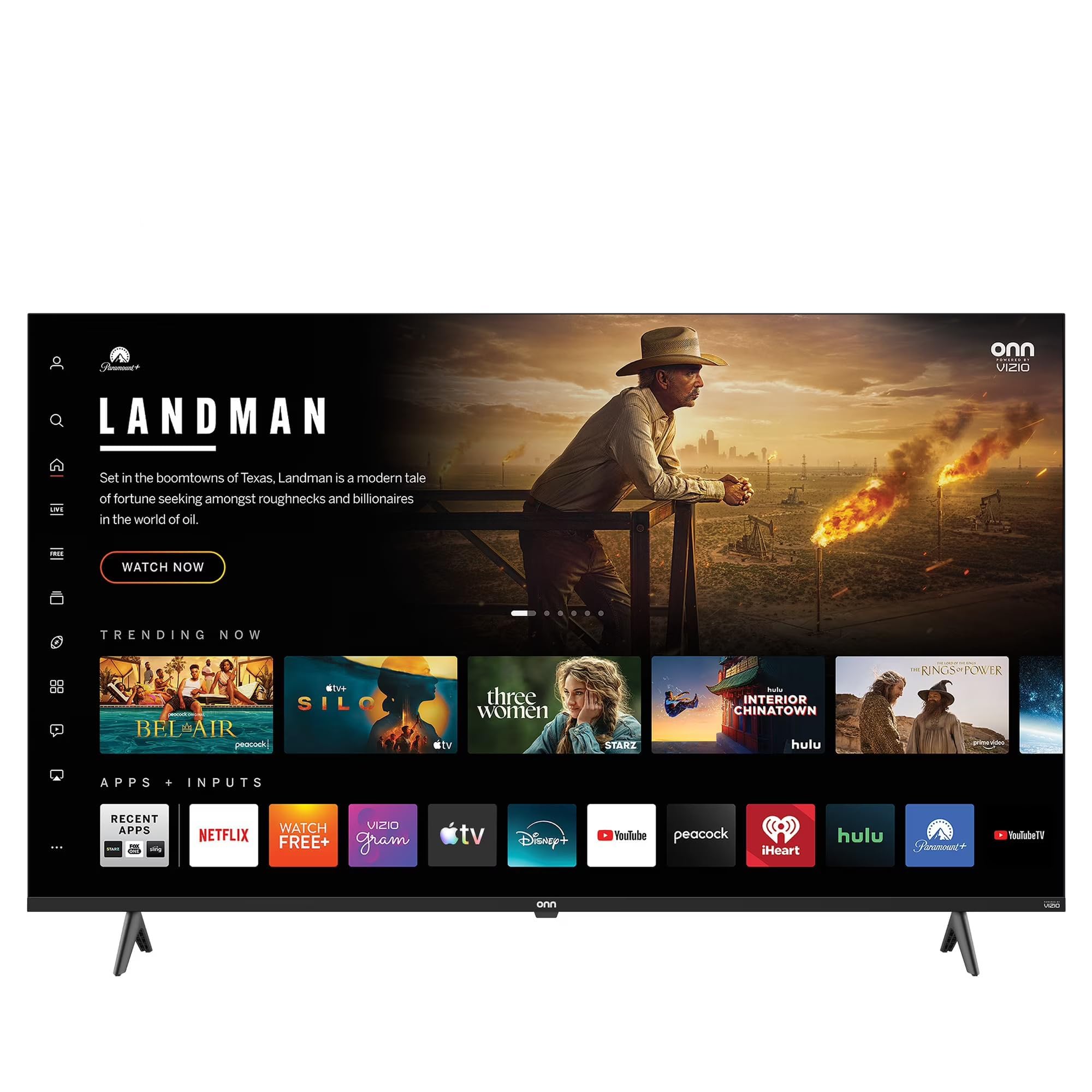
This image shows the VIZIO Onn 55S4V1 55-inch 4K UHD Smart TV powered on, displaying a web browser interface with various featured websites like Wikipedia and YouTube. The TV is mounted on a stand in a room setting.
Organizować coś
Co jest w pudełku
- VIZIO Onn 55S4V1 55-inch 4K UHD Smart TV
- Zdalne sterowanie
- Kabel zasilający
- Stojak pod telewizor (jeśli jest w zestawie)
Instalacja fizyczna
Carefully unpack the television. If using the included stand, attach it securely according to the separate stand assembly instructions. Alternatively, if wall-mounting, ensure you use a compatible VESA mount (sold separately) and follow the mount manufacturer's instructions.
Podłączanie urządzeń
Podłącz urządzenia zewnętrzne do portów telewizora:
- HDMI Ports (3 total, including 1 ARC): For gaming consoles (PS5/Xbox), soundbars, Blu-ray players, and other HDMI-enabled devices.
- USB Port (1 total): Do podłączania urządzeń pamięci masowej USB.
- Dane wejściowe kompozytowe: For older devices requiring composite video and audio connections.
- Przewód zasilający: Podłącz kabel zasilający do telewizora, a następnie do gniazdka elektrycznego.
Pierwsze włączenie zasilania i konfiguracja sieci
After connecting all devices and power, press the power button on the remote control or TV. Follow the on-screen instructions to complete the initial setup, including selecting your language, connecting to your Wi-Fi network, and activating the Roku platform.
Integracja inteligentnego domu
Your TV is compatible with various smart home ecosystems:
- Apple AirPlay i zestaw HomeKit: Przesyłaj strumieniowo treści z urządzeń Apple i integruj się z ekosystemem Apple Home.
- Amazon Alexa: Steruj telewizorem za pomocą komend głosowych przy użyciu urządzenia obsługującego Alexę.
- Asystent Google: Control your TV using voice commands through a Google Assistant-enabled device.
Refer to the respective app instructions for pairing your TV with these smart home systems.
Instrukcja obsługi
Roku Platform Navigation
The integrated Roku platform provides a user-friendly interface. Use the directional pad on your remote to navigate through menus and select channels (apps). The Home screen displays your installed channels, input selections, and featured content.
Dostęp do usług przesyłania strumieniowego
The TV supports popular internet services such as Netflix, Disney+, and Hulu. Access these by selecting their respective icons on the Roku Home screen. You may need to log in with your existing account credentials.
Sterowanie głosowe
If you have paired your TV with Amazon Alexa or Google Assistant, you can use voice commands to perform actions such as:
- "Alexa, włącz telewizor."
- „Hej Google, otwórz Netflixa”.
- "Alexa, change the volume to 20."
Aplikacja mobilna Roku
Download the free Roku mobile app on your smartphone for additional features:
- Zdalne sterowanie: Używaj telefonu jako pełnofunkcyjnego pilota.
- Prywatne słuchanie: Listen to TV audio through headphones connected to your phone.
- Odlew: Cast photos, videos, and music directly from your phone to the TV.
- Voice Search & Keyboard: Use your phone's keyboard for faster text entry and voice commands.
Konserwacja
Czyszczenie ekranu
To clean the screen, first power off the TV and unplug it from the power outlet. Use a soft, dry, lint-free cloth to gently wipe the screen. For stubborn marks, lightly dampen the cloth with water or a specialized screen cleaner (avoid harsh chemicals or abrasive materials).
Opieka ogólna
- Aby zapobiec przegrzaniu, telewizor należy przechowywać w dobrze wentylowanym pomieszczeniu.
- Unikaj wystawiania telewizora na bezpośrednie działanie promieni słonecznych, ekstremalnych temperatur i wysokiej wilgotności.
- Nie należy stawiać ciężkich przedmiotów na telewizorze.
- Regularnie sprawdzaj dostępność aktualizacji oprogramowania i instaluj je, aby zapewnić optymalną wydajność i bezpieczeństwo.
Rozwiązywanie problemów
If you encounter issues with your TV, try the following steps before contacting support:
- Brak zasilania: Upewnij się, że kabel zasilający jest prawidłowo podłączony zarówno do telewizora, jak i do gniazdka elektrycznego. Spróbuj użyć innego gniazdka.
- Brak obrazu/dźwięku: Verify that the correct input source is selected. Check all cable connections (HDMI, etc.). Restart connected devices.
- Pilot nie działa: Wymień baterie w pilocie. Upewnij się, że między pilotem a czujnikiem podczerwieni telewizora nie ma żadnych przeszkód.
- Problemy z połączeniem sieciowym: Restart your Wi-Fi router. Go to the TV's network settings to reconnect to your Wi-Fi network.
- Problemy z jakością obrazu/dźwięku: Check the resolution settings of your connected devices. Ensure cables are not damaged.
- General Glitches: Power cycle the TV by unplugging it from the wall for 60 seconds, then plugging it back in.
If problems persist, consult the VIZIO support webodwiedź witrynę lub skontaktuj się z obsługą klienta.
Specyfikacje
| Funkcja | Specyfikacja |
|---|---|
| Nazwa modelu | 55S4V1 |
| Rozmiar ekranu | 55 cali |
| Rezolucja | 4K (2160p) |
| Technologia wyświetlania | PROWADZONY |
| Częstotliwość odświeżania | 60 Hz |
| Obsługiwany format HDR | HDR10 |
| Porty HDMI | 3 (including 1 ARC) |
| Porty USB | 1 |
| Technologia łączności | Bluetooth, WiFi |
| Obsługiwane usługi internetowe | Netflix, Disney+, Hulu, Roku |
| Cechy specjalne | Bezel-Less Design, Built-In Speaker, Flat, Game Mode, Multiple Voice Assistance |
| Metoda kontroli | Aplikacja, Pilot, Głos |
| Kolor | Czarny |
| Producent | WIZJA |
| Rok modelowy | 2021 |
Informacje o gwarancji
This VIZIO Onn 55S4V1 Smart TV comes with a 90 dni ograniczonej gwarancji. Please retain your proof of purchase for warranty claims. For detailed terms and conditions, refer to the warranty documentation provided with your product or visit the official VIZIO support webstrona.
Wsparcie
For further assistance, technical support, or to access additional resources, please visit the official VIZIO support webNa stronie. Zazwyczaj można tam znaleźć odpowiedzi na często zadawane pytania, poradniki rozwiązywania problemów i dane kontaktowe do działu obsługi klienta.
Producent: WIZJA
Webstrona: www.vizio.com/support (Byłyample link, please verify official VIZIO support URL)