
SENSSUN IF1201D
SENSSUN Smart Scale IF1201D User Manual
Model: IF1201D
1. Wprowadzenie
Thank you for choosing the SENSSUN Smart Scale IF1201D. This digital bathroom scale is designed to provide comprehensive body composition analysis, helping you track your health and fitness progress. Please read this manual carefully before use to ensure proper operation and safety.
Zawartość opakowania
- 1 x SENSSUN Digital Body Scale (Model IF1201D)
- 2 baterie AAA
- 1 x Instrukcja obsługi
Główne cechy
- 20 Essential Body Metrics: Measures body fat, muscle mass, visceral fat, BMI, BMR, body age, and more.
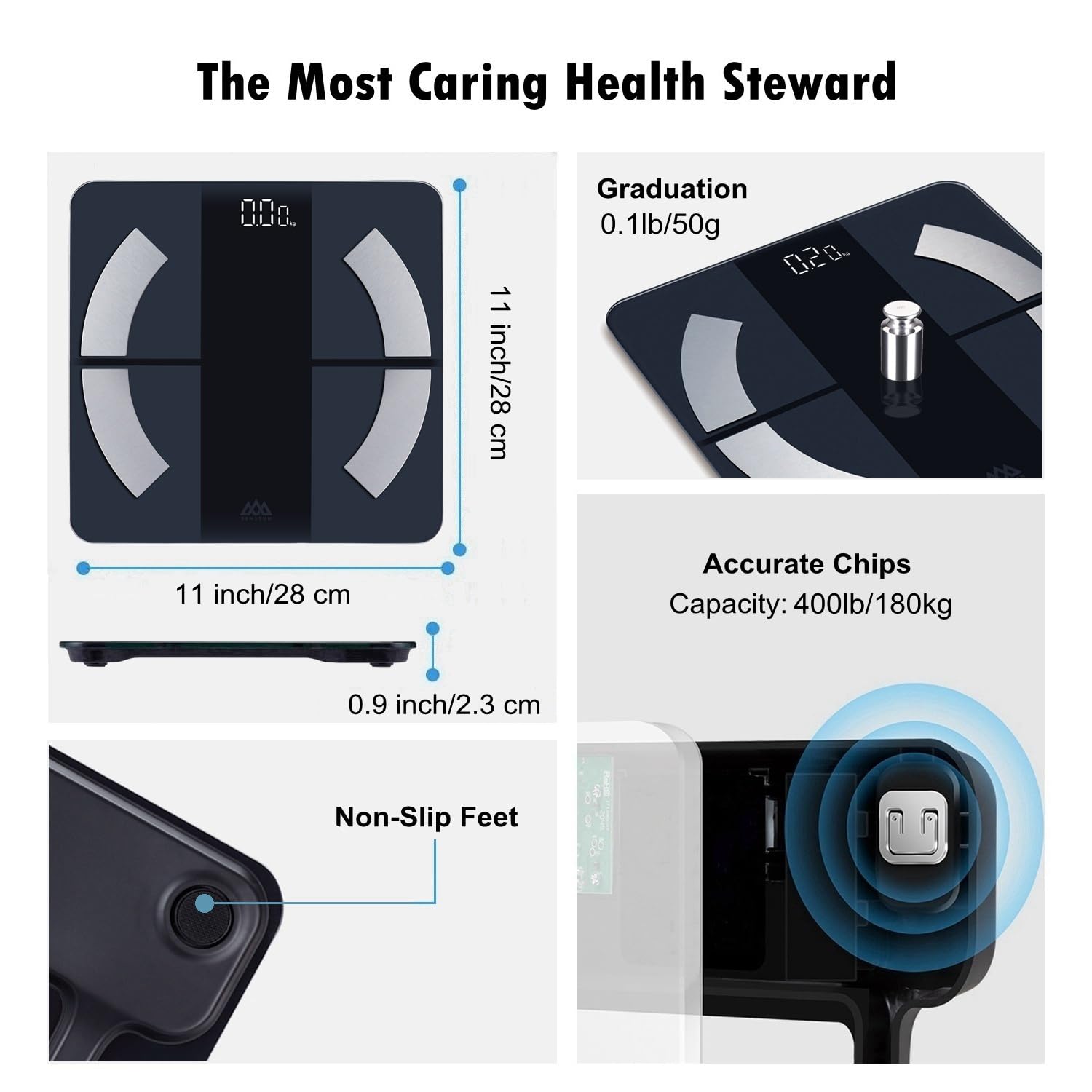
- Wysoka dokładność: Four high-precision sensors provide consistent readings up to 400 lb (180 kg / 28 st) with 0.1 lb accuracy.
- Backlit LED Display: Clear display for easy reading in various lighting conditions.
- Inteligentna integracja aplikacji: Syncs with the iMoni Health App, Apple Health, and Google Fit via Bluetooth 4.0.
- Tryb dziecka: Allows for accurate weighing of infants by subtracting adult weight.
- Nieograniczona liczba użytkowników: Obsługuje wiele użytkowników profiles with private data storage.
- Platforma ze szkła hartowanego: Trwałe i łatwe do czyszczenia.

Image: The SENSSUN Smart Body Scale Model IF1201D, featuring a sleek design and backlit display.
2. Konfiguracja
2.1 Instalacja baterii
- Znajdź komorę baterii na spodzie wagi.
- Otwórz pokrywę baterii.
- Włóż dwie baterie AAA, zwracając uwagę na prawidłową biegunowość (+/-).
- Dokładnie zamknij pokrywę baterii.
Obraz: Spód view of the scale, highlighting the battery compartment and high-precision sensors.
2.2 Pobieranie i instalacja aplikacji
The SENSSUN Smart Scale works with the iMoni Health App. Download the app from your device's app store:
- Dla urządzeń z systemem iOS: Szukaj "iMoni Health" in the Apple App Store.
- Dla urządzeń z systemem Android: Szukaj "iMoni Health" in the Google Play Store.
Install the app and create your user profile.

Image: A smartphone showing the iMoni Health App interface, demonstrating goal tracking and data visualization.
2.3 Początkowe parowanie i kalibracja
- Upewnij się, że Bluetooth jest włączony w Twoim smartfonie.
- Open the iMoni Health App.
- Step onto the scale barefoot. The scale will turn on and display your weight.
- Aplikacja powinna automatycznie wykryć wagę i wyświetlić monit o sparowanie. Postępuj zgodnie z instrukcjami wyświetlanymi na ekranie, aby dokończyć proces parowania.
- The scale will automatically calibrate to 0.0 lb/kg after initial use or if moved. For best accuracy, place the scale on a hard, flat surface.

Image: Detail of the scale's high-accuracy chip, ensuring sensitive response and precise measurements.
3. Instrukcja obsługi
3.1 Wykonywanie pomiaru
- Umieść wagę na twardej, płaskiej powierzchni. Unikaj dywanów i nierównych podłóg.
- Step onto the scale barefoot and stand still. Ensure your feet are in contact with the four metal electrodes.
- The display will show your weight. Keep standing until the display flashes, indicating that all body composition data has been measured and sent to the app.
- Open the iMoni Health App to view your complete body composition analysis.

Image: A person standing barefoot on the scale, performing a full-body health scan. The scale displays the weight.
3.2 Zrozumienie wskaźników ciała
The scale measures 20 key body composition metrics. These include:
- Waga
- BMI (wskaźnik masy ciała)
- Tłuszcz w organizmie
- Woda w ciele
- Mięsień szkieletowy
- Body Bone
- Sól nieorganiczna
- Białko
- Mięśnie ciała
- Wskaźnik tłuszczu trzewnego
- Tłuszcz podskórny
- Masa ciała beztłuszczowa
- Wiek ciała
- Typ sylwetki
- Wynik ciała
- BMR (podstawowa szybkość metabolizmu)
- AMR (aktywna przemiana materii)
- Muscle Storage Capacity
- Wskaźnik sercowy
- Tętno
Detailed explanations and historical data for each metric are available within the iMoni Health App.

Image: An infographic illustrating the 20 body composition metrics measured by the SENSSUN Smart Scale.
3.3 Tryb dziecka
To weigh an infant or pet:
- First, weigh yourself alone and let the measurement sync to the app.
- In the iMoni Health App, activate "Baby Mode".
- Hold your baby (or pet) and step onto the scale again.
- The app will automatically calculate and display the baby's weight by subtracting your weight.

Image: A mother using the scale with her baby in "Baby Mode" to accurately measure the baby's weight.
3.4 Funkcjonalność wieloużytkownikowa
The SENSSUN Smart Scale supports an unlimited number of users. Each family member can create their own profile within the iMoni Health App on their personal mobile device. The scale will automatically recognize the user based on their weight and body composition data, ensuring private and accurate tracking for everyone.

Image: A family using the smart scale, demonstrating the unlimited user feature with individual data tracking.
3.5 Switching Units (kg/lb/st)
You can switch between kilograms (kg), pounds (lb), and stones (st) directly on the scale or through the iMoni Health App settings. To change units on the scale, locate the unit switch button on the underside of the scale, near the battery compartment, and press it to cycle through the available units.
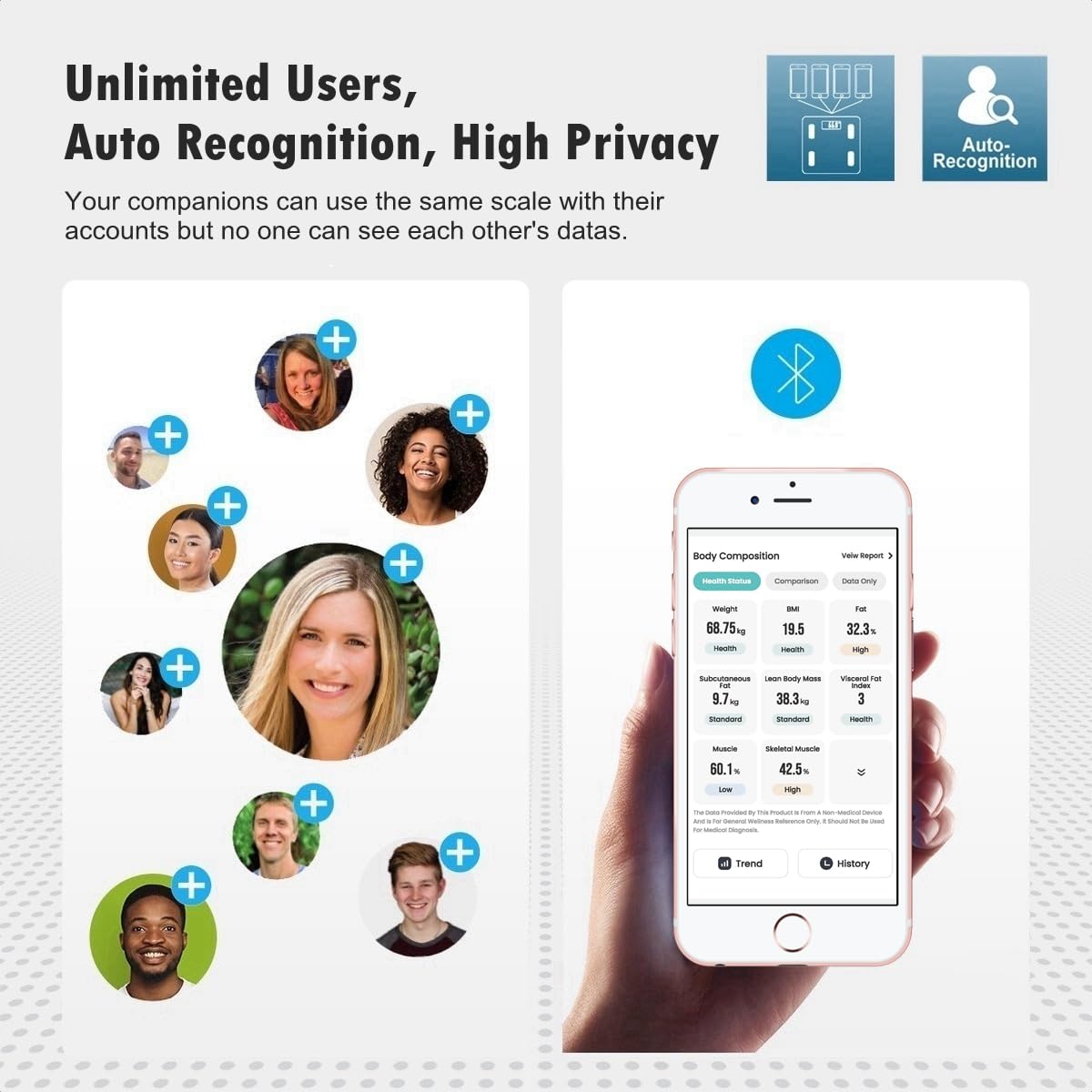
Image: A close-up showing the unit switch button on the back of the scale, allowing selection between kg and lb.
4. Konserwacja
- Czyszczenie: Przetrzyj powierzchnię wagi za pomocąamp szmatką i łagodnym detergentem. Nie używaj środków czyszczących o działaniu ściernym ani nie zanurzaj wagi w wodzie.
- Składowanie: Przechowuj wagę w chłodnym i suchym miejscu. Unikaj ekstremalnych temperatur i bezpośredniego światła słonecznego.
- Wymiana baterii: Wymień baterie, gdy na wyświetlaczu pojawi się wskaźnik „Lo”.
- Unikaj uderzenia: The scale is made of tempered glass. Avoid dropping or striking the scale, as this may cause damage.
5. Rozwiązywanie Problemów
| Wydanie | Możliwa przyczyna | Rozwiązanie |
|---|---|---|
| Wyświetlany jest komunikat „Lo” | Niski poziom naładowania baterii. | Wymień baterie AAA. |
| Wyświetla się komunikat „Err” | Przeciążenie lub błąd pomiaru. | Ensure weight is within the 400 lb (180 kg) capacity. Step off and then back on the scale. |
| "C" displayed | Wymagana kalibracja. | Step off the scale and wait for it to display "0.0" before stepping on again. Ensure it's on a flat, hard surface. |
| Brak danych o składzie ciała w aplikacji | Not standing barefoot, Bluetooth not connected, or app not open. | Ensure you are barefoot, Bluetooth is on, and the iMoni Health App is open and paired. Stand still until the display flashes. |
| Niedokładne odczyty | Scale on soft surface, not calibrated, or moved recently. | Place scale on a hard, flat surface. Step on and off to allow auto-calibration to "0.0" before weighing. |

Image: The backlit LED display showing common indicators: "Err" for overload, "Lo" for low battery, and "C" for calibration.
6. Specyfikacje
| Marka | SENSUN |
| Numer modelu | IF1201D |
| Kolor | Szkło czarne |
| Nośność | 400 funtów (180 kg / 28 st) |
| Dokładność odczytu | 0.1 funtów (0.05 kg) |
| Typ wyświetlacza | Podświetlenie LED |
| Tworzywo | Szkło hartowane |
| Łączność | Bluetooth 4.0 |
| Zgodne aplikacje | iMoni Health, Apple Health, Google Fit |
| Źródło zasilania | 2 baterie AAA |
| Waga przedmiotu | 2.24 funtów |
| Wymiary | Około 11.2 x 11.2 cali (28 x 28 cm) |

Image: The SENSSUN Smart Scale highlighting its tempered glass platform and approximate dimensions of 11.2 inches by 11.2 inches.
7. Gwarancja i wsparcie
For warranty information and customer support, please refer to the documentation included with your product or contact the manufacturer directly. The standard return policy is 30 days for refund/replacement. Please retain your proof of purchase for any warranty claims.
8. Przewodnik wideo po produkcie
Video: An official product video demonstrating the features and usage of the Senssun Smart Weight Scale for Body Composition Model IF1201D. This video covers aspects like maximum capacity, high-precision sensors, slim design, switchable units, full-body health scan, quick-read backlit display, and auto-logged body metrics in the app.
Ask a question about this manual
Ask about setup, troubleshooting, compatibility, parts, safety, or missing instructions. Manuals+ will review the question and use this page’s manual context to help answer it.