
1. Wprowadzenie
Dziękujemy za zakupasing the TOPPING E50II Compact Desktop DAC. This device is designed to provide high-fidelity audio decoding for various digital sources. It features an AK4497S DAC chip, supports high-resolution audio formats up to PCM768kHz and DSD512, and offers versatile connectivity options including USB, optical, coaxial, RCA, and TRS balanced outputs. This manual provides essential information for proper setup, operation, and maintenance of your E50II.
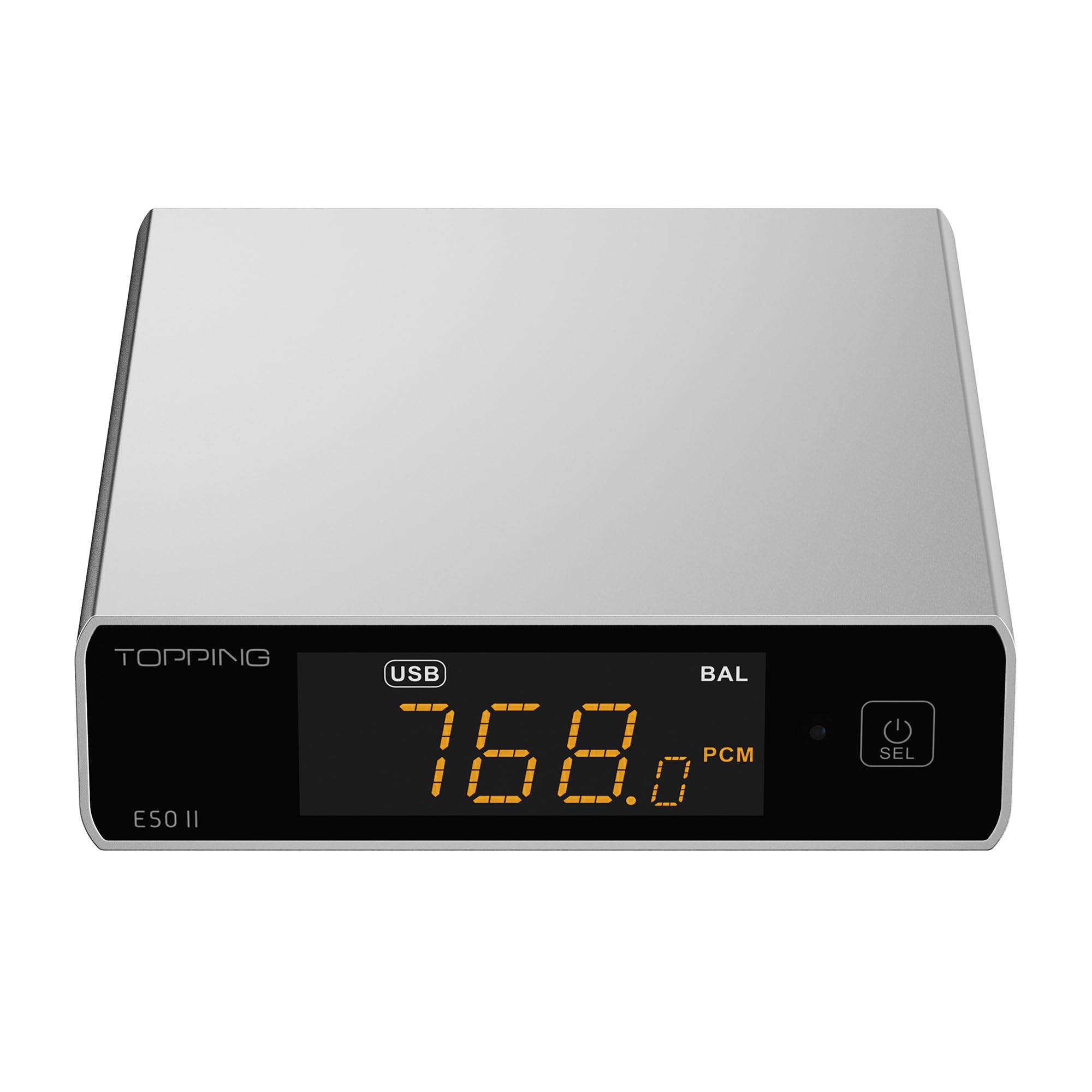
Image 1.1: The TOPPING E50II Compact Desktop DAC in silver finish.
2. Informacje dotyczące bezpieczeństwa
- Nie rozmontowuj ani nie modyfikuj urządzenia. Nieautoryzowane modyfikacje mogą unieważnić gwarancję i stanowić zagrożenie dla bezpieczeństwa.
- Trzymaj urządzenie z dala od wody, wilgoci i wysokich temperatur.
- Use only the provided power adapter or a compatible 5V power supply.
- Zapewnij odpowiednią wentylację wokół urządzenia, aby zapobiec przegrzaniu.
- Unikaj umieszczania ciężkich przedmiotów na urządzeniu.
- Disconnect the power cable during lightning storms or when unused for extended periods.
3. Zawartość opakowania
Sprawdź, czy w przesyłce znajdują się wszystkie elementy:
- TOPPING E50II Unit
- Zdalne sterowanie
- Kabel USB (typ A do typu C)
- Kabel zasilający USB (typ A do typu C)
- Antena Bluetooth
- Instrukcja obsługi (ten dokument)
- Karta gwarancyjna

Image 3.1: Included accessories: remote control, USB cables, and Bluetooth antenna.
4. Koniec produktuview
4.1 Panel przedni

Image 4.1: Front panel of the E50II, showing the display and control button.
- Ekran wyświetlacza: Pokazuje aktualne dane wejściowe, sample rate, volume, and other status information.
- Przycisk wielofunkcyjny: Press to power on/off, select input, or adjust settings.
4.2 Panel tylny

Image 4.2: Rear panel of the E50II, illustrating various input and output ports.
- Wyjścia RCA (L/P): Niezbalansowane wyjście audio analogowe.
- TRS Balanced Outputs (L/R): Zbalansowane analogowe wyjście audio.
- Wejście koncentryczne: Cyfrowe wejście audio.
- Wejście optyczne: Cyfrowe wejście audio.
- Wejście USB-C: For connecting to a computer or other digital source.
- Wejście zasilania USB-C: Do podłączenia do zasilania 5V.
- Złącze antenowe Bluetooth: Do podłączenia anteny Bluetooth.
5. Konfiguracja
5.1 Połączenie zasilania
Connect the provided USB power cable to the E50II's "POWER" USB-C port and then to a 5V power adapter (not included) or a USB port on your computer. The E50II requires a stable 5V power supply for optimal performance.
5.2 Połączenia audio
Choose the appropriate input and output connections based on your audio system:
- Wejście USB: Connect the E50II's "USB" port to your computer or other USB audio source using the provided USB data cable.
- Wejście optyczne/koncentryczne: Connect your digital audio source (e.g., CD player, TV) to the E50II's "OPTICAL" or "COAXIAL" input.
- Wyjście RCA: Connect the E50II's "SE" RCA outputs to your ampgłośnikowych lub aktywnych za pomocą kabli RCA.
- TRS Balanced Output: Connect the E50II's "BAL" TRS outputs to your balanced amplifier or active speakers using 6.35mm TRS cables. The E50II supports simultaneous output from both RCA and TRS ports.

Image 5.1: Close-up of the balanced TRS and unbalanced RCA output connections.
5.3 Bluetooth Antenna Installation
Screw the provided Bluetooth antenna onto the antenna connector on the rear panel of the E50II.
5.4 Driver Installation (for Windows)
For Windows operating systems, a dedicated driver is required for USB audio playback up to PCM768kHz and DSD512. The driver can be downloaded from the official TOPPING website. Follow the on-screen instructions for installation. macOS and Linux typically do not require a separate driver.
6. Instrukcja obsługi
6.1 Podstawowa obsługa

Image 6.1: A hand interacting with the multi-function button on the E50II's front panel.
- Włączanie/wyłączanie: Press and hold the multi-function button for 3 seconds to power on or off.
- Wybór wejścia: Briefly press the multi-function button to cycle through available inputs (USB, Optical, Coaxial, Bluetooth).
- Regulacja głośności: Rotate the multi-function button to adjust the volume.
6.2 Korzystanie z pilota zdalnego sterowania
Dołączony pilot zdalnego sterowania umożliwia wygodny dostęp do różnych funkcji:
- Przycisk zasilania: Włącza/wyłącza urządzenie.
- Przyciski wyboru wejścia: Dedicated buttons for USB, Optical, Coaxial, and Bluetooth inputs.
- Zwiększanie/zmniejszanie głośności: Reguluje głośność wyjściową.
- Niemy: Mutes/unmutes the audio output.
- Przycisk korektora: Cycles through PEQ presets.
- Przycisk Filtra: Przełącza między trybami filtrów cyfrowych.
- Gain Button: Switches between Low and High gain modes.
6.3 TOPPING Home App Control
The E50II is compatible with the "TOPPING Home" app, allowing control from your smartphone or tablet via Bluetooth. This app enables input switching, EQ settings, and volume adjustment remotely.

Image 6.2: Smartphone displaying the TOPPING Home app interface for controlling the E50II.
6.4 Obsługa Bluetooth
Aby połączyć się przez Bluetooth:
- Switch the E50II input to Bluetooth mode. The display will show "BT".
- On your mobile device, search for "TOPPING E50II" in the Bluetooth settings and pair.
- Once connected, audio from your device will be streamed to the E50II. The E50II supports LDAC, aptX-Adaptive, aptX HD, aptX, AAC, and SBC codecs.
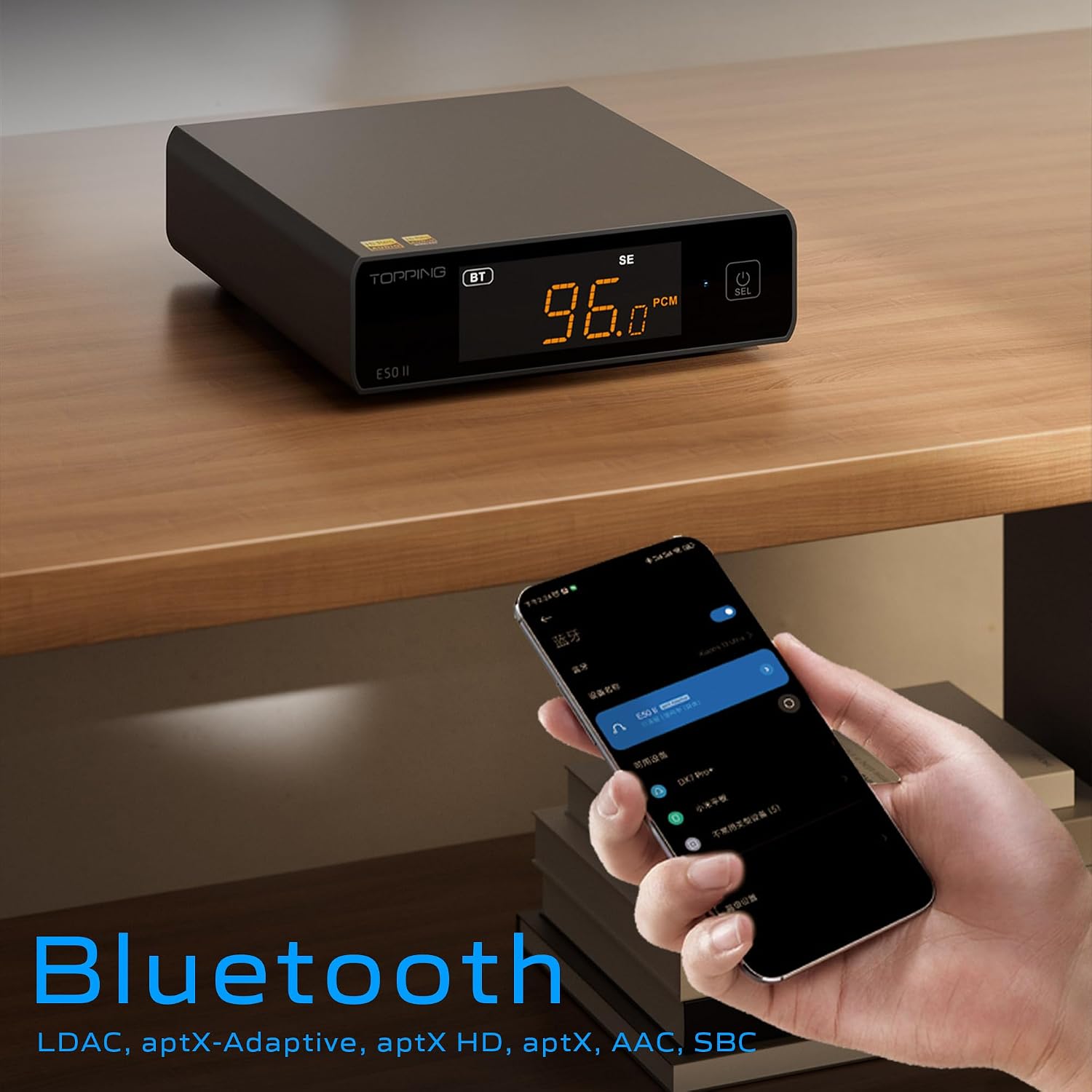
Image 6.3: A black E50II unit with a smartphone showing Bluetooth connection status.
6.5 PEQ (Parametric Equalizer) Function
The E50II features a 10-band Parametric Equalizer (PEQ) for precise sound customization. You can adjust frequency, gain, and bandwidth for each band. This function is accessible via the TOPPING Home app or dedicated PC software.

Image 6.4: Screenshot of the TOPPING TUNE FOR PC software interface, showing the 10-band PEQ settings.
6.6 ramp Funkcjonować
The E50II can function as a preamplifier, allowing direct connection to a power amplifier or active speakers. In this mode, the volume can be controlled via the remote or the TOPPING Home app, providing precise output level control to prevent overload or under-driving of connected equipment.
7. Konserwacja
- Czyść urządzenie miękką, suchą ściereczką. Nie używaj płynnych środków czyszczących ani aerozoli.
- Utrzymuj otwory wentylacyjne w czystości, bez kurzu i zanieczyszczeń.
- Przechowuj urządzenie w chłodnym, suchym miejscu, gdy nie jest używane.
8. Rozwiązywanie Problemów
| Problem | Możliwa przyczyna | Rozwiązanie |
|---|---|---|
| Brak dźwięku | Incorrect input/output selection, loose cables, muted volume. | Check input source, ensure cables are securely connected, unmute or increase volume. |
| Urządzenie nie włącza się | Power cable not connected, faulty power adapter. | Ensure power cable is connected to a working 5V source. Try a different power adapter. |
| Problemy z połączeniem Bluetooth | E50II not in Bluetooth mode, device not paired, interference. | Switch E50II to Bluetooth input. Re-pair the device. Ensure no strong interference sources nearby. |
| Zniekształcony dźwięk | Input signal too high, incorrect gain setting, faulty cables. | Reduce source volume. Adjust E50II gain setting. Try different audio cables. |
| Windows USB driver not working | Incorrect driver installation, driver conflict. | Reinstall the latest driver from the TOPPING website. Check for other conflicting audio drivers. |
9. Specyfikacje
- Marka: BYCZY
- Model: E50II
- Układ DAC: AK4497S
- Interfejs USB: XMOS XU316
- Max USB Decoding: PCM 768kHz / DSD512
- Optical/Coaxial Decoding: Do 192 kHz
- Kodeki Bluetooth: LDAC, aptX-Adaptive, aptX HD, aptX, AAC, SBC
- Tryb wyjścia audio: Stereofoniczny
- Interfejsy wyjściowe: RCA (unbalanced), 6.35mm TRS (balanced)
- Interfejsy wejściowe: USB, optyczny, koncentryczny, Bluetooth
- Cechy: 10-band PEQ, Preamp function, TOPPING Home App control, Top Sync circuit for low jitter.
10. Gwarancja i wsparcie
The TOPPING E50II is covered by the manufacturer's or authorized agent's warranty regulations. Please refer to the warranty card included in your package for specific terms and conditions. For technical support, driver downloads, or service inquiries, please visit the official TOPPING webodwiedź witrynę lub skontaktuj się z lokalnym autoryzowanym dealerem.
Official TOPPING Webstrona: www.toppingaudio.com


