
1. Wprowadzenie
Thank you for choosing the Oilsky M502 MP3 Player. This device combines a powerful Android 13.0 operating system with extensive media capabilities, including Bluetooth, Wi-Fi, a high-definition touchscreen, and dual cameras. It is designed for versatile entertainment and communication. This manual provides essential information for setting up, operating, and maintaining your device.

Obraz 1.1: Przód view of the Oilsky M502 MP3 Player, showcasing its sleek design and large touchscreen.
2. Co znajduje się w pudełku
Proszę sprawdzić zawartość opakowania po rozpakowaniu:
- 1 x Oilsky M502 MP3 Player
- 1 x Instrukcja obsługi
- 1 x folia ochronna
- 1 x kabel USB
- 1 x słuchawki

Image 2.1: The Oilsky M502 MP3 Player and its included accessories: USB cable, earphones, protective film, and user manual.
3. Koniec produktuview
Główne cechy:
- System operacyjny: Android 13.0
- Edytor: MTK 6762 Octa-core processor
- Pamięć: 4GB RAM + 128GB Internal Storage (expandable up to 1TB via MicroSD card)
- Wyświetlacz: 5.5-inch HD Touchscreen (1440x720 resolution, IPS wider viewkąt)
- Łączność: Bluetooth 5.0, Dual-band Wi-Fi (2.4GHz/5GHz), USB
- Kamery: 13 MP kamera tylna, 5 MP kamera przednia
- Bateria: 2500mAh Lithium-ion (approx. 30 hours music playback, 5 hours video playback)
- Zainstalowane aplikacje: Spotify, Pandora, Amazon Music, Audible, Tidal, Deezer, etc.
- Obsługiwane formaty muzyczne: MP3, WAV, APE, FLAC, AAC
- Obsługiwane formaty wideo: AVI, MKV, RMVB, MP4, MPG, MOV
Koniec wizualnyview:

Image 3.1: Device powered by Android 13.0 and MTK 6762 octa-core chip for smooth performance.

Image 3.2: Bluetooth 5.0 for stable wireless connections to speakers, headsets, mobile phones, and computers.

Image 3.3: Capture moments with the 13MP rear camera and 5MP front camera.

Image 3.4: Large storage capacity with 128GB built-in and up to 1TB expandable storage.

Image 3.5: 1440P HD full-format video player with a 5.5-inch full touch screen and IPS display.

Image 3.6: Powerful music app (HiByMusic player) supporting various formats and features.
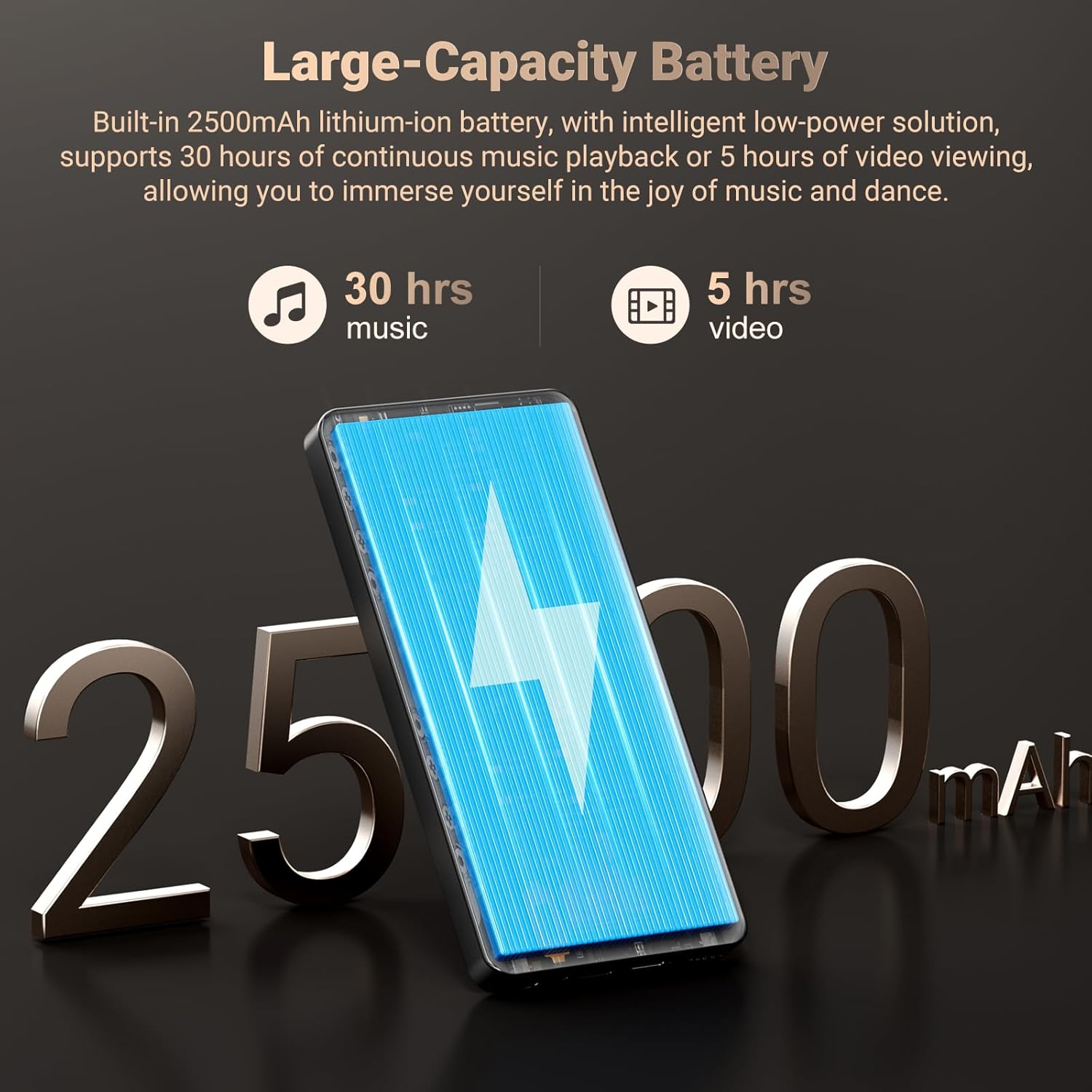
Image 3.7: Long-lasting 2500mAh battery for extended music and video playback.

Image 3.8: Access to streaming apps and local music playback for a rich audio experience.
Film o produkcieview
Wideo 3.1: Sędziaview of the Oilsky 128GB MP3 Player, highlighting its key features and functionalities.
4. Konfiguracja
4.1 Ładowanie urządzenia
Before first use, fully charge the MP3 player. Connect the provided USB cable to the device's charging port and the other end to a USB power adapter (not included) or a computer's USB port. The charging indicator will show the charging status.
4.2 Włączanie/wyłączanie
- Włączanie: Naciśnij i przytrzymaj przycisk zasilania znajdujący się z boku urządzenia, aż ekran się zaświeci.
- Aby wyłączyć: Naciśnij i przytrzymaj przycisk zasilania, a następnie na ekranie pojawi się opcja „Wyłącz”.
4.3 Konfiguracja początkowa
Upon first power-on, follow the on-screen prompts to complete the initial setup, which includes selecting your language, connecting to a Wi-Fi network, and setting up your Google account (optional, but recommended for app downloads).
4.4 Wkładanie karty MicroSD
To expand storage, locate the MicroSD card slot on the device. Gently insert a MicroSD card (up to 1TB, not included) into the slot until it clicks into place. Ensure the card is inserted in the correct orientation.
5. Instrukcja obsługi
5.1 Odtwarzanie muzyki
The device features a professional-grade music player. You can play local music files or stream from pre-installed apps.
- Muzyka lokalna: Transfer MP3, WAV, APE, FLAC, AAC files to the device's internal storage or MicroSD card. Use the built-in music app to scan folders, create playlists, and search for tracks.
- Transmisja strumieniowa: Connect to Wi-Fi and open pre-installed apps like Spotify, Pandora, Amazon Music, etc., to stream music online.
- Bluetooth Audio: Pair with Bluetooth headphones or speakers via Settings > Connected devices > Bluetooth.
5.2 Odtwarzanie wideo
The 5.5-inch HD screen supports 720P/1440P video playback.
- Transfer AVI, MKV, RMVB, MP4, MPG, MOV video files do urządzenia.
- Open the video player app to browse and play your videos.
Funkcjonalność kamery 5.3
The device includes a 13MP rear camera and a 5MP front camera.
- Otwórz aplikację Aparat na ekranie głównym.
- W razie potrzeby przełączaj się między kamerą przednią i tylną.
- Naciśnij przycisk migawki, aby zrobić zdjęcie lub nagrać film.
5.4 Zarządzanie aplikacjami
As an Android device, you can install and manage applications.
- Instalowanie aplikacji: Open the Google Play Store app, search for desired applications, and tap 'Install'.
- Odinstalowywanie aplikacji: Go to Settings > Apps > See all apps, select the app, and tap 'Uninstall'. Pre-installed apps can also be uninstalled if not needed.
5.5 Łączność
- Wi-Fi: Przejdź do Ustawienia > Sieć i internet > Wi-Fi, aby połączyć się z dostępnymi sieciami.
- Bluetooth: Go to Settings > Connected devices > Bluetooth to pair with other Bluetooth devices for audio or file przenosić.
- USB: Podłącz urządzenie do komputera za pomocą kabla USB file transfer. Select the 'File transfer' option on the device when prompted.
6. Kontrola rodzicielska
The Oilsky M502 includes parental control features to manage content access and screen time, making it suitable for children.
- Access parental control settings through the device's system settings.
- Set restrictions on app usage, screen time limits, and content filtering to ensure age-appropriate access.
- Google Chrome can be disabled if desired.

Obraz 6.1: Example of parental control settings, allowing for screen time limits and app restrictions.
7. Konserwacja
- Czyszczenie: Do czyszczenia urządzenia używaj miękkiej, suchej ściereczki. Unikaj płynnych środków czyszczących i materiałów ściernych.
- Pielęgnacja baterii: To prolong battery life, avoid extreme temperatures and do not let the battery fully discharge frequently. Charge the device regularly.
- Aktualizacje oprogramowania: Periodically check for system updates in Settings > System > System update to ensure optimal performance and security.
- Zarządzanie pamięcią masową: Regularnie usuwaj niepotrzebne filei odinstaluj nieużywane aplikacje, aby zwolnić miejsce na dysku i utrzymać wydajność.
8. Rozwiązywanie Problemów
| Problem | Możliwe rozwiązanie |
|---|---|
| Urządzenie nie włącza się | Ensure the device is charged. Connect to a charger for at least 30 minutes. If unresponsive, perform a forced restart by holding the power button for 10-15 seconds. |
| Nie można połączyć się z siecią Wi-Fi | Check if Wi-Fi is enabled in settings. Ensure the password is correct. Restart the device and the Wi-Fi router. |
| Parowanie Bluetooth nie powiodło się | Ensure Bluetooth is enabled on both devices. Place devices close to each other. Restart both devices and try pairing again. |
| Aplikacje działają wolno lub się zawieszają | Close background apps. Clear app cache (Settings > Apps > [App Name] > Storage & cache > Clear cache). Ensure sufficient storage space is available. Restart the device. |
| Karta MicroSD nie została wykryta | Ensure the card is inserted correctly. Try reinserting the card. Test with another MicroSD card if possible. |
| Słaba jakość aparatu | Ensure the camera lens is clean. Take photos in well-lit environments. |
9. Specyfikacje
| Funkcja | Szczegół |
|---|---|
| Marka | Olejskiego |
| Nazwa modelu | M502 |
| System operacyjny | Android 13.0 |
| Pojemność pamięci masowej | 128 GB (z możliwością rozszerzenia do 1 TB) |
| Rozmiar ekranu | 5.5 cali |
| Technologia wyświetlania | IPS or TFT |
| Technologia łączności | Bluetooth, USB, Wi-Fi (2.4GHz/5GHz) |
| Cechy specjalne | 1440P Full Formats, App Installation, Equalizer, FM Radio, WIFI, Dual Cameras (13MP Rear, 5MP Front) |
| Obsługiwany typ nośnika | MP3, WAV, APE, FLAC, AAC (Audio); AVI, MKV, RMVB, MP4, MPG, MOV (Video) |
| Kompatybilne urządzenia | Słuchawki, głośniki |
| Bateria | 2500mAh litowo-jonowy |
| Kolor | Czarny |
10. Gwarancja i wsparcie
The Oilsky M502 MP3 Player comes with a 1-letnia gwarancja Gwarancja obowiązuje od daty zakupu i obejmuje wady produkcyjne. Prosimy zachować dowód zakupu na wypadek roszczeń gwarancyjnych.
For technical support, troubleshooting assistance, or warranty inquiries, please contact Oilsky customer service through the retailer's platform or the official Oilsky website. Refer to the contact information provided with your purchase or on the product packaging.
Always refer to the latest information available on the official Oilsky support channels for the most up-to-date assistance.
