
1. Konfiguracja
1.1 Rozpakowanie i zawartość opakowania
Ostrożnie wyjmij telewizor i wszystkie elementy z opakowania. Upewnij się, że wszystkie wymienione poniżej elementy są obecne.
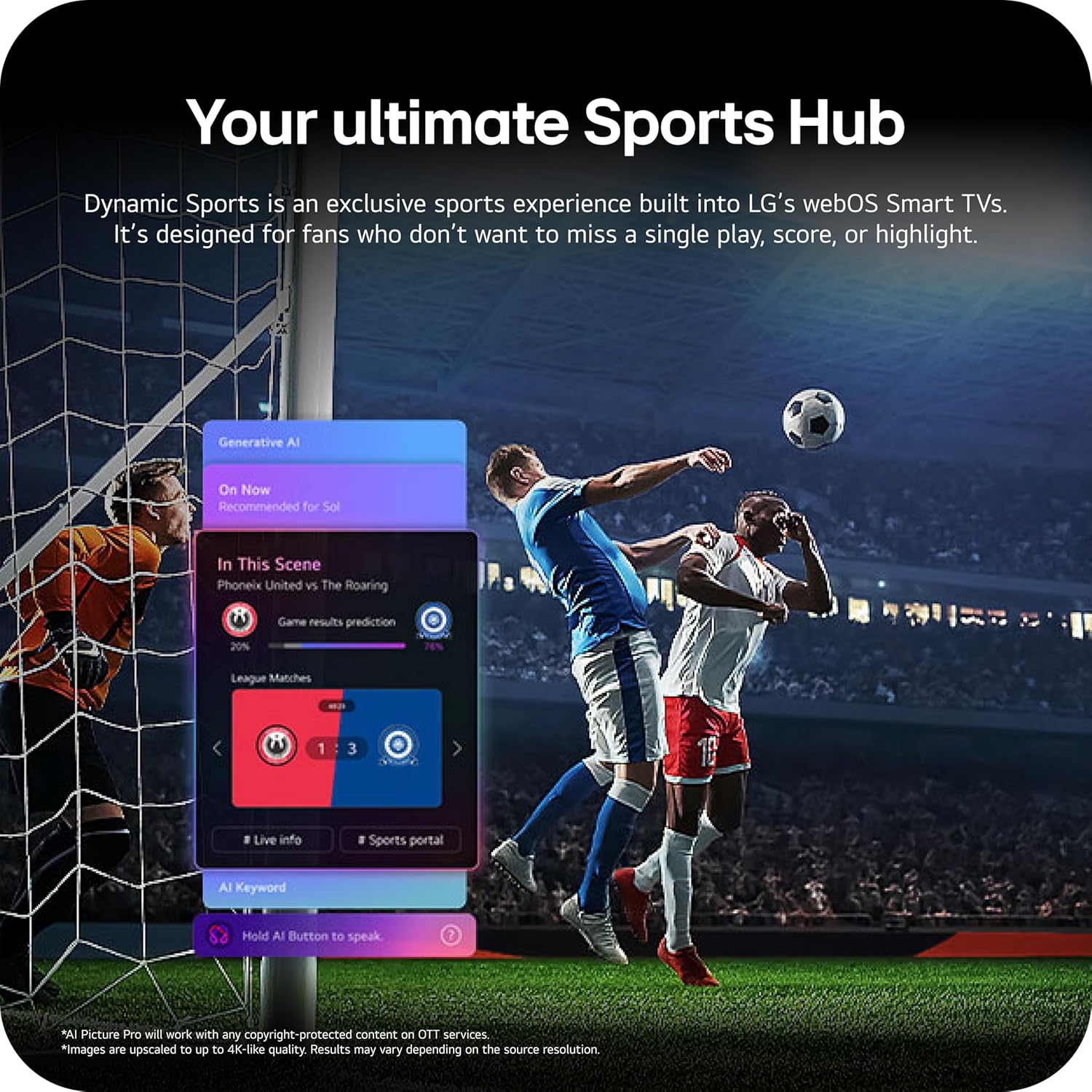
Image: The LG 65-inch OLED TV showing its dimensions with and without the stand, and a list of included accessories such as the Magic Remote, batteries, power cable, stand, and quick start guide.
Zawartość zestawu:
- LG 65-Inch Class OLED evo AI 4K C6 Series Smart TV
- Magiczny pilot
- Baterie do pilota (2 AAA)
- Kabel zasilający
- Podstawka
- Instrukcja obsługi (ten dokument)
1.2 Fizyczna instalacja
The LG OLED65C6PUA can be installed using the included stand or mounted on a wall. Refer to the separate Installation Manual (PDF) for detailed wall mounting instructions.
Montaż stojaka:
- Aby zapobiec uszkodzeniu telewizora, należy go położyć ekranem do dołu na miękkiej, płaskiej powierzchni.
- Attach the stand to the designated area on the bottom of the TV using the provided screws. Ensure it is securely fastened.
- Ostrożnie podnieś telewizor i umieść go na stabilnej, równej powierzchni.
Wymiary:
- TV Dimensions with Stand (WxHxD): 56.7" x 34.6" x 9.1"
- TV Dimensions without Stand (WxHxD): 56.7" x 32.5" x 1.8"
- Stand Footprint: 18.5"
1.3 Łączność
Connect your external devices to the appropriate ports on the rear and side of the television.

Image: The back panel of the LG OLED TV, displaying multiple HDMI ports, USB ports, Ethernet port, and antenna input for connecting various devices.
- Porty HDMI (4): Connect Blu-ray players, gaming consoles, soundbars, and other HDMI-enabled devices.
- Porty USB (2): Podłącz urządzenia pamięci masowej USB w celu odtwarzania multimediów lub aktualizacji oprogramowania.
- Port Ethernet (LAN): Do przewodowego połączenia internetowego.
- Wejście antenowe/kablowe: Podłącz antenę lub sygnał telewizji kablowej.
- Optyczne cyfrowe wyjście audio (S/PDIF): Do podłączania zewnętrznych systemów audio.
1.4 Pierwsze włączenie zasilania i konfiguracja sieci
- Podłącz przewód zasilający do telewizora, a następnie do gniazdka ściennego.
- Naciśnij przycisk zasilania na pilocie lub telewizorze.
- Postępuj zgodnie z instrukcjami wyświetlanymi na ekranie, aby dokończyć konfigurację początkową, obejmującą wybór języka, strefy czasowej i połączenia sieciowego (Wi-Fi lub Ethernet).
- An LG account may be required to access network-based smart services.
2. Instrukcja obsługi
2.1 Magiczny pilot zdalnego sterowania
The Magic Remote allows for intuitive control of your TV with point, click, scroll, and voice commands.

Image: The LG Magic Remote, featuring a central scroll wheel, directional buttons, and dedicated buttons for various functions and streaming services.
- Przycisk zasilania: Włącza lub wyłącza telewizor.
- Przyciski numeryczne: Bezpośredni dostęp do kanału.
- Zwiększanie/zmniejszanie głośności: Reguluje głośność.
- Kanał w górę/w dół: Zmienia kanały.
- Przycisk Home: Dostęp do webEkran główny OS Smart TV.
- Pointer/Scroll Wheel: Umożliwia nawigację po menu i wybieranie elementów.
- Przycisk poleceń głosowych: Activates intelligent voice recognition.
2.2 webOS Smart TV Platform (AI Hub)
Ten webOS 2026 platform provides access to streaming services, apps, and AI-powered features.

Obraz: Wizualna reprezentacja LG webOS Smart TV interface, highlighting AI features like Multi AI Search, AI Concierge, AI Voice ID, AI Picture Wizard, AI Chatbot, and AI Sound Wizard, all accessible via the remote's AI button.
- AI Hub: Press the AI button on your remote to access personalized recommendations and AI features.
- Usługi przesyłania strumieniowego: Access popular apps like Netflix, Disney+, Prime Video, Apple TV, and YouTube.
- Kanały LG: Enjoy over 400 free channels and 10,000+ movies & shows on-demand.
- Multi AI Search: Powered by Google Gemini & Microsoft Copilot for broader, more relevant search results.
2.3 Ustawienia obrazu i dźwięku
Zoptymalizuj swoje viewing and listening experience with advanced picture and sound technologies.

Image: A split screen on an LG OLED TV illustrating the difference between an anti-glare matte display and a Perfect Black & Perfect Color display, emphasizing the deep blacks and vibrant colors achieved by OLED technology.
- Wzmacniacz jasności: Enhances visuals for brighter, more vivid detail, powered by the α11 AI Processor Gen 3.
- Idealna czerń i idealny kolor: Over 8.3 million self-lit pixels deliver infinite contrast and accurate colors.
- Dolby Vision, HDR10, HLG: Supports multiple HDR formats for enhanced contrast and color.
- Tryb filmowca: Preserves the director's original vision by disabling motion smoothing and other post-processing.
- Dolby Atmos: Zapewnia wciągający, wielowymiarowy dźwięk.
- AI Picture & AI Sound: AI-assisted deep learning analyzes content to optimize picture and sound settings.
2.4 Funkcje gier
Experience responsive and fluid gameplay with dedicated gaming enhancements.

Image: A dynamic image of a race car on a track, overlaid with logos for 165Hz refresh rate, NVIDIA G-Sync, and AMD FreeSync Premium, indicating the TV's advanced gaming capabilities.
- Częstotliwość odświeżania 165 Hz: Provides ultra-smooth motion for gaming (up to 165Hz for PC gaming).
- Czas reakcji 0.1 ms: Minimizes input lag for quick reactions.
- NVIDIA G-Sync i AMD FreeSync Premium: Reduces screen tearing and stuttering for compatible graphics cards.
- Four HDMI 2.1 Inputs: Supports high bandwidth features required for next-gen gaming.
2.5 Dynamic Sports Hub
Access an exclusive sports experience built into LG's webOS Smart TVs.

Image: A soccer match displayed on an LG webOS Smart TV, with an overlay showing the 'Dynamic Sports Hub' interface, offering game results predictions, live info, and a sports portal.
The Dynamic Sports Hub is designed for fans to track scores, highlights, and relevant information without missing live action.
3. Konserwacja
3.1 OLED Care
The OLED Care feature helps protect your OLED display and maintain picture quality over time.

Image: A simple graphic displaying the 'OLED Care' logo with the LG brand, indicating a feature designed for display maintenance.
Access OLED Care settings through the TV menu to manage features like Pixel Cleaning and Screen Shift, which help prevent image retention.
3.2 Czyszczenie telewizora
- Zawsze odłączaj telewizor od zasilania przed czyszczeniem.
- Za pomocą miękkiej, suchej ściereczki z mikrofibry delikatnie przetrzyj ekran i obudowę.
- W przypadku uporczywych plam delikatnieampen the cloth with water or a specialized screen cleaner (ensure it is safe for OLED displays). Do not spray liquid directly onto the screen.
- Unikaj stosowania środków czyszczących o właściwościach ściernych, wosków i rozpuszczalników.
4. Rozwiązywanie Problemów
W tej sekcji znajdziesz rozwiązania typowych problemów, na jakie możesz natrafić.
4.1 No Power / TV Not Turning On
- Upewnij się, że kabel zasilający jest prawidłowo podłączony zarówno do telewizora, jak i do sprawnego gniazdka ściennego.
- Check if the wall outlet is receiving power by plugging in another device.
- Spróbuj nacisnąć przycisk zasilania na samym telewizorze, nie tylko na pilocie.
4.2 Brak obrazu lub obraz zniekształcony
- Sprawdź, czy wybrano prawidłowe źródło sygnału wejściowego (np. HDMI 1, HDMI 2).
- Check all cable connections between the TV and external devices (HDMI, antenna, etc.). Ensure they are firmly seated.
- Jeśli używasz anteny, sprawdź jej połączenie i położenie.
- Restart the connected device (e.g., cable box, gaming console).
4.3 Pilot zdalnego sterowania nie działa
- Replace the batteries in the Magic Remote (requires 2 AAA batteries).
- Upewnij się, że między pilotem a telewizorem nie ma żadnych przeszkód.
- Re-pair the Magic Remote if it has become disconnected. Point the remote at the TV and press the Wheel (OK) button.
4.4 Brak dźwięku lub cichy dźwięk
- Sprawdź głośność telewizora i upewnij się, że nie jest wyciszona.
- Jeśli używasz zewnętrznych urządzeń audio (soundbar, amplituner), upewnij się, że są włączone i prawidłowo podłączone.
- Check the audio output settings in the TV menu to ensure the correct output is selected (e.g., TV Speaker, Optical Out).
4.5 Problemy z połączeniem sieciowym
- For Wi-Fi, ensure the router is on and within range. Try restarting the router.
- W przypadku połączenia przewodowego upewnij się, że kabel Ethernet jest solidnie podłączony do telewizora i routera.
- Check network settings in the TV menu to ensure correct configuration.
5. Specyfikacje
| Funkcja | Specyfikacja |
|---|---|
| Nazwa modelu | LGOLED65C6PUA |
| Numer modelu | OLED65C6PUA |
| Rozmiar ekranu | 65 cali |
| Technologia wyświetlania | OLED |
| Rezolucja | 4K (3840x2160) |
| Częstotliwość odświeżania | 120 Hz (Native), up to 165Hz for PC gaming |
| Edytor | α11 AI Processor 4K Gen3 (Dual AI Engine) |
| Obsługiwany format HDR | Dolby Vision, HDR10, HLG |
| Czas reakcji | 0.1 milisekund |
| System operacyjny | webSystem operacyjny 2026 |
| Technologia łączności | Bluetooth (v5.3), Ethernet, HDMI, USB, Wi-Fi |
| Wszystkie porty HDMI | 4 2.1 (HDMI XNUMX) |
| Łączna liczba portów USB | 2 (USB 2.0) |
| Wyjście audio | Optyczny (S/PDIF) |
| Opis głośnika | Dolby Atmos (2.2 Channel) |
| Cechy specjalne | AMD FreeSync, Built-In Speaker, Chromecast, Intelligent Voice Recognition, NVIDIA G-Sync |
| Zasilacz | 120 woltów |
| Waga przedmiotu (bez stojaka) | 36.6 funta |
| Wymiary przedmiotu (z podstawą) | 9.1" gł. x 56.7" szer. x 34.6" wys. |
| Standard mocowania VESA | 300x200mm |
6. Gwarancja i wsparcie
6.1 Gwarancja na produkt
This LG OLED TV (Model OLED65C6PUA) comes with a 1 rok ograniczonej gwarancji na części i robociznę od daty zakupu. Zachowaj dowód zakupu na wypadek roszczeń gwarancyjnych.
6.2 Dodatkowe plany ochrony
Rozszerzone plany ochrony można nabyć osobno:
- 4-letni plan ochrony: Zapewnia ochronę na okres 48 miesięcy.
- Pełna ochrona: Miesięczny plan subskrypcji obejmujący dokonane i przyszłe zakupy, które spełniają określone kryteria.
For details on coverage and terms, please refer to the respective plan documentation or contact the provider.
6.3 Obsługa klienta
W celu uzyskania pomocy technicznej, rozwiązania problemów wykraczających poza tę instrukcję lub skorzystania z serwisu gwarancyjnego prosimy o kontakt z Działem Obsługi Klienta LG. Dane kontaktowe można znaleźć na oficjalnej stronie LG. website or in the Quick Start Guide included with your TV.
Można również zapoznać się z oficjalnymi Instrukcja obsługi (PDF) I Instrukcja instalacji (PDF) Aby uzyskać bardziej szczegółowe informacje.