
1. Wprowadzenie
The iRobot Roomba 115 Combo is a 2-in-1 robot vacuum and mop designed to clean your home efficiently. It vacuums with 15,000 Pa suction power to lift crumbs and fine dust, and simultaneously mops to clean daily dirt. This model covers up to 84 m² per charge, making it suitable for small to medium-sized homes.
Wyposażony w ClearView™ LiDAR technology, the robot quickly maps your home, cleaning in straight lines even in low light conditions. Its washable microfiber pad and extended side brush ensure thorough cleaning along baseboards and in corners that other robots might miss. When the battery is low or a cleaning session is complete, the robot automatically returns to its charging base.
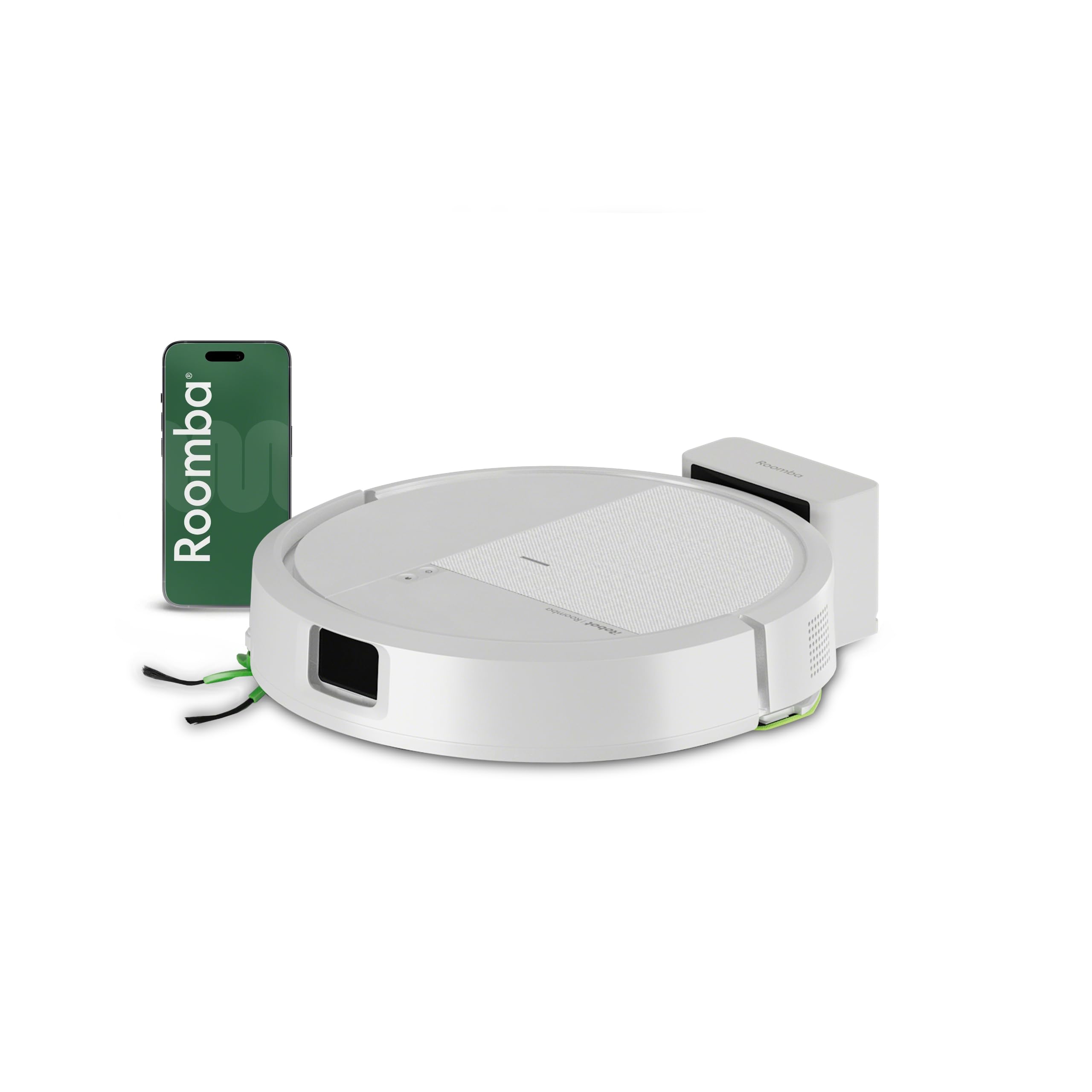
Obraz: Góra view of the iRobot Roomba 115 Combo robot vacuum and mop.
2. Konfiguracja
- Rozpakuj robota: Carefully remove the Roomba 115 Combo, charging adapter, docking station, filter, and side brush from the packaging.
- Place the Docking Station: Position the docking station against a wall in an open, uncluttered area, ensuring there is adequate space around it for the robot to maneuver. Connect the charging adapter to the docking station and plug it into a power outlet.
- Opłata początkowa: Place the robot on the docking station to charge fully before its first use. The battery indicator will show charging status.
- Zainstaluj aplikację: Download the iRobot Home app on your smartphone or tablet. The app is available for both iOS and Android devices.
- Połącz się z Wi-Fi: Follow the in-app instructions to connect your Roomba 115 Combo to your home's 2.4 GHz Wi-Fi network. This connection is essential for smart features, scheduling, and remote control.
- Mapowanie początkowe: Once connected, initiate an initial mapping run through the app. The ClearView™ LiDAR system will quickly map your home's layout, which will be used for efficient cleaning paths and defining custom zones.

Image: The iRobot Home app interface for controlling cleaning settings and schedules.
3. Instrukcja obsługi
Cleaning Modes and Customization
- Odkurzanie i mycie: The robot performs both vacuuming and mopping simultaneously. Ensure the water tank is filled and the mop pad is attached for mopping functionality.
- SmartScrub Function: Activate SmartScrub via the app for a deeper clean, which scrubs 2 times more intensely than standard mode.
- Suction and Water Flow Levels: Customize cleaning sessions by choosing from 4 suction levels and 3 water flow levels for mopping, depending on your floor type and cleaning needs.
- No-Wash Zones: Use the iRobot Home app to define specific areas as 'No-Wash Zones' to protect carpets and rugs from getting wet during mopping cycles.
- Celowane czyszczenie: For small messes like crumbs or paw prints, use the targeted cleaning feature to clean a specific spot without running a full cleaning cycle.
Rozpoczęcie sesji czyszczenia
- Za pośrednictwem aplikacji iRobot Home: Open the app, select your robot, and tap 'Clean' to start a session. You can also schedule cleanings in advance.
- Za pomocą przycisku robota: Press the 'Clean' button on the robot's top panel to start a standard cleaning cycle.
- Za pomocą poleceń głosowych: The Roomba 115 Combo is compatible with Amazon Alexa, Google Assistant, and Siri. Use voice commands such as "Alexa, tell Roomba Combo to start cleaning" to initiate a session.

Image: The robot performing targeted cleaning on paw prints.

Image: The robot cleaning along a baseboard in a corner.
4. Konserwacja
Regular maintenance ensures optimal performance of your Roomba 115 Combo. Follow these guidelines for cleaning and part replacement:
- Opróżnij kosz na śmieci: It is recommended to empty the dust bin every 1-2 days, especially in homes with pets, to prevent it from becoming full and affecting suction performance.
- Clean the Washable Mop Pad: Wash the microfiber mop pad after each mopping session. It can be hand-washed or machine-washed according to care instructions.
- Clean Brushes and Rollers: Regularly inspect and clean the main brushes and side brush. Hair and debris can get tangled around them, reducing cleaning effectiveness. Disassemble the brushes as needed to remove tangled hair.
- Replace Filters and Brushes: Replace the filter and brushes every 3 to 6 months, or more frequently depending on usage, to maintain optimal cleaning performance. Replacement parts are available from authorized iRobot retailers.
- Wyczyść czujniki: Wipe the robot's sensors with a clean, dry cloth to ensure proper navigation and anti-fall functionality.

Obraz: Spód view showing the main brushes, side brush, and mop pad.

Image: Close-up of the washable microfiber mop pad.
5. Rozwiązywanie Problemów
- Robot Not Cleaning Black Carpets: The robot's cliff sensors may interpret dark or black patterns on carpets as a drop-off, preventing it from cleaning those areas. Consider using virtual walls or adjusting cleaning zones if this is a persistent issue.
- Frequent Wi-Fi Disconnections: Ensure your Wi-Fi router is within range and operating on a 2.4 GHz frequency. Restarting both the robot and your router can often resolve connectivity issues.
- Bin, Brushes, or Wheels Constantly Full/Blocked: This indicates a need for more frequent maintenance. Regularly empty the dust bin and clean the main brushes, side brush, and wheels to remove accumulated debris and tangled hair.
- Robot Not Docking/Charging: Ensure the docking station is properly plugged in and placed in an open area. Clean the charging contacts on both the robot and the docking station with a dry cloth.
- Zmniejszona moc ssania: Check if the dust bin is full or if the filter needs replacement. Also, inspect the main brushes for any obstructions.
6. Specyfikacje
| Marka | iRobot |
| Nazwa modelu | Roomba® 115 Combo |
| Numer modelu | Y414240 |
| Wymiary produktu | 30.3Dł. x 30.3Sz. x 8.1Wys. centymetrów |
| Kolor | Biały |
| Źródło zasilania | Kabel elektryczny |
| Typ baterii | Lithium-ion (Batteries Included) |
| Pojemność zbiornika na wodę | 500 ml |
| Poziomy mocy ssania | 4 |
| Metody kontroli | App, Button, Voice (Amazon Echo, Google Home, Siri) |
| Typ nawigacji | Nawigacja LiDAR, inteligentne mapowanie |
| Cechy specjalne | Anti-Fall, Multi-Floor Mapping, Keep Out Zones |
| Zalecane zastosowanie | Indoor Floor Cleaning |
| Typ filtra | Nabój |
| Zawarte komponenty | Battery, Charging Adapter, Docking Station, Filter, Side Brush |
7. Gwarancja i wsparcie
iRobot provides warranty coverage, services, and updates exclusively for products purchased from authorized resellers. To ensure the quality and authenticity of your product, always purchase from an authorized iRobot retailer.
For any questions, technical assistance, or warranty claims, please contact iRobot customer support. Their specially trained service agents are available to assist you promptly.
For more information, visit the official iRobot webodwiedź witrynę lub zapoznaj się z danymi kontaktowymi znajdującymi się na opakowaniu produktu.