
1. Koniec produktuview
The G-Shock Casio GD010 digital watch is engineered for durability and functionality, designed to withstand demanding conditions while providing essential timekeeping features. This timepiece incorporates bio-based resin components and a CORDURA re/cor band, reflecting a commitment to environmental considerations.
This manual provides detailed instructions for setting up, operating, maintaining, and troubleshooting your GD010 watch.
Główne cechy
- Konstrukcja odporna na wstrząsy: Designed to endure impacts and vibrations.
- Struktura rdzenia węglowego: Enhances durability and protection for the internal module.
- Wodoodporność do 200 metrów: Nadaje się do pływania, nurkowania z rurką i nurkowania (z wyjątkiem nurkowania z akwalungiem).
- Długa żywotność baterii: Około 10 lat na baterii CR2025.
- Bio-based Resin Components: Case and bezel made with environmentally conscious materials.
- CORDURA re/cor Band: Durable strap made from recycled PET plastic fiber.
- Wyświetlacz cyfrowy: Clear and easy-to-read time and function information.
- Wiele funkcji: Includes alarm, chronograph (stopwatch), and timer.

Image 1.1: The G-Shock GD010 watch, showcasing its core features including shock resistance, Carbon Core Guard structure, and a 10-year battery life.
2. Rozpoczęcie pracy: konfiguracja
Funkcje przycisków
Your GD010 watch features several buttons for navigation and function control. Familiarize yourself with their locations and primary roles.

Obraz 2.1: Bok view of the G-Shock GD010, illustrating the location of the control buttons.
- DOSTOSUJ (lewy górny róg): Służy do wchodzenia i wychodzenia z trybów ustawień oraz do potwierdzania ustawień.
- TRYB (lewy dolny róg): Cycles through the watch's various modes (Timekeeping, Stopwatch, Timer, Alarm).
- ODWRÓCENIE (prawy górny róg): Used to decrease values or move backward through options during setting.
- FORWARD / START (Bottom Right): Used to increase values or move forward through options during setting. Also used to start/stop stopwatch or timer.
- LIGHT (Center Bottom): Włącza podświetlenie w celu oświetlenia.
Początkowe ustawienie czasu i daty
- W trybie pomiaru czasu naciśnij i przytrzymaj REGULOWAĆ Naciskaj przycisk, aż kod miasta zacznie migać, wskazując tryb ustawień.
- Użyj ODWRACAĆ I DO PRZODU buttons to select your desired Home City Code. This will automatically set the correct time zone.
- Naciśnij TRYB przycisk, aby przełączać się między ustawieniami: DST (czas letni) → format 12/24-godzinny → Sekundy → Godzina → Minuta → Rok → Miesiąc → Dzień.
- Dla każdego ustawienia użyj ODWRACAĆ I DO PRZODU przyciski, aby zmienić wartość.
- Po skonfigurowaniu wszystkich ustawień naciśnij przycisk REGULOWAĆ przycisk, aby wyjść z trybu ustawień.
3. Obsługa zegarka
The GD010 offers various modes for different functions. Press the TRYB aby je przeglądać, naciśnij przycisk.
Tryb pomiaru czasu
Jest to tryb domyślny, wyświetlający aktualną godzinę, dzień tygodnia i datę.
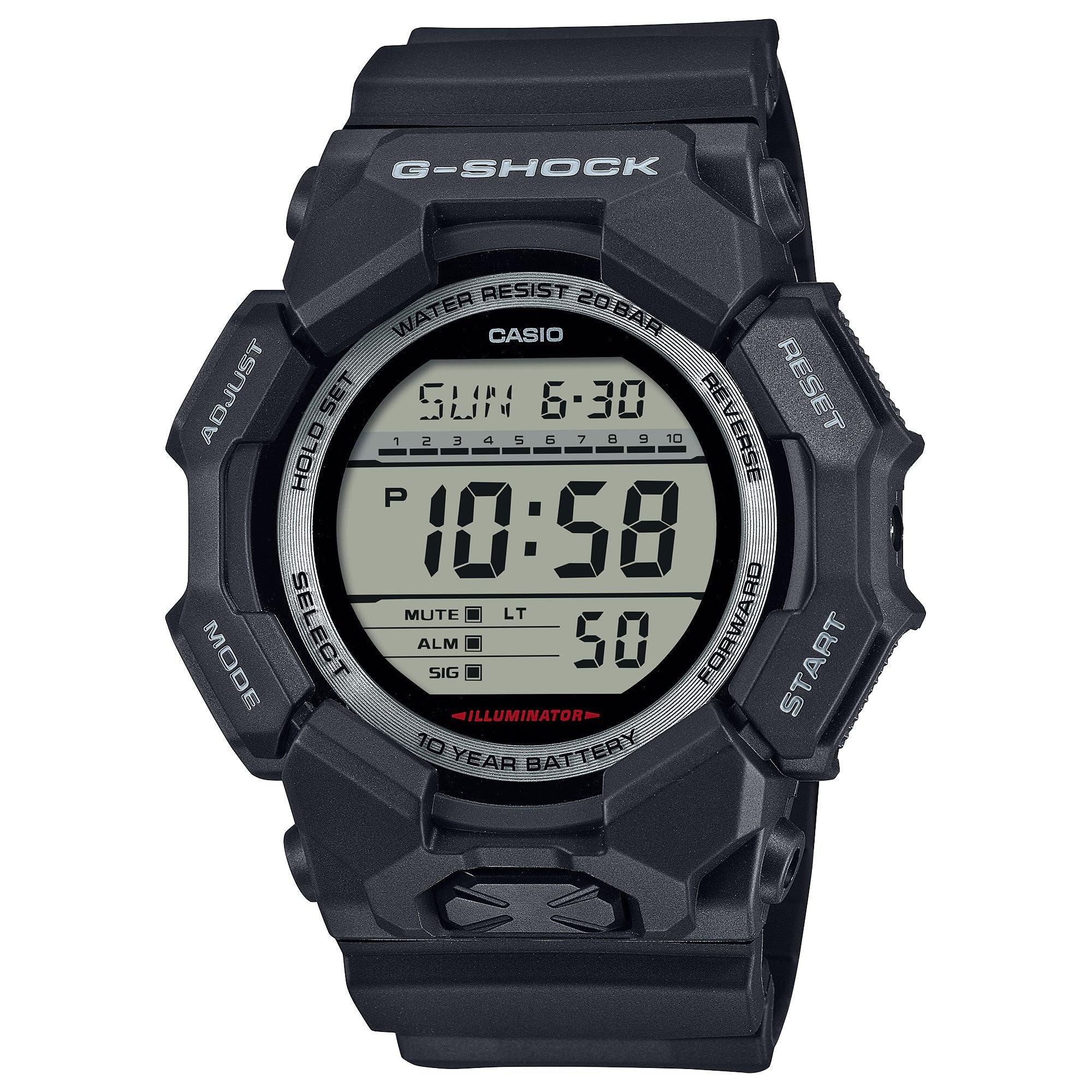
Image 3.1: The G-Shock GD010 watch face in Timekeeping Mode.
Korzystanie ze stopera (chronografu)
- W trybie pomiaru czasu naciśnij TRYB button until "STW" or "STOPWATCH" appears on the display.
- Naciśnij FORWARD / START przycisk, aby uruchomić stoper.
- Naciśnij FORWARD / START Aby zatrzymać stoper, naciśnij przycisk ponownie.
- Aby zresetować stoper do zera, naciśnij przycisk ODWRACAĆ przycisk, gdy stoper jest zatrzymany.
Ustawianie minutnika
- W trybie pomiaru czasu naciśnij TRYB button until "TMR" or "TIMER" appears.
- Naciśnij i przytrzymaj REGULOWAĆ button until the current timer setting starts to flash.
- Użyj TRYB przycisk, aby wybrać ustawienie godziny lub minut.
- Użyj ODWRACAĆ I DO PRZODU przyciski umożliwiające ustawienie żądanego czasu odliczania.
- Naciśnij REGULOWAĆ przycisk, aby wyjść z trybu ustawień.
- Naciśnij FORWARD / START Naciśnij przycisk, aby rozpocząć odliczanie. Alarm zabrzmi, gdy licznik osiągnie zero.
Funkcje alarmowe
- W trybie pomiaru czasu naciśnij TRYB Naciskaj przycisk, aż pojawi się napis „ALM” lub „ALARM”.
- Naciśnij i przytrzymaj REGULOWAĆ Naciskaj przycisk, aż zacznie migać godzina alarmu.
- Użyj TRYB przycisk, aby wybrać ustawienie godziny lub minut.
- Użyj ODWRACAĆ I DO PRZODU przyciski umożliwiające ustawienie żądanej godziny alarmu.
- Naciśnij REGULOWAĆ przycisk, aby wyjść z trybu ustawień.
- Aby włączyć/wyłączyć alarm, naciśnij przycisk FORWARD / START button while in Alarm Mode (without holding ADJUST).
Wytyczne dotyczące wodoodporności
Your GD010 watch is rated for 200-meter water resistance. This means it is suitable for recreational diving (excluding saturation diving), swimming, snorkeling, and water sports.
- Nie naciskaj przycisków, gdy zegarek jest zanurzony w wodzie lub gdy jest mokry.
- Avoid exposing the watch to hot water, steam, or extreme temperature changes, as this can compromise water resistance.
- After exposure to saltwater, rinse the watch thoroughly with fresh water and wipe it dry.
4. Pielęgnacja i konserwacja
Opieka ogólna
- Regularnie przecieraj zegarek miękką, suchą ściereczką, aby usunąć brud i wilgoć.
- Avoid exposing the watch to strong chemicals, solvents, or detergents, as these can damage the resin materials.
- Przechowuj zegarek w chłodnym, suchym miejscu, z dala od bezpośredniego światła słonecznego i ekstremalnych temperatur, gdy nie używasz zegarka.
- The watch's resin components and band are designed for durability, but prolonged exposure to UV light may cause discoloration over time.
Wymiana baterii
The GD010 watch is equipped with a CR2025 battery, providing an approximate battery life of 10 years. When the display becomes dim or functions become erratic, it may be time for a battery replacement.
Battery replacement should ideally be performed by a qualified watch technician to ensure proper sealing and maintain water resistance. Attempting to replace the battery yourself may void the warranty and compromise the watch's water resistance.
Czyszczenie
To clean your watch, use a soft cloth dampened with mild soap and water. Gently wipe the case and band. For stubborn dirt, a soft brush can be used. Rinse thoroughly with fresh water and dry completely with a soft cloth.
5. Przewodnik rozwiązywania problemów
If you encounter issues with your GD010 watch, refer to the following common problems and their solutions.
| Problem | Możliwa przyczyna | Rozwiązanie |
|---|---|---|
| Wyświetlacz jest pusty lub przyciemniony. | Niski poziom naładowania baterii. | Replace the battery (CR2025). Consult a professional watch technician. |
| Czas jest nieprawidłowy. | Incorrect time zone or manual setting error. | Ponownie ustaw ustawienia czasu i daty zgodnie z opisem w rozdziale 2. |
| Przyciski nie reagują. | Watch is wet, or internal module error. | Ensure the watch is dry. If the problem persists, a reset may be required (consult support), or professional service. |
| Alarm nie włącza się. | Alarm is turned off or volume is too low (if adjustable). | Verify the alarm is set to ON in Alarm Mode. Check watch settings for alarm volume if applicable. |
If the problem persists after attempting these solutions, please contact G-Shock customer support for further assistance.
6. Specyfikacje produktu
| Nazwa modelu | GD010 |
| Numer modelu | GD010-1 |
| Case Size (L× W× H) | Wymiary: 54.9 × 51.9 × 16.1 mm |
| Waga | 73 g (około 2.57 uncji) |
| Materiał obudowy i ramki | Bio-based Carbon / Bio-based Resin |
| Rodzaj materiału paska | Resin (CORDURA re/cor) |
| Budowa | Odporna na wstrząsy struktura Carbon Core Guard |
| Odporność na wodę | Wodoszczelność do 200 metrów |
| Zasilacz | CR2025 (1 Lithium Metal battery, included) |
| Przybliżony czas pracy baterii | 10 lata |
| Kryształ | Szkło mineralne |
| Typ wyświetlacza | Cyfrowy |
| Typ ruchu | Kwarc japoński |
| Dodatkowe funkcje | Alarm, Chronograph, Timer |
| Rodzaj zapięcia | Klamra |
| Kolor paska | Czarny |
| Kolor tarczy | Czarny |
7. Gwarancja i obsługa klienta
Informacje o gwarancji
Your G-Shock GD010 watch comes with a Ograniczona gwarancja. The terms and conditions of this warranty cover manufacturing defects under normal use. Please refer to the warranty card included with your purchase for specific details regarding coverage duration, exclusions, and how to make a claim. Keep your proof of purchase for warranty validation.
Kontakt z obsługą klienta
For technical assistance, warranty service, or any other inquiries regarding your G-Shock GD010 watch, please contact G-Shock customer support.
- Visit the official G-Shock website for support contact information, FAQs, and service center locations.
- Have your watch model number (GD010-1) and proof of purchase ready when contacting support.