
Wstęp
Thank you for choosing the Cillso Smartwatch. This manual provides detailed instructions on how to set up, operate, and maintain your device. This smartwatch features a 1.95-inch HD display, Bluetooth calling capabilities, IP68 water resistance, comprehensive health monitoring including SpO2 and sleep tracking, over 100 sports modes, and integrated Alexa for voice control. Please read this manual carefully to ensure optimal performance and longevity of your smartwatch.
Organizować coś
1. Ładowanie smartwatcha
Before initial use, fully charge your smartwatch. Connect the provided charging cable to the charging port on the back of the watch and to a standard USB power adapter (not included). A full charge typically takes approximately 2 godziny. The watch has a Bateria 300mAh, zapewniając 5-7 days of normal use i do 30 days of standby time.

Image: The smartwatch display indicating a 1.95-inch screen, 2 hours charging time, 5-7 days normal use, 30 days standby time, and a 300mAh battery capacity.
2. Instalacja i parowanie aplikacji
- Pobierz aplikację: Scan the QR code in the quick start guide or search for the companion app (e.g., 'GloryFit' as suggested by watch dial image) in your smartphone's app store (Android or iOS).
- Zarejestruj się/Zaloguj: Postępuj zgodnie z instrukcjami wyświetlanymi na ekranie, aby utworzyć konto lub zalogować się.
- Sparuj smartwatch: Ensure Bluetooth is enabled on your smartphone. Open the app, navigate to the device section, and select 'Add Device'. Choose your Cillso Smartwatch from the list of available devices. Confirm the pairing request on both your phone and the smartwatch.
Instrukcja obsługi
1. Podstawowa nawigacja
- Ekran dotykowy: Przesuwaj w górę, w dół, w lewo lub w prawo, aby poruszać się po menu i powiadomieniach. Dotknij, aby wybrać elementy.
- Przycisk boczny: Press the side button to return to the home screen or to wake up the display.
2. Połączenia Bluetooth
Smartwatch obsługuje Bluetooth 5.3 calling, allowing you to make and receive calls directly from your wrist when connected to your smartphone. It features a wbudowany mikrofon i wspiera zapisy połączeń i do 100 kontakty.
- Odbieranie połączeń: When an incoming call notification appears, tap the green phone icon to answer.
- Odrzucanie połączeń: Aby odrzucić połączenie przychodzące, naciśnij ikonę czerwonego telefonu.
- Dzwonić: Aby nawiązać połączenie, skorzystaj z klawiatury numerycznej lub listy kontaktów na swoim smartwatchu.
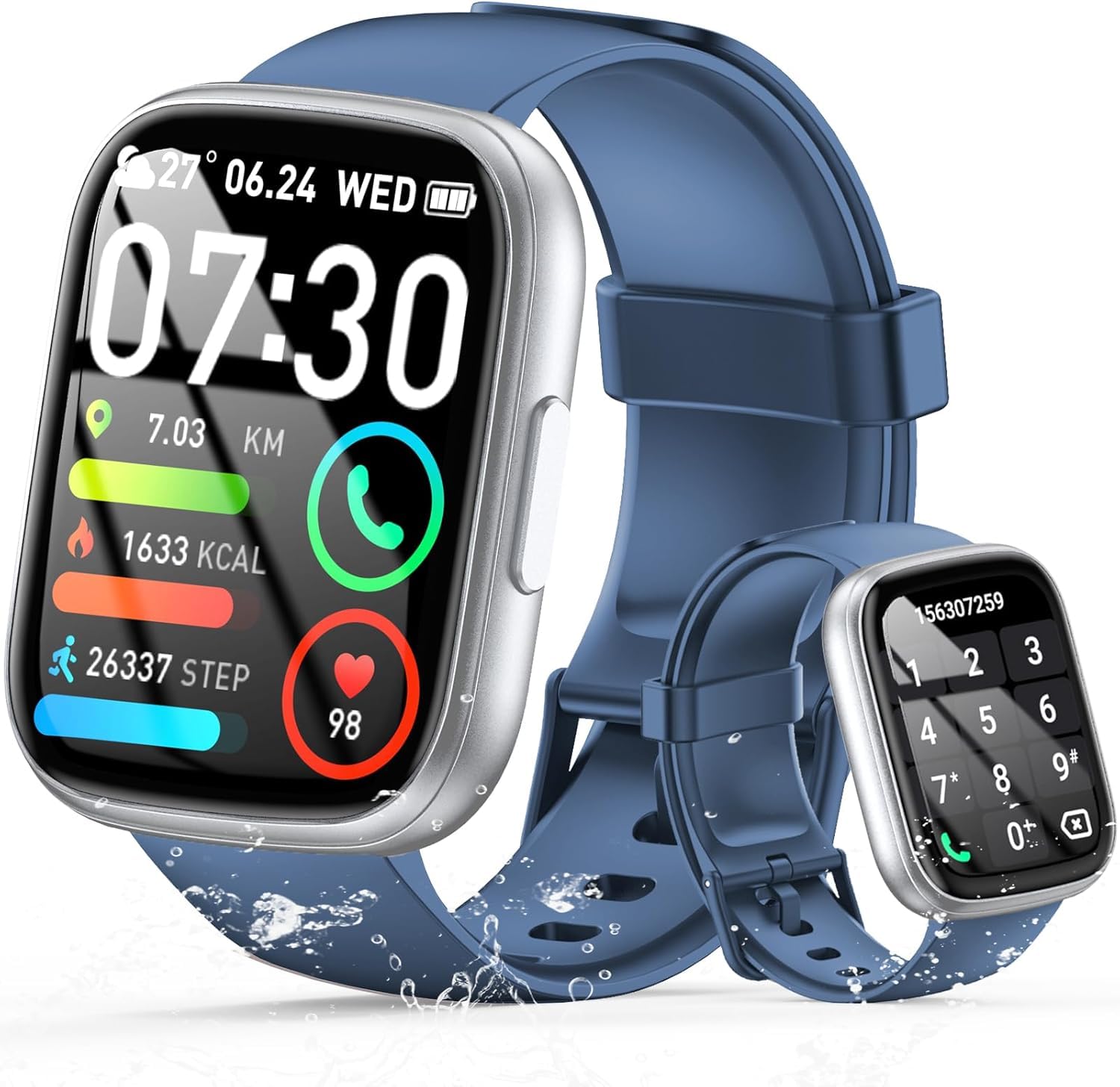
Image: The smartwatch displaying an incoming call, along with icons for built-in mic, Hi-Fi Spectra, call records, and 100 contacts. Examples of dial pad and contact list are also shown.
3. Monitorowanie stanu zdrowia
The smartwatch provides continuous health monitoring features to help you track your well-being.
- Monitorowanie częstości akcji serca: Zegarek stale monitoruje tętno przez całą dobę. View your heart rate data on the watch or in the app.
- Monitorowanie tlenu we krwi (SpO2): Zmierz poziom saturacji krwi tlenem.
- Monitorowanie snu: Tracks your sleep patterns, including deep sleep, light sleep, and wake times, to provide insights into your sleep quality.

Image: Visual representation of heart rate, blood oxygen (SpO2), and sleep monitoring graphs and data on the smartwatch and a person sleeping while wearing the watch.
4. Tryby sportowe
Smartwatch obsługuje over 100 sports modes to accurately track your workouts. Common modes include running, basketball, climbing, skipping, swimming, and badminton. It tracks metrics such as steps, distance, calories burned, and exercise duration.

Image: A person cycling with the smartwatch, illustrating various sports modes like running, basketball, climbing, skipping, swimming, and badminton. Also shows tracking for steps, distance, and calories.
5 Integracja z Alexą
Z Alexa integrated, you can use voice commands to control music playback, check weather, set alarms, and more directly from your smartwatch.
6. Personalized Watch Dials
Customize your smartwatch with over 200 stylish watch faces available through the companion app. You can also upload your favorite photos to create personalized watch dials. The display features wide color gamut, AM LED technology, and color accuracy.

Zdjęcie: Pokaz smartwatchyasing multiple personalized watch dial options, highlighting wide color gamut, AM LED, and color accuracy features.
7. Funkcje wielofunkcyjne
- Sterowanie muzyką: Odtwarzaj, wstrzymuj, pomijaj utwory i reguluj głośność muzyki odtwarzanej na podłączonym smartfonie.
- Sterowanie kamerą: Remotely control your smartphone's camera to frame, focus, and snap photos or start/stop video recording.
- Budzik: Ustaw alarmy, które Cię obudzą lub przypomną o ważnych wydarzeniach.
- Inne funkcje: Includes weather forecasts, stopwatch, timer, and more.

Image: The smartwatch displaying interfaces for music control, remote camera control, and alarm clock settings, along with icons for other features like temperature, weather, and microphone.
Konserwacja
1. Czyszczenie
Wipe the smartwatch regularly with a soft, dry cloth. For stubborn dirt, use a slightly damp Wytrzyj szmatką i dokładnie osusz. Unikaj stosowania silnych środków chemicznych i materiałów ściernych.
2. Wodoodporność (IP68)
The Cillso Smartwatch is Wodoodporność IP68, meaning it is protected against dust ingress and can withstand immersion in water up to 1.5 meters for up to 30 minutes. It is suitable for daily use, hand washing, and light rain. However, it is not recommended for hot showers, saunas, or diving, as steam and high water pressure can compromise the seal.
3. Pielęgnacja baterii
- Unikaj ekstremalnych temperatur, które mogą skrócić żywotność baterii.
- Przed dłuższym okresem nieużywania należy całkowicie naładować urządzenie.
- Używaj wyłącznie dostarczonego kabla ładującego.
Rozwiązywanie problemów
- Zegarek się nie włącza: Upewnij się, że zegarek jest w pełni naładowany. Podłącz go do ładowarki na co najmniej 30 minut.
- Nie można sparować z telefonem: Make sure Bluetooth is enabled on your phone and the watch is within range. Restart both devices and try pairing again through the app.
- Niedokładne dane dotyczące zdrowia: Upewnij się, że zegarek ściśle przylega do nadgarstka, nie jest za ciasny ani za luźny. Regularnie czyść czujniki.
- Powiadomienia nie zostały odebrane: Check app permissions on your phone to ensure the companion app has access to notifications. Verify that notifications are enabled within the app settings.
- Alexa nie odpowiada: Ensure the watch is connected to your phone and has an active internet connection. Check Alexa settings within the companion app.
Specyfikacje
| Numer modelu | B0GQGYDJS7 |
| Marka | Cillso |
| Rozmiar ekranu | 1.95 cali |
| Technologia łączności | Bluetooth 5.3 |
| Ocena odporności na wodę | IP68 |
| Pojemność baterii | 300 mAh (litowo-polimerowy) |
| Czas ładowania | Około 2 godzin |
| Normal Use Battery Life | 7-10 dni |
| Czas czuwania | Do 30 dni |
| Pojemność pamięci masowej | 1 GB |
| Wejście interfejsu ludzkiego | Mikrofon, ekran dotykowy |
| Zawarte komponenty | Kabel ładujący |
Gwarancja i wsparcie
Warranty information for your Cillso Smartwatch is typically provided with your purchase documentation. Please refer to those materials for details regarding warranty coverage and terms. For technical support, product inquiries, or assistance with troubleshooting beyond this manual, please contact Cillso customer service through the contact information provided with your product or on the official Cillso webstrona.