
Wstęp
The Roku Hiro 32-inch 720p HD Smart TV offers an integrated Roku streaming experience. This television features an HD display for clear picture quality and speakers with enhanced audio. It supports Bluetooth for private listening with headphones and includes Wi-Fi for internet connectivity. The Roku operating system provides a customizable home screen, access to numerous streaming channels, and automatic updates, making it suitable for various living spaces.
Co jest w pudełku
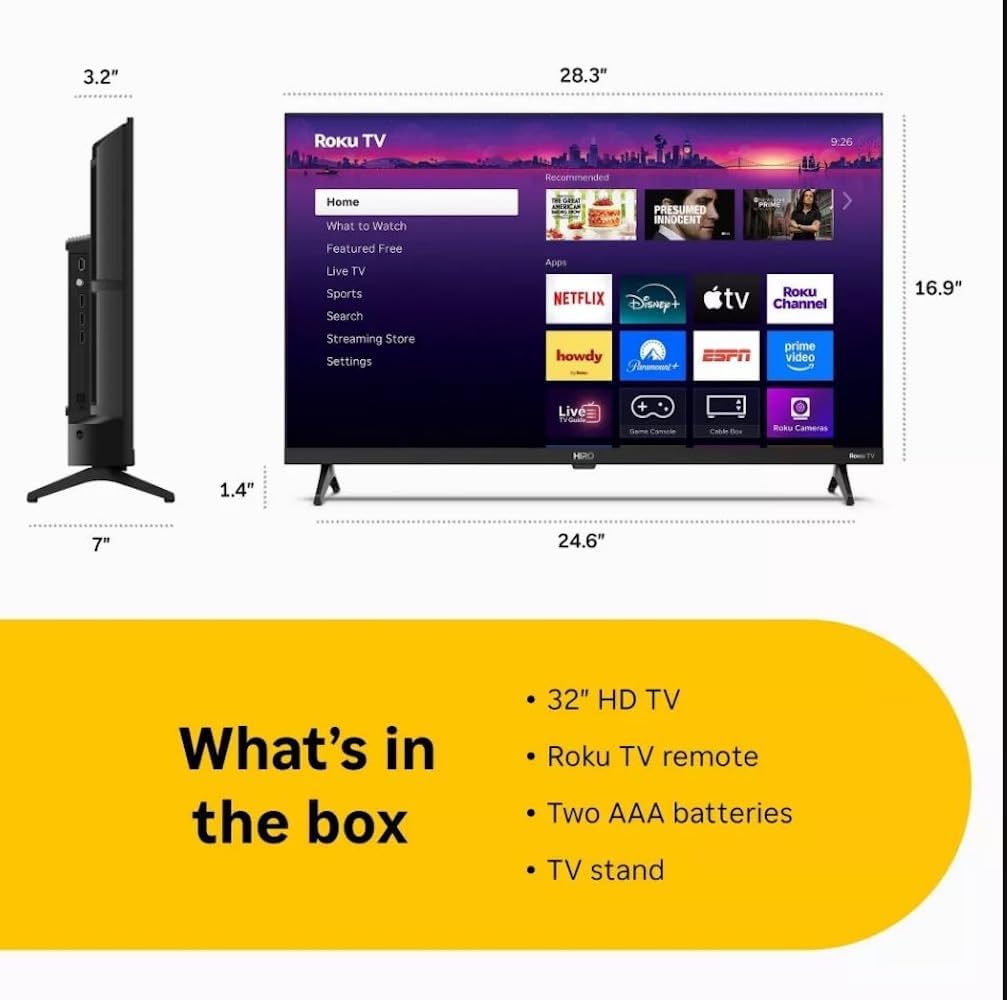
Diagram showing the dimensions of the Roku Hiro 32-inch TV and a list of included accessories: 32-inch HD TV, Roku TV remote, two AAA batteries, and TV stand.
- Hiro 32" 720p HD Smart TV Flat Screen LED Television with Roku TV
- Zdalne sterowanie
- Stojak TV
- Kabel zasilający
- Instrukcja użytkownika
Organizować coś
1. Instalacja stojaka
Carefully place the TV screen-down on a soft, clean surface to prevent damage. Align the TV stand with the designated slots on the bottom of the TV. Secure the stand using the provided screws. Ensure the stand is firmly attached before proceeding.
2. Podłączanie urządzeń

Tył view of the Roku Hiro TV, showing the input/output ports including USB, HDMI, and antenna connections.
- Moc: Podłącz kabel zasilający do gniazda zasilania telewizora, a następnie do gniazdka ściennego.
- HDMI: Connect external devices such as Blu-ray players, game consoles, or cable boxes to the HDMI ports. This TV features 3 HDMI ports.
- USB: Use the USB port for media playback from a USB drive.
- Dźwięk optyczny: Connect an external sound system using an optical audio cable for enhanced sound.
- Antena/kabel: Podłącz antenę lub przewód telewizji kablowej do wejścia RF, aby odbierać kanały naziemne lub kablowe.
3. Konfiguracja początkowa
After connecting all necessary cables, power on the TV. Follow the on-screen instructions to:
- Wybierz swój język.
- Połącz się z siecią Wi-Fi.
- Aktywuj swoje konto Roku (lub utwórz nowe).
- Scan for available channels if an antenna is connected.
Instrukcja obsługi
Funkcje pilota zdalnego sterowania

Close-up of the Roku TV remote control, highlighting buttons for TV power, volume, mute, sleep timer, instant replay, options, and app shortcuts.
- Przycisk zasilania: Włącza lub wyłącza telewizor.
- Klawisz kierunkowy (D-Pad): Umożliwia nawigację po menu i wybieranie elementów.
- Przycisk OK: Potwierdza wybór.
- Przycisk Home: Powrót do ekranu głównego Roku.
- Przycisk Wstecz: Powrót do poprzedniego ekranu.
- Zwiększanie/zmniejszanie głośności: Regulacja głośności telewizora.
- Przycisk wyciszenia: Wycisza lub włącza dźwięk telewizora.
- Przyciski skrótów aplikacji: Direct access to popular streaming services (e.g., Netflix, Disney+, Apple TV+, Prime Video).
- Wyłącznik czasowy: Sets a timer for the TV to turn off automatically.
- Natychmiastowa odpowiedź: Jumps back a few seconds in supported content.
- Opcje: Accesses additional settings or information for the current content.
Navigating the Roku OS

The Roku TV home screen interface, showing recommended content and various streaming applications.
The Roku home screen provides access to all your streaming channels, inputs, and settings. Use the D-Pad on your remote to navigate through the menu options on the left and the app grid on the right. You can customize the order of your channels by highlighting an app, pressing the * (Options) button, and selecting 'Move channel'.
Przesyłanie strumieniowe treści
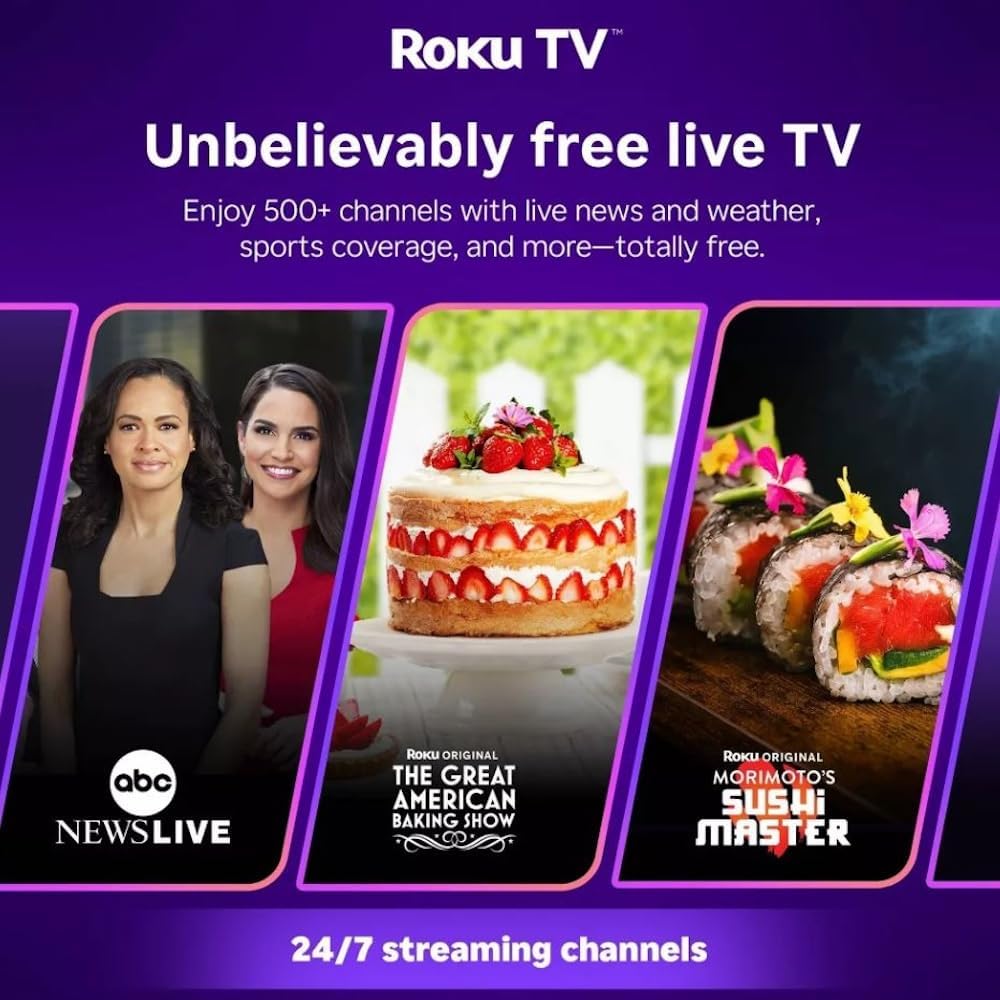
Roku TV interface promoting free live TV channels, featuring examples like ABC News Live, The Great American Baking Show, and Morimoto's Sushi Master.
Access a wide range of streaming services and free content through the Roku Channel Store. The Roku platform offers over 500 free channels, including live television, movies, and news. Use the 'Search' function on the home screen to find specific titles or channels.
Funkcje audio

Roku Hiro TV displaying the home screen with various streaming apps, emphasizing enhanced audio quality.
The TV features enhanced audio quality. For private listening, you can pair Bluetooth headphones directly with the TV. Navigate to Settings > Remotes & devices > Bluetooth devices > Pair new device to connect your headphones.
Konserwacja
Czyszczenie telewizora
- Zawsze odłączaj telewizor od zasilania przed czyszczeniem.
- Do delikatnego przecierania ekranu i obudowy używaj miękkiej, niepozostawiającej włókien ściereczki.
- W przypadku uporczywych plam delikatnieampPrzetrzyj ściereczkę wodą lub delikatnym, nieściernym środkiem do czyszczenia ekranów. Nie rozpylaj środka czyszczącego bezpośrednio na ekran.
- Unikaj stosowania silnych środków chemicznych, szorstkich czyścików i rozpuszczalników.
Aktualizacje oprogramowania
The Roku TV automatically checks for and installs software updates when connected to the internet. To manually check for updates, go to Ustawienia > System > Aktualizacja oprogramowania.
Rozwiązywanie problemów
| Problem | Rozwiązanie |
|---|---|
| Brak zasilania | Upewnij się, że kabel zasilający jest prawidłowo podłączony zarówno do telewizora, jak i do sprawnego gniazdka elektrycznego. Spróbuj użyć innego gniazdka. |
| Brak obrazu, ale dźwięk jest | Sprawdź źródło sygnału wejściowego. Naciśnij Dom button on the remote and select the correct input. Ensure all HDMI cables are securely connected. |
| Brak dźwięku, ale obraz jest | Sprawdź poziom głośności i upewnij się, że telewizor nie jest wyciszony. Jeśli korzystasz z zewnętrznego źródła dźwięku, sprawdź połączenia i ustawienia. |
| Nie można połączyć się z siecią Wi-Fi | Zweryfikuj hasło Wi-Fi. Uruchom ponownie router i modem. Przejdź do Settings > Network > Set up connection to reconfigure. |
| Pilot nie działa | Wymień baterie w pilocie. Upewnij się, że między pilotem a czujnikiem podczerwieni telewizora nie ma żadnych przeszkód. |
Specyfikacje
| Nazwa modelu | H32C2C4 |
| Rozmiar ekranu | 32 cali |
| Technologia wyświetlania | PROWADZONY |
| Rezolucja | 720p |
| Częstotliwość odświeżania | 60 Hz |
| System operacyjny | Roku OS |
| Technologia łączności | Bluetooth, HDMI, Optical Audio, USB, Wi-Fi |
| Total Number of HDMI Ports | 3 |
| Łączna liczba portów USB | 1 |
| Wymiary produktu (Gł. x Szer. x Wys.) | 3.2" gł. x 28.3" szer. x 16.9" wys. |
| Waga przedmiotu | 7.5 funtów |
| Tomtage | 120 V (AC) |
| Typ montażu | Mocowanie na stole |
| Kolor | Czarny |
Informacje o gwarancji
This Roku Hiro TV is covered by a 90-day Replacement Warranty. Please retain your proof of purchase for any warranty claims. For detailed terms and conditions, refer to the warranty documentation included with your product or visit the official Roku support webstrona.
Wsparcie
For further assistance, troubleshooting guides, or to contact customer support, please visit the official Roku support website. You can find comprehensive FAQs and contact information there.