
1. Wprowadzenie
Thank you for choosing the Monster BC300 Open Ear Sport Headphones. These headphones are designed to provide a comfortable and secure audio experience while keeping you aware of your surroundings. Featuring bone conduction technology, IPX8 waterproofing, 32GB of built-in memory, and a long-lasting battery, the BC300 is ideal for various sports and outdoor activities.
Przed użyciem słuchawek należy uważnie przeczytać tę instrukcję, aby mieć pewność, że będą działać prawidłowo i wydłużyć ich żywotność.
2. Zawartość opakowania
Upewnij się, że w przesyłce znajdują się wszystkie elementy:
- Monster BC300 Open Ear Sport Headphones
- Kabel ładujący USB
- Instrukcja obsługi
3. Funkcje produktu
- Konstrukcja Open Ear: Rests comfortably outside your ears, providing a secure fit without pressure. This design allows you to remain aware of your surroundings, enhancing safety during outdoor activities.
- Technologia przewodnictwa kostnego: Sound is transmitted through your cheekbones, keeping your ear canals open. This minimizes ear fatigue and offers a natural listening experience.
- Łączność Bluetooth 6.0: Ensures a stable, low-latency connection for reliable audio streaming and clear calls.
- Stopień wodoodporności IPX8: Designed to resist heavy sweat, rain, and temporary submersion, making them suitable for intense training, trail running, and even swimming.
- 32 GB wbudowanej pamięci: Store thousands of songs directly on the headphones for true wire-free listening without needing a phone, perfect for swimming or gym workouts.
- Żywotność baterii 10 godzin: Provides extended playtime for all-day use.
4. Konfiguracja
4.1 Ładowanie słuchawek
Before first use, fully charge the headphones. Connect the USB charging cable to the charging port on the headphones and to a standard USB power adapter (not included) or a computer's USB port. The LED indicator will show charging status and turn off or change color when fully charged.
Pełne naładowanie zapewnia około 10 godzin odtwarzania.
4.2 Włączanie/wyłączanie zasilania
- Włączanie: Press and hold the Power/Multi-function button for approximately 3 seconds until the LED indicator flashes and you hear a power-on prompt.
- Wyłączone: Press and hold the Power/Multi-function button for approximately 5 seconds until the LED indicator turns off and you hear a power-off prompt.
4.3 parowanie Bluetooth
- Upewnij się, że słuchawki są wyłączone.
- Naciśnij i przytrzymaj przycisk zasilania/wielofunkcyjny przez około 5–7 sekund, aż dioda LED zacznie migać naprzemiennie na czerwono i niebiesko, wskazując tryb parowania.
- Włącz Bluetooth na swoim urządzeniu (smartfonie, tablecie itp.) i wyszukaj dostępne urządzenia.
- Select "Monster BC300" from the list of devices.
- Once connected, the LED indicator will flash blue slowly, and you will hear a connection confirmation.
Uwaga: Po włączeniu słuchawki automatycznie podejmą próbę ponownego połączenia się z ostatnio sparowanym urządzeniem.
4.4 Using Built-in Memory (MP3 Mode)
The BC300 headphones feature 32GB of internal storage for music playback without a connected device.
- Przesyłanie muzyki: Connect the headphones to your computer using the USB charging cable. The headphones will appear as a removable disk. Drag and drop your audio files (e.g., MP3, WAV, FLAC) into the headphone's storage folder.
- Przełączanie na tryb MP3: While the headphones are on, press the Mode button (if available, or a combination of buttons as per specific model design) to switch between Bluetooth mode and MP3 player mode. Refer to the specific button layout for your model.
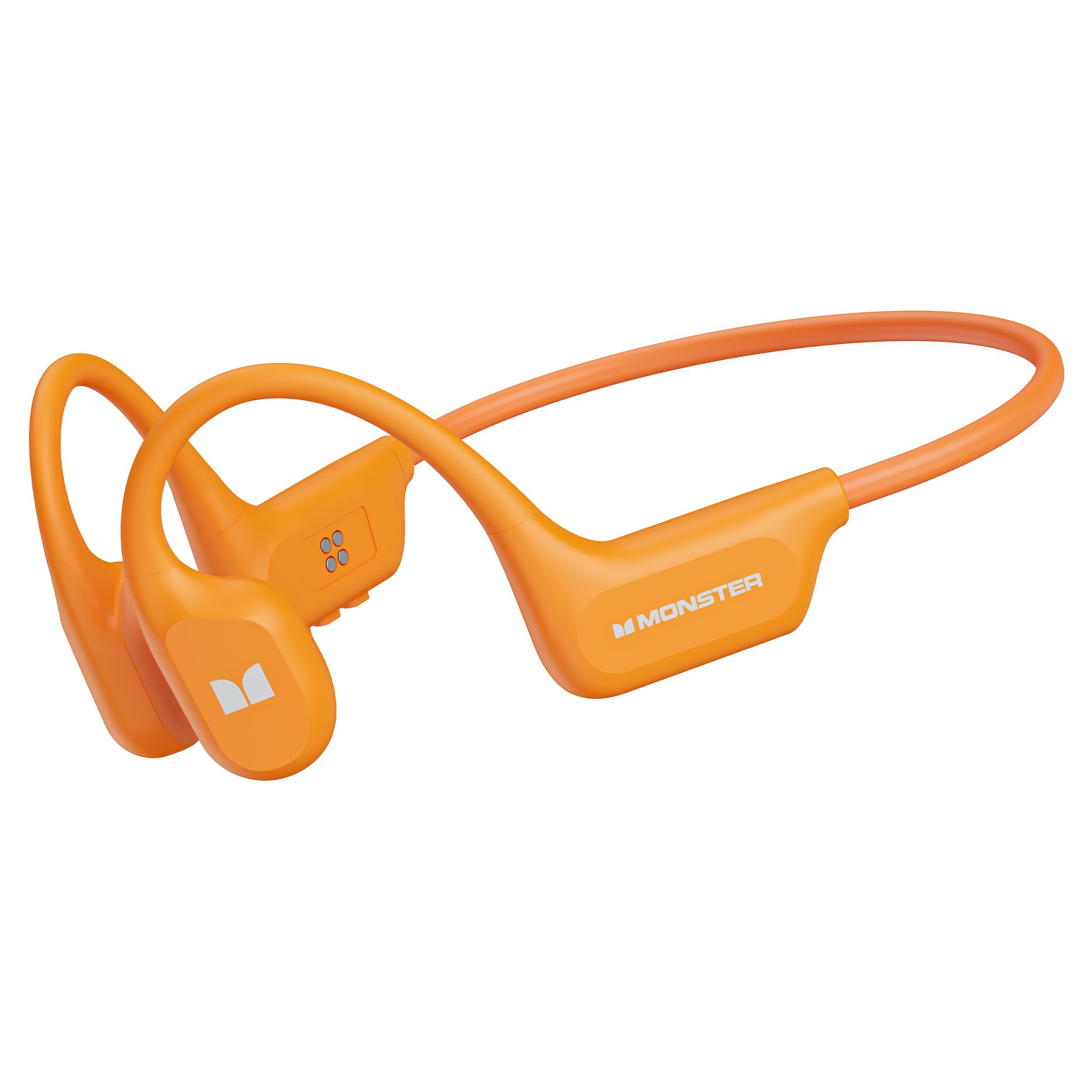
Image: Monster BC300 headphones connected to a laptop via USB cable, illustrating the 32GB built-in memory feature for standalone music playback.
5. Instrukcja obsługi
5.1 Funkcje przycisków (ogólne)
The headphones typically feature a Power/Multi-function button, Volume Up (+), and Volume Down (-) buttons. Specific functions may vary slightly.
| Przycisk | Funkcjonować |
|---|---|
| Przycisk zasilania/wielofunkcyjny |
|
| Zwiększanie głośności (+) |
|
| Ściszanie (-) |
|
| Przycisk trybu (Jeśli obecny) |
|
5.2 Funkcje połączeń
- Odbierz połączenie: Naciśnij przycisk zasilania/wielofunkcyjny jeden raz.
- Zakończ połączenie: Naciśnij przycisk zasilania/wielofunkcyjny jeden raz podczas połączenia.
- Odrzuć połączenie: Press and hold the Power/Multi-function button for 2 seconds during an incoming call.
- Ponowne wybieranie: Double-press the Power/Multi-function button to redial the last number.
5.3 Odtwarzanie muzyki
- Odtwórz/Pauza: Naciśnij przycisk zasilania/wielofunkcyjny jeden raz.
- Następny utwór: Naciśnij i przytrzymaj przycisk zwiększania głośności (+).
- Poprzedni utwór: Naciśnij i przytrzymaj przycisk zmniejszania głośności (-).
- Regulacja głośności: Press Volume Up (+) or Volume Down (-) buttons to adjust the volume.

Image: Man wearing Monster BC300 headphones, demonstrating the bone conduction technology that keeps ear canals open.

Obraz: Zbliżenie view of the Monster BC300 headphone's internal components, emphasizing the Bluetooth 6.0 chip for stable connections.

Image: A man playing basketball while wearing Monster BC300 headphones, demonstrating their secure and comfortable fit during workouts.

Image: A woman cycling on a road wearing Monster BC300 headphones, highlighting the open-ear design that maintains awareness of surroundings for safety.

Image: Monster BC300 headphones depicted with abstract sound waves, symbolizing the 'Pure Monster Sound' quality with deep bass and crisp clarity.
6. Konserwacja i pielęgnacja
- Czyszczenie: Przetrzyj słuchawki miękką, damp płótno. Nie używaj żrących chemikaliów ani materiałów ściernych.
- Wodoodporność: The headphones are IPX8 waterproof. This means they can withstand continuous immersion in water up to 1.5 meters for 30 minutes. Rinse with fresh water after exposure to saltwater or chlorinated water and allow to dry completely before charging.
- Składowanie: Przechowuj słuchawki w chłodnym, suchym miejscu, z dala od bezpośredniego światła słonecznego i ekstremalnych temperatur.
- Pielęgnacja baterii: To preserve battery life, charge the headphones regularly, even if not in use for extended periods. Avoid fully discharging the battery frequently.

Image: A man swimming underwater while wearing Monster BC300 headphones, showcasing their IPX8 waterproof capability for aquatic activities.
7. Rozwiązywanie Problemów
| Problem | Rozwiązanie |
|---|---|
| Słuchawki nie włączają się. | Upewnij się, że słuchawki są naładowane. Podłącz je do źródła zasilania i spróbuj ponownie po kilku minutach. |
| Nie można sparować z urządzeniem. |
|
| Brak dźwięku lub niski poziom głośności. |
|
| Music not playing from built-in memory. |
|
8. Specyfikacje
| Funkcja | Szczegół |
|---|---|
| Marka | Potwór |
| Numer modelu | E129 (BC300) |
| Umieszczenie ucha | Otwarte ucho |
| Technologia łączności | Bluetooth |
| Wersja Bluetooth | 5.0 (Product description mentions 6.0) |
| Poziom wodoodporności | Wodoodporność IPX8 |
| Wbudowana pamięć | 32 GB |
| Żywotność baterii | Do 10 godzin |
| Zakres częstotliwości | 20 Hz - 20 000 Hz |
| Tworzywo | Silikon |
| Metoda kontroli | App (and physical buttons) |
9. Gwarancja i wsparcie
The Monster BC300 Open Ear Sport Headphones come with a 1-letnia gwarancja producenta od daty zakupu. Niniejsza gwarancja obejmuje wady produkcyjne i wykonawcze przy normalnym użytkowaniu.
Gwarancja nie obejmuje uszkodzeń powstałych na skutek niewłaściwego użytkowania, wypadków, nieautoryzowanych modyfikacji lub normalnego zużycia.
W przypadku roszczeń gwarancyjnych lub w celu uzyskania pomocy technicznej prosimy o kontakt z działem obsługi klienta Monster za pośrednictwem oficjalnej strony internetowej. website or the retailer where the product was purchased. Please have your proof of purchase and product model number (E129) ready.