
1. Wprowadzenie
The Pomya Voice Recorder Watch is a sophisticated wearable device designed for efficient audio recording, smart transcription, and multilingual translation. It integrates advanced AI features for noise reduction and content analysis, making it an ideal tool for meetings, lectures, and interviews. This manual provides detailed instructions to help you maximize the functionality of your device.

Image: The Pomya AI Voice Recorder Watch highlighting its key features: Bluetooth APP Control, Real-Time Translation, and Smart Transcription.
2. Zawartość opakowania
Sprawdź, czy w przesyłce znajdują się wszystkie elementy:
- Pomya Voice Recorder Watch
- Kabel ładujący USB
- Earphones (3.5mm jack)
- Instrukcja obsługi (ten dokument)
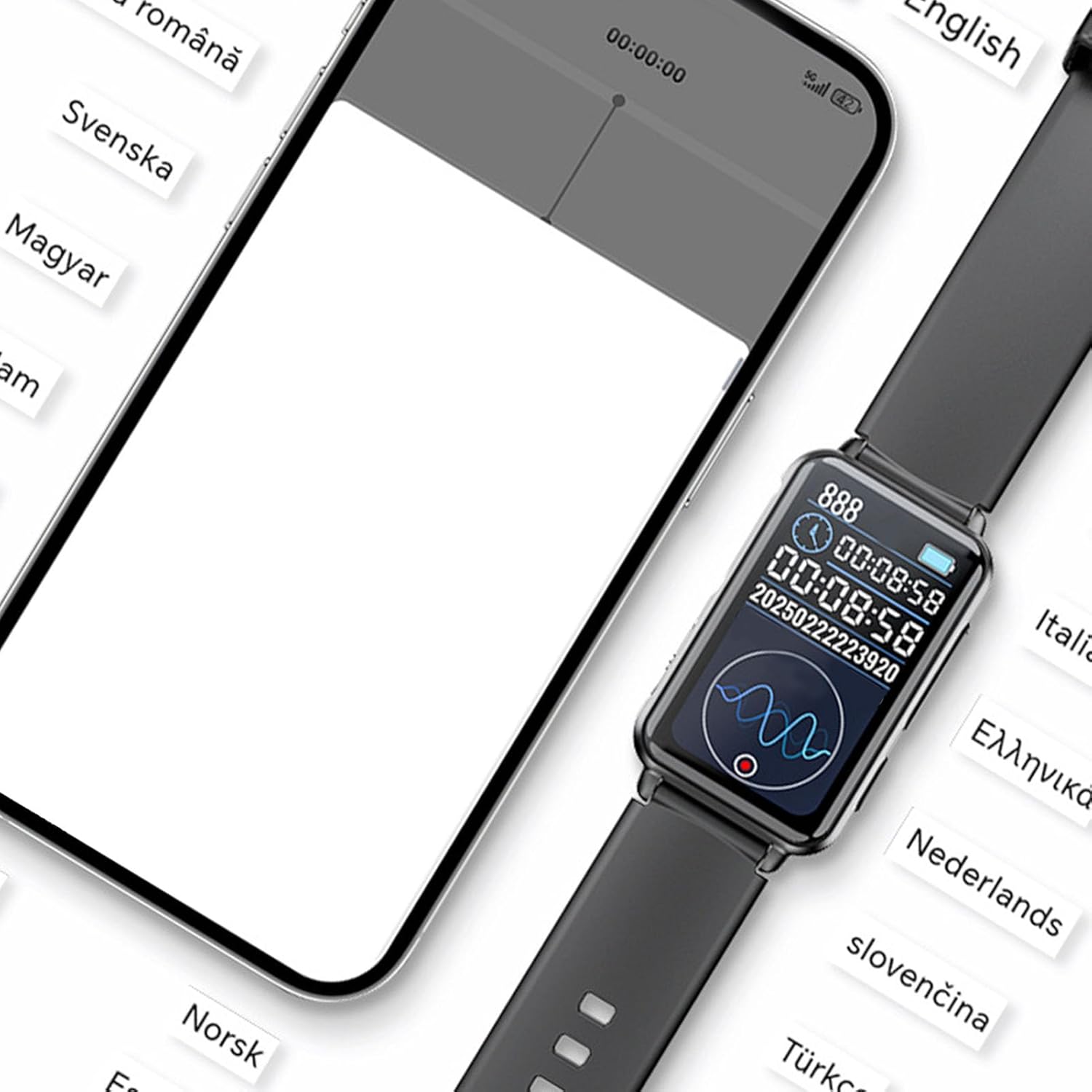
Image: The Pomya Voice Recorder Watch, USB charging cable, and earphones, as typically included in the product package.
3. Konfiguracja
3.1 Pierwsze ładowanie
Before first use, fully charge the device. Connect the provided USB charging cable to the watch and a compatible USB power source. The battery indicator on the watch display will show charging status.
3.2 Włączanie/wyłączanie zasilania
- Włączanie: Naciśnij i przytrzymaj przycisk zasilania, aż ekran się podświetli.
- Aby wyłączyć zasilanie: Naciśnij i przytrzymaj przycisk zasilania, a następnie wybierz na ekranie opcję „Wyłącz”.
3.3 Połączenie aplikacji (Bluetooth)
For advanced features like smart transcription and multilingual translation, connect the watch to its dedicated mobile application via Bluetooth.
- Download the 'VoiceApp' from your smartphone's app store.
- Upewnij się, że Bluetooth jest włączony w Twoim smartfonie.
- Open the 'VoiceApp' and follow the on-screen instructions to pair with your Pomya Voice Recorder Watch.
- Once connected, the app will display a 'Connected' status.

Image: A smartphone showing the 'VoiceApp' connected to the watch, illustrating the multilingual interpretation feature in action.
4. Instrukcja obsługi
4.1 Nagrywanie lokalne
The watch supports one-click local recording without needing a smartphone connection.
- To start recording: Slide the dedicated recording switch (often located on the side of the watch) to the 'On' position. The watch will vibrate and display a recording indicator.
- To stop recording: Slide the recording switch back to the 'Off' position. The recording will be saved automatically.

Obraz: Zbliżenie view of the watch, highlighting the physical switch used to enable the recording mode.

Image: A visual representation of the easy local recording function, suitable for various scenarios like meetings, interviews, and lectures.
4.2 Smart Transcription
When connected to the 'VoiceApp', the watch can perform real-time speech-to-text transcription.
- Start a recording via the app or the watch.
- The app will display the transcribed text in real-time.
- This feature supports ChatGPT smart transcription for enhanced accuracy and eliminates the need for manual input.

Image: A user recording audio with the watch, demonstrating the real-time transcription feature on a connected smartphone.
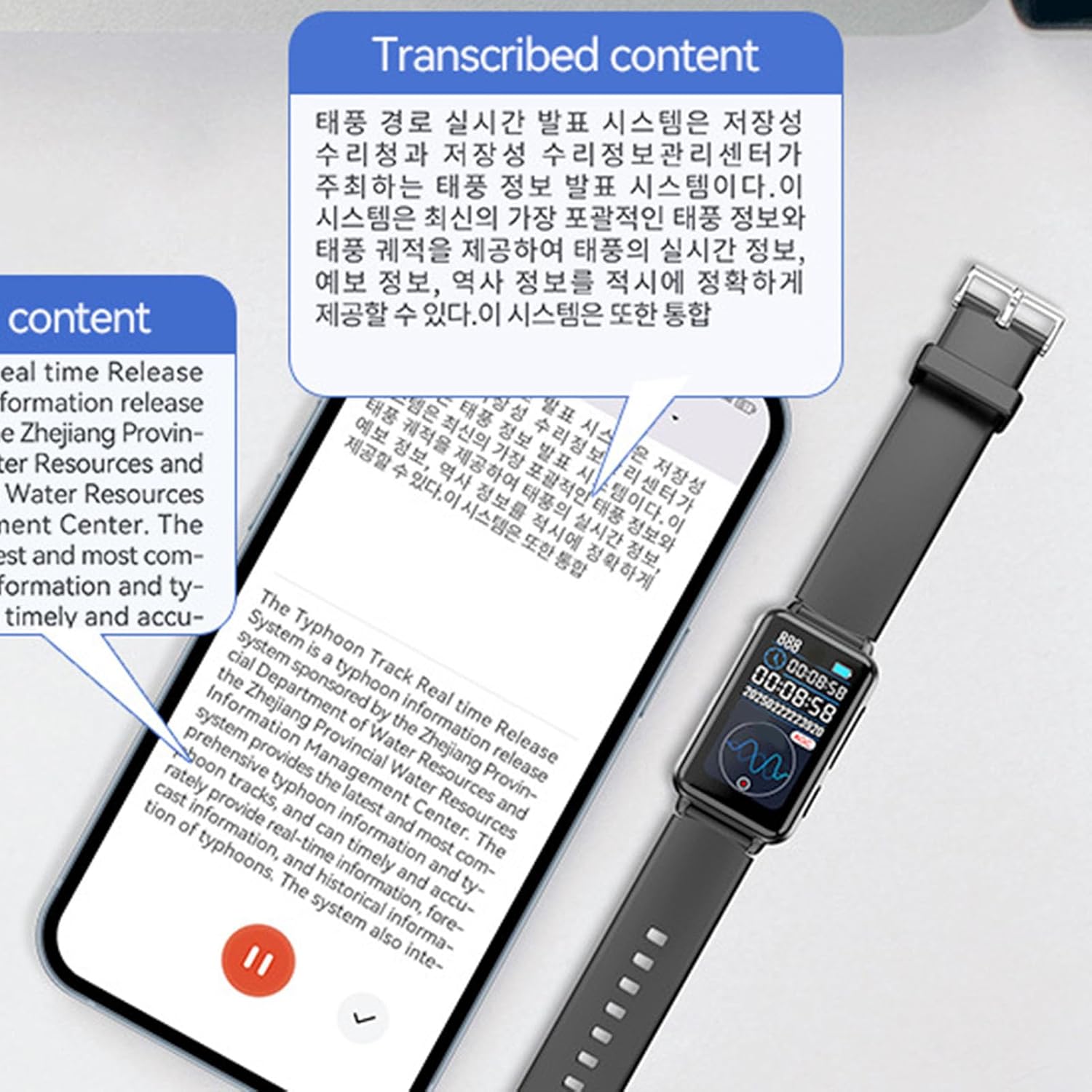
Image: A smartphone screen showing transcribed content, illustrating the device's ability to convert spoken words into text.
4.3 Multilingual Translation
The device supports multilingual recording and real-time translation, facilitating smooth communication across different languages.
- Within the 'VoiceApp', select the desired source and target languages for translation.
- Initiate recording. The app will transcribe and translate the spoken content in real-time.
- This feature is ideal for international meetings and interviews.

Image: Two individuals engaging in a conversation, with their smartphones displaying real-time multilingual dialogue translation, facilitated by the watch.

Image: The Pomya Voice Recorder Watch positioned amidst labels of various languages, symbolizing its extensive multilingual support.
4.4 AI Content Analysis
The integrated AI large model analyzes and refines recorded content, automatically generating intuitive and detailed mind maps for better organization and understanding.
- After a recording is completed and transcribed, the app can process the content.
- Access the AI analysis feature within the 'VoiceApp' to generate summaries or mind maps of your recordings.

Image: An infographic illustrating the core functionalities: Exclusive App Connectivity, Smart Transcription, Multilingual Interpretation, and AI Content Analysis.
4.5 Zarządzanie nagraniami
All recordings, whether local or app-assisted, can be managed through the 'VoiceApp'.
- View a list of all recorded files with timestamps.
- Play back recordings, view transcriptions, and access translations.
- Organize, rename, or delete filew razie potrzeby.

Image: A smartphone screen showing a chronological list of recorded audio files, indicating the date, time, and duration of each recording.
5. Konserwacja
5.1 Czyszczenie
Wipe the watch surface with a soft, dry cloth. Avoid using harsh chemicals or abrasive materials, which can damage the screen or casing.
5.2 Pielęgnacja baterii
- Regularnie ładuj urządzenie, aby utrzymać dobrą kondycję baterii.
- Avoid extreme temperatures, as they can affect battery performance and lifespan.
- Nie próbuj samodzielnie wymieniać baterii. W przypadku problemów z baterią skontaktuj się z pomocą techniczną.
5.3 Przechowywanie
Store the watch in a cool, dry place away from direct sunlight and moisture when not in use for extended periods.
6. Rozwiązywanie Problemów
6.1 Urządzenie się nie włącza
- Upewnij się, że urządzenie jest w pełni naładowane. Podłącz je do źródła zasilania na co najmniej 30 minut.
- Naciśnij i przytrzymaj przycisk zasilania przez 10–15 sekund, aby spróbować wymusić ponowne uruchomienie.
6.2 Problemy z nagrywaniem
- Check if the recording switch is in the 'On' position.
- Ensure there is sufficient storage space on the device (32GB for this model).
- Sprawdź, czy mikrofon nie jest zasłonięty.
6.3 Problemy z połączeniem aplikacji
- Make sure Bluetooth is enabled on both the watch and your smartphone.
- Restart both the watch and the smartphone, then try pairing again.
- Ensure the 'VoiceApp' is updated to the latest version.
6.4 Inaccurate Transcription/Translation
- Mów wyraźnie i w umiarkowanym tempie.
- Reduce background noise as much as possible.
- Ensure the correct languages are selected in the 'VoiceApp' for translation.
7. Specyfikacje
| Funkcja | Szczegół |
|---|---|
| Marka | Pomya |
| Numer modelu | Poxo0kqf5gyh-13 |
| Pojemność pamięci masowej | 32 GB |
| Cyfrowy czas nagrywania | 2 godziny |
| Tryb pracy mikrofonu | Speech Recognition, Noise Cancellation |
| Gniazdo słuchawkowe | 3.5 mm |
| Producent | Pomya |
| Kraj pochodzenia | Chiny |
8. Gwarancja i wsparcie
8.1 Informacje o gwarancji
Ten produkt jest dostarczany z 1-letnia gwarancja od daty zakupu. Gwarancja obejmuje wady produkcyjne i usterki powstałe w wyniku normalnego użytkowania. Nie obejmuje uszkodzeń spowodowanych niewłaściwym użytkowaniem, wypadkami, nieautoryzowanymi modyfikacjami ani normalnym zużyciem.
8.2 Obsługa klienta
If you encounter any issues or have questions regarding your Pomya Voice Recorder Watch, please refer to the troubleshooting section of this manual first. If the problem persists, contact your retailer or the manufacturer's customer support for assistance. Please have your model number (Poxo0kqf5gyh-13) and proof of purchase ready when contacting support.