
Wstęp
This manual provides essential instructions for setting up, operating, and maintaining your MENDUNER Smartphone. Please read this manual thoroughly before using your device to ensure proper function and longevity.
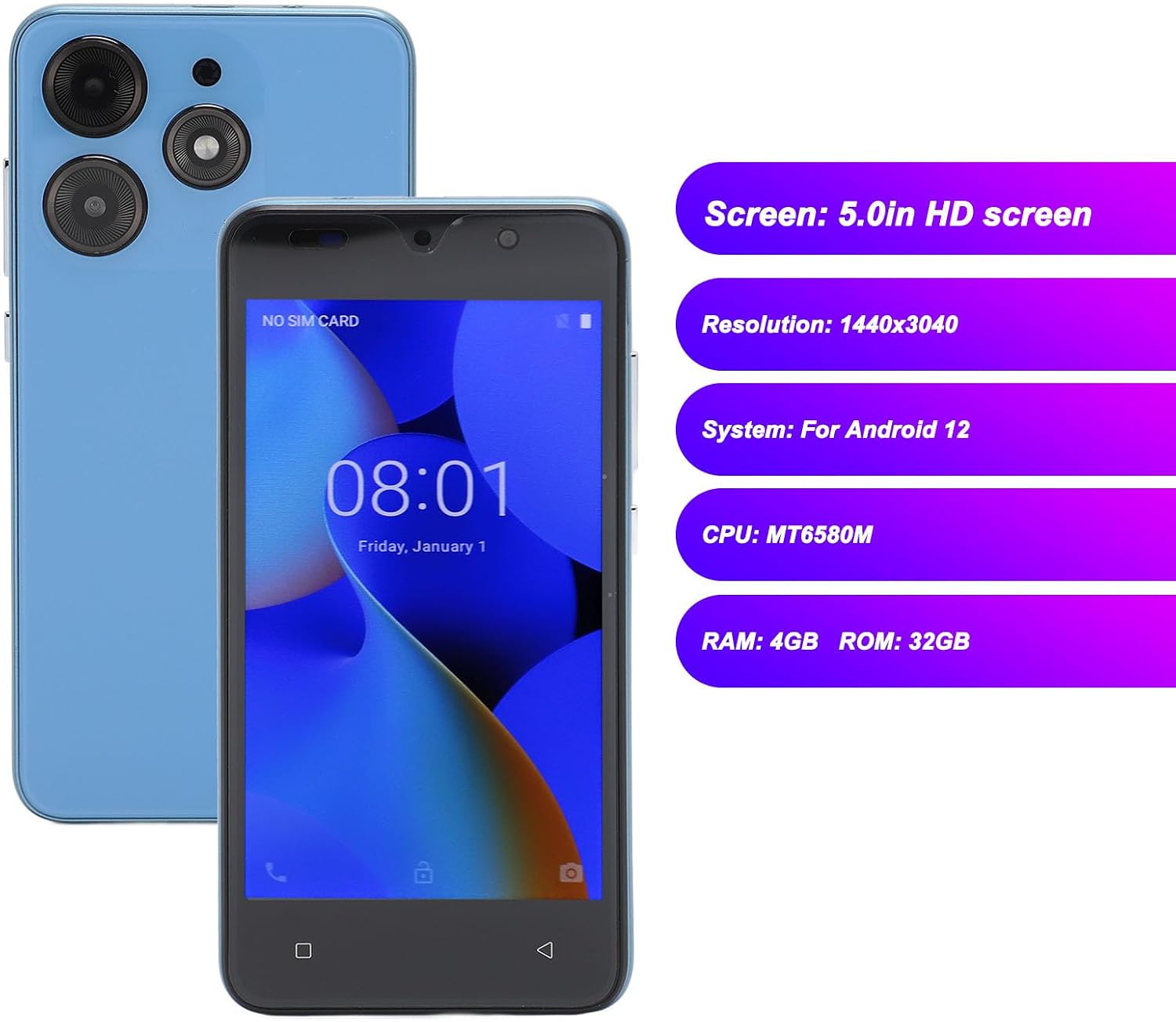
Your MENDUNER Smartphone features a 5.0-inch HD screen with a resolution of 1440x3040, 4GB RAM, 32GB ROM, dual SIM card support, and face recognition technology. It operates on the Android 12 system and is equipped with a 6800mAh battery.
Zawartość opakowania
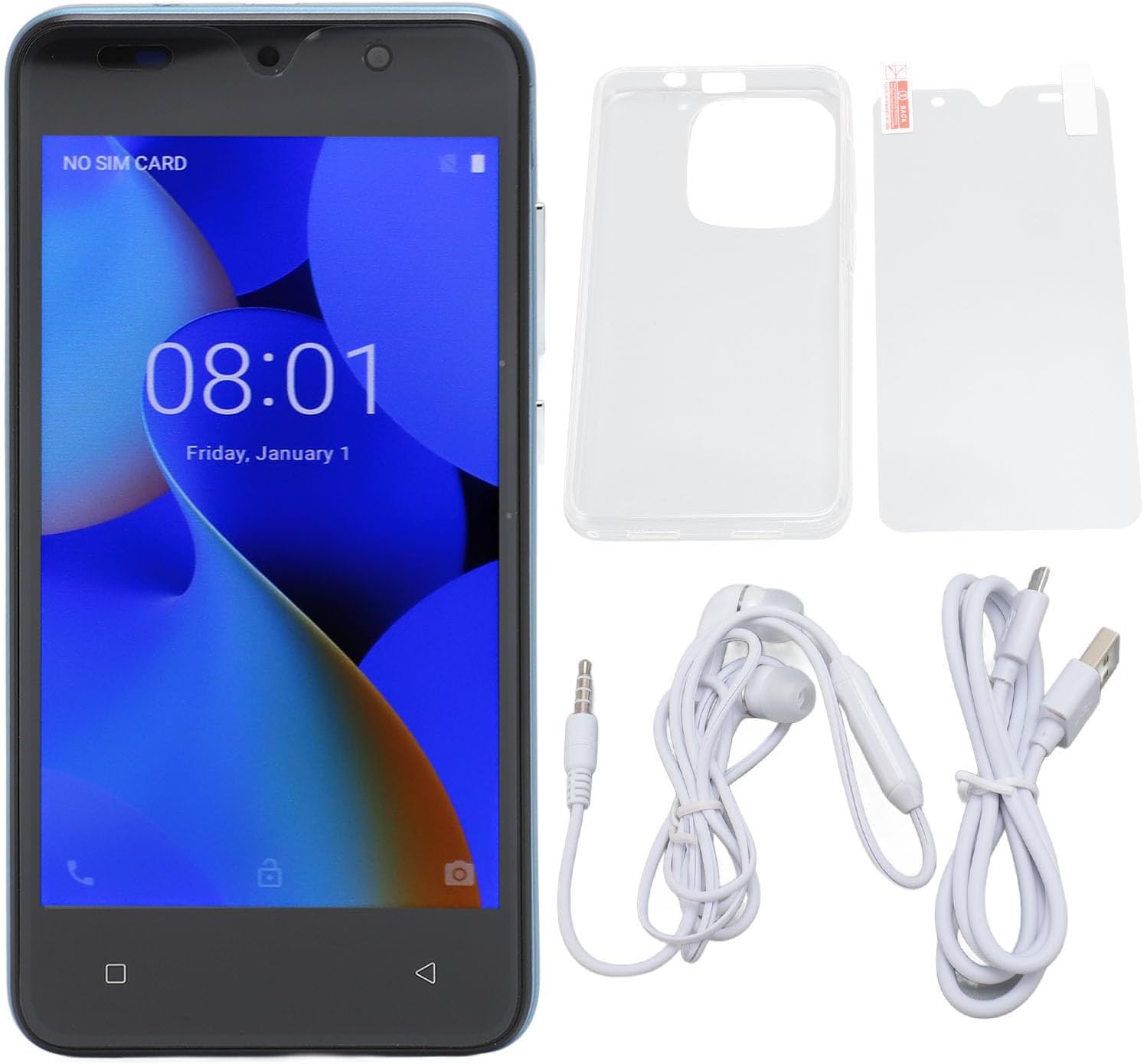
Sprawdź, czy w opakowaniu produktu znajdują się wszystkie elementy wymienione poniżej:
- 1 x MENDUNER Smartphone
- 1 x Folia ochronna na ekran
- 1 x Etui ochronne
- 1 x kabel do transmisji danych (USB)
- 1 x Earphones (3.5mm jack)
- 1 x Instrukcja obsługi (ten dokument)
Organizować coś
1. Wkładanie kart SIM i karty pamięci
Your smartphone supports dual SIM cards and one small memory card (up to 128GB, not included).
- Znajdź tackę na kartę SIM znajdującą się z boku urządzenia.
- Aby otworzyć tackę, użyj dołączonego narzędzia do wyjmowania karty SIM (jeśli jest w zestawie) lub małej szpilki.
- Carefully place your SIM cards into the designated slots (SIM 1 and SIM 2).
- If using a memory card, insert it into the memory card slot.
- Delikatnie wsuń tackę z powrotem do urządzenia, aż zatrzaśnie się na swoim miejscu.
2. Ładowanie początkowe
Before first use, it is recommended to fully charge the smartphone. Connect the data cable to the phone's USB port and the other end to a power adapter (not included) or a computer's USB port. The battery capacity is 6800mAh.

Instrukcja obsługi
1. Włączanie/wyłączanie zasilania
- Włączanie: Press and hold the power button located on the right side of the device until the screen lights up.
- Aby wyłączyć: Press and hold the power button on the top right until the power options appear on the screen. Select "Power Off".
2. Podstawowa nawigacja
The MENDUNER Smartphone features a 5.0-inch HD screen with a resolution of 1440x3040. Navigate the interface using touch gestures.


3. Rozpoznawanie twarzy
Your device supports face recognition for secure unlocking. To set up:
- Idź do Ustawienia > Bezpieczeństwo i prywatność > Odblokowanie twarzą.
- Postępuj zgodnie z instrukcjami wyświetlanymi na ekranie, aby zarejestrować swoją twarz.
- Ensure good lighting and hold the phone at eye level during registration.

4. Korzystanie z aparatu
The smartphone is equipped with an 8MP front camera (f/2.0 aperture) and an 8MP rear camera (f/1.8 aperture) with autofocus.
- Otwórz aplikację Aparat na ekranie głównym lub w szufladzie aplikacji.
- Stuknij przycisk migawki, aby zrobić zdjęcie.
- Przełączaj się między przednim i tylnym aparatem za pomocą ikony przełączania aparatu.

5. Łączność
The device supports WIFI, Bluetooth, FM Radio, and GPS functionalities.
- Wi-Fi: Dostęp Ustawienia > Sieć i Internet > Wi-Fi aby połączyć się z dostępnymi sieciami.
- Bluetooth: Dostęp Ustawienia > Podłączone urządzenia > Bluetooth aby sparować z innymi urządzeniami Bluetooth.
- GPS: Location services can be enabled via Ustawienia > Lokalizacja for navigation and location-based apps.
- Radio FM: Use the pre-installed FM Radio app. Earphones may be required as an antenna.
Konserwacja
- Czyszczenie: Do czyszczenia ekranu i obudowy telefonu używaj miękkiej, niepozostawiającej włókien ściereczki. Unikaj silnych środków chemicznych.
- Aktualizacje oprogramowania: Regularnie sprawdzaj dostępność aktualizacji systemu za pośrednictwem Ustawienia > System > Aktualizacja systemu aby zapewnić optymalną wydajność i bezpieczeństwo.
- Pielęgnacja baterii: Unikaj ekstremalnych temperatur. Nie dopuszczaj do częstego całkowitego rozładowania akumulatora.
- Zarządzanie pamięcią masową: Okresowo usuwaj niepotrzebne files and apps to maintain 32GB ROM performance. Consider using a memory card for additional storage.
Rozwiązywanie problemów
| Problem | Rozwiązanie |
|---|---|
| Urządzenie nie włącza się. | Upewnij się, że bateria jest naładowana. Podłącz ją do ładowarki na co najmniej 30 minut, a następnie spróbuj ponownie włączyć. |
| Ekran nie reaguje. | Perform a forced restart by holding the power button for about 10-15 seconds. If the issue persists, contact support. |
| Nie można połączyć się z siecią Wi-Fi. | Check if Wi-Fi is enabled in settings. Restart your router and the phone. Ensure you have the correct password. |
| Face recognition fails. | Ensure you are in a well-lit environment. Re-register your face in Ustawienia > Bezpieczeństwo i prywatność. |
| Słaba żywotność baterii. | Reduce screen brightness, close background apps, disable unnecessary features like GPS or Bluetooth when not in use. Check battery usage in settings to identify power-hungry apps. |
Specyfikacje
| Funkcja | Szczegół |
|---|---|
| Nazwa modelu | MENDUNER64ycd3elpm-13 |
| Wyświetlacz | 5.0-inch HD Screen, 1440 x 3040 Resolution |
| System operacyjny | Android 12 |
| Edytor | MT6580M, 1.3 GHz CPU Speed |
| BARAN | 4 GB |
| Pamięć wewnętrzna (ROM) | 32 GB |
| Możliwość rozbudowy pamięci masowej | Obsługuje do 128 GB karty MicroSD (brak w zestawie) |
| Gniazda kart SIM | Dual SIM (GSM: 850/900/1800/1900MHz, WCDMA: 850/2100MHz) |
| Przednia kamera | 8 MP, f/2.0 aperture, fixed focal length |
| Kamera tylna | 8 MP, f/1.8 aperture, autofocus |
| Pojemność baterii | 6800 mAh Li-ion |
| Łączność | Wi-Fi, Bluetooth, FM Radio, GPS |
| Bezpieczeństwo biometryczne | Rozpoznawanie twarzy |
| Porty | 1 x USB, 1 x 3.5mm Audio Jack |
| Kraj pochodzenia | Chiny |


Gwarancja i wsparcie
Informacje o gwarancji
This MENDUNER Smartphone comes with a 2-letnia gwarancja producentaProsimy zachować dowód zakupu na wypadek roszczeń gwarancyjnych. Gwarancja obejmuje wady produkcyjne i usterki powstałe w normalnych warunkach użytkowania.
Obsługa klienta
For technical assistance, troubleshooting beyond this manual, or warranty inquiries, please contact MENDUNER customer support. Refer to the contact information provided on the product packaging or the official MENDUNER webstrona.