
Wstęp
This manual provides detailed instructions for the AGPTEK U6PL 32GB MP3 Player. Please read this manual thoroughly before using the device to ensure proper operation and to maximize its features. Keep this manual for future reference.
Produkt ponadview
The AGPTEK U6PL is a versatile 32GB MP3 player featuring a 2.8-inch sensitive touchscreen, Bluetooth 5.3, and a built-in speaker. It supports various audio formats, FM radio, recording, e-book reading, and includes a pedometer function.
Główne cechy
- Składowanie: 32 GB pamięci wewnętrznej.
- Wyświetlacz: 2.8-inch sensitive color touchscreen.
- Łączność: Bluetooth 5.3 with auto-reconnection.
- Jakość dźwięku: Hi-Fi Lossless sound support (MP3, FLAC, APE).
- Zintegrowany głośnik: Do odtwarzania dźwięku bez słuchawek.
- Wielofunkcyjny: FM Radio, Voice Recording, E-book reader, Pedometer, Video Playback.
- Czas pracy baterii: 500mAh battery, providing up to 60 hours of earphone playback or 23 hours of Bluetooth playback.

Image: The AGPTEK U6PL MP3 Player displaying its 2.8-inch sensitive touchscreen interface, shown alongside a pair of over-ear headphones. This highlights the device's display and audio capabilities.

Image: The AGPTEK U6PL MP3 Player's screen displaying a grid of application icons, including Music, FM Radio, Record, Bluetooth, Folder, E-Book, Tools, and Setting. This illustrates the device's multifunctional design for learning and leisure.
Organizować coś
1. Ładowanie urządzenia
Before first use, fully charge the MP3 player. Connect the device to a power source using the provided USB cable. The charging indicator will show the charging status. A full charge takes approximately 2.5 hours.

Image: The AGPTEK U6PL MP3 Player connected to a charging cable, with icons indicating 2.5 hours for a full charge, 60 hours of earphone play, and 23 hours of Bluetooth play. This illustrates the device's battery capacity and charging time.
2. Włączanie/wyłączanie zasilania
- Włączanie: Naciśnij i przytrzymaj przycisk zasilania, aż ekran się podświetli.
- Aby wyłączyć: Naciśnij i przytrzymaj przycisk zasilania, aż na ekranie pojawi się opcja wyłączenia, a następnie potwierdź.
3. Przenoszenie Files
Connect the MP3 player to your computer using the USB cable. The device will appear as a removable disk. Drag and drop your music, video, or e-book files do odpowiednich folderów w odtwarzaczu.
Instrukcja obsługi
1. Odtwarzanie muzyki
From the main menu, tap the "Music" icon. You can browse music by artist, album, genre, or all songs. Tap a song to begin playback. Use the touchscreen controls for play/pause, skip tracks, and volume adjustment.

Image: A graphic emphasizing "Hi-Fi Lossless Sound" with music notes and icons for MP3, FLAC, and APE formats. This highlights the player's capability to deliver high-fidelity audio.

Image: Three individuals sitting outdoors under a canopy, smiling and listening to music, with the AGPTEK U6PL MP3 Player visible. This illustrates the device's built-in speaker feature for shared listening experiences.
2. Łączność Bluetooth
Aby połączyć się ze słuchawkami lub głośnikami Bluetooth:
- Przejdź do „Ustawień” i wybierz „Bluetooth”.
- Włącz Bluetooth.
- The player will search for available devices. Select your device from the list to pair.
- The AGPTEK U6PL supports Bluetooth 5.3 with auto-reconnection, meaning it will automatically connect to previously paired devices when in range.
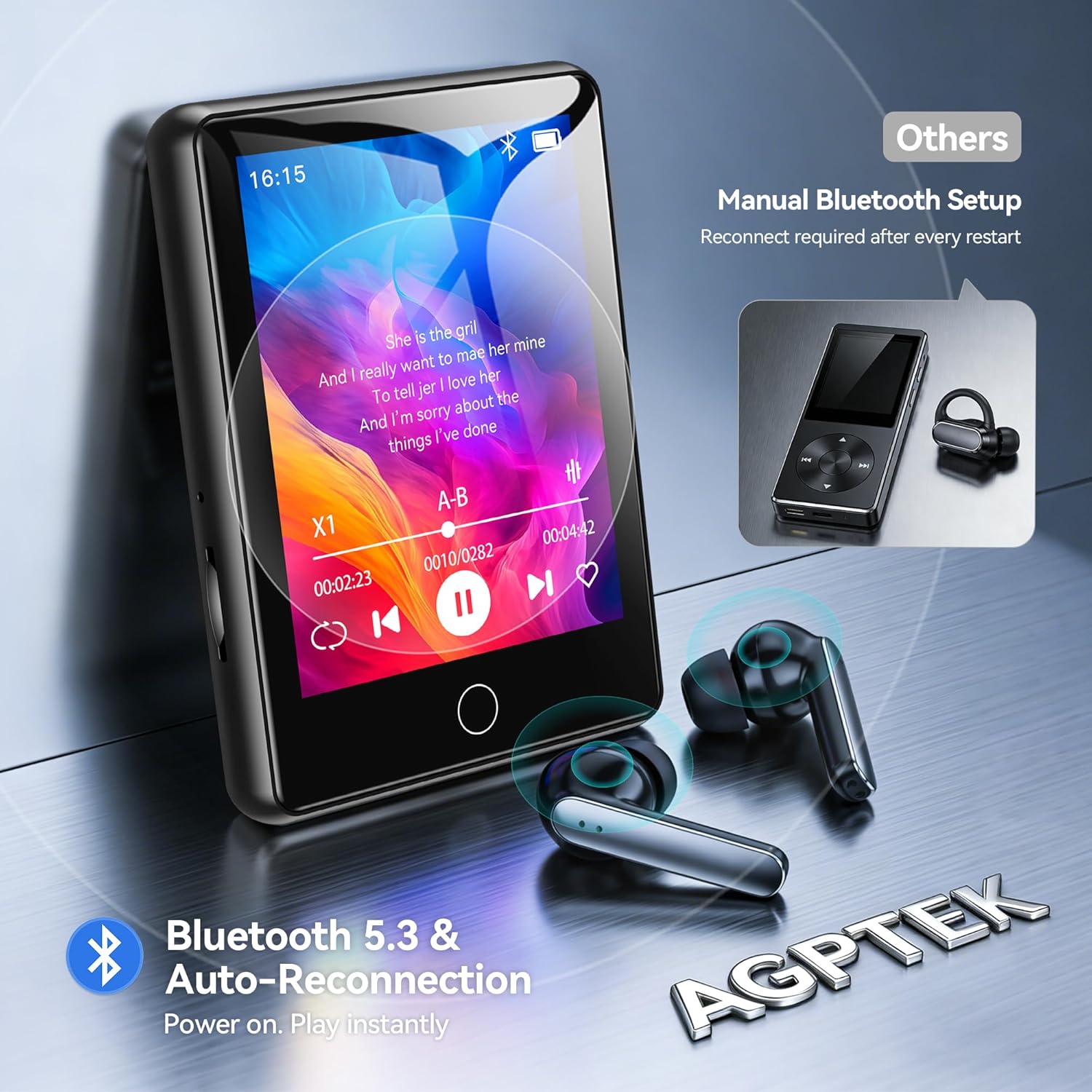
Image: The AGPTEK U6PL MP3 Player displaying a music playback screen, with Bluetooth earbuds shown wirelessly connected. The image highlights Bluetooth 5.3 and auto-reconnection capabilities.
3.Radio FM
Plug in wired headphones (they act as an antenna). From the main menu, tap "FM Radio". You can auto-scan for stations or manually tune. Save your favorite stations for quick access.
4. Nagrywanie
Tap the "Record" icon to access the voice recorder. Tap the record button to start and stop recording. Recordings are saved in the device's memory.
5. Czytnik e-booków
Przenieś kompatybilną książkę elektroniczną files (e.g., TXT format) to the "E-Book" folder on the player. Tap the "E-Book" icon to open and read your files.
6. Krokomierz
Activate the pedometer function from the main menu. The device will track your steps. Ensure the player is carried securely for accurate readings.
7. Odtwarzanie wideo
Przenieś kompatybilne wideo files to the "Video" folder. Tap the "Video" icon to browse and play your videos on the 2.8-inch screen.
8. Quick Song Search
To quickly find a song, navigate to your music list and use the search function. Enter keywords from the song filename (letters and numbers only) to filter the list.

Image: The AGPTEK U6PL MP3 Player showing its quick song search interface with an on-screen keyboard and a list of filtered songs. A note indicates that only letters and numbers are supported for search keywords.

Image: A collage of four images demonstrating the AGPTEK U6PL's diverse functions: FM Radio, Recording, E-book reading, and Pedometer. This highlights its utility for study, commuting, and leisure.
Konserwacja
- Czyszczenie: Do czyszczenia urządzenia należy używać miękkiej, suchej ściereczki. Nie należy używać płynnych środków czyszczących ani materiałów ściernych.
- Składowanie: Przechowuj odtwarzacz w chłodnym, suchym miejscu, z dala od bezpośredniego światła słonecznego i ekstremalnych temperatur.
- Pielęgnacja baterii: Aby przedłużyć żywotność baterii, unikaj częstego całkowitego rozładowywania baterii. Regularnie ładuj urządzenie, nawet jeśli nie jest używane przez dłuższy czas.
- Wodoodporność: To urządzenie nie jest wodoodporne. Unikaj narażenia na działanie wody i wysokiej wilgotności.
Rozwiązywanie problemów
| Problem | Rozwiązanie |
|---|---|
| Urządzenie nie włącza się. | Upewnij się, że urządzenie jest w pełni naładowane. Jeśli bateria jest całkowicie rozładowana, ładowanie może potrwać kilka minut, zanim będzie można je włączyć. |
| Nie można połączyć się z urządzeniem Bluetooth. | Ensure Bluetooth is enabled on both the MP3 player and the target device. Make sure the target device is in pairing mode and within range. Try restarting both devices. |
| Brak dźwięku w słuchawkach. | Check if headphones are properly plugged in (for wired) or paired (for Bluetooth). Verify volume settings on the player. Test with different headphones if possible. |
| Filenie pojawia się w odtwarzaczu. | Zapewnić files are transferred to the correct folders and are in compatible formats. Disconnect and reconnect the player to the computer. |
Specyfikacje
| Marka | Talkie |
| Numer modelu | U6PL |
| Pojemność pamięci masowej | 32 GB |
| Rozmiar ekranu | 2.8 cali |
| Łączność | Bluetooth 5.3 |
| Pojemność baterii | 500 mAh |
| Zawarte komponenty | 1 x 32GB MP3 Bluetooth 5.3 Player, USB Cable |
Gwarancja i wsparcie
Aby uzyskać informacje dotyczące gwarancji i pomocy technicznej, zapoznaj się z dokumentacją dołączoną do zakupionego produktu lub odwiedź oficjalną stronę internetową AGPTEK webZachowaj dowód zakupu na wypadek roszczeń gwarancyjnych.