
1. Koniec produktuview
The Edifier W280NB Pro are neckband wireless headphones designed for immersive audio experiences with advanced features. They offer hybrid active noise cancellation, Hi-Res Audio support with LDAC, and a durable, comfortable design suitable for various activities.

Image: Edifier W280NB Pro headphones with key features highlighted.
Główne cechy:
- Deep Hybrid Active Noise Cancellation: Up to -45dB noise reduction with 4 selectable modes (High ANC, Medium ANC, Ambient Aware, Wind Reduction).
- Studio-Quality Hi-Res Audio: 10mm dynamic drivers with titanium-coated composite diaphragms, supporting LDAC codec and Hi-Res Audio Wireless certification (20Hz-40KHz frequency response).
- Long-Lasting Battery & Fast Charging: Up to 23 hours of playback (ANC off), 14 hours (ANC on). 15 minutes of charging provides 5 hours of playtime. Full charge in 1.5 hours.
- Stabilne połączenie Bluetooth 5.4: Ensures stable transmission, low power consumption, and multipoint connection for seamless device switching.
- All-Day Comfort & Secure Fit: Lightweight, flexible neckband with skin-friendly material and multiple sizes of ear wings for a secure fit. Magnetic earbuds for tangle-free storage.
- Durable & Clear Calls: IP55 dust and water resistance. Built-in AI noise-canceling microphones for clear communication in noisy environments.
2. Przewodnik konfiguracji
2.1 Zawartość opakowania
Przed użyciem należy sprawdzić, czy w opakowaniu znajdują się wszystkie elementy:
- Edifier W280NB Pro Neckband Wireless Headphones
- Kabel ładujący USB-C
- Multiple sizes of ear tips and ear wings
- Instrukcja obsługi (ten dokument)
2.2 Ładowanie słuchawek
Charge the headphones fully before first use to ensure optimal battery performance.
- Connect the provided USB-C charging cable to the charging port on the neckband.
- Podłącz drugi koniec kabla do zasilacza USB (nie ma go w zestawie) lub do portu USB komputera.
- The indicator light will show charging status (refer to the LED indicator section for details).
- A full charge takes approximately 1.5 hours. A 15-minute quick charge provides approximately 5 hours of playback.

Image: Visual representation of battery life (23 hours ANC off, 14 hours ANC on) and fast charging (15 mins = 5 hours).
2.3 Fitting the Headphones
Proper fit is crucial for comfort, sound quality, and effective noise cancellation.
- Select the ear tips and ear wings that best fit your ears. Experiment with different sizes for the most secure and comfortable seal.
- Place the neckband around your neck.
- Insert the earbuds into your ear canals and adjust the ear wings to sit snugly in your outer ear for stability.

Image: Diagram showing various ear tip and ear wing sizes for a secure and comfortable fit.
2.4 parowanie Bluetooth
Pair your Edifier W280NB Pro headphones with your device via Bluetooth.
- Sprawdź, czy słuchawki są naładowane i wyłączone.
- Press and hold the multi-function button (usually the power button) until the indicator light flashes rapidly (e.g., blue and red alternately), indicating pairing mode.
- Na swoim urządzeniu (smartfonie, tablecie, laptopie) włącz Bluetooth i wyszukaj dostępne urządzenia.
- Select "Edifier W280NB Pro" from the list of found devices.
- Po nawiązaniu połączenia kontrolka zazwyczaj będzie świecić ciągłym niebieskim światłem lub będzie wolno migać.
Połączenie wielopunktowe:
The W280NB Pro supports multipoint connection, allowing you to connect to two Bluetooth devices simultaneously.
- Sparuj słuchawki z pierwszym urządzeniem, tak jak opisano powyżej.
- Wyłącz Bluetooth na pierwszym urządzeniu.
- Przełącz słuchawki ponownie w tryb parowania i sparuj je z drugim urządzeniem.
- Re-enable Bluetooth on the first device. The headphones should now be connected to both devices, allowing seamless switching.

Image: Illustration of Bluetooth 5.4 technology for stable transmission and multipoint connection.
3. Instrukcja obsługi
3.1 Włączanie/wyłączanie zasilania
- Włączanie: Press and hold the multi-function button for approximately 3 seconds until the indicator light illuminates.
- Wyłączone: Press and hold the multi-function button for approximately 5 seconds until the indicator light turns off.
3.2 Sterowanie przyciskami
The Edifier W280NB Pro features intuitive button controls on the neckband for easy management of music, calls, and noise cancellation modes.

Image: Diagram illustrating the functions of each button on the neckband for calls, music playback, and mode switching.
| Działanie | Funkcjonować |
|---|---|
| Multi-function Button (Power) | Press and hold 3s: Power On Press and hold 5s: Power Off Press and hold (pairing mode): Enter Bluetooth pairing Single press (during call): Answer/End Call Double press (during call): Reject Call |
| Zwiększanie głośności (+) | Single press: Increase Volume Press and hold: Next Track |
| Ściszanie (-) | Single press: Decrease Volume Press and hold: Previous Track |
| Przycisk Odtwórz/Pauza | Single press: Play/Pause Music |
| Przycisk trybu ANC | Single press: Cycle through ANC modes (High ANC, Medium ANC, Ambient Aware, Wind Reduction, ANC Off) |
3.3 Tryby aktywnej redukcji szumów (ANC)
The W280NB Pro offers four distinct noise cancellation modes to adapt to your environment.

Image: Visual guide to the four ANC modes and their typical use cases.
- High ANC: Provides maximum noise reduction, ideal for very noisy environments like airplanes or subways.
- Medium ANC: Offers a balanced level of noise cancellation, suitable for offices or cafes.
- Świadomość otoczenia: Allows you to hear your surroundings while still enjoying your audio, useful for urban environments or when needing to be aware of announcements.
- Redukcja wiatru: Specjalnie zaprojektowane, aby zminimalizować hałas wiatru podczas aktywności na świeżym powietrzu.
3.4 Wykonywanie i odbieranie połączeń
The headphones feature AI noise-canceling microphones for clear call quality.
- Odbierz połączenie: Naciśnij raz przycisk wielofunkcyjny.
- Zakończ połączenie: Naciśnij raz przycisk wielofunkcyjny.
- Odrzuć połączenie: Naciśnij dwukrotnie przycisk wielofunkcyjny.

Image: A person using the headphones for a call, highlighting the AI-enhanced clear call feature.
3.5 Aplikacja Edifier Connect
For advanced settings and customization, download the Edifier Connect app from your device's app store. The app allows you to:
- Zmień nazwę swojego urządzenia.
- Personalize ANC levels.
- Fine-tune audio with preset EQs or custom EQs.
- Locate lost headphones.
4. Konserwacja
4.1 Czyszczenie
The W280NB Pro headphones are IP55 rated for dust and water resistance, but proper cleaning helps maintain their condition.
- Wytrzyj pałąk i słuchawki douszne miękką, suchą i niepozostawiającą włókien ściereczką.
- For ear tips, gently remove them and clean with a damp W razie potrzeby użyj ściereczki i delikatnego mydła. Przed ponownym założeniem upewnij się, że są całkowicie suche.
- Avoid using harsh chemicals, abrasive materials, or submerging the headphones in water.
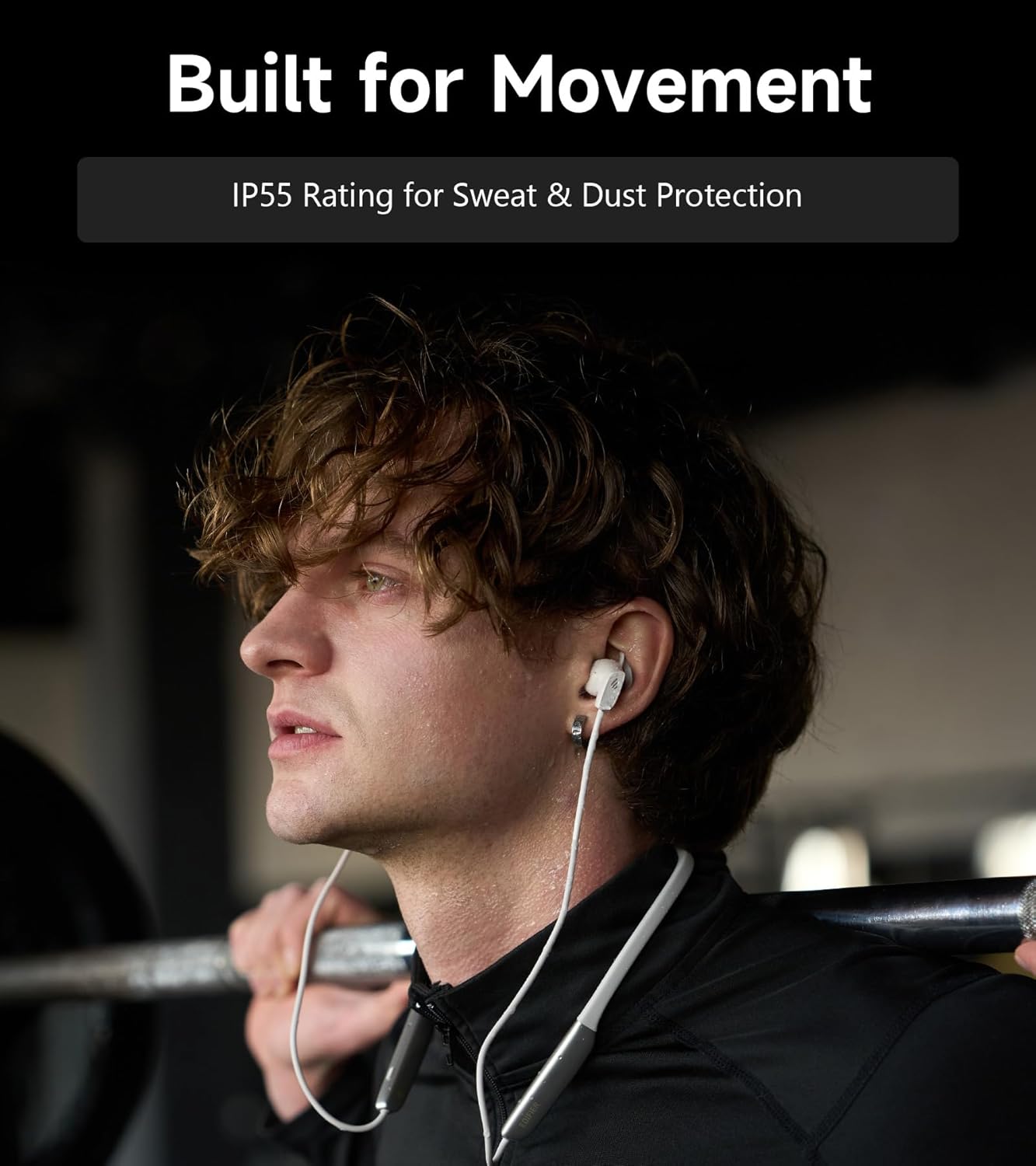
Image: A person wearing the headphones during a workout, illustrating the IP55 sweat and dust protection.
4.2 Przechowywanie
When not in use, store your headphones properly to prevent damage.
- The earbuds are magnetic, allowing them to snap together for tangle-free storage around your neck or in a bag.
- Przechowywać w chłodnym, suchym miejscu, z dala od bezpośredniego światła słonecznego i ekstremalnych temperatur.
4.3 Pielęgnacja baterii
- Unikaj częstego całkowitego rozładowywania akumulatora.
- Aby zachować sprawność baterii, ładuj słuchawki regularnie, nawet jeśli nie używasz ich przez dłuższy czas.
5. Rozwiązywanie Problemów
If you encounter issues with your Edifier W280NB Pro headphones, refer to the following common problems and solutions.
| Problem | Możliwa przyczyna | Rozwiązanie |
|---|---|---|
| Słuchawki nie włączają się. | Niski poziom naładowania baterii. | Naładuj słuchawki do pełna. |
| Nie można sparować z urządzeniem. | Słuchawki nie są w trybie parowania. Bluetooth disabled on device. Device too far from headphones. | Ensure headphones are in pairing mode (flashing indicator). Włącz Bluetooth w swoim urządzeniu. Move device closer to headphones (within 10 meters). Try resetting the headphones (refer to manual for specific reset procedure if available, or power cycle). |
| Brak dźwięku lub niski poziom głośności. | Volume too low on headphones or device. Headphones not connected. Wybrano nieprawidłowe wyjście audio na urządzeniu. | Increase volume on both headphones and device. Ensure headphones are successfully paired and connected. Check your device's audio settings to ensure output is set to Edifier W280NB Pro. |
| Niska jakość dźwięku. | Słabe połączenie Bluetooth. Nieprawidłowo założona końcówka douszna. Jakość źródła dźwięku. | Podejdź bliżej do podłączonego urządzenia. Ensure ear tips provide a secure seal. Wypróbuj inne źródło dźwięku lub file. |
| Aktywna redukcja szumów jest nieskuteczna. | Nieprawidłowo założona końcówka douszna. Incorrect ANC mode selected. Extreme noise conditions. | Ensure ear tips provide a secure seal. Cycle through ANC modes to select the most appropriate one. ANC works best for low-frequency, constant noise. |
| Mikrofon nie działa podczas rozmów. | Headphones not selected as input device. Mikrofon w urządzeniu jest wyciszony. | Check your device's call settings to ensure Edifier W280NB Pro is selected for microphone input. Ensure microphone is not muted on your device. |
6. Specyfikacje
Detailed technical specifications for the Edifier W280NB Pro Neckband Wireless Headphones.
| Funkcja | Szczegół |
|---|---|
| Marka | Edytor |
| Nazwa modelu | W280NB Pro |
| Kolor | Czarny |
| Umieszczenie ucha | W uchu |
| Współczynnik kształtu | Opaska na szyję |
| Impedancja | 24 omy |
| Kontrola hałasu | Aktywna redukcja szumów |
| Zakres częstotliwości | 20Hz-40KHz |
| Typ sterownika audio | Dynamic Driver (10mm with Titanium-Coated Diaphragm) |
| Technologia łączności | Bezprzewodowy (Bluetooth) |
| Wersja Bluetooth | 5.4 |
| Zasięg Bluetooth | 10 m (33 stóp) |
| Battery Average Life (Playback) | 23 godzin (ANC wyłączone), 14 godzin (ANC włączone) |
| Czas ładowania akumulatora | 1.5 godzin |
| Poziom wodoodporności | IP55 (Dust & Waterproof) |
| Kompatybilne urządzenia | Smartfony, tablety, laptopy, inteligentne głośniki |
| Tworzywo | Silicone (Enclosure) |
| UPC | 628430220005 |
7. Informacje o gwarancji
The Edifier W280NB Pro Neckband Wireless Headphones come with a 1-letnia gwarancja producenta.
This warranty covers defects in materials and workmanship under normal use. It does not cover damage caused by misuse, accidents, unauthorized modifications, or normal wear and tear. Please retain your proof of purchase for warranty claims.
8. Obsługa klienta
For further assistance, technical support, or warranty inquiries, please contact Edifier customer service.
- Webstrona: Odwiedź oficjalną stronę Edifier webwitryna z odpowiedziami na często zadawane pytania, zasobami pomocy i informacjami kontaktowymi.
- E-mail/Telefon: Refer to the Edifier website or your product packaging for specific contact details in your region.