
1. Koniec produktuview
This Ftoghe 7-inch Double Din Car Stereo Radio is designed for 1998-2008 Ford E-250 and E-350 Super Duty vehicles. It features a 7-inch IPS touchscreen, Android 15.0 operating system with 2GB RAM and 64GB ROM, and supports a wide range of connectivity and entertainment options.
Key features include Wireless CarPlay and Android Auto, GPS navigation with built-in offline maps, Bluetooth hands-free calling and music streaming, FM/RDS radio, and support for a backup camera. The unit also offers steering wheel control compatibility and a split-screen function for multitasking.

Obraz: Przód view of the Ftoghe 7-inch Double Din Car Stereo main unit.
2. Zawartość opakowania
Sprawdź, czy w przesyłce znajdują się wszystkie elementy wymienione poniżej:
- 1 x odtwarzacz samochodowy MP5 (jednostka główna)
- 1 x kabel zasilający
- 1 x antena GPS
- 1 x kamera cofania AHD
- 1 x kabel wejściowy i wyjściowy RCA
- 1 x Mikrofon zewnętrzny
- Kable 2 x USB
- 1 x Instrukcja obsługi
3. Specyfikacje
| Funkcja | Opis |
|---|---|
| System | Android 15.0 |
| Zestaw układów scalonych | 8227L-DEMO |
| Rozmiar ekranu | 7-calowy ekran dotykowy |
| Pamięć | 2 GB (RAM) + 64 GB (ROM) |
| Rozdzielczość ekranu | 1024x768 |
| Link lustrzany | Android/iOS support |
| Układ radiowy | MTK |
| Moc wyjściowa | 4x45W |
| Temperatura pracy | -40℃ do 80℃ |
| Sterowanie z kierownicy | Utrzymany |
| Wersja Bluetooth | 4.0 |
| Moc Ampukład scalony | AC7388 |
| Pasmo radiowe | UKF/RDS |
| Wyjście wideo | Utrzymany |
| Wejście odwrotne | Utrzymany |
| Mikrofon zewnętrzny | Utrzymany |
| Mapy | Built-in offline maps, online maps via WiFi |
| Wi-Fi | Utrzymany |
| USB | Podwójny interfejs USB |
| Format audio | APE/FLAC/WAV/MP3/WMA and more |
| Format wideo | MKV/RMVB/AVI/MP4/MDV and more |
| Format obrazu | PNG/JPEG/JPG/GIF/WBMP/BNP and more |
| Słowo kluczowe ustawień fabrycznych | 8888 |
| Język | Multi-language support (Chinese, English, French, Italian, Korean, Japanese, Arabic, Spanish, Portuguese, Russian, Turkish, Vietnamese, Hebrew, Polish, German) |
4. Konfiguracja i instalacja
Ważna uwaga: This car stereo is NIE a plug-and-play unit. Installation requires cutting and splicing wires. Professional installation is highly recommended.

Image: Warning indicating that the unit is not plug and play and requires wire cutting for installation.
4.1 Schemat okablowania
Zapoznaj się z poniższym schematem, aby uzyskać informacje o prawidłowym podłączeniu przewodów. Upewnij się, że wszystkie połączenia są solidne i zaizolowane.
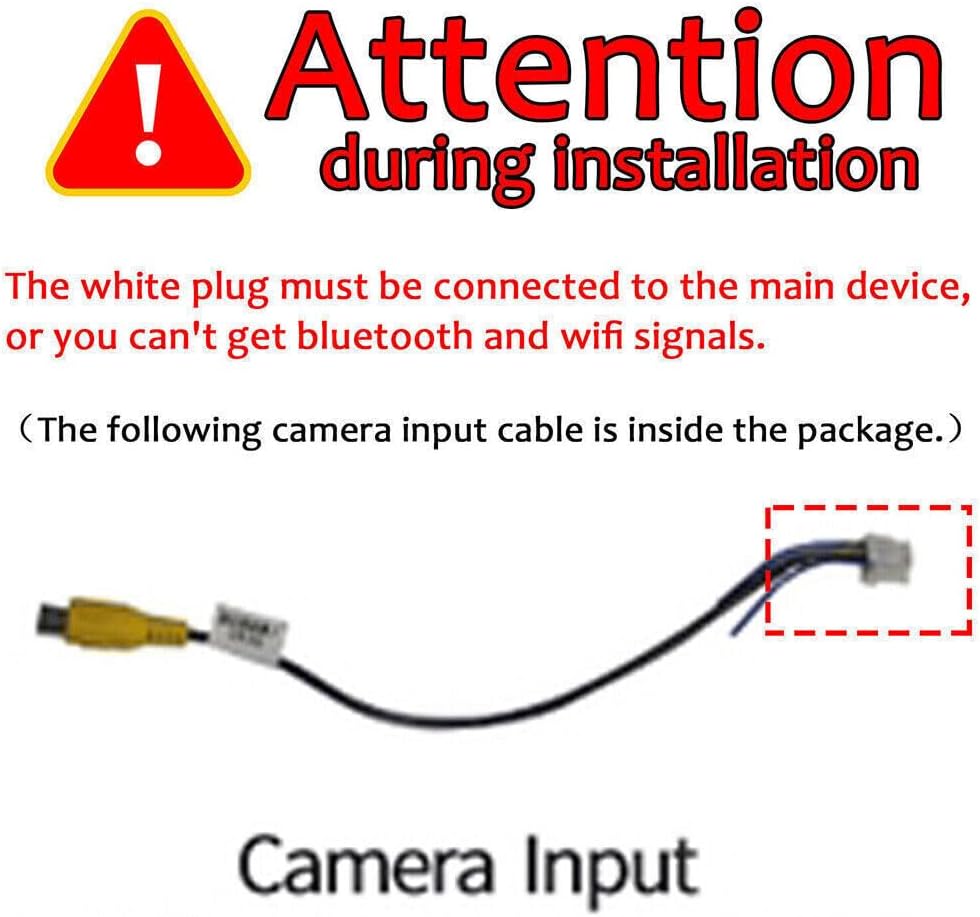
Image: Detailed wiring diagram showing connections for power, speakers, USB, GPS, and other inputs/outputs.
4.2 Bluetooth and WiFi Signal Connection
For proper Bluetooth and WiFi functionality, the white plug must be securely connected to the main device. Failure to do so will result in no Bluetooth or WiFi signals.

Image: Illustration highlighting the white plug connection essential for Bluetooth and WiFi signals.
5. Instrukcja obsługi
5.1 Bezprzewodowy CarPlay i Android Auto
Connect your smartphone wirelessly via Bluetooth and Wi-Fi to access CarPlay or Android Auto. This allows you to use your phone's apps, make calls, navigate, and play music directly from the car stereo's touchscreen or via voice commands.

Image: Display showing the user interface for Apple CarPlay and Android Auto, including app icons for phone, music, messages, and navigation.
5.2 Nawigacja GPS i łączność Wi-Fi
The unit comes with built-in offline maps. For online navigation and access to other apps, connect the stereo to a WiFi network or your phone's personal hotspot. You can install additional apps like YouTube, Facebook, and various map applications from the app store.

Image: Screen displaying GPS navigation with route information and icons for various navigation and media apps, along with WiFi connection status.
5.3 Bluetooth Hands-free & FM/RDS Radio
Pair your phone via Bluetooth for hands-free calls and audio streaming. Use voice commands for safer operation while driving. The FM radio supports RDS and has 18 preset stations, allowing you to listen to news and traffic updates.

Obraz: podzielony ekran view showing Bluetooth hands-free call interface on one side and FM radio tuning interface with frequency display on the other.
5.4 Sterowanie z kierownicy
The unit supports steering wheel controls, allowing you to manage music playback, volume, and calls without taking your hands off the wheel. This enhances driving safety and convenience. Refer to the wiring diagram for proper connection of steering wheel control wires.

Image: Diagram illustrating how to set up and use steering wheel controls, showing various button functions like power, volume, navigation, and radio.
5.5 Tył-view Wejście kamery
Connect the included AHD backup camera to the unit. When reverse gear is engaged, the screen will automatically switch to the rear-view display, providing a 170° viewing angle. This assists in safe parking and maneuvering by showing potential hazards behind the vehicle.
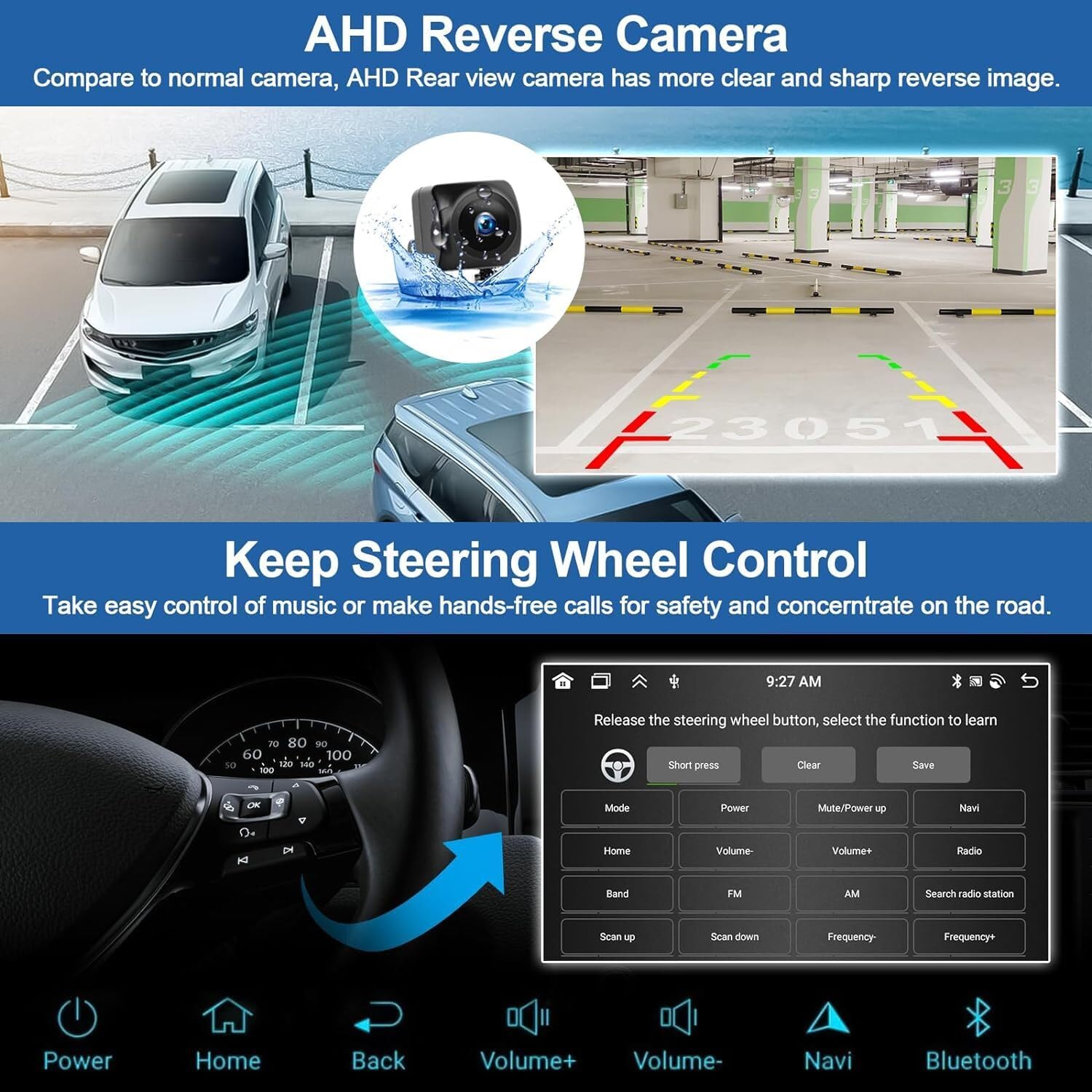
Image: Screen displaying the view from an AHD reverse camera, showing parking guidelines and a wide-angle perspective of the area behind a vehicle.
6. Konserwacja
Aby zapewnić długą żywotność i optymalną pracę radia samochodowego, należy przestrzegać poniższych ogólnych wskazówek dotyczących konserwacji:
- Czyszczenie: Do czyszczenia ekranu dotykowego i obudowy używaj miękkiej, suchej ściereczki. Unikaj środków czyszczących o właściwościach ściernych i rozpuszczalników.
- Aktualizacje oprogramowania: Okresowo sprawdzaj dostępność aktualizacji oprogramowania, aby mieć pewność, że system działa wydajnie i posiada najnowsze funkcje.
- Warunki środowiskowe: Unikaj wystawiania urządzenia na działanie ekstremalnych temperatur lub bezpośredniego światła słonecznego przez dłuższy czas.
- Połączenia kablowe: Upewnij się, że wszystkie połączenia przewodów są stabilne. Luźne połączenia mogą powodować sporadyczne problemy.
7. Rozwiązywanie Problemów
Jeśli masz problemy z radiem samochodowym, zapoznaj się z poniższymi typowymi procedurami rozwiązywania problemów:
- Brak zasilania: Check the power cable connections and ensure the vehicle's fuse for the stereo is intact.
- Brak dźwięku: Verify speaker connections. Check volume settings and ensure the mute function is not active.
- Bluetooth/WiFi Issues: Ensure the white plug is correctly connected to the main unit. Restart the unit and your phone.
- Utrata sygnału GPS: Upewnij się, że antena GPS jest prawidłowo zainstalowana i ma zapewnioną przejrzystość. view nieba.
- Brak reakcji ekranu dotykowego: Spróbuj ponownie uruchomić urządzenie. Jeśli problem będzie się powtarzał, konieczne może być przywrócenie ustawień fabrycznych (uwaga: spowoduje to usunięcie wszystkich danych użytkownika).
- Kamera cofania nie jest wyświetlana: Check the camera's power and video signal connections. Ensure the reverse gear signal wire is correctly connected.
For persistent issues not resolved by these steps, please consult a professional installer or contact customer support.
8. Gwarancja i wsparcie
This product may be eligible for extended protection plans. Please refer to your purchase documentation or retailer for details on available warranty and support options.
- 2-letni plan ochrony: Dostępne do kupienia.
- 3-letni plan ochrony: Dostępne do kupienia.
- Asurion Complete Protect: Plan miesięczny obejmujący kwalifikujące się zakupy dokonane w przeszłości i w przyszłości.
For specific product support, please refer to the contact information provided by your seller or on the product packaging.