
1. Wprowadzenie
Thank you for choosing the GOBOULT Tenet TWS Earbuds. This manual provides essential information for setting up, operating, and maintaining your earbuds to ensure optimal performance and longevity. The Tenet earbuds feature Bluetooth 5.4 connectivity, 13mm dynamic drivers, Quad Mic Environmental Noise Cancellation (ENC), and support for the Amp App for personalized audio.
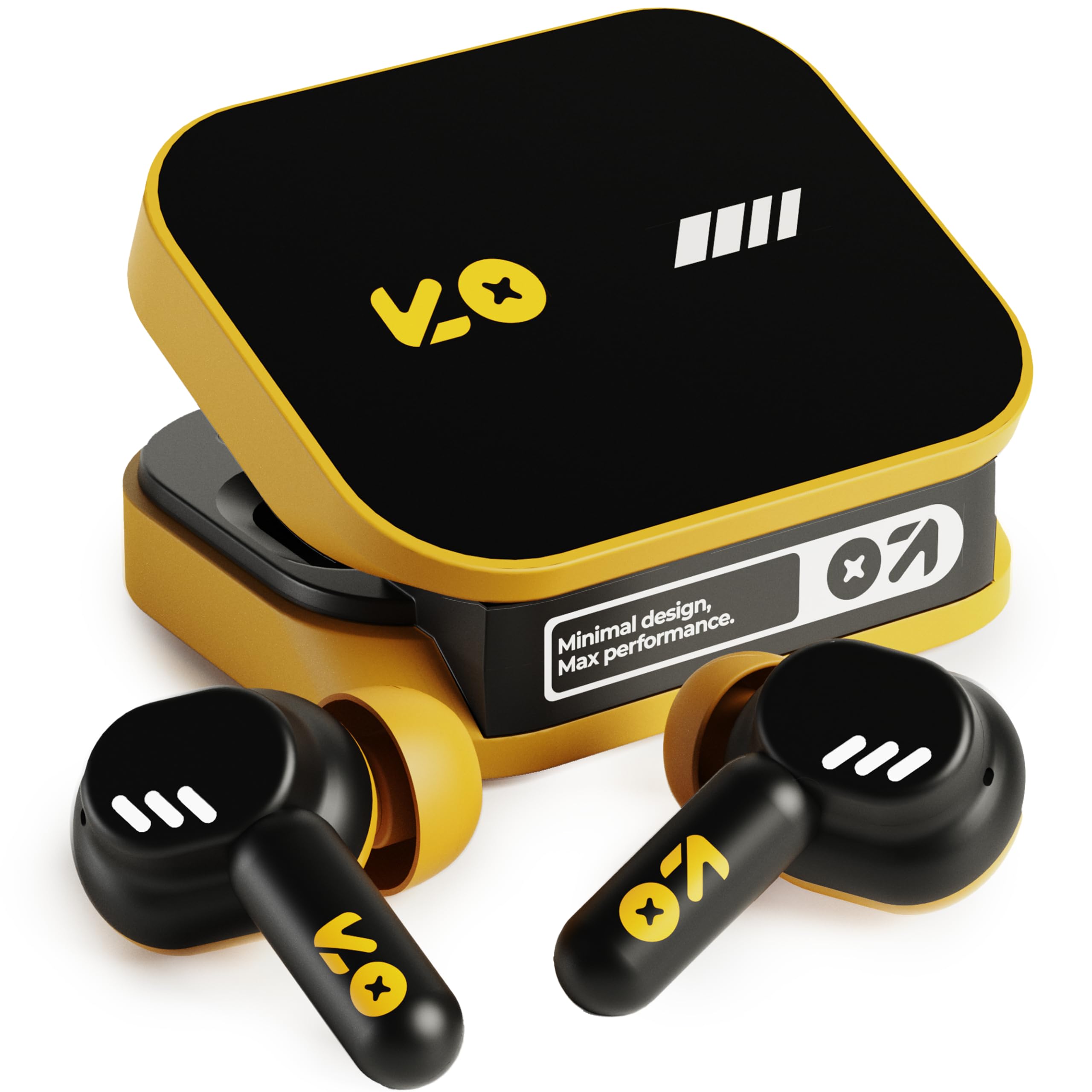
Image: The GOBOULT Tenet TWS Earbuds in Solar Yellow, shown with their charging case.
2. Zawartość opakowania
Sprawdź, czy w pakiecie znajdują się wszystkie poniższe elementy:
- GOBOULT Tenet TWS Earbuds (Left and Right)
- Etui ładujące
- Kabel do ładowania USB typu C.
- Nauszniki (różne rozmiary)
- Instrukcja obsługi (ten dokument)
- Karta gwarancyjna
3. Konfiguracja
3.1. Ładowanie słuchawek i etui
Before first use, fully charge the earbuds and the charging case. The case provides extended battery life for the earbuds.
- Umieść obie słuchawki w etui ładującym i upewnij się, że są prawidłowo osadzone.
- Connect the provided USB Type-C charging cable to the charging port on the case and to a compatible USB power source (e.g., wall adapter, computer USB port).
- The indicator light on the charging case will show the charging status. Refer to the LED indicator guide in the operating section for details.
- Pełne naładowanie zapewnia do 75 godzin odtwarzania z etui ładującym. Szybkie, 10-minutowe ładowanie pozwala na do 120 minut odtwarzania.

Image: The GOBOULT Tenet earbuds in their open charging case, illustrating the USB-C charging port and battery life.
3.2. Zakładanie słuchawek dousznych
Proper fit is crucial for sound quality and comfort. The earbuds feature a 'Vacuum Lock Earshell' design for a secure fit.
- Select the ear cushions that best fit your ears. Different sizes are provided.
- Ostrożnie włóż słuchawki douszne do kanału słuchowego.
- Twist slightly to ensure a snug and comfortable seal. This helps optimize audio performance and noise isolation.

Image: A diagram illustrating the 'Vacuum Lock Earshell' design and how the earbud sits securely in the ear.
4. Instrukcja obsługi
4.1. Włączanie/wyłączanie zasilania
- Włączanie: Otwórz etui z funkcją ładowania, a słuchawki włączą się automatycznie.
- Wyłączone: Włóż słuchawki douszne z powrotem do etui ładującego i zamknij pokrywę. Słuchawki automatycznie się wyłączą i rozpoczną ładowanie.
4.2. Parowanie Bluetooth
The GOBOULT Tenet earbuds use Bluetooth 5.4 for stable and efficient connection.
- Sprawdź, czy słuchawki są naładowane i znajdują się w etui ładującym.
- Open the charging case. The earbuds will enter pairing mode, indicated by flashing LED lights.
- Włącz Bluetooth na swoim urządzeniu (smartfonie, tablecie, laptopie).
- Szukaj available Bluetooth devices and select "GOBOULT Tenet" from the list.
- Po podłączeniu kontrolki słuchawek przestaną migać.
4.3. Łączność dwóch urządzeń
The earbuds support dual device pairing, allowing seamless switching between two connected devices.
- Sparuj słuchawki z pierwszym urządzeniem (np. smartfonem), jak opisano powyżej.
- Odłącz słuchawki od ustawień Bluetooth pierwszego urządzenia (nie rozłączaj ich).
- Sparuj słuchawki z drugim urządzeniem (np. laptopem).
- Reconnect the earbuds to the first device from its Bluetooth settings. The earbuds are now connected to both devices.
- To switch between devices, simply pause audio on one device and play on the other.

Image: The GOBOULT Tenet earbuds and charging case positioned between a smartphone and a laptop, demonstrating dual device connectivity.
4.4. Sterowanie dotykowe
The earbuds feature intuitive touch controls for music playback, call management, and voice assistant activation.
| Funkcjonować | Działanie |
|---|---|
| Odtwórz/Pauza | Pojedyncze dotknięcie dowolnej słuchawki |
| Następny utwór | Kliknij dwukrotnie prawą słuchawkę |
| Poprzedni utwór | Kliknij dwukrotnie lewą słuchawkę |
| Odbierz/Zakończ połączenie | Pojedyncze dotknięcie dowolnej słuchawki |
| Odrzuć połączenie | Długie naciśnięcie jednej z wkładek dousznych |
| Aktywuj Asystenta głosowego (Siri/Asystent Google) | Trzykrotne stuknięcie w dowolną słuchawkę |

Image: An illustration detailing the touch controls for music and calls, along with information on intelligent AI assistance and IPX5 water resistance.
4.5. Korzystanie z Amp Aplikacja
Personalize your listening experience with the dedicated Amp Aplikacja.
- Download the "Amp App" from your device's app store.
- Connect your GOBOULT Tenet earbuds to your device via Bluetooth.
- Otwórz Amp App. It will automatically detect your earbuds.
- Within the app, you can customize EQ settings (e.g., Rock, Jazz, Natural, Bass), rename your earbuds, and access tailored widgets.

Image: The GOBOULT Amp App interface displayed on a smartphone, showing custom EQ modes and other personalization options for the earbuds.
4.6. Call Management (Quad Mic ENC)
The Quad Mic Environmental Noise Cancellation (ENC) ensures clear calls by reducing background noise.
- Use the touch controls (Section 4.4) to answer, end, or reject calls.
- The four integrated microphones work to isolate your voice from ambient sounds, providing clear communication even in noisy environments.
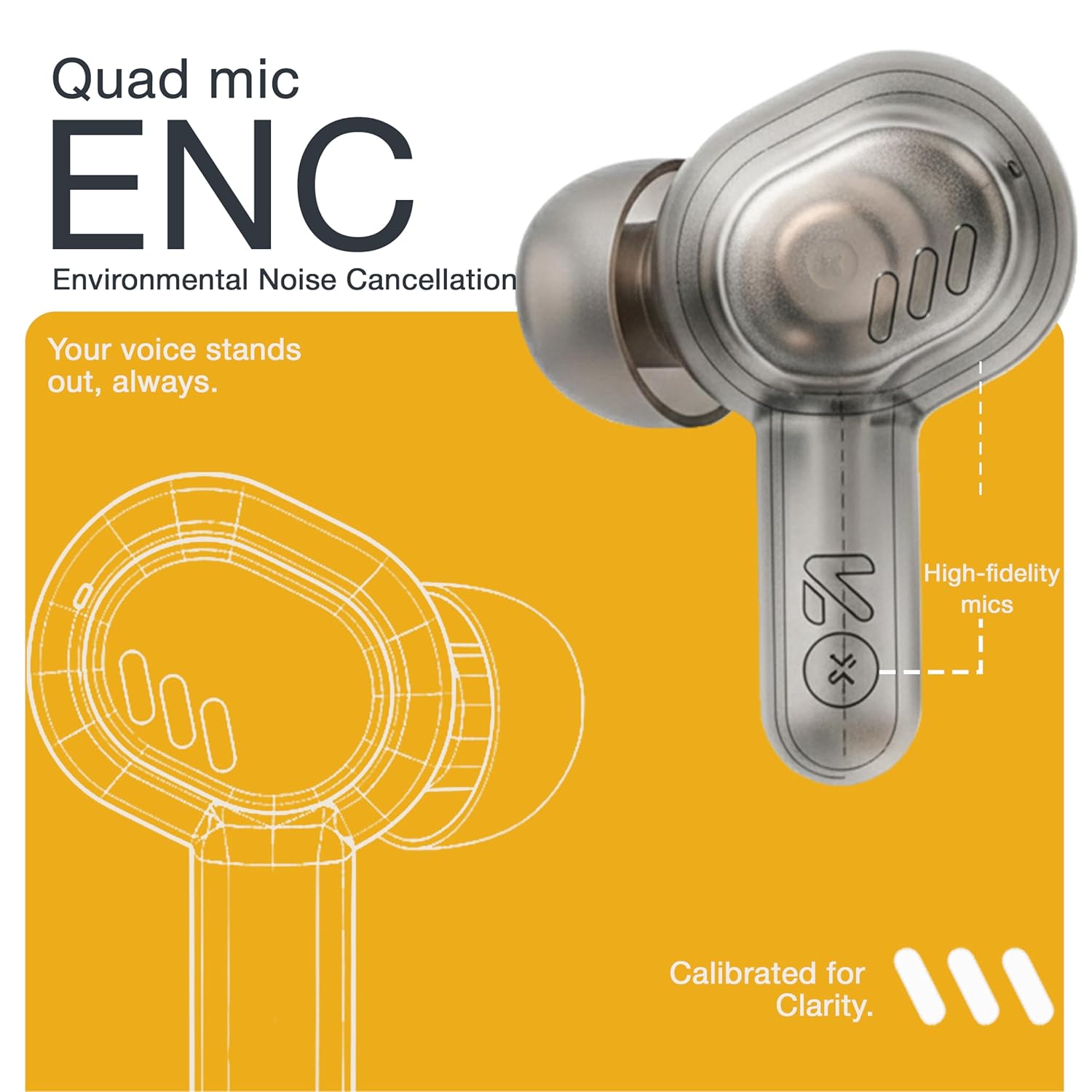
Image: A detailed diagram highlighting the Quad Mic ENC system within the earbud, designed for clear voice transmission.
4.7. Audio Performance (13mm Drivers)
The GOBOULT Tenet earbuds are equipped with 13mm dynamic drivers for a rich audio experience.
- Experience deep bass, clear vocals, and balanced audio across various music genres.
- Dostosuj dźwiękfile further using the Amp App's equalizer settings.

Obraz: Wybuch view diagram of the earbud, showcasing the 13mm dynamic driver responsible for audio output.
4.8. Wodoodporność
The earbuds are IPX5 water resistant, making them suitable for workouts and light splashes.
- IPX5 rating means the earbuds can resist a sustained, low-pressure water jet spray.
- Do not submerge the earbuds in water or expose them to heavy rain.
- Etui ładujące nie jest wodoodporne.
5. Konserwacja
5.1. Czyszczenie
- Regularnie czyść słuchawki douszne i etui ładujące miękką, suchą i niepozostawiającą włókien ściereczką.
- Remove ear cushions and clean them with mild soap and water if necessary, ensuring they are completely dry before reattaching.
- Nie należy używać środków czyszczących o właściwościach ściernych, alkoholu ani rozpuszczalników chemicznych.
- Sprawdź, czy styki ładowania w słuchawkach i etui są czyste i wolne od zanieczyszczeń.
5.2. Przechowywanie
- Gdy nie używasz słuchawek, przechowuj je w etui ładującym, aby je chronić i utrzymać naładowanie.
- Przechowywać urządzenie w chłodnym i suchym miejscu, z dala od ekstremalnych temperatur i bezpośredniego światła słonecznego.
5.3. Pielęgnacja baterii
- Aby przedłużyć żywotność baterii, należy unikać częstego całkowitego rozładowywania słuchawek i etui.
- Aby zapobiec głębokiemu rozładowaniu, ładuj urządzenie regularnie, nawet jeśli nie używasz go często.
6. Rozwiązywanie Problemów
| Problem | Możliwe rozwiązanie |
|---|---|
| Słuchawki douszne nie parują się |
|
| Brak dźwięku z jednej słuchawki |
|
| Problemy z ładowaniem |
|
| Niska głośność lub słaba jakość dźwięku |
|
| Asystent głosowy nie odpowiada |
|
7. Specyfikacje
| Funkcja | Szczegół |
|---|---|
| Marka | GOBOULT |
| Nazwa modelu | Tenet (Airbass) |
| Numer modelu | Airbass Earbuds |
| Umieszczenie ucha | W uchu |
| Kontrola hałasu | Environmental Noise Cancellation (ENC), Sound Isolation |
| Wersja Bluetooth | 5.4 |
| Zasięg Bluetooth | Do 10 metrów |
| Rozmiar sterownika audio | 13 milimetrów |
| Zakres częstotliwości | 20 Hz - 20 000 Hz |
| Wrażliwość | 105dB |
| Battery Average Life (with case) | Do 75 godzin |
| Szybkie ładowanie | 10 minut ładowania zapewnia 120 minut odtwarzania |
| Port ładowania | USB typu C |
| Poziom wodoodporności | IPX5 (tylko słuchawki douszne) |
| Typ kontrolera | Touch, Google Assistant, Siri |
| Kompatybilne urządzenia | Desktops, Gaming Consoles, Laptops, Smart Watch, Tablets |
| Waga przedmiotu | 54.5 Grams (Case + Earbuds) |
| Kraj pochodzenia | Chiny |
8. Gwarancja i pomoc techniczna
8.1. Informacje o gwarancji
The GOBOULT Tenet TWS Earbuds come with a 1-Year Manufacturer's Warranty from the date of purchase. This warranty covers manufacturing defects.
- Proszę zachować paragon jako dowód zakupu na wypadek reklamacji.
- Gwarancja nie obejmuje uszkodzeń powstałych na skutek niewłaściwego użytkowania, wypadków, nieautoryzowanych modyfikacji lub normalnego zużycia.
8.2. Obsługa klienta
For any queries, technical assistance, or warranty claims, please contact GOBOULT customer support.
- Producent: Exotic Mile Private Limited, B-67 Wazirpur Industrial Area, New Delhi 110052
- Importer: Exotic Mile Pvt. Ltd., B67 Wazirpur Industrial Area, New Delhi 110052
- Refer to the contact information provided on your warranty card or the official GOBOULT webwitryna z najnowszymi kanałami wsparcia.