
1. Wprowadzenie
Thank you for choosing the GOBOULT Tenet TWS Earbuds. This manual provides essential information to help you set up, operate, and maintain your earbuds for an optimal audio experience. Please read this manual thoroughly before use and retain it for future reference.
Co jest w pudełku
- GOBOULT Tenet TWS Earbuds (Left and Right)
- Etui ładujące
- Kabel do ładowania USB typu C.
- Nauszniki (różne rozmiary)
- Instrukcja obsługi
- Karta gwarancyjna
2. Koniec produktuview
Familiarize yourself with the components of your GOBOULT Tenet TWS Earbuds and charging case.
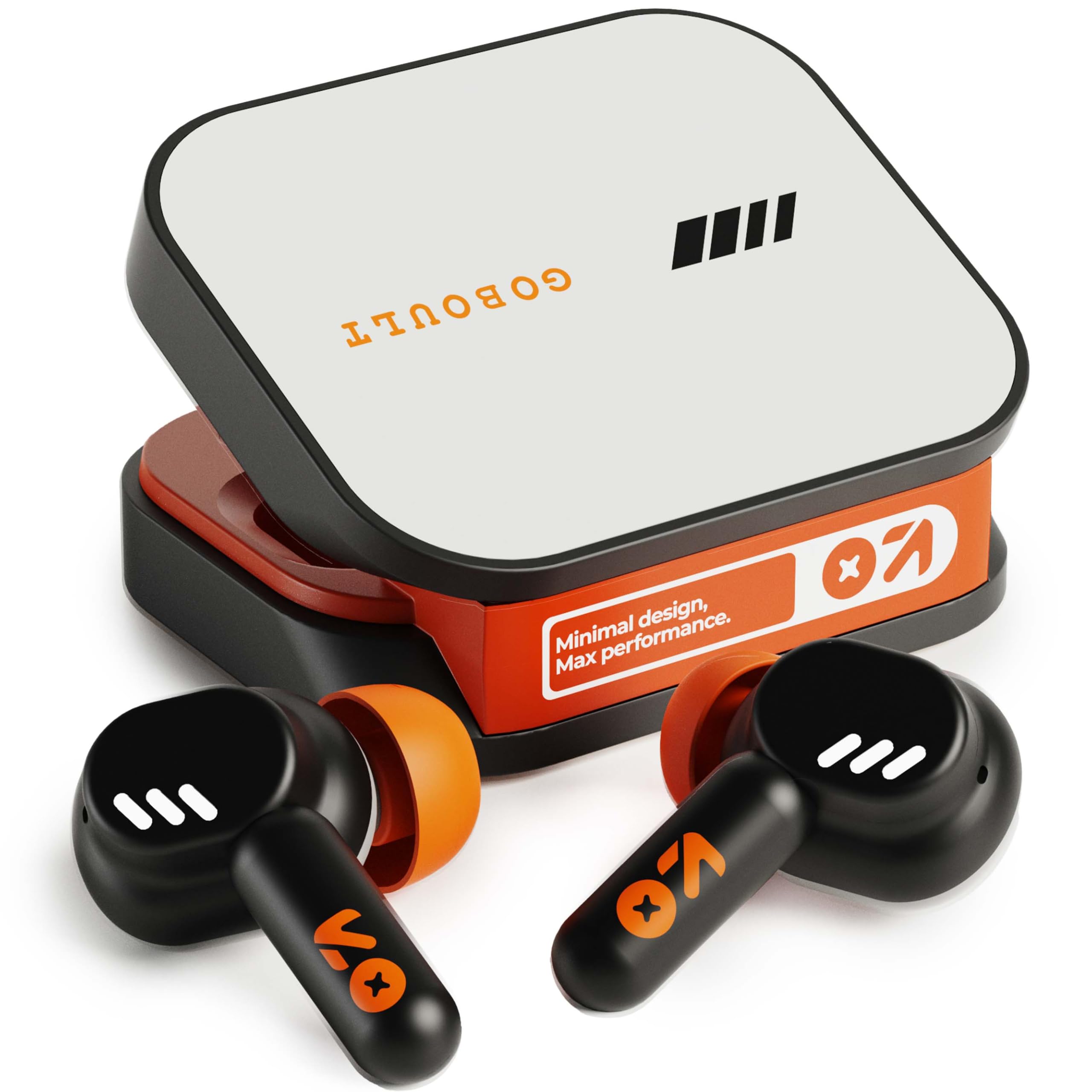
Image: GOBOULT Tenet TWS Earbuds in their charging case, showcasing the Turbo Orange color variant.

Obraz: Różne views of the GOBOULT Tenet charging case, highlighting its minimal design and Type-C charging port.
Główne cechy
- 75 Hours Total Playtime: Dłuższa żywotność baterii umożliwiająca dłuższe użytkowanie.
- Szybkie ładowanie: 10 minutes of charge provides up to 120 minutes of playtime.
- Amp Wsparcie aplikacji: Customize EQ settings and controls via the dedicated application.
- Quad Mic ENC: Redukcja szumów otoczenia zapewniająca wyraźne rozmowy.
- Przetworniki dynamiczne 13 mm: Delivers deep bass and balanced audio.
- Łączność z dwoma urządzeniami: Bezproblemowe przełączanie się między dwoma sparowanymi urządzeniami.
- Bluetooth 5.4: Stable connection with low latency.
- Wodoodporność IPX5: Splash and sweat-ready design.
3. Konfiguracja
3.1 Ładowanie słuchawek dousznych i etui
Przed pierwszym użyciem należy w pełni naładować słuchawki i etui ładujące.
- Umieść słuchawki w etui ładującym. Upewnij się, że są prawidłowo osadzone.
- Connect the USB Type-C charging cable to the charging port on the case and plug the other end into a power source.
- The LED indicator on the case will show charging status. Once fully charged, the indicator will change or turn off depending on the model.
Szybkie ładowanie: A 10-minute charge provides approximately 120 minutes of playtime.

Image: The GOBOULT Tenet earbuds in their charging case, connected via a Type-C cable, illustrating the charging process and fast charging capability.
3.2 Parowanie z urządzeniem
For first-time use, follow these steps to pair your earbuds with your device.
- Otwórz etui ładujące. Słuchawki automatycznie włączą się i przejdą w tryb parowania.
- Włącz Bluetooth na swoim urządzeniu (smartfonie, tablecie, laptopie).
- Szukaj available Bluetooth devices and select "GOBOULT Tenet" from the list.
- Po nawiązaniu połączenia usłyszysz komunikat głosowy potwierdzający pomyślne sparowanie.
Łączność z dwoma urządzeniami: The earbuds support simultaneous connection to two devices. After pairing with the first device, disable Bluetooth on it. Pair with the second device. Then, re-enable Bluetooth on the first device. The earbuds should now be connected to both, allowing seamless switching.

Image: The GOBOULT Tenet earbuds and case positioned between a smartphone and a laptop, illustrating the dual device connectivity feature.
4. Instrukcja obsługi
4.1 Włączanie/wyłączanie zasilania
- Włączanie: Otwórz etui ładujące lub naciśnij i przytrzymaj obszar dotykowy na obu słuchawkach przez 3 sekundy.
- Wyłączone: Umieść słuchawki douszne z powrotem w etui ładującym i zamknij pokrywę lub naciśnij i przytrzymaj obszar dotykowy na obu słuchawkach przez 5 sekund.
4.2 Sterowanie dotykowe
The GOBOULT Tenet earbuds feature intuitive touch controls for various functions.

Image: A close-up of an earbud in an ear, detailing the touch control functions for music, calls, and activation of AI assistance.
| Funkcjonować | Działanie |
|---|---|
| Odtwórz/wstrzymaj muzykę | Pojedyncze dotknięcie dowolnej słuchawki |
| Następny utwór | Kliknij dwukrotnie prawą słuchawkę |
| Poprzedni utwór | Kliknij dwukrotnie lewą słuchawkę |
| Odbierz/Zakończ połączenie | Pojedyncze dotknięcie dowolnej słuchawki |
| Odrzuć połączenie | Naciśnij i przytrzymaj dowolną słuchawkę przez 2 sekundy |
| Aktywuj Asystenta głosowego (Siri/Asystent Google) | Trzykrotne stuknięcie w dowolną słuchawkę |
| Toggle Gaming Mode (Combat Mode) | Quadruple tap on either earbud |
4.3 GOBOULT Amp Wsparcie aplikacji
Enhance your listening experience by downloading the GOBOULT Amp App. The app allows for personalized audio settings and controls.
- Custom EQ Modes: Dostosuj częstotliwości dźwięku według własnych preferencji.
- Rename Earbuds: Personalize the Bluetooth name of your earbuds.
- Tailored Widgets: Access quick controls and information.
- Water Ejection: Utilize this feature to clear water from the earbuds after exposure.

Image: A smartphone displaying the GOBOULT Amp App interface with equalizer settings, alongside the earbuds, demonstrating app customization.
4.4 Noszenie słuchawek dousznych
Aby zapewnić optymalną jakość dźwięku i wygodę, należy zadbać o właściwe dopasowanie.
- Select the ear tips that best fit your ear canal. Experiment with different sizes for the best seal.
- Gently insert the earbud into your ear, then twist it slightly to secure a snug fit. The "Vacuum Lock Earshell" design is engineered for an air-tight seal.

Image: Diagrams and an illustration showing the proper way to wear the GOBOULT Tenet earbuds for a secure and comfortable fit, highlighting the Vacuum Lock Earshell technology.
4.5 Combat Gaming Mode (Low Latency)
Activate Combat Gaming Mode for a low-latency audio experience, ideal for gaming.
- Aktywacja: Stuknij czterokrotnie w dowolną słuchawkę douszną.
- This mode reduces audio delay to approximately 45ms, providing synchronized sound with on-screen action.
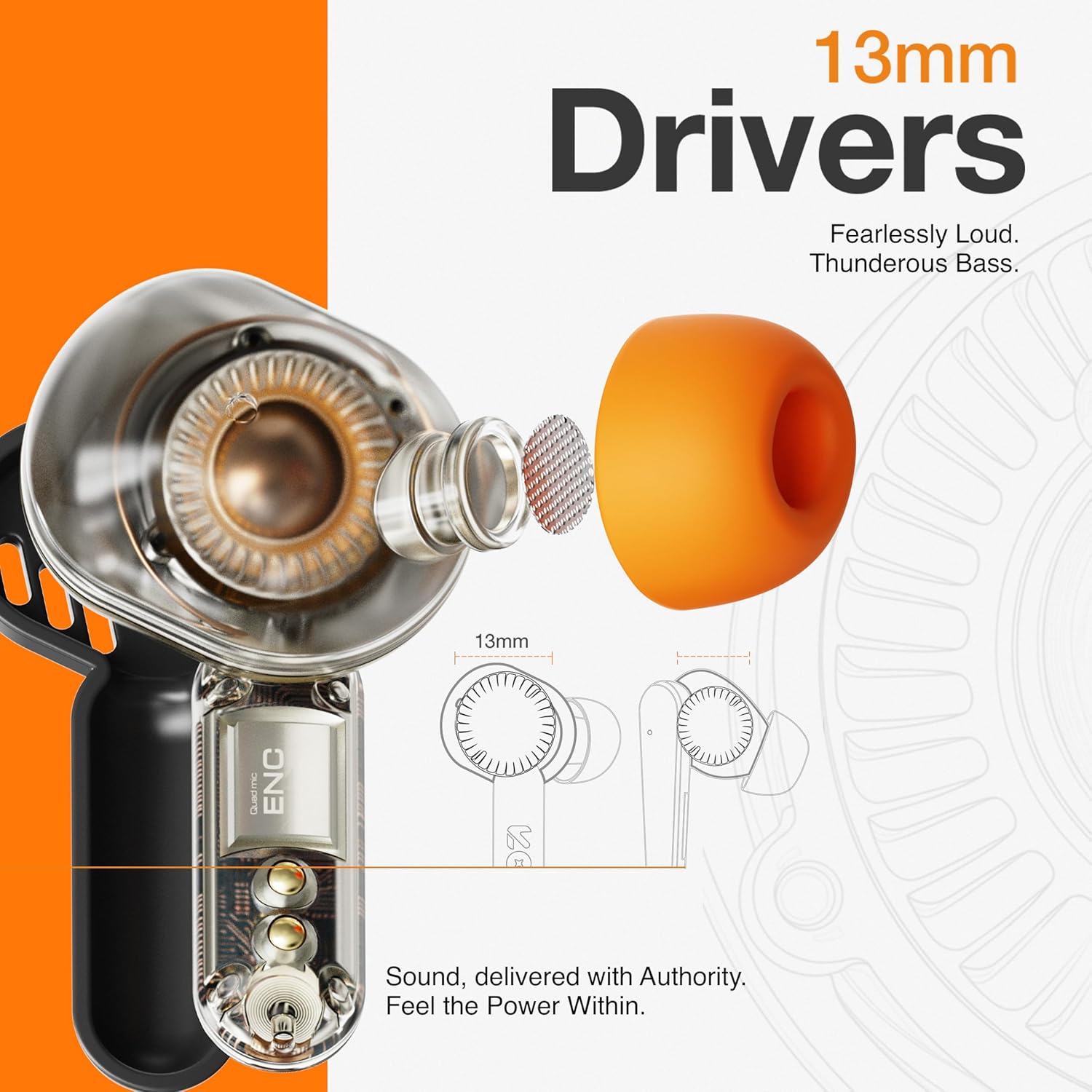
Image: The GOBOULT Tenet earbuds and charging case next to a smartphone and game controller, illustrating Bluetooth 5.4 connectivity and the 45ms ultra-low latency Combat Gaming Mode.
5. Konserwacja
5.1 Czyszczenie
Regularne czyszczenie pomaga zachować jakość dźwięku i higienę.
- Do czyszczenia słuchawek i etui ładującego używaj miękkiej, suchej i niepozostawiającej włókien ściereczki.
- Zdejmij nakładki douszne i umyj je łagodnym mydłem i wodą, a następnie dokładnie wysusz przed ponownym założeniem.
- Use a cotton swab or a small, soft brush to gently clean the speaker mesh and charging contacts.
- Unikaj stosowania materiałów ściernych, alkoholu i środków czyszczących zawierających substancje chemiczne.
5.2 Przechowywanie
Gdy nie używasz słuchawek, przechowuj je w etui ładującym, aby je chronić i utrzymać naładowanie.
- Przechowywać w chłodnym i suchym miejscu, z dala od ekstremalnych temperatur i bezpośredniego światła słonecznego.
5.3 Wodoodporność
The GOBOULT Tenet earbuds are IPX5 water resistant, meaning they are protected against low-pressure water jets from any direction. This makes them suitable for workouts and light rain.
- Nie zanurzaj słuchawek w wodzie.
- Etui ładujące nie jest wodoodporne.
- If earbuds get wet, dry them thoroughly before placing them back in the charging case.
6. Rozwiązywanie Problemów
Jeśli masz problemy ze słuchawkami dousznymi, zapoznaj się z poniższymi, często spotykanymi rozwiązaniami.
| Problem | Rozwiązanie |
|---|---|
| Słuchawki douszne nie parują się | Ensure earbuds are charged. Turn off and on Bluetooth on your device. Forget "GOBOULT Tenet" from your device's Bluetooth list and re-pair. |
| Działa tylko jedna wkładka douszna | Place both earbuds back in the case, close the lid, then open again. Ensure both earbuds are charged. Perform a factory reset if the issue persists. |
| Niska głośność lub słaba jakość dźwięku | Adjust volume on both earbuds and your connected device. Ensure ear tips provide a snug fit. Clean earbud speaker meshes. Check EQ settings in the Amp Aplikacja. |
| Słuchawki nie ładują się | Ensure charging cable is securely connected. Check if the charging port is clean. Verify the power source is working. Ensure earbuds are correctly seated in the case. |
| Częste zrywanie połączenia | Ensure your device is within the 10-meter Bluetooth range. Avoid obstacles between earbuds and device. Disconnect from other Bluetooth devices. |
6.1 Przywracanie ustawień fabrycznych
If issues persist, a factory reset may resolve them. Refer to the specific reset procedure in the Amp App or contact customer support.
7. Specyfikacje
Technical specifications for the GOBOULT Tenet TWS Earbuds.
| Funkcja | Szczegół |
|---|---|
| Marka | GOBOULT |
| Nazwa modelu | Tenet (Airbass Earbuds) |
| Umieszczenie ucha | W uchu |
| Kontrola hałasu | Environmental Noise Cancellation (ENC), Sound Isolation |
| Wersja Bluetooth | 5.4 |
| Zasięg Bluetooth | 10 metrów |
| Rozmiar sterownika audio | 13 milimetrów |
| Odpowiedź częstotliwościowa | 20 Hz - 20 000 Hz |
| Średnia żywotność baterii | 75 godzin (całkowity czas odtwarzania) |
| Czas ładowania akumulatora | 10 Minutes (for 120 mins playtime) |
| Metoda kontroli | Dotykać |
| Poziom wodoodporności | IPX5 (odporność na wodę) |
| Kompatybilne urządzenia | Desktops, Gaming Consoles, Laptops, Smart Watch, Tablets |
| Waga przedmiotu | 54.5 Grams (Carrying Case Weight) |
| Materiał obudowy | Plastikowy |
8. Gwarancja i wsparcie
8.1 Informacje o gwarancji
The GOBOULT Tenet TWS Earbuds come with a 1-letnia gwarancja producenta od daty zakupu. Niniejsza gwarancja obejmuje wady produkcyjne. Prosimy zachować dowód zakupu na wypadek roszczeń gwarancyjnych.
Gwarancja nie obejmuje uszkodzeń powstałych na skutek niewłaściwego użytkowania, wypadków, nieautoryzowanych modyfikacji lub normalnego zużycia.
8.2 Obsługa klienta
For any product-related queries, technical assistance, or warranty claims, please contact GOBOULT customer support through the official webwitryny lub danych kontaktowych podanych na karcie gwarancyjnej.