
GOBOULT Tuff Hawk Smart Watch User Manual
Model: Tuff Hawk
Wstęp
This manual provides essential instructions for setting up, operating, and maintaining your GOBOULT Tuff Hawk Smart Watch. Please read this guide thoroughly before using your device to ensure optimal performance and longevity.

Image: The GOBOULT Tuff Hawk Smart Watch, highlighting its design and features.
Co jest w pudełku
Sprawdź, czy w opakowaniu produktu znajdują się wszystkie elementy:
- GOBOULT Tuff Hawk Smart Watch
- Kabel ładujący
- Instrukcja obsługi (ten dokument)
Organizować coś
1. Ładowanie inteligentnego zegarka
Before initial use, fully charge your GOBOULT Tuff Hawk Smart Watch. Connect the provided charging cable to the charging port on the watch and a compatible USB power source. A full charge takes approximately 150 minutes.

Image: The GOBOULT Tuff Hawk Smart Watch connected to its charging cable, illustrating the charging process and battery indicator.
2. Włączanie/wyłączanie zasilania
To power on the watch, press and hold the Power button until the screen illuminates. To power off, press and hold the Power button, then select "Power Off" on the screen.
3. Parowanie ze smartfonem
The GOBOULT Tuff Hawk Smart Watch uses Bluetooth 5.3 for connectivity. Follow these steps to pair your watch with your smartphone:
- Upewnij się, że zegarek jest naładowany i włączony.
- Włącz Bluetooth w swoim smartfonie.
- Download and install the companion application (refer to the watch screen or packaging for app name) from your phone's app store.
- Otwórz aplikację i postępuj zgodnie z instrukcjami wyświetlanymi na ekranie, aby dodać urządzenie.
- Select "GOBOULT Tuff Hawk" from the list of available Bluetooth devices in the app to establish a one-click connection.

Image: The GOBOULT Tuff Hawk Smart Watch showing an incoming call notification, demonstrating its Bluetooth calling feature with a dedicated speaker and microphone.
Obsługa inteligentnego zegarka
1. Wyświetlacz i nawigacja
The watch features a 1.39-inch TFT HD display with a 240x240 resolution and 450 nits brightness for clear visuals. Navigate the interface using the touchscreen or the working crown.
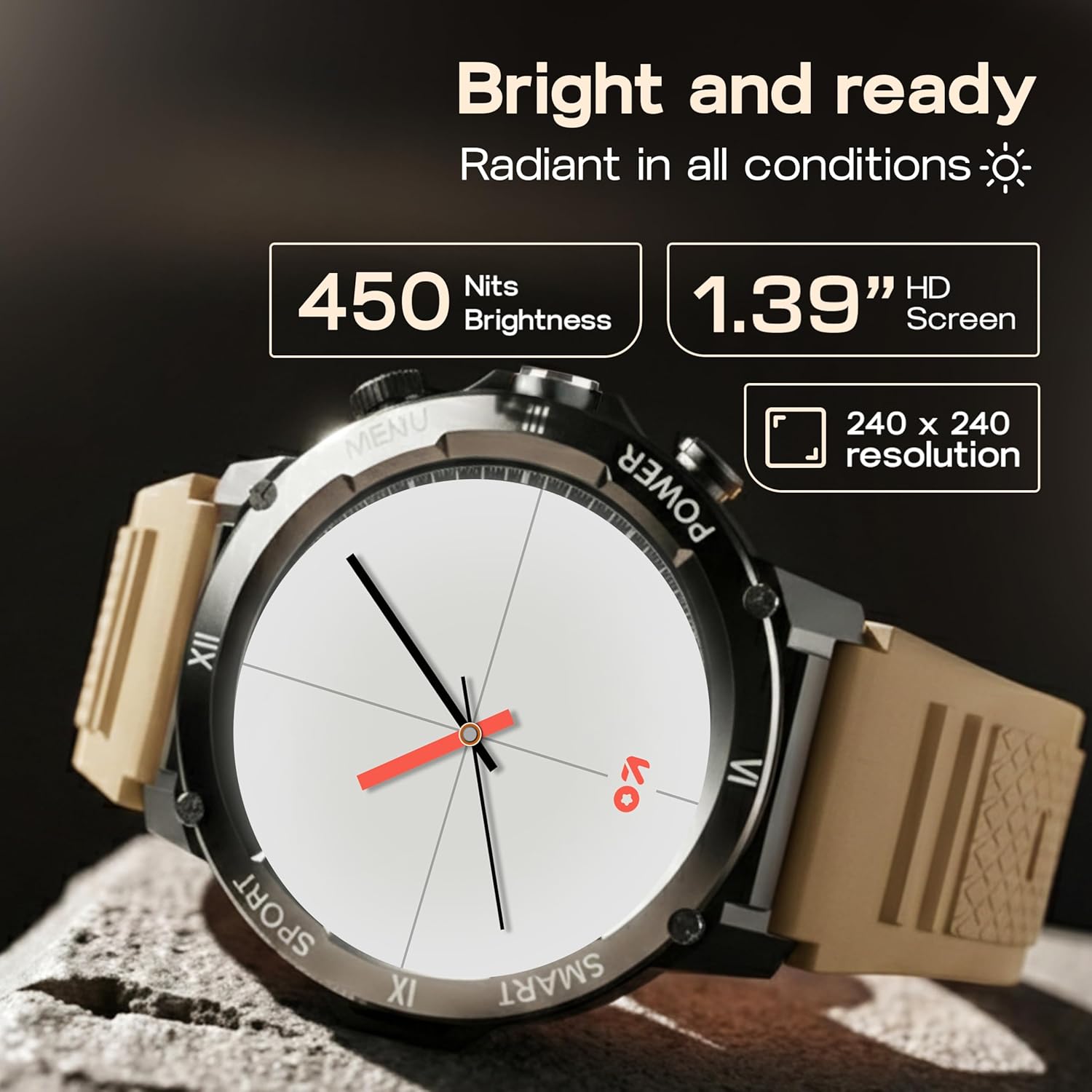
Image: Close-up of the GOBOULT Tuff Hawk Smart Watch display, highlighting its 1.39-inch HD screen, 240x240 resolution, and 450 nits brightness.
2. Using the Working Crown
Rotate the working crown to scroll through menus, lists, and adjust settings effortlessly. Press the crown to select items or return to the home screen.

Image: The GOBOULT Tuff Hawk Smart Watch interface with app icons, demonstrating how to use the rotating working crown for navigation.
3. Połączenia Bluetooth
With Bluetooth 5.3 and a single-chip design, the Tuff Hawk Smart Watch allows you to make and receive calls directly from your wrist. It includes a dedicated speaker and microphone for clear communication.
4. Asystent głosowy AI
Access your AI Voice Assistant (compatible with Google Assistant and Siri) directly from your watch. Simply activate the feature and speak your commands for hands-free assistance.
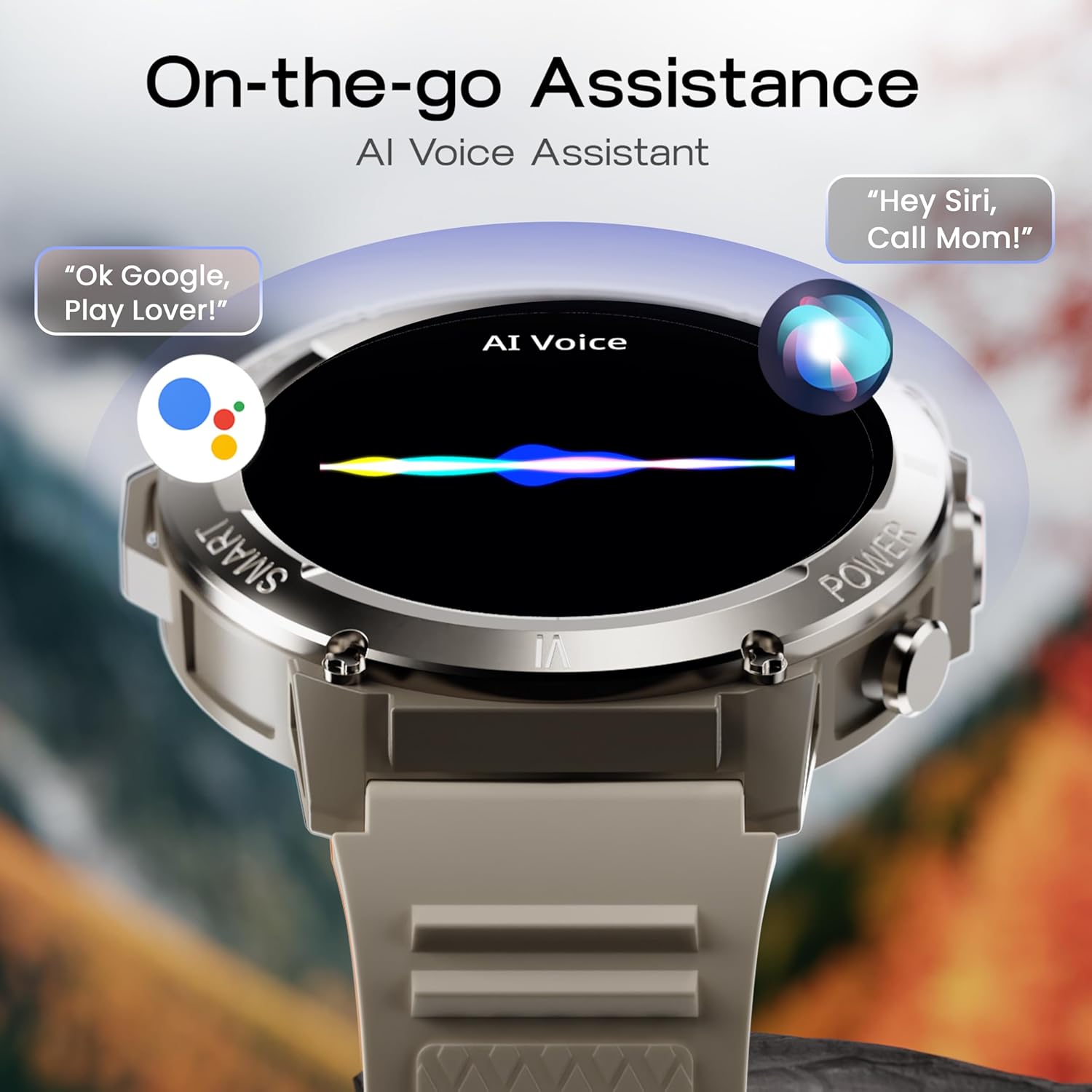
Image: The GOBOULT Tuff Hawk Smart Watch screen showing the AI Voice Assistant in action, with examples of voice commands for Google Assistant and Siri.
5. Sports Modes and Health Tracking
The watch supports over 120 sports modes for various activities. It also provides comprehensive health monitoring features:
- Monitor ciśnienia krwi: Monitoruj poziom swojego ciśnienia krwi.
- Monitor pracy serca: Ciągle monitoruj swoje tętno.
- Monitor snu: Przeanalizuj swoje wzorce snu.
- Monitor SpO2: Zmierz saturację krwi tlenem.
- Monitor aktywności: Records steps taken, calories burned, and distance covered.
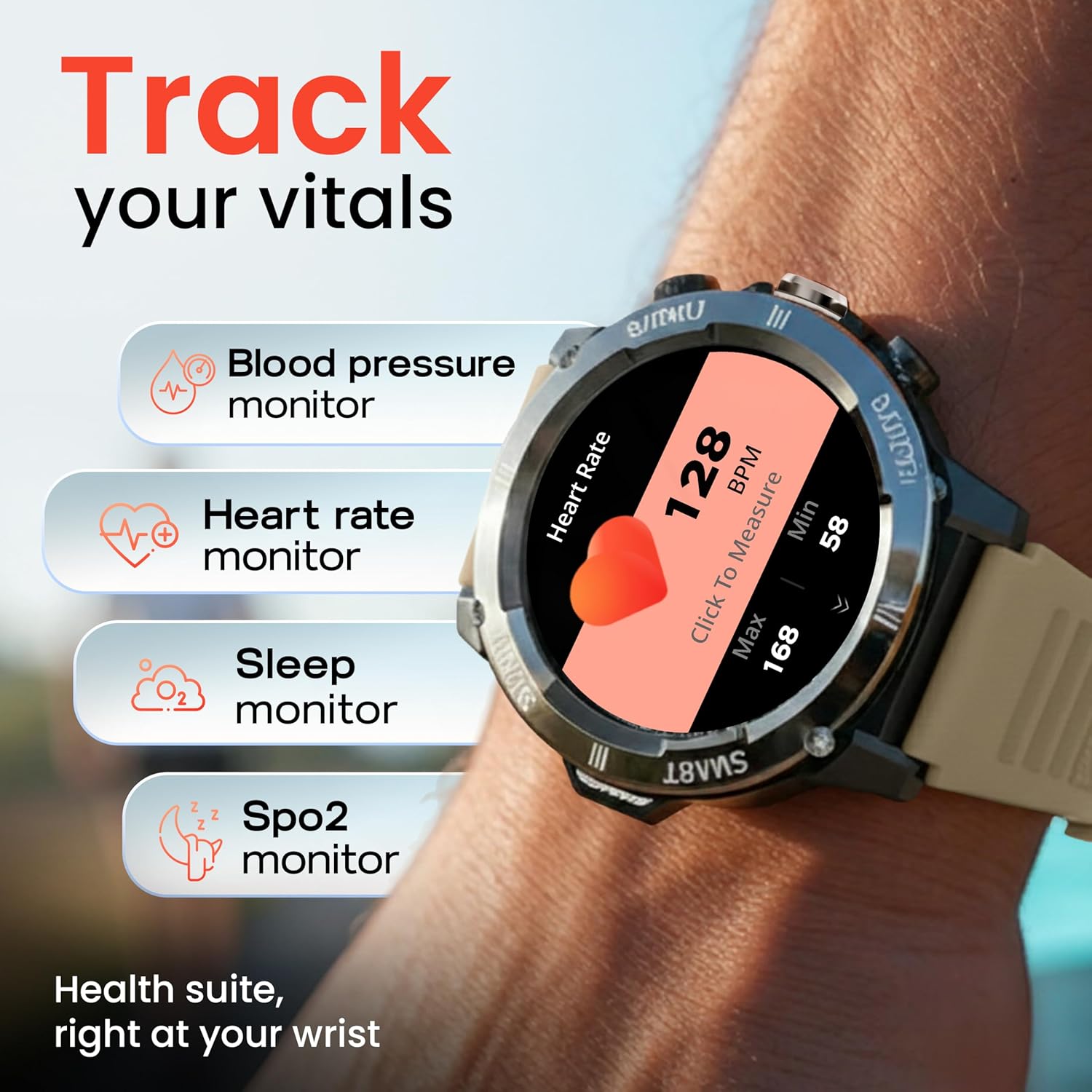
Image: The GOBOULT Tuff Hawk Smart Watch displaying various health tracking features such as blood pressure, heart rate, sleep, and SpO2 monitoring.

Image: The GOBOULT Tuff Hawk Smart Watch on a user's wrist, illustrating the availability of over 120 sports modes for diverse activities.
6. Tarcze zegarka
Personalize your watch with over 150 available watch faces to match your style or activity.

Image: The GOBOULT Tuff Hawk Smart Watch showcasing a selection of over 150 customizable watch faces.
7. Dedicated Flashlight
Activate the quick access flashlight feature for instant illumination when needed.

Obraz: Zbliżenie view of the GOBOULT Tuff Hawk Smart Watch demonstrating its dedicated flashlight feature, providing instant light.
8. Dodatkowe funkcje
Zegarek posiada szereg przydatnych funkcji:
- Znajdź mój telefon: Znajdź sparowany smartfon.
- Zegar Światowy: View czas w różnych strefach czasowych.
- Szczegóły pogody: Uzyskaj aktualne informacje o pogodzie.
- Zdalne sterowanie kamerą: Zdalnie steruj aparatem swojego telefonu.
- Kalkulator: Wykonaj podstawowe obliczenia.

Image: The GOBOULT Tuff Hawk Smart Watch screen showing the 'Find My Phone' feature, alongside icons for world clock, weather details, remote camera, and calculator.
Konserwacja
1. Wodoodporność
The GOBOULT Tuff Hawk Smart Watch is IP68 water resistant, making it suitable for rain, dust, and rugged outdoor conditions. It can withstand immersion up to 1.5 meters. Avoid prolonged exposure to hot water or steam.

Image: The GOBOULT Tuff Hawk Smart Watch partially submerged in water, highlighting its IP68 water resistance for protection against rain and dust.
2. Czyszczenie
Regularnie przecieraj zegarek i pasek miękką, suchą ściereczką. W razie potrzeby użyj lekko wilgotnej ściereczki.amp ściereczką i łagodnym mydłem, a następnie dokładnie wysuszyć. Unikać silnych środków chemicznych i materiałów ściernych.
3. Przechowywanie
When not in use for extended periods, store the watch in a cool, dry place. Ensure it is partially charged to prevent battery degradation.
Rozwiązywanie problemów
1. Zegarek się nie włącza
- Ensure the watch is fully charged. Connect it to the charging cable and allow it to charge for at least 30 minutes before attempting to power on again.
- Aby wymusić ponowne uruchomienie, naciśnij i przytrzymaj przycisk zasilania przez 10–15 sekund.
2. Nie można sparować ze smartfonem
- Upewnij się, że Bluetooth jest włączony na Twoim smartfonie i zegarku.
- Upewnij się, że zegarek znajduje się w zasięgu Bluetooth Twojego telefonu (zazwyczaj 10 metrów).
- Uruchom ponownie smartfon i zegarek.
- Wyczyść pamięć podręczną Bluetooth w telefonie lub zapomnij o urządzeniu i spróbuj sparować je ponownie.
- Upewnij się, że aplikacja towarzysząca jest zaktualizowana do najnowszej wersji.
3. Niedokładne dane dotyczące zdrowia
- Upewnij się, że zegarek ściśle przylega do nadgarstka, ale nie jest za ciasny.
- Wyczyść czujnik z tyłu zegarka.
- Unikaj nadmiernego ruchu podczas pomiarów.
- Należy pamiętać, że zegarek nie jest urządzeniem medycznym; podane wskazania mają charakter wyłącznie poglądowy.
4. Krótki czas pracy baterii
- Zmniejsz jasność ekranu.
- Wyłącz niepotrzebne powiadomienia.
- Ogranicz ciągłe monitorowanie tętna i inne intensywne funkcje.
- Upewnij się, że zegarek jest za każdym razem w pełni naładowany.
Specyfikacje
| Funkcja | Szczegół |
|---|---|
| Nazwa modelu | Tuff Hawk |
| Rozmiar wyświetlacza | 1.39 cali |
| Typ wyświetlacza | TFT |
| Rezolucja | 240x240 |
| Maximum Display Brightness | X NUMX Nits |
| Technologia łączności | Bluetooth 5.3 |
| Skład ogniw baterii | Polimer litowy |
| Czas ładowania akumulatora | 150 minut |
| Żywotność baterii | Do 7 dni |
| Ocena odporności na wodę | IP68 (1.5 Metres depth) |
| Materiał obudowy | Zink Alloy |
| Materiał paska | Silikon |
| Waga | 48 gram |
| Wejście interfejsu ludzkiego | Touchscreen, Working Crown |
| Typ kontrolera | Asystent Google, Siri |
| Mierzone metryki | Blood Oxygen (SpO2), Calories Burned, Sleep Duration, Step Count |
| Kompatybilne urządzenia | Smartfony z systemem Android i iOS |
| Zawartość pudełka | Kabel ładujący, instrukcja obsługi |
Gwarancja i wsparcie
Informacje o gwarancji
Your GOBOULT Tuff Hawk Smart Watch comes with a 1 rok gwarancji producenta od daty zakupu. Niniejsza gwarancja obejmuje wady produkcyjne. Prosimy zachować dowód zakupu na wypadek roszczeń gwarancyjnych.
Obsługa klienta
For technical assistance, warranty claims, or product inquiries, please contact GOBOULT customer support. Refer to the product packaging or the official GOBOULT webna tej stronie znajdziesz najbardziej aktualne dane kontaktowe.
Producent: Exotic Mile Private Limited, Boult Audio, B-67 Wazirpur Industrial Area, New Delhi 110052