
Wstęp
Thank you for choosing the XenonLab HAP605 Air Purifier. This manual provides essential information for the safe and efficient operation, maintenance, and troubleshooting of your new air purifier. Please read it thoroughly before use and retain it for future reference.
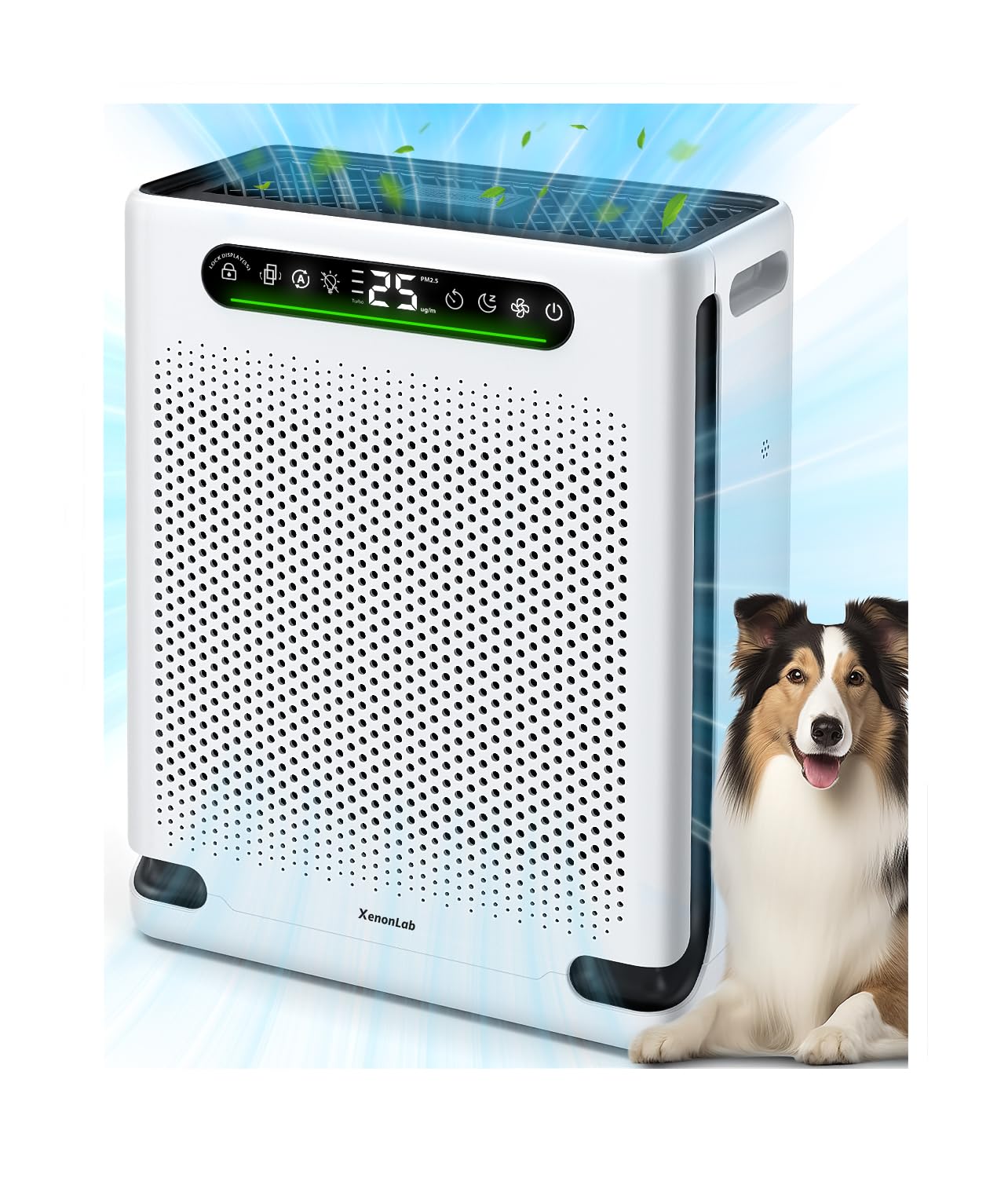
Obraz: Przód view of the XenonLab HAP605 Air Purifier.
Ważne instrukcje bezpieczeństwa
To reduce the risk of fire, electric shock, or injury, please read and follow all instructions and warnings before using this appliance.
- Zawsze odłączaj oczyszczacz powietrza od zasilania przed jego przenoszeniem, otwieraniem kratki, wymianą filtrów lub wykonywaniem jakichkolwiek czynności konserwacyjnych.
- Nie należy używać urządzenia, jeśli przewód lub wtyczka są uszkodzone.
- Trzymaj przewód zasilający z dala od nagrzanych powierzchni.
- Nie używaj oczyszczacza powietrza w wilgotnym lub damp środowiska.
- Upewnij się, że wloty i wyloty powietrza nie są zablokowane.
- Urządzenie to nie jest przeznaczone do użytku przez osoby (w tym dzieci) o ograniczonej sprawności fizycznej, sensorycznej lub umysłowej, a także osoby nieposiadające odpowiedniego doświadczenia lub wiedzy, chyba że znajdują się one pod nadzorem osoby odpowiedzialnej za ich bezpieczeństwo lub otrzymały od niej instrukcje dotyczące korzystania z urządzenia.
Składniki produktu
Familiarize yourself with the main parts of your XenonLab HAP605 Air Purifier.
- Jednostka główna
- Control Panel with Air Quality Display
- Zmywalny filtr wstępny
- Filtr HEPA
- Filtr z węglem aktywnym
- Przewód zasilający

Image: The XenonLab HAP605 Air Purifier, highlighting the control panel and air inlets.
Przewodnik po konfiguracji
Rozpakowywanie i umieszczanie
Remove the air purifier from its packaging. Place the unit on a firm, level surface at least 6 inches (15 cm) away from walls or furniture to ensure proper airflow. Ensure the power cord is not obstructed.
Instalacja filtra
The filters are typically pre-installed but may be wrapped in plastic for shipping.
- Odłącz oczyszczacz powietrza od zasilania.
- Otwórz przednią pokrywę oczyszczacza powietrza.
- Remove the pre-filter, HEPA filter, and activated carbon filter.
- Remove any plastic packaging from each filter.
- Reinsert the filters in the correct order: Activated Carbon Filter first, then HEPA Filter, then Washable Pre-Filter. Ensure they are seated correctly.
- Zamknij dokładnie przednią pokrywę.

Image: Illustration of opening the air purifier to access and install filters.

Image: Diagram showing the multi-layer filtration system: Pre-Filter, HEPA Layer, and Activated Carbon Matrix.
Podłączenie zasilania
Podłącz przewód zasilający do standardowego gniazdka elektrycznego. Urządzenie przejdzie w tryb czuwania.
Instrukcja obsługi
The control panel allows you to manage all functions of your air purifier.

Image: Close-up of the air purifier's control panel with various function icons.
Włączanie/wyłączanie zasilania
Naciśnij Przycisk zasilania to turn the unit on or off. Upon startup, the purifier enters a 30-second detection phase, during which the indicator light will flash continuously.
Regulacja prędkości wentylatora
Naciśnij Przycisk prędkości wentylatora to cycle through different fan speeds: Low, Medium, High.
Tryb automatyczny
Naciśnij Przycisk trybu automatycznego to activate Auto Mode. In this mode, the built-in PM2.5 sensor continuously monitors air quality, and the fan speed adjusts automatically to optimize purification performance.

Image: The air quality display showing PM2.5 levels and corresponding color indicators.
Tryb Turbo
Naciśnij Przycisk trybu Turbo for maximum purification power. This mode is ideal for quickly clearing pet hair, dander, odors, smoke, or dust.
Tryb uśpienia
Aktywować Tryb uśpienia for ultra-quiet operation. In this mode, all lights on the display will turn off after 3 seconds, and the noise level will reduce to as low as 20dB for an undisturbed sleep environment.

Image: The air purifier operating quietly in a bedroom, illustrating its sleep mode feature.
Funkcja timera
Naciśnij Przycisk timera to set the operating time for 1 to 24 hours. The unit will automatically turn off after the set duration.

Image: Graphic illustrating the timer function with options for 2, 5, and 8 hours.
Blokada dziecięca
Naciśnij i przytrzymaj Przycisk blokady dziecięcej for 3 seconds to activate or deactivate the child lock. This prevents accidental changes to settings by children or pets.

Image: A child and a dog near the air purifier, with an icon indicating the child lock feature.
Dyfuzor olejków eterycznych
Locate the essential oil tray. Add a few drops of your preferred essential oil onto the aroma pad. Slide the tray back into the unit.

Image: Illustration of adding essential oil to the diffuser tray on the air purifier.
Konserwacja
Cleaning the Washable Pre-Filter
The pre-filter captures larger particles like dust, hair, and pet dander. It should be cleaned regularly to maintain efficiency.
- Odłącz oczyszczacz powietrza od gniazdka elektrycznego.
- Open the front cover and remove the washable pre-filter.
- Rinse the pre-filter under running water or use a soft brush to remove accumulated debris.
- Ensure the pre-filter is completely dry before reinstalling it.

Image: Steps for cleaning the washable pre-filter, showing removal and rinsing.
Wymiana głównego filtra
The built-in indicator will notify you when it's time to replace the main HEPA and Activated Carbon filters.
- When the filter change indicator lights up red, it's time for replacement.
- Odłącz oczyszczacz powietrza od zasilania.
- Open the front cover and remove the old HEPA and Activated Carbon filters.
- Install new filters, ensuring they are correctly oriented.
- Zamknij przednią pokrywę.
- To reset the filter life indicator, press and hold the Przycisk resetowania filtra for 3 seconds. The indicator will flash and beep twice, then turn off.
Image: Visual guide for filter replacement, including the indicator, removal, and reset.
Czyszczenie zewnętrzne
Przetrzyj zewnętrzną część oczyszczacza powietrza miękką, suchą ściereczką. Nie używaj środków czyszczących o właściwościach ściernych ani rozpuszczalników.
Rozwiązywanie problemów
| Problem | Możliwa przyczyna | Rozwiązanie |
|---|---|---|
| Jednostka się nie włącza | Niepodłączony; Zasilanie wyłączonetage; Front cover not closed properly. | Ensure power cord is securely plugged in; Check power supply; Ensure front cover is fully latched. |
| Weak airflow / Noisy operation | Filters are dirty or clogged; Air inlets/outlets blocked. | Clean the pre-filter; Replace main filters; Clear any obstructions from air vents. |
| Jakość powietrza nie poprawia się | Filters are old; Unit size not suitable for room; Strong odor source. | Replace main filters; Ensure unit is appropriate for room size; Address source of strong odors. |
| Display lights are off in Sleep Mode | This is normal operation for Sleep Mode. | No action required. Press any button to temporarily illuminate the display. |
Specyfikacje
| Funkcja | Szczegół |
|---|---|
| Marka | XenonLab |
| Numer modelu | HAP605 |
| Wymiary produktu | 12.06" gł. x 6.1" szer. x 16.06" wys. |
| Waga przedmiotu | 6.73 funtów |
| Źródło zasilania | AC |
| Typ filtra | HEPA, Activated Carbon, Washable Pre-Filter |
| Poziom hałasu (tryb uśpienia) | Już od 20 dB |
| Obszar zasięgu | Do 2600 mkw. Ft. |
Gwarancja i wsparcie
For warranty information or technical support, please contact XenonLab customer service. Refer to the product packaging or the official XenonLab webna tej stronie znajdziesz najbardziej aktualne dane kontaktowe.
Wsparcie online: Visit the official XenonLab webStrona z odpowiedziami na często zadawane pytania i zasobami pomocy.
