
1. Wprowadzenie
This manual provides detailed instructions for the setup, operation, and maintenance of your VOOPEAK 4G Trail Camera, model TC31A. Designed for outdoor surveillance and wildlife observation, this camera features 32MP photo resolution, 1080P HD video recording, 850nm invisible infrared night vision, 4G cellular connectivity, and an IP66 waterproof rating.
Please read this manual thoroughly before using the camera to ensure optimal performance and longevity.
2. Informacje dotyczące bezpieczeństwa
- Do not attempt to disassemble or modify the camera. Unauthorized modifications can void the warranty and cause damage.
- Use only specified batteries (8 AA batteries). Mixing old and new batteries or different types of batteries is not recommended.
- Aby zachować klasę wodoodporności IP66, należy upewnić się, że komora baterii jest szczelnie zamknięta.
- Keep the camera away from extreme temperatures, direct sunlight for prolonged periods, and corrosive materials.
- Zutylizuj baterie zgodnie z lokalnymi przepisami.
3. Zawartość opakowania
Sprawdź, czy w przesyłce znajdują się wszystkie elementy:
- VOOPEAK TC31A 4G Trail Camera
- Kabel ładujący USB-C
- Pasek/uchwyt montażowy
- Instrukcja obsługi
- Integrated SIM Card (pre-installed)
Note: 8 AA batteries and a Micro SD card (up to 64GB) are not included and must be purchased separately.
4. Koniec produktuview
Familiarize yourself with the main components of your VOOPEAK TC31A Trail Camera.

Rycina 4.1: Przód view of the VOOPEAK TC31A 4G Trail Camera, showing the lens, PIR sensor, and integrated screen.

Rysunek 4.2: Wewnętrzne view of the camera, highlighting the LCD screen, navigation buttons, and mode switch (OFF/SETUP/ON).

Figure 4.3: Close-up of the camera's internal compartment, showing the integrated SIM card slot and the Micro SD card slot (card not included).
- Główny obiektyw: Robi zdjęcia o rozdzielczości 32 MP i nagrywa filmy w rozdzielczości HD 1080P.
- Czujnik ruchu PIR: Detects movement up to 20 meters.
- Infrared LEDs (2x 850nm): Provides invisible night vision for clear black and white images in low light.
- 2-calowy ekran LCD: For menu navigation, settings adjustment, and on-site photo/video review.
- Przyciski sterujące: Poruszaj się po menu i potwierdzaj wybory.
- Zmiana trybu: OFF, SETUP, ON.
- Integrated 4G SIM Card: Enables cellular connectivity for remote access.
- Gniazdo kart Micro SD: Obsługuje do 64 GB pamięci lokalnej.
- Antena zewnętrzna: Enhances 4G signal reception.
- Komora baterii: Mieści 8 baterie AA.
- Port USB-C: For connecting to a computer or external power source (not for charging internal batteries).
5. Konfiguracja
5.1 Instalacja baterii
- Open the camera's side latches and open the housing.
- Zlokalizuj komorę baterii.
- Włóż 8 nowych baterii AA, zwracając uwagę na prawidłową biegunowość (+/-).
- Close the battery compartment and secure the latches firmly to maintain waterproofing.
5.2 Instalacja karty Micro SD
- With the camera powered OFF, locate the Micro SD card slot.
- Insert a Micro SD card (Class 10 or higher, up to 64GB) into the slot until it clicks into place.
- Aby wyjąć kartę, wciśnij ją ponownie, aż wysunie się.
5.3 SIM Card Activation (Integrated)
The camera comes with an integrated 4G SIM card. To enable cellular functions and cloud services:
- Download the "TrailCam Go" application on your smartphone (available on iOS and Android app stores).
- Follow the in-app instructions to register your camera and activate the integrated SIM card. This typically involves scanning a QR code on the camera.
- Choose a suitable data plan for your needs. A trial period or special offer may be available for the first month.
5.4 Montaż kamery
The camera can be mounted using the provided strap or bracket.
- Lokalizacja: Wybierz stabilne miejsce, np. drzewo lub słupek, które zapewnia przejrzyste światło. view pożądanego obszaru monitorowania.
- Wysokość: Mount the camera at a height appropriate for the subjects you wish to capture (e.g., animal eye level).
- Orientacja: Ensure the camera is level and pointed correctly. Avoid pointing directly at the sun to prevent overexposure.

Rysunek 5.1: Example of the camera mounted on a tree using the provided strap.
6. Instrukcja obsługi
6.1 Initial Configuration via LCD Screen
- Switch the mode selector to "SETUP". The LCD screen will turn on.
- Use the navigation buttons to browse the menu.
- Dostosuj ustawienia takie jak:
- Tryb: Zdjęcie, wideo, zdjęcie+wideo.
- Rozdzielczość zdjęcia: Do 32 MP.
- Rozdzielczość wideo: 1080P HD.
- Czułość PIR: Low, Medium, High (adjust based on environment to minimize false triggers).
- Opóźnienie wykrywania: Time interval between detections.
- Data i godzina: Ustaw aktualną godzinę i datę.
- Nagrywanie w pętli: Enable/Disable (overwrites oldest files when SD card is full).
- After configuring settings, switch the mode selector to "ON" to begin operation. The screen will turn off, and the camera will enter monitoring mode.
Figure 6.1: Using the integrated LCD screen for camera setup. Ensure the mode switch is in "SETUP" position.
6.2 Remote Monitoring via TrailCam Go App
Once the SIM card is activated and the camera is connected to the 4G network, you can remotely access its features via the "TrailCam Go" app.
- Open the "TrailCam Go" app on your smartphone.
- Your registered camera should appear in the device list.
- Z aplikacji możesz:
- Receive real-time motion detection alerts.
- View captured photos and video replays (stored in the cloud).
- Adjust camera settings remotely.
- Sprawdź stan baterii i siłę sygnału.

Figure 6.2: Real-time motion detection alerts received on a smartphone via the TrailCam Go app.

Figure 6.3: Accessing high-quality 32MP photos and 1080P videos through the TrailCam Go application.
6.3 Obsługa widzenia nocnego
The camera automatically switches to night vision mode in low light conditions. The two 850nm infrared LEDs provide illumination without visible flash, ensuring discreet capture of wildlife. Night vision images and videos will be in black and white.
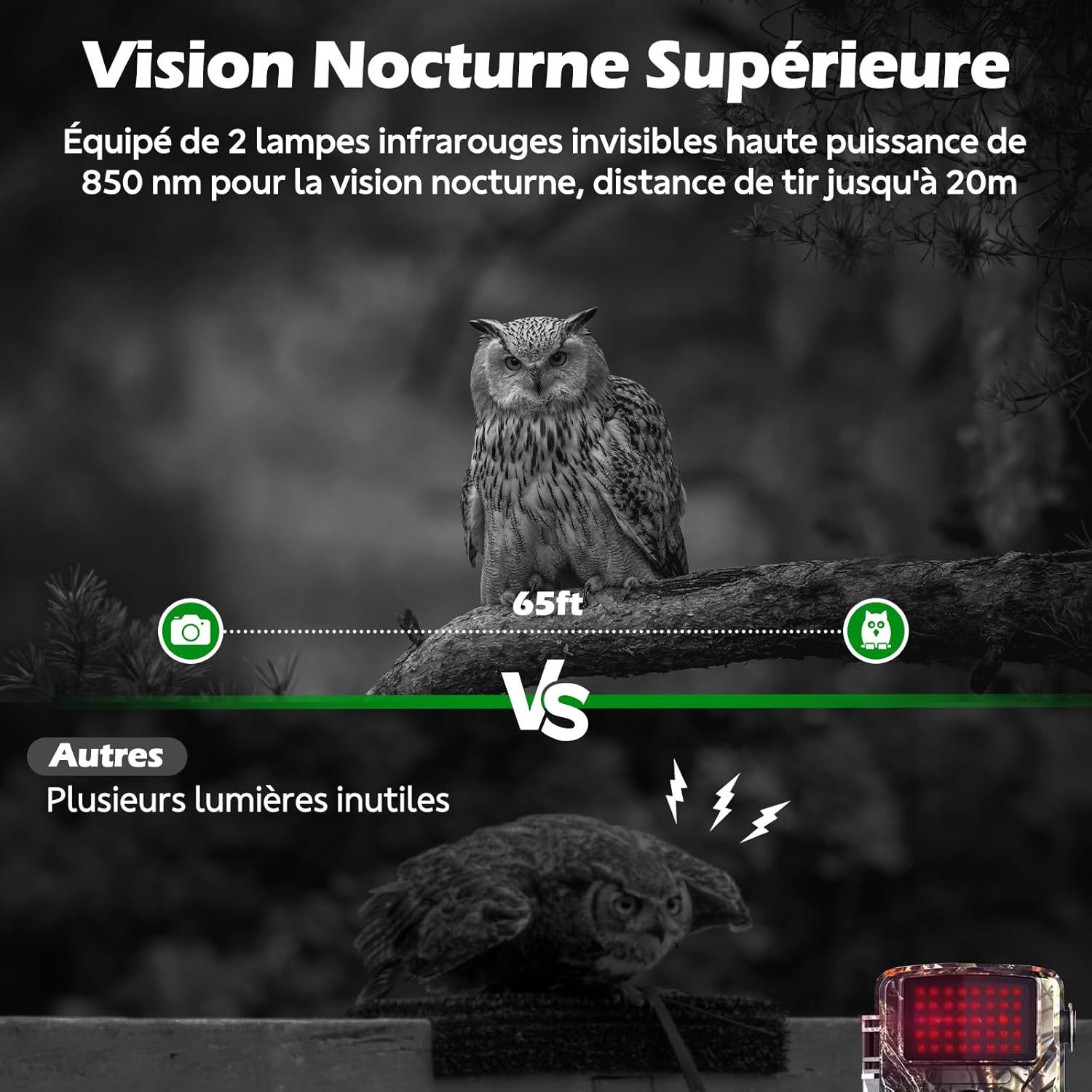
Figure 6.4: Superior night vision capability of the VOOPEAK TC31A, capturing clear images in darkness using invisible infrared light.
6.4 Nagrywanie w pętli
When enabled in the camera settings, loop recording automatically overwrites the oldest files on the Micro SD card when it becomes full, ensuring continuous operation without manual intervention.

Figure 6.5: Loop recording ensures continuous capture by overwriting the oldest files gdy karta SD jest pełna.
7. Konserwacja
- Czyszczenie: Use a soft, dry cloth to clean the camera lens and PIR sensor. Do not use abrasive cleaners or solvents.
- Wymiana baterii: Replace all 8 AA batteries when the low battery indicator appears on the screen or in the app.
- Zarządzanie kartami SD: Regularly check the SD card capacity. Enable loop recording or manually delete old files, aby zapewnić ciągłe nagrywanie.
- Aktualizacje oprogramowania układowego: Check the "TrailCam Go" app or VOOPEAK's official webodwiedź tę witrynę, aby uzyskać dostęp do aktualizacji oprogramowania sprzętowego, które zapewnią optymalną wydajność i nowe funkcje.
8. Rozwiązywanie Problemów
| Problem | Możliwa przyczyna | Rozwiązanie |
|---|---|---|
| Kamera się nie włącza. | Baterie są słabe lub nieprawidłowo zainstalowane. | Wymień baterie na nowe AA, zwracając uwagę na prawidłową biegunowość. |
| Brak zdjęć/filmów. | SD card full, incorrectly inserted, or corrupted. PIR sensitivity too low. Camera in OFF mode. | Check/replace SD card. Format SD card via camera menu. Increase PIR sensitivity. Ensure camera is in ON mode. |
| No 4G signal or remote access. | SIM card not activated. Poor cellular coverage. Data plan expired. | Verify SIM activation and data plan status in the app. Relocate camera to an area with better signal. |
| Rozmazane obrazy/filmy. | Lens is dirty. Camera is too close/far from subject. | Clean the lens. Adjust camera position relative to the subject. |
| Fałszywe wyzwalacze. | PIR sensitivity too high. Heat sources or moving branches in detection zone. | Decrease PIR sensitivity. Clear detection zone of obstructions. |
9. Specyfikacje
| Nazwa modelu | TC31A 4G Trail Camera |
| Marka | VOOPEAK |
| Technologia łączności | Bezprzewodowy (4G komórkowy) |
| Rozdzielczość zdjęcia | 32 megapiksela |
| Rozdzielczość wideo | 1080P HD @ 30fps |
| Viewing kąt | 120 stopni |
| Zakres noktowizora | 20 m (65 stóp) |
| Diody podświetlające | 2 x 850nm (Invisible) |
| Wykrywanie ruchu | Czujnik PIR |
| Odporność na wodę | Wodoodporność IP66 |
| Źródło zasilania | 8 baterie AA (brak w zestawie) |
| Składowanie | Micro SD Card (up to 64GB, not included), Cloud Storage via App |
| Metoda kontroli | Integrated LCD Screen, Smartphone App ("TrailCam Go") |
| Wymiary | Wymiary 19.5 x 8.5 x 12.5 cm |
| Temperatura pracy | -25°C do 60°C |
10. Gwarancja i wsparcie
The VOOPEAK TC31A 4G Trail Camera comes with a 1-letnia gwarancja producenta od daty zakupu.
For technical support, warranty claims, or any questions regarding your product, please contact VOOPEAK customer service through the "TrailCam Go" application or visit the official VOOPEAK website. Please have your model number (TC31A) and purchase details ready when contacting support.
11. Zasoby wideo
For visual guidance on setup and operation, please refer to official VOOPEAK video tutorials. If available, relevant videos will be embedded below.
Note: No specific video URLs with "creator_type":"Seller" were found in the provided product data. Please check the VOOPEAK official website or product page for available video resources.