
1. Wprowadzenie
This manual provides detailed instructions for the installation, operation, and maintenance of your JOOAN 4G Solar Security Camera. This outdoor wireless surveillance camera is designed for areas without traditional power or network infrastructure, utilizing 4G cellular connectivity and solar power for continuous operation. Please read this manual thoroughly before use to ensure proper setup and functionality.

Image 1.1: JOOAN 4G Solar Security Camera with its solar panel and a smartphone displaying the camera's live feed, highlighting its 4MP/5MP HD resolution capability.
2. Funkcje produktu
- Łączność 4G: Operates independently using a SIM card, ideal for remote locations.
- Zasilane energią słoneczną: Equipped with a solar panel for continuous charging, reducing the need for external power sources.
- Rozdzielczość wysokiej rozdzielczości: Nagrywa wyraźne wideo footage for effective surveillance.
- Kolorowe widzenie nocne: Offers multiple night vision modes including infrared, full-color, and smart color night vision for enhanced visibility in low-light conditions up to 10 meters.
- Przechowywanie lokalne i w chmurze: Supports up to 256GB SD card storage and optional cloud storage for recorded footage.
- Łatwa instalacja: Designed for straightforward setup and mounting.
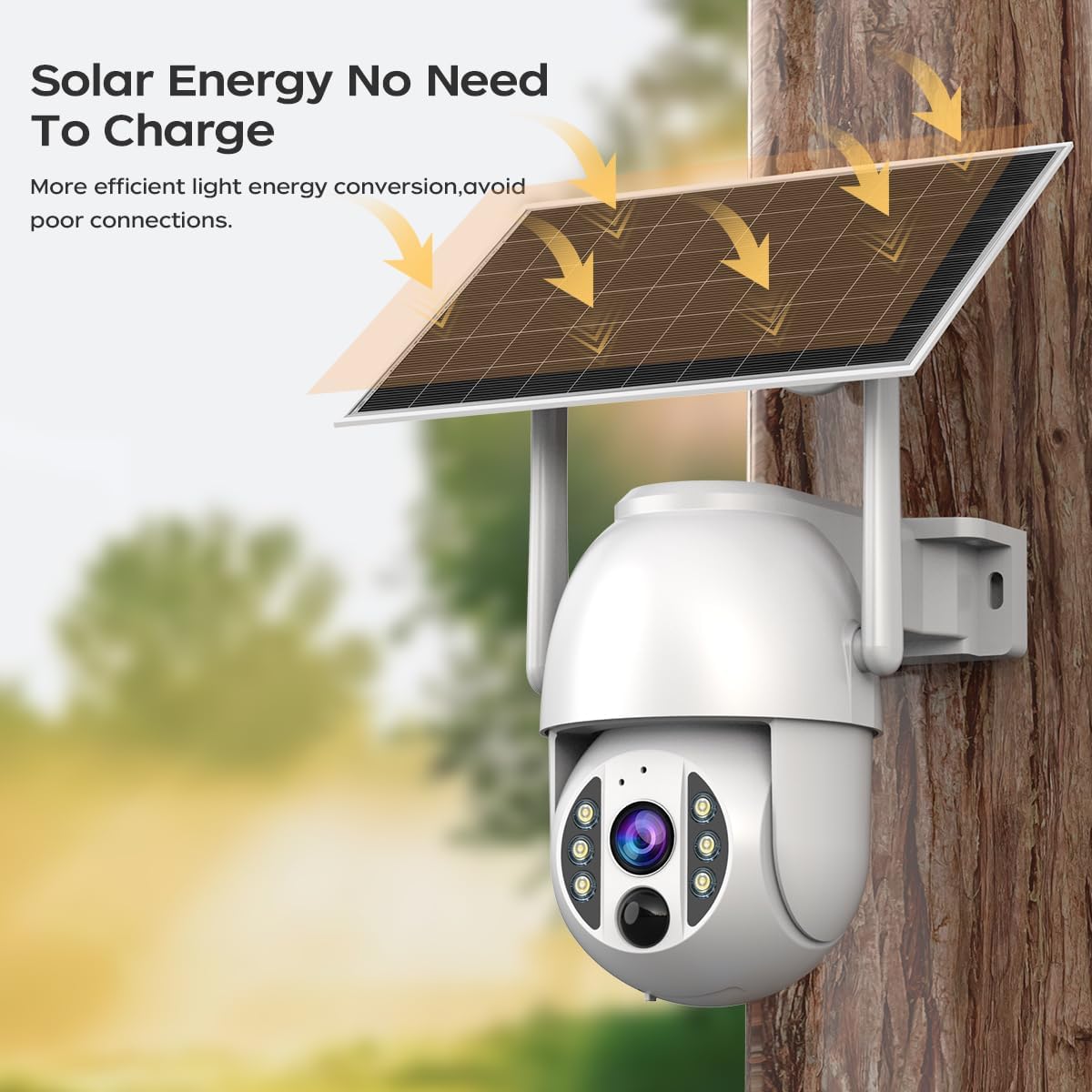
Image 2.1: The JOOAN 4G Solar Security Camera mounted with its solar panel, illustrating its solar energy capability for efficient light energy conversion and avoiding poor connections.
3. Konfiguracja i instalacja
3.1. Instalacja karty SIM i karty SD
Before mounting, install a 4G SIM card (not included) and an SD card (up to 256GB, not included) into the designated slots on the camera. Ensure the camera is powered off before inserting or removing cards.

Obraz 3.1: Zbliżenie view of the JOOAN camera's SD card slot, indicating support for cloud storage and a maximum 256GB SD card.
3.2. Etapy montażu
- Pozycjonowanie i dziurkowanie: Select a suitable location for the camera and solar panel. Mark the drilling points on the wall. Use a drill to create holes at the marked positions.
- Włóż śruby rozprężne: Gently tap the expansion screws into the drilled holes until they are flush with the surface.
- Zamontuj kamerę: Align the camera bracket with the expansion screws and secure it using the provided screws.
- Instalacja kompletna: Attach the solar panel to the camera bracket or mount it separately in a location with ample sunlight. Ensure all connections are secure.

Image 3.2: Visual guide showing the four installation steps: 1. Positioning and punching, 2. Inserting expansion screws, 3. Mounting the camera with screws, and 4. Completing the installation with the solar panel.
3.3. Połączenie aplikacji
Download the official JOOAN app from your smartphone's app store. Follow the in-app instructions to add your camera. There are typically two methods:
- Add APP Phone Code: Scan the QR code displayed on your mobile phone APP with the camera lens from a distance of 20-30cm to add the distribution network.
- Add Camera Body Code: Scan the QR code located on the camera body using the mobile phone APP to add the distribution network.

Image 3.3: Illustration of the two connection methods: scanning the APP phone code or scanning the camera body code to establish a network connection.
4. Działanie
4.1. Włączanie/wyłączanie zasilania
The camera automatically powers on when sufficient solar power is available or when connected to a power source. To power off, disconnect the power source and allow the battery to deplete, or use the app if a power-off function is available.
4.2. Na żywo View i nagrywanie
Once connected to the app, you can access the live video feed. The camera supports continuous recording to the SD card or cloud storage (subscription may be required). You can also manually record video or capture screenshots from the live view.
4.3. Detekcja ruchu i alerty
Configure motion detection sensitivity and alert settings within the app. The camera will send notifications to your smartphone when motion is detected. Recorded events can be reviewed in the app's playback section.
4.4. Tryby widzenia nocnego
The camera offers three night vision modes, selectable via the app:
- Nocna Nocna Wizja: Zapewnia wyraźne czarno-białe obrazy w całkowitej ciemności.
- Pełnokolorowa wizja nocna: Wykorzystuje wbudowane reflektory zapewniające kolorowe obrazy w warunkach słabego oświetlenia.
- Inteligentna kolorowa wizja nocna: Automatically switches from infrared to full-color vision upon detection of motion or specific events.

Image 4.1: Comparison of the three night vision modes: Infrared night vision, Full color night vision, and Smart color night vision, demonstrating the camera's ability to pick out details in darkness up to 10 meters away.
5. Konserwacja
- Czyszczenie obiektywu: Regularnie czyść obiektyw aparatu miękką, suchą ściereczką, aby zapewnić wysoką jakość obrazu. Unikaj środków czyszczących o właściwościach ściernych.
- Czyszczenie paneli słonecznych: Keep the solar panel free from dust, dirt, and debris to maximize charging efficiency. Clean with a damp szmatkę w razie potrzeby.
- Aktualizacje oprogramowania układowego: Sprawdzaj okresowo aplikację pod kątem dostępności aktualizacji oprogramowania sprzętowego, aby zapewnić optymalną wydajność i bezpieczeństwo.
- Stan baterii: Ensure the solar panel receives adequate sunlight to maintain battery charge. Prolonged periods without sunlight may require temporary charging via a USB power adapter (not included).
6. Rozwiązywanie Problemów
6.1. Kamera nie łączy się z siecią 4G
- Sprawdź, czy karta SIM została prawidłowo włożona i aktywowana przy użyciu ważnego planu danych.
- Sprawdź siłę sygnału 4G w miejscu, w którym znajduje się kamera.
- Uruchom ponownie kamerę poprzez chwilowe odłączenie i ponowne podłączenie zasilania.
6.2. No Video Feed or Poor Quality
- Verify the camera has sufficient power.
- Check the 4G signal strength.
- Wyczyść obiektyw aparatu.
6.3. Panel słoneczny nie ładuje się
- Upewnij się, że panel słoneczny jest umieszczony w miejscu, w którym będzie wystawiony na bezpośrednie działanie promieni słonecznych przez kilka godzin dziennie.
- Clean any dirt or obstructions from the solar panel surface.
- Sprawdź kabel łączący panel słoneczny z kamerą.
6.4. Karta SD nie nagrywa
- Sprawdź, czy karta SD została prawidłowo włożona i sformatowana w aplikacji.
- Sprawdź, czy na karcie SD jest wystarczająca ilość wolnego miejsca.
- Sprawdź ustawienia nagrywania w aplikacji.
7. Specyfikacje
| Funkcja | Szczegół |
|---|---|
| Marka | Joanna |
| Model | B0GCFGYCLX |
| Źródło zasilania | Zasilany energią słoneczną |
| Protokół łączności | 4G Cellular (SIM card required), Wi-Fi (for initial setup/local access if applicable) |
| Zalecane zastosowania | Indoor/Outdoor Surveillance |
| Funkcja specjalna | Łatwy w instalacji |
| Składowanie | Supports up to 256GB SD card, Cloud Storage (subscription may apply) |
8. Gwarancja i wsparcie
Aby uzyskać informacje dotyczące gwarancji i pomocy technicznej, zapoznaj się z oficjalną stroną JOOAN webOdwiedź stronę internetową lub skontaktuj się bezpośrednio z działem obsługi klienta. Zachowaj paragon jako dowód zakupu.
Aby uzyskać dalszą pomoc, odwiedź stronę: Sklep JOOAN na Amazon