
Wstęp
This manual provides detailed instructions for the safe and efficient use of your SWOFY M4 128GB MP3 Player. Please read this manual thoroughly before operating the device and retain it for future reference.
Informacje dotyczące bezpieczeństwa
- Nie wystawiaj urządzenia na działanie ekstremalnych temperatur, bezpośredniego światła słonecznego i wysokiej wilgotności.
- Unikaj upuszczania i narażania urządzenia na silne uderzenia.
- Nie próbuj samodzielnie demontować ani naprawiać urządzenia. Skontaktuj się z wykwalifikowanym personelem serwisowym.
- Do ładowania należy używać wyłącznie dołączonego kabla USB typu C.
- Trzymaj urządzenie z dala od wody i innych płynów.
Zawartość opakowania
Sprawdź, czy w przesyłce znajdują się wszystkie elementy:
- SWOFY M4 128GB MP3 Player
- Kabel USB typu C.
- Instrukcja obsługi (ten dokument)
- Przewodowe słuchawki
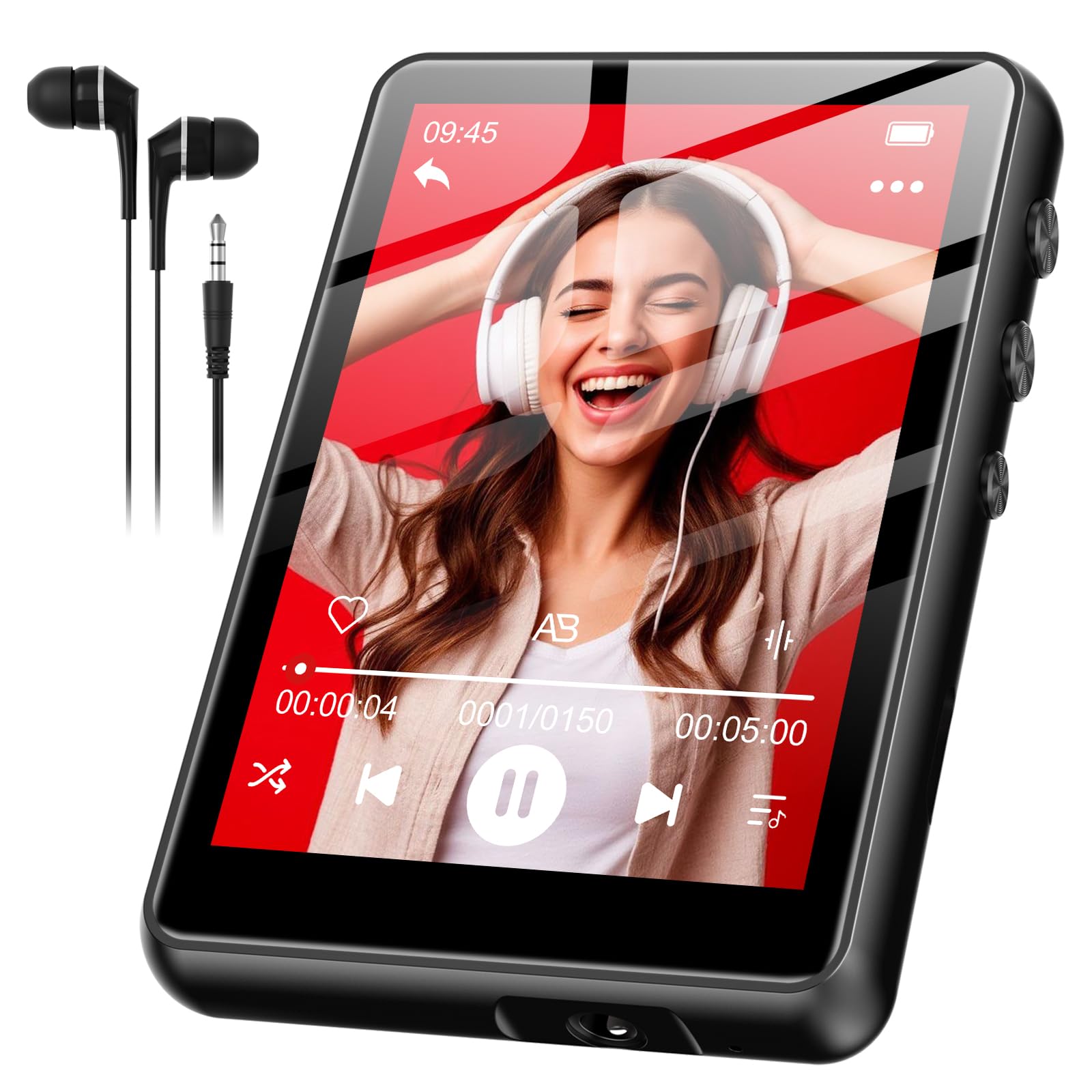
Image: SWOFY M4 MP3 Player with its USB Type-C cable, wired earphones, and user manual, laid out on a surface.
Produkt ponadview
The SWOFY M4 MP3 Player features a 2.4-inch screen and a compact design. It includes three physical buttons for basic control, in addition to its touch screen functionality.
Elementy sterujące i porty
- Przycisk zasilania: Naciśnij i przytrzymaj, aby włączyć/wyłączyć. Naciśnij krótko, aby zablokować/odblokować ekran.
- Przyciski głośności (+/-): Dostosuj głośność dźwięku.
- Port USB typu C: Do ładowania i przesyłania danych.
- Gniazdo słuchawkowe 3.5 mm: For wired earphones.
Note: Specific button locations may vary slightly. Refer to the device's physical layout.
Organizować coś
- Ładowanie urządzenia:
Before first use, fully charge your MP3 player. Connect the provided USB Type-C cable to the device's charging port and the other end to a USB power adapter (not included) or a computer's USB port. The device fully charges in approximately 2 hours. The battery indicator on the screen will show charging status.
- Włączanie/wyłączanie:
To power on, press and hold the Power button until the screen illuminates. To power off, press and hold the Power button until a power-off option appears on the screen, then confirm.
- Ustawianie języka:
Upon first power-on, or if the language is not set to English, navigate through the menus to find the "Settings" or "System Settings" option. Look for a "Language" setting. Select "English" from the available options. This is crucial for proper device operation and understanding menu options.
- Przesyłanie muzyki Files:
Connect the MP3 player to your computer using the USB Type-C cable. The device should appear as a removable disk drive. Drag and drop your music files (e.g., MP3, WMA, FLAC) into the designated music folder on the player. Safely eject the device from your computer before disconnecting the cable.
Instrukcja obsługi
Podstawowa nawigacja
The SWOFY M4 features a 2.4-inch touch screen for navigation. You can also use the physical buttons for certain functions:
- Ekran dotykowy: Tap icons to select, swipe to scroll through lists or pages.
- Przycisk zasilania: Short press to return to the previous menu or home screen (functionality may vary by context).
- Przyciski głośności: Dostosuj głośność odtwarzania.
Odtwarzanie muzyki
- W menu głównym kliknij ikonę „Muzyka”.
- Przeglądaj swoją muzykę według artysty, albumu, piosenek lub list odtwarzania.
- Kliknij utwór, aby rozpocząć odtwarzanie.
- During playback, you can use the on-screen controls to pause/play, skip tracks, or adjust volume.
Parowanie Bluetooth
To connect your SWOFY M4 to Bluetooth headphones or speakers:
- Upewnij się, że Twoje urządzenie audio Bluetooth jest w trybie parowania.
- On the MP3 player, go to "Settings" and then "Bluetooth".
- Turn Bluetooth "On" and tap "Szukaj Urządzenia".
- Wybierz urządzenie z listy, aby je sparować. Po sparowaniu dźwięk będzie przesyłany strumieniowo bezprzewodowo.
Radio FM
Aby skorzystać z funkcji radia FM:
- Connect the wired earphones to the 3.5mm jack. The earphones act as an antenna.
- W menu głównym kliknij ikonę „Radio FM”.
- Użyj przycisków na ekranie, aby wyszukać stacje lub dostroić je ręcznie.
- The device supports up to 7.5 hours of FM radio recording. Consult the on-screen menu for recording options.
Konserwacja
- Czyszczenie: Use a soft, dry, lint-free cloth to clean the screen and body of the device. Do not use liquid cleaners or aerosols.
- Pielęgnacja baterii: To prolong battery life, avoid fully discharging the battery frequently. Charge the device regularly, especially if it will be stored for an extended period. The 300mAh lithium polymer battery is designed for long-lasting performance.
- Składowanie: Przechowuj odtwarzacz MP3 w chłodnym i suchym miejscu, z dala od bezpośredniego światła słonecznego i ekstremalnych temperatur.
Rozwiązywanie problemów
If you encounter issues with your SWOFY M4 MP3 Player, refer to the following common solutions:
| Problem | Rozwiązanie |
|---|---|
| Urządzenie nie włącza się. | Upewnij się, że bateria jest naładowana. Podłącz urządzenie do źródła zasilania i ładuj je przez co najmniej 15 minut, zanim spróbujesz ponownie je włączyć. |
| Screen menus are not in English. | Navigate to the "Settings" or "System Settings" menu (often represented by a gear icon). Locate the "Language" option (it may be represented by a globe icon or text in the current language). Select "English" from the list. |
| Cannot delete songs. | Ensure the device is not connected to a computer. Navigate to the music library, select the song(s) you wish to delete, and look for an "Options" or "Delete" function within the music playback or file management menu. If connected to a computer, delete files directly from the device's storage via the computer. |
| Touch screen is unresponsive or inaccurate. | Restart the device. Ensure the screen is clean and dry. If the issue persists, perform a factory reset (see below). |
| Device is frozen or unresponsive. | Press and hold the Power button for approximately 10-15 seconds to force a restart. If this does not work, locate a small reset pinhole (if present) and use a paperclip to press it. |
| Urządzenie Bluetooth nie zostanie sparowane. | Ensure both devices are in pairing mode and within range. Turn Bluetooth off and on again on both devices. Try pairing with another Bluetooth device to confirm the MP3 player's Bluetooth functionality. |
Przywracanie ustawień fabrycznych
A factory reset will erase all data and settings on your device and restore it to its original factory state. Use this as a last resort for persistent issues.
- Go to "Settings" > "System Settings" (or similar).
- Look for "Reset" or "Factory Reset" option.
- Confirm the reset. The device will restart after the process is complete.
Specyfikacje
| Funkcja | Szczegół |
|---|---|
| Numer modelu | SF-M4US-128GB-NA2 |
| Marka | SWOFY |
| Pojemność pamięci masowej | 128 GB |
| Rozmiar ekranu | 2.4 cali |
| Typ baterii | Polimer litowy 300 mAh |
| Czas ładowania | Około 2 godzin |
| Wired Earphone Playback | Do 50 godzin |
| FM Radio Recording | Do 7.5 godzin |
| Łączność | Bluetooth, USB typu C |
| Zawarte komponenty | MP3 Player, USB Type-C Cable, User Manual, Wired Earphones |
| Wymiary paczki | Wymiary 14.81 x 14.6 x 1.9 cm |
| Waga | 181 gramów |
Gwarancja i wsparcie
SWOFY products are designed for reliability and performance. For warranty information or technical support, please refer to the contact details provided on the product packaging or visit the official SWOFY webZachowaj paragon jako dowód zakupu na wypadek reklamacji.
Aby uzyskać dalszą pomoc, możesz również skontaktować się ze sprzedawcą, u którego dokonano zakupu produktu.


