
Wstęp
The Ulefone Tab A9 Pro is a compact, portable tablet designed for versatile use, from learning and entertainment to productivity. Featuring an 8.68-inch TÜV SÜD Eye Comfort Display, Android 15 operating system, and robust performance, this manual provides essential information for setup, operation, maintenance, and troubleshooting.
Co jest w pudełku
Po rozpakowaniu sprawdź, czy w opakowaniu znajdują się wszystkie elementy:
- 1x Ulefone Tab A9 Pro Tablet
- 1x Type-C to Type-C Charging Cable (1M)
- 1x Tempered Glass Screen Protector (Pre-installed on the device)
- 1x Cartoon Decor Kit
- 1x EVA Protective Case
Organizować coś
1. Pierwsze włączenie zasilania
Press and hold the power button located on the side of the tablet until the Ulefone logo appears. Follow the on-screen prompts to select your language, region, and connect to a Wi-Fi network.
2. Ładowanie tabletu
Connect the provided Type-C to Type-C charging cable to the tablet's charging port and a compatible power adapter. Plug the adapter into a wall outlet. The battery indicator on the screen will show charging status. For optimal battery life, fully charge the tablet before first use.
3. Konfiguracja konta
During the initial setup, you will be guided to set up your Google account. This is necessary to access the Google Play Store for downloading applications and services.
4. Installing the Protective Case and Charms
The included EVA protective case offers enhanced durability and a built-in stand. Carefully fit the tablet into the case. The cartoon decor kit includes various charms that can be inserted into designated holes on the case for personalization.
5. Używanie rysika
The tablet supports stylus input for precise navigation, drawing, and note-taking. Simply use the stylus directly on the screen as you would your finger.
6. Kontrola rodzicielska
The Android 15 operating system allows for comprehensive parental controls. Navigate to 'Settings' > 'Digital Wellbeing & parental controls' to set screen time limits, content restrictions, and manage app access for younger users.
Obsługa tabletu
Funkcje wyświetlacza
The Ulefone Tab A9 Pro features an 8.68-inch IPS display with a resolution of 800x1340 pixels and a 90Hz refresh rate for smooth visuals. It is TÜV SÜD Eye Comfort certified, designed to reduce blue light emission and minimize eye strain during extended use.

Image: The 8.68-inch TÜV SÜD Eye Comfort Display is optimized for comfortable long-term viewing.
Wydajność i przechowywanie
Powered by the MediaTek G91 processor and Android 15, the tablet offers responsive performance for multitasking and applications. It comes with 8GB RAM (4GB physical + 4GB virtual) and 128GB of internal storage, expandable up to 2TB via a microSD card (not included).

Image: The tablet's performance and storage capabilities support smooth operation and ampprzestrzeń dla aplikacji i multimediów.
Doświadczenie dźwiękowe
Enjoy an immersive audio experience with dual stereo speakers. A 3.5mm headphone jack is also available for private listening.
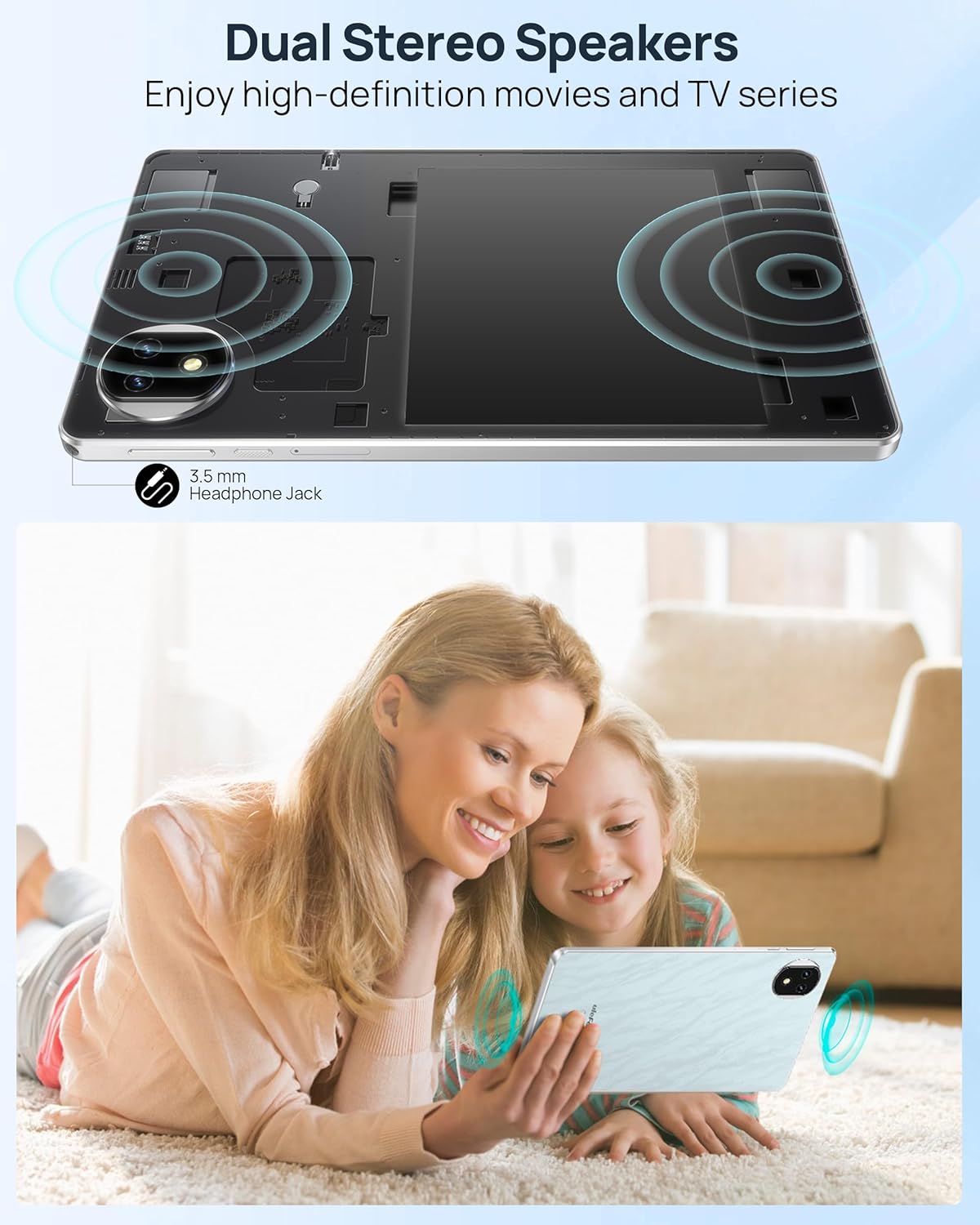
Image: Dual stereo speakers and a 3.5mm headphone jack provide versatile audio options.
Funkcjonalność aparatu
The tablet is equipped with an 8MP front camera, a 12MP main camera, and a 13MP ultra-wide camera for capturing photos and videos.
Łączność
The Ulefone Tab A9 Pro supports Wi-Fi and Bluetooth for wireless connectivity. It also features 4G cellular technology for on-the-go internet access and phone call functionality (if supported by your SIM card and carrier).
Pre-installed Features and Entertainment
The tablet comes with various pre-installed educational games and applications. It also supports Widevine L1 certification, enabling high-definition streaming from popular services like YouTube and Netflix.

Image: The Android 15 system provides access to a wide range of applications and games.
Konserwacja
Pielęgnacja baterii
The tablet is powered by a 5040mAh Lithium-Battery. To prolong battery life, avoid extreme temperatures and do not leave the tablet fully discharged for extended periods. Use only the provided charging cable or certified alternatives.
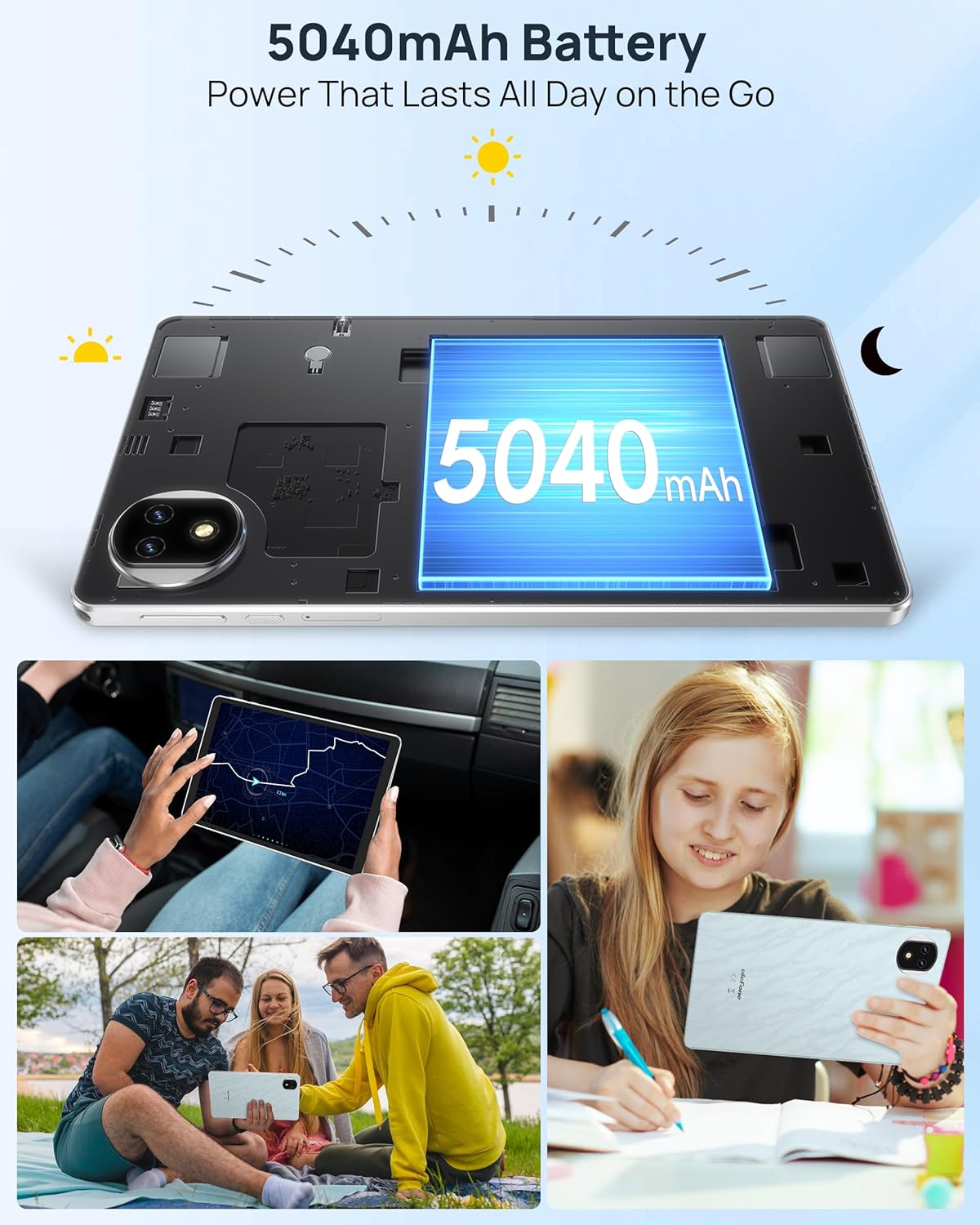
Image: The 5040mAh battery provides power for all-day use.
Czyszczenie
Do czyszczenia ekranu i obudowy tabletu używaj miękkiej, niepozostawiającej włókien ściereczki. W przypadku uporczywych plam delikatnie przetrzyj.ampPrzetrzyj ściereczkę wodą lub płynem do czyszczenia ekranów. Unikaj stosowania silnych środków chemicznych i materiałów ściernych.
Zarządzanie magazynem
Regularly manage your tablet's storage by deleting unnecessary files and uninstalling unused applications. Utilize the expandable storage option with a microSD card for large media files.
Rozwiązywanie problemów
Urządzenie nie włącza się
- Upewnij się, że bateria jest naładowana. Podłącz ładowarkę i odczekaj kilka minut przed ponownym włączeniem.
- Aby wymusić ponowne uruchomienie, naciśnij i przytrzymaj przycisk zasilania przez co najmniej 10–15 sekund.
Niska wydajność
- Zamknij nieużywane aplikacje działające w tle.
- Wyczyść dane pamięci podręcznej często używanych aplikacji.
- Upewnij się, że dostępna jest wystarczająca ilość miejsca do przechowywania.
- Okresowo należy ponownie uruchamiać tablet.
Wi-Fi/4G Connectivity Issues
- Toggle Wi-Fi/4G off and on.
- W przypadku problemów z siecią Wi-Fi uruchom ponownie router/modem.
- Ensure your SIM card is correctly inserted and activated for 4G.
Specyfikacje
| Funkcja | Specyfikacja |
|---|---|
| Marka | Ulefone |
| Nazwa modelu | Ulefone A9 Pro Tablet |
| System operacyjny | Android 15 |
| Edytor | MediaTek G91 |
| Pamięć RAM | 8 GB (4 GB pamięci fizycznej + 4 GB pamięci wirtualnej) |
| Pojemność magazynowa | 128 GB (możliwość rozszerzenia do 2 TB) |
| Rozmiar ekranu | 8.68 cali |
| Rozdzielczość wyświetlacza | 800×1340 |
| Typ wyświetlacza | IPS |
| Wyświetl częstotliwość odświeżania | 90 Hz |
| Pojemność baterii | 5040 mAh |
| Łączność | Bluetooth, Wi-Fi, 4G |
| Gniazdo słuchawkowe | 3.5 mm |
| Wymiary (dł. x szer. x gł.) | 8.37" x 0.31" x 4.93" |
| Kolor | Marmur Biały |
Gwarancja i wsparcie
Ulefone provides a 2-year warranty for non-human damage. For any product-related questions or support, please contact us via email at: support@ulefone.com.