
1. Wprowadzenie
The Geekee CG6N 2K Wireless Outdoor Security Camera provides advanced surveillance for your home. This camera features 355° horizontal pan rotation, 2K UHD clarity with dual-mode night vision (color and infrared), PIR motion detection with real-time alerts, two-way audio communication, and IP65 weather protection. Designed for easy, 100% wireless installation, it operates on a long-lasting rechargeable battery and supports both Micro SD card and cloud storage options. Control and monitor your camera conveniently via the VicoHome App on your smartphone or tablet.
Wideo: Ponadview of the Geekee CG6N Security Camera features and functionality.
2. Konfiguracja
2.1 Zawartość opakowania
- Geekee CG6N 2K Wireless Outdoor Security Camera (2 units)
- Uchwyty montażowe
- Wkręty i kołki rozporowe
- Kabel ładujący USB
- Instrukcja obsługi
2.2 Ładowanie kamery
Before initial use, fully charge the camera's built-in rechargeable battery using the provided USB cable. A full charge can last up to 6 months under typical usage conditions (20 x 10-second video recordings per day). Actual battery life may vary based on environmental factors and usage frequency.
2.3 Pobieranie i instalacja aplikacji
- Pobierz Aplikacja VicoHome ze sklepu App Store (iOS) lub Google Play Store (Android).
- Zarejestruj nowe konto lub zaloguj się, jeśli już je posiadasz.
2.4 Łączenie z Wi-Fi
- Upewnij się, że Twoja sieć Wi-Fi jest 2.4 GHzKamera nie obsługuje Wi-Fi 5 GHz.
- Postępuj zgodnie z instrukcjami w aplikacji, aby dodać aparat. Zazwyczaj polega to na zeskanowaniu kodu QR wyświetlanego na telefonie za pomocą obiektywu aparatu.
- Place the camera within range of your 2.4GHz Wi-Fi router for stable connectivity.
2.5 Montaż kamery
The camera is 100% wireless, allowing flexible placement without power or network cables. Choose a suitable location, such as a front door, garage, or yard. Use the provided mounting bracket, screws, and wall plugs to securely install the camera. Ensure the camera has a clear line of sight to the area you wish to monitor.

Image: The Geekee CG6N camera mounted on an exterior wall, showcasing its compact design and wireless installation.
3. Instrukcja obsługi
3.1 355° Horizontal Pan Rotation
The camera supports 355° horizontal rotation, which can be adjusted directly through the VicoHome App. This allows for wider viewing coverage and helps eliminate blind spots. Notatka: The camera does not support vertical up-down rotation.
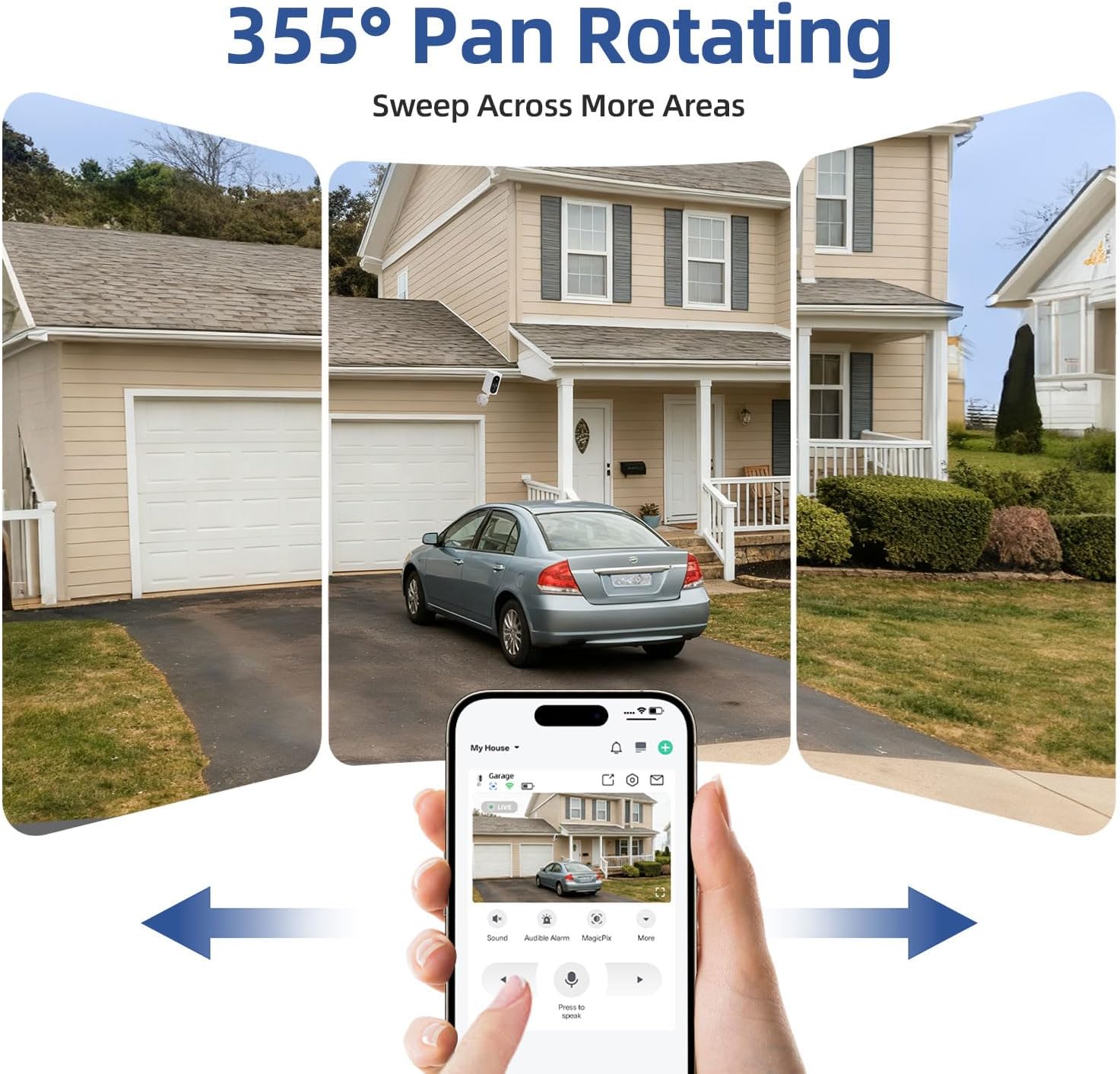
Image: A smartphone displaying the VicoHome App interface, demonstrating how to control the camera's 355° horizontal pan rotation to view different areas of a property.
3.2 2K UHD Clarity and Dual-Mode Night Vision
The camera provides sharp 2K resolution for clear images and video. It features upgraded night vision technology with built-in spotlights, offering two modes:
- Pełnokolorowa wizja nocna: Captures vibrant, full-color live views and recordings in low-light conditions.
- Nocna Nocna Wizja: Zapewnia wyraźne czarno-białe obrazy w całkowitej ciemności.
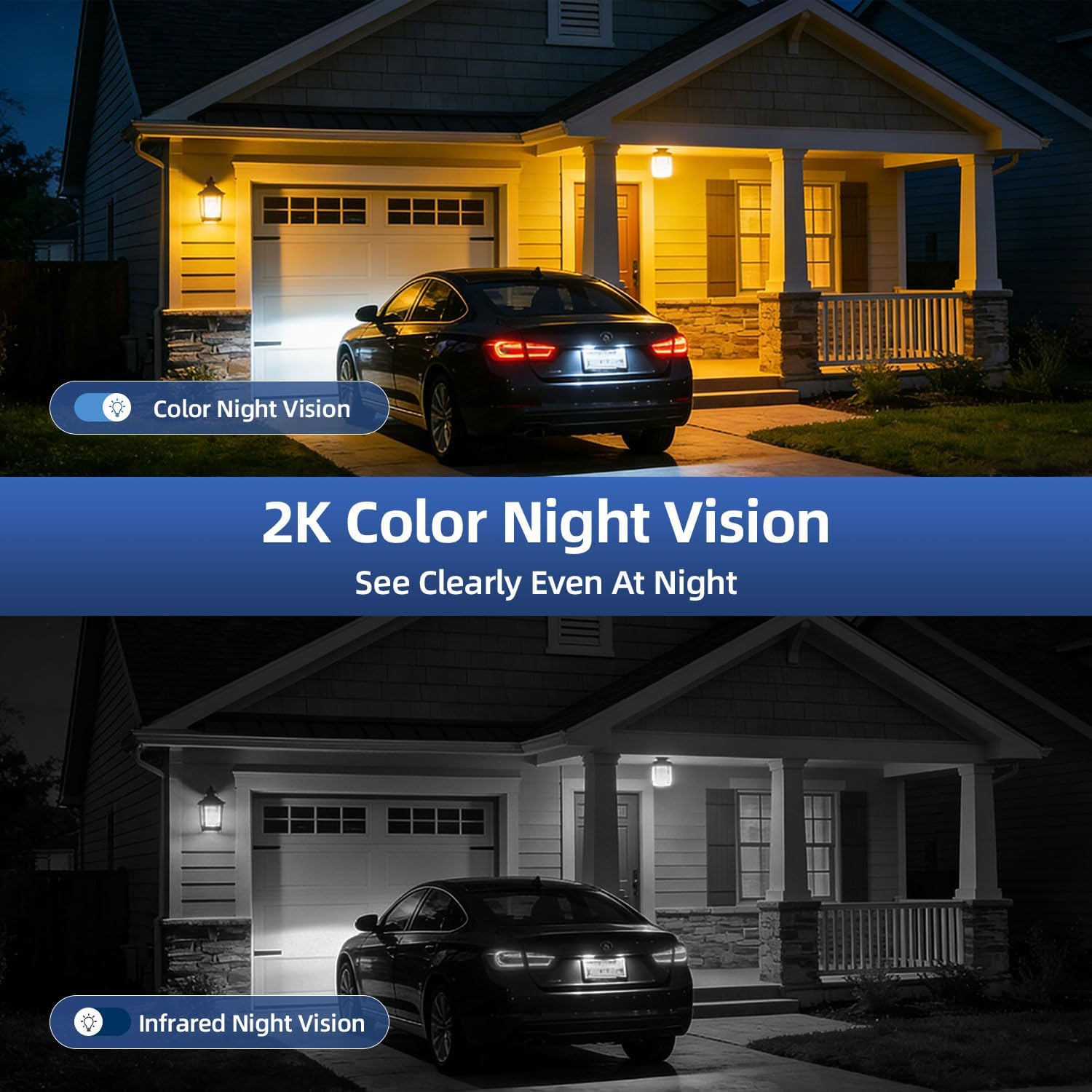
Image: A split image demonstrating the difference between 2K color night vision and infrared night vision, showing how the camera captures clear details even at night.
3.3 Detekcja ruchu PIR i alerty w czasie rzeczywistym
Equipped with an advanced PIR sensor, the camera detects suspicious activity and triggers instant alerts. These alerts include bright flashing spotlights and a blaring alarm siren. You will receive immediate notifications on your phone via the VicoHome App. Notatka: This camera does not support auto-tracking.
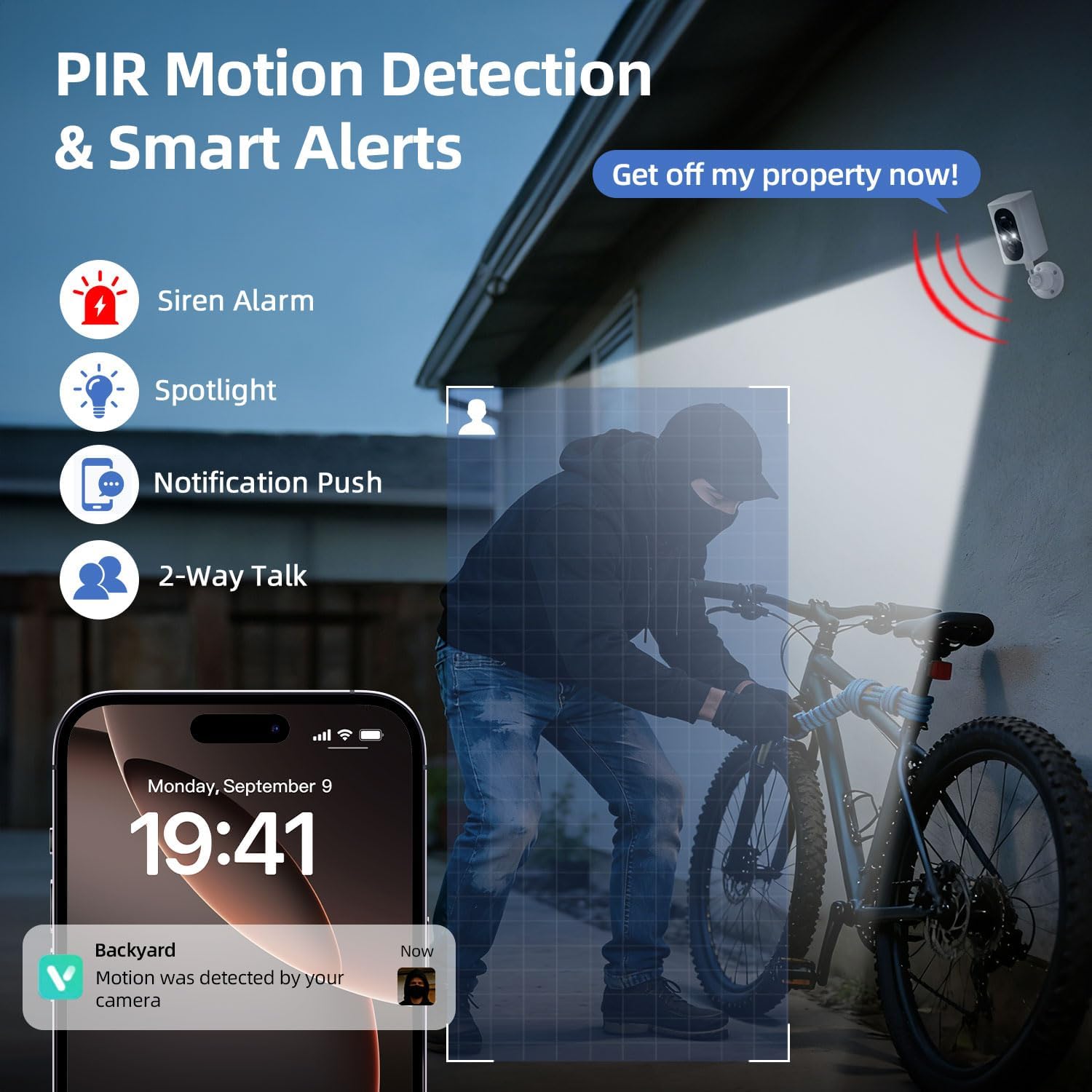
Image: An illustration showing the camera detecting a person, triggering a spotlight, siren, and sending a notification to a smartphone, highlighting the PIR motion detection and smart alert features.
3.4 Dwukierunkowa komunikacja audio
Utilize the camera's built-in microphone and speaker for real-time two-way audio. This allows you to speak to visitors, delivery personnel, or deter potential intruders directly through the VicoHome App.
3.5 Dual Storage Modes & Video Playback
The camera offers flexible storage options for your recordings:
- Karta micro sd: Obsługuje do 128 GB (karta nie jest dołączona).
- Przechowywanie w chmurze: A 7-day free trial is available, with optional subscription plans thereafter.
Dostęp na żywo views i review recorded video playback directly through the VicoHome App.

Image: A smartphone displaying the VicoHome App's video playback interface, showing options for cloud and SD card storage, with a visual representation of recorded events.
3.6 Udostępnianie wielu użytkownikom
Share access to your camera's live feed and features with family and friends through the VicoHome App, allowing multiple users to monitor the property simultaneously.
4. Konserwacja
4.1 Zarządzanie baterią
- Monitor battery levels regularly via the VicoHome App.
- Recharge the camera using the provided USB cable when the battery is low.
- Battery life is affected by ambient temperature, Wi-Fi signal quality, and motion detection frequency.
4.2 Czyszczenie
Przetrzyj obiektyw i korpus aparatu miękką ściereczką.amp cloth as needed to remove dust and dirt. Avoid using harsh chemicals or abrasive materials that could damage the camera.
4.3 Ochrona przed warunkami atmosferycznymi
The camera has an IP65 weatherproof rating, ensuring reliable performance in rain, snow, and dust. While designed for outdoor use, avoid submerging the camera in water.

Image: The Geekee CG6N camera shown in various weather conditions (rain, snow), emphasizing its IP65 waterproof and dustproof capabilities for year-round outdoor use.
5. Rozwiązywanie Problemów
5.1 Problemy z łącznością
- Kamera nie łączy się z siecią Wi-Fi: Ensure your router is broadcasting a 2.4GHz signal. The camera is not compatible with 5GHz networks. Move the camera closer to the router if the signal is weak.
- Częste rozłączenia: Check your Wi-Fi signal strength in the camera's location using the app. Reduce interference from other electronic devices.
5.2 Problemy z detekcją ruchu
- Alerty o braku ruchu: Verify that motion detection is enabled in the VicoHome App settings. Check the camera's battery level.
- Zbyt wiele fałszywych alertów: Adjust the motion detection sensitivity in the app. Ensure the camera is not pointed at areas with constant movement (e.g., busy roads, swaying trees) if not desired.
5.3 Problemy związane z aplikacją
- Aplikacja nie odpowiada: Close and restart the VicoHome App. Ensure your smartphone or tablet's operating system is up to date.
- Cannot access camera via computer: The VicoHome App is only compatible with Android and iOS mobile devices (smartphones and tablets). It does not support access via computers or third-party applications.
6. Specyfikacje
| Funkcja | Szczegół |
|---|---|
| Nazwa modelu | CG6N |
| Rozdzielczość przechwytywania wideo | 2K |
| Technologia łączności | Bezprzewodowa (tylko Wi-Fi 2.4 GHz) |
| Źródło zasilania | Zasilany baterią (litowo-jonową 5000 mAh) |
| Zastosowanie wewnątrz/na zewnątrz | Wewnątrz, Na zewnątrz |
| Odporność na warunki atmosferyczne | Wodoodporność IP65 |
| Viewing kąt | 355° Horizontal Pan |
| Zakres noktowizora | 33 stóp |
| Opcje przechowywania | Micro SD (do 128 GB), przechowywanie w chmurze |
| Cechy specjalne | 2-Way Audio, HD Resolution, Motion Sensor, Night Vision, Portable |
| Kompatybilne urządzenia | Smartfon, tablet (Android, iOS) |
| Wymiary (dł. x szer. x wys.) | 2.48 x 3.27 x 6.81 cala |
| Waga przedmiotu | 1.9 funta |
7. Gwarancja i pomoc techniczna
7.1 Informacje o gwarancji
Please refer to the product packaging or the official Geekee webSzczegółowe informacje o gwarancji znajdziesz na stronie. Zachowaj paragon jako dowód zakupu na wypadek roszczeń gwarancyjnych.
7.2 Obsługa klienta
For technical assistance, troubleshooting, or any questions regarding your Geekee CG6N security camera, please contact Geekee customer support. Contact details can typically be found on the product packaging or the official brand webstrona.