
1. Wprowadzenie
The Fairphone Fairbuds XL are over-ear wireless headphones designed for high-quality audio and durability. They feature Active Noise Cancelling (ANC), aptX-HD 24-bit audio, a long-lasting battery, and an IP54 weather-resistant rating. A key aspect of the Fairbuds XL is their modular design, allowing for easy repair and replacement of parts.
This manual provides essential information for setting up, operating, maintaining, and troubleshooting your Fairbuds XL headphones.
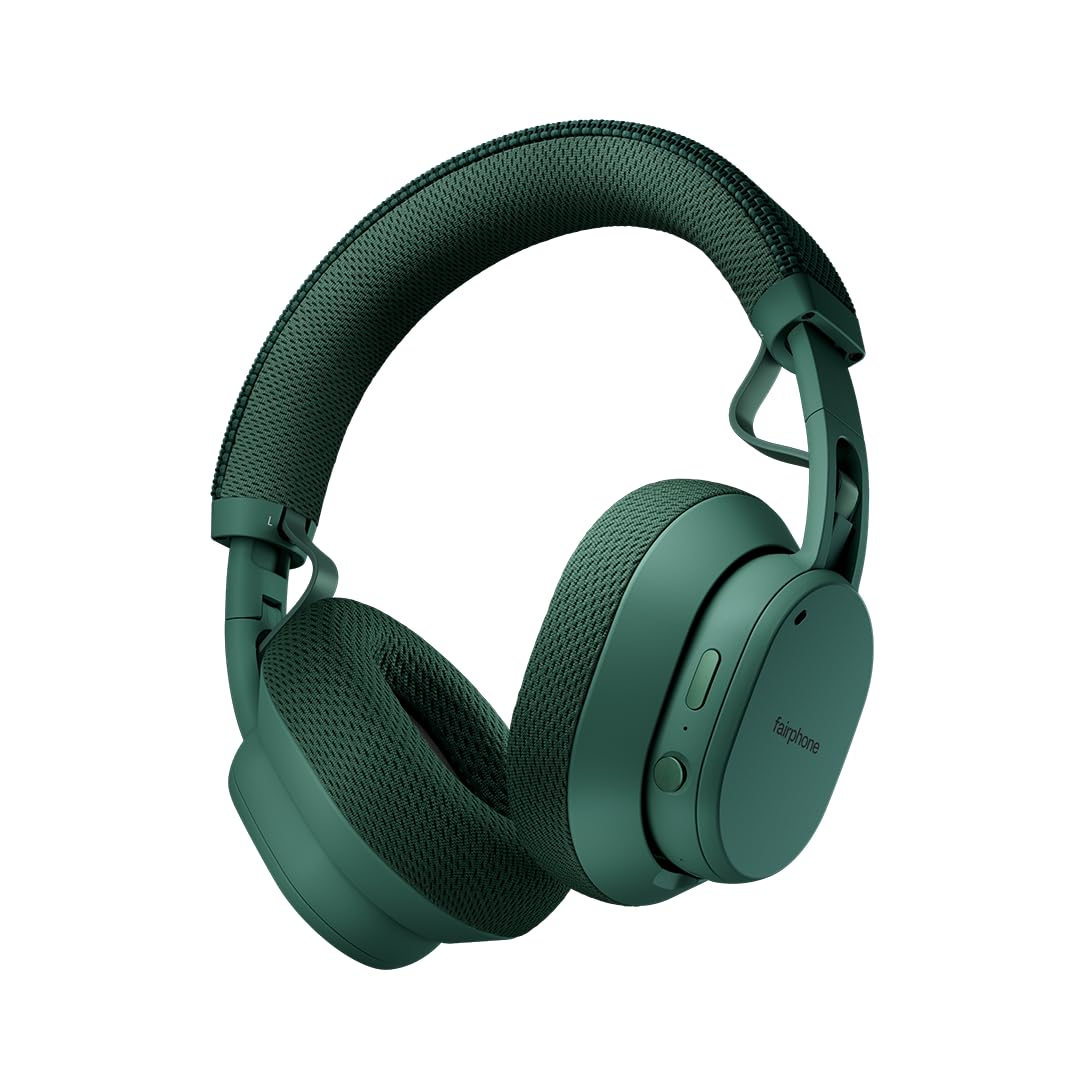
Image: Fairphone Fairbuds XL headphones in Forest Green, showcasinze względu na ich elegancki wygląd.
Wideo: Ponadview of the Fairbuds XL headphones, highlighting their main features and design.
2. Konfiguracja
2.1. Co znajduje się w pudełku
Upon unboxing your Fairbuds XL, you should find the following items:
- Fairphone Fairbuds XL Wireless Headphones
- Etui ochronne
- Instrukcja obsługi (ten dokument)
- Kabel ładujący USB-C (nie jest wymieniony wprost, ale służy do ładowania)
2.2. Ładowanie słuchawek
Before first use, fully charge your Fairbuds XL. Connect the provided USB-C cable to the charging port on the headphones and to a compatible USB power source. The LED indicator will show charging status. A full charge provides up to 30 hours of battery life (26 hours with ANC active).
2.3. Włączanie/wyłączanie zasilania
- Włączanie: Naciśnij i przytrzymaj przycisk zasilania, aż zaświeci się kontrolka LED.
- Aby wyłączyć: Naciśnij i przytrzymaj przycisk zasilania, aż dioda LED zgaśnie.
2.4. Parowanie Bluetooth
To pair your Fairbuds XL with a device:
- Upewnij się, że słuchawki są wyłączone.
- Naciśnij i przytrzymaj przycisk zasilania przez około 5 sekund, aż dioda LED zacznie migać na niebiesko i czerwono, wskazując tryb parowania.
- Włącz Bluetooth na swoim urządzeniu (smartfonie, laptopie itp.) i wyszukaj dostępne urządzenia.
- Select "Fairbuds XL" from the list of found devices.
- Po nawiązaniu połączenia dioda LED zacznie świecić ciągłym niebieskim światłem.
2.5. Dual Point Connectivity
The Fairbuds XL support seamless dual point connectivity, allowing you to connect to two devices simultaneously. For example, you can connect to both your laptop and smartphone. To switch between devices, simply play audio on the desired device, and the headphones will automatically switch.
3. Obsługa słuchawek

Obraz: Zbliżenie view of the control buttons on the Fairbuds XL ear cup, including the power button and a toggle switch.
3.1. Koniec kontroliview
The Fairbuds XL feature physical buttons for intuitive control. Refer to the diagram below for button placement (if available in the physical manual) or the image above for a visual reference.
- Przycisk zasilania: Powers on/off, initiates Bluetooth pairing.
- Toggle Switch/Button: Controls Active Noise Cancelling (ANC) and Ambient Mode.
- Zwiększanie/zmniejszanie głośności: Dostosowuje głośność dźwięku.
- Przycisk wielofunkcyjny: Play/pause, skip tracks, answer/end calls.
3.2. Active Noise Cancelling (ANC) and Ambient Mode
The Fairbuds XL offer advanced noise cancellation features:
- Aktywna redukcja szumów (ANC): Reduces external noise for an immersive listening experience. Toggle this mode using the dedicated switch/button.
- Tryb otoczenia: Allows you to hear your surroundings while still enjoying your audio. Toggle this mode using the dedicated switch/button.
3.3. Odtwarzanie dźwięku
- Odtwórz/Pauza: Naciśnij raz przycisk wielofunkcyjny.
- Następny utwór: Dwukrotnie naciśnij przycisk wielofunkcyjny.
- Poprzedni utwór: Naciśnij trzykrotnie przycisk wielofunkcyjny.
- Regulacja głośności: Użyj przycisków zwiększania/zmniejszania głośności.
3.4. Funkcje wywoławcze
- Odbieranie/kończenie połączeń: Naciśnij raz przycisk wielofunkcyjny.
- Odrzuć połączenie: Naciśnij i przytrzymaj przycisk wielofunkcyjny.
3.5. Połączenie przewodowe
For a wired audio experience or when the battery is depleted, connect the Fairbuds XL to your device using a USB-C to USB-C cable (not included, but compatible with the charging port). This allows for charge-free listening.
4. Konserwacja
The Fairbuds XL are designed for longevity with easily replaceable parts. Regular cleaning and proper care will extend their lifespan.
4.1. Czyszczenie
Przetrzyj słuchawki miękką, suchą ściereczką. W przypadku uporczywych zabrudzeń, delikatnie przetrzyj je.amp cloth can be used. Avoid using harsh chemicals or abrasive materials. The IP54 rating provides protection against dust and light splashes, but the headphones are not waterproof.
4.2. Wymiana baterii
The 800mAh battery in your Fairbuds XL is designed to be user-replaceable. When the battery's performance degrades after approximately 500 charging cycles, you can replace it with a new one. This process typically involves removing a cover and a few screws.

Obraz: Wybuch view of the Fairbuds XL headphones, showing individual components like the headband, ear cups, speakers, and battery, emphasizing its modular design.
Video: A short demonstration on how to replace the battery in the Fairbuds XL headphones.
4.3. Replacing Other Modular Parts
Beyond the battery, various other components of the Fairbuds XL, such as the individual speakers, ear cups, headband, and speaker-to-speaker cable, can be replaced. These parts are designed for easy removal and installation, often requiring only a single screwdriver. Consult the official Fairphone support website for detailed guides and spare parts availability.
5. Rozwiązywanie Problemów
If you encounter issues with your Fairbuds XL, refer to the following common problems and solutions:
| Problem | Możliwa przyczyna | Rozwiązanie |
|---|---|---|
| Słuchawki nie włączają się. | Niski poziom naładowania baterii. | Naładuj słuchawki za pomocą kabla USB-C. |
| Nie można sparować przez Bluetooth. | Słuchawki nie są w trybie parowania; Bluetooth w urządzeniu jest wyłączony; występują zakłócenia. | Ensure headphones are in pairing mode (flashing blue/red LED). Check device Bluetooth settings. Move closer to the device. |
| Brak dźwięku lub słaba jakość dźwięku. | Volume too low; incorrect audio source; loose connection (wired); out of Bluetooth range. | Increase volume. Verify audio output on your device. Reconnect wired cable. Move closer to the Bluetooth device. |
| ANC nie działa efektywnie. | Tryb ANC nie został aktywowany; nieprawidłowe dopasowanie. | Upewnij się, że funkcja ANC jest włączona. Dopasuj słuchawki tak, aby dobrze przylegały do uszu. |
If the issue persists, please refer to the official Fairphone support resources.
6. Specyfikacje
| Funkcja | Szczegół |
|---|---|
| Nazwa modelu | Świece Fairbuds XL |
| Numer modelu przedmiotu | HEAD-2 |
| Technologia łączności | Bezprzewodowa (Bluetooth 5.1) |
| Typ sterownika audio | Dynamiczny przetwornik (40 mm) |
| Kontrola hałasu | Aktywna redukcja szumów, tryb przezroczystości |
| Żywotność baterii | Do 30 godzin (26 godzin z ANC) |
| Typ baterii | 1 Lithium Ion battery (included, replaceable) |
| Poziom wodoodporności | IP54 (Wodoodporność) |
| Waga przedmiotu | 324 gramów (11.4 uncji) |
| Wymiary produktu | 7.68 x 6.89 x 3.07 cala |
| Tworzywo | Plastikowy |
| Kolor | Leśna zieleń |
| UPC | 850077419072 |
7. Gwarancja i wsparcie
Fairphone is committed to product longevity. The Fairbuds XL are designed with repairability in mind, and spare parts are available. The EU Spare Part Availability Duration is 3 Years.
For detailed warranty information, spare parts, and further support, please visit the official Fairphone webwitryny lub skontaktuj się z obsługą klienta.
Więcej informacji i wsparcia znajdziesz na stronie Fairphone Store on Amazon.