
1. Wprowadzenie
The LOTUS Smartwatch 50203/1 Naya Lite is designed to integrate health tracking and activity control into your daily routine. This smartwatch allows you to monitor health metrics, track various sports activities, and manage calls directly from your wrist. Its versatile and modern design ensures both functionality and comfort for daily use.
2. Co znajduje się w pudełku
- LOTUS Smartwatch 50203/1 Naya Lite
- 1 Ładowarka
- Instrukcja obsługi (ten dokument)
3. Konfiguracja
3.1. Ładowanie urządzenia
Before initial use, fully charge your smartwatch. Connect the provided charger to the charging port on the back of the watch and plug the USB end into a compatible power adapter (not included) or a computer's USB port. The watch display will indicate charging status. A full charge typically takes approximately 2 hours.
3.2. Instalacja i parowanie aplikacji
- Pobierz aplikację: Szukaj the official LOTUS Smartwatch application in your smartphone's app store (Google Play Store for Android or Apple App Store for iOS). Install the application.
- Włącz Bluetooth: Upewnij się, że Bluetooth jest włączony w Twoim smartfonie.
- Otwórz aplikację: Launch the LOTUS Smartwatch app and follow the on-screen instructions to create an account or log in.
- Dodaj urządzenie: W aplikacji przejdź do sekcji „Dodaj urządzenie” lub „Sparuj urządzenie”. Aplikacja wyszuka dostępne smartwatche.
- Wybierz swój smartwatch: Select 'LOTUS 50203/1 Naya Lite' from the list of discovered devices. Confirm the pairing request on both your smartphone and the smartwatch if prompted.
- Pełna konfiguracja: Postępuj zgodnie z pozostałymi instrukcjami w aplikacji, aby ukończyć konfigurację początkową, w tym konfigurację osobistą.file information and notification preferences.
4. Instrukcja obsługi
4.1. Podstawowa nawigacja
- Ekran dotykowy: Przesuwaj w lewo, w prawo, w górę lub w dół, aby poruszać się po menu i funkcjach. Dotknij, aby wybrać opcję.
- Przycisk boczny: Press the side button to return to the home screen or to wake the display. A long press may access power options or specific features.
4.2. Wykonywanie i odbieranie połączeń
Once paired with your smartphone, the smartwatch allows you to manage calls directly. Ensure your watch is connected via Bluetooth to your phone.
- Odbieranie połączeń: Gdy ktoś dzwoni, zegarek wyświetla identyfikator dzwoniącego. Dotknij zielonej ikony, aby odebrać, lub czerwonej, aby odrzucić połączenie.
- Dzwonić: Access the 'Phone' or 'Dialer' function on your smartwatch. You can dial numbers directly or select contacts from your synced phonebook.
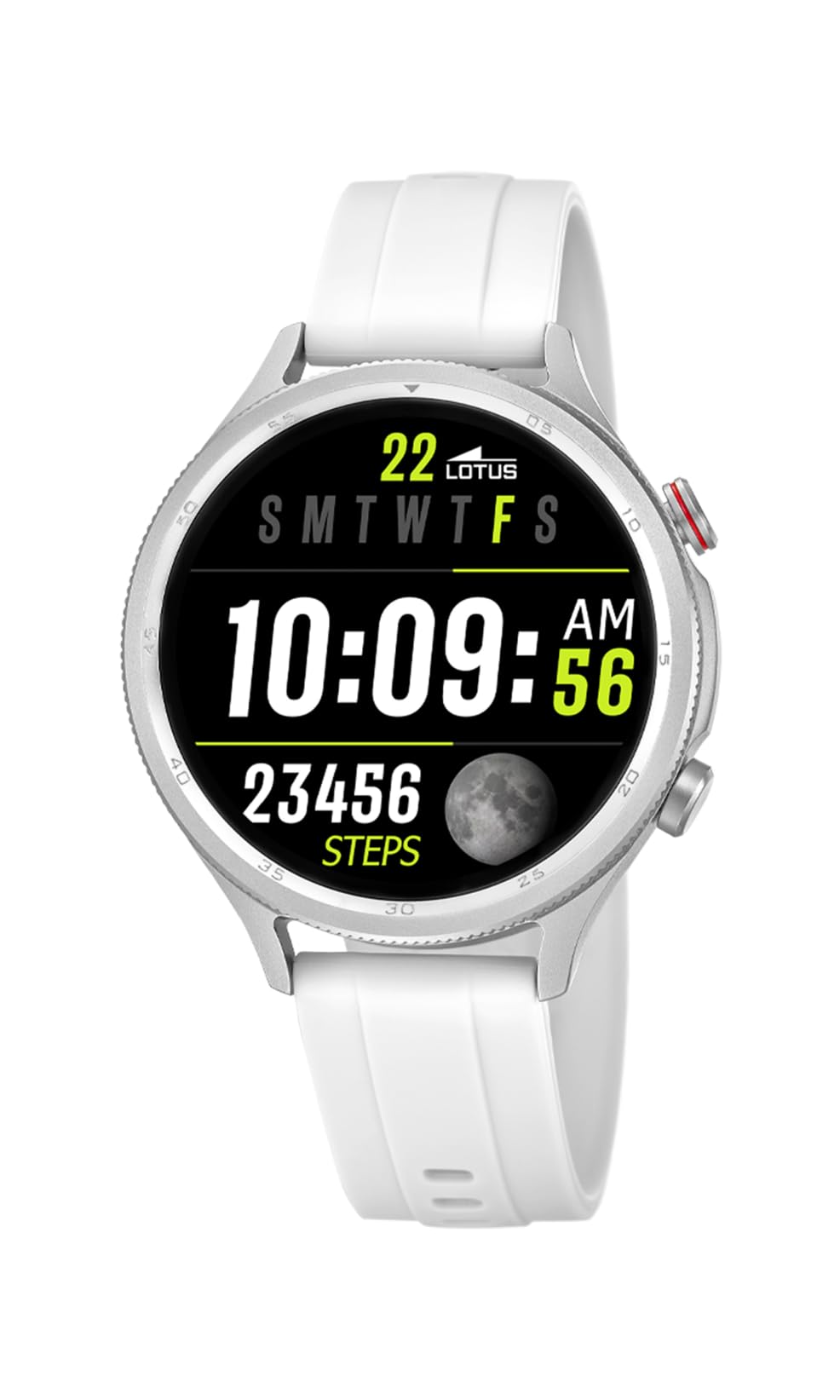
Image: The Lotus Smartwatch 50203/1 Naya Lite allows for convenient call management directly from your wrist.
4.3. Sterowanie muzyką
Control music playback on your smartphone directly from your smartwatch. Navigate to the 'Music Control' feature on your watch. You can play, pause, skip tracks, and adjust volume.
4.4. Śledzenie aktywności i sportu
The smartwatch tracks various fitness metrics and supports multiple sports modes.
- Steps and Calories: Zegarek automatycznie liczy kroki i szacuje liczbę spalonych kalorii w ciągu dnia. View your daily progress on the watch face or in the app.
- Tryby sportowe: Access the 'Sports' menu to select from various activities (e.g., running, walking, cycling). The watch will record duration, distance, and other relevant data for your chosen activity.

Image: The smartwatch display provides real-time updates on your activity metrics.
4.5. Monitorowanie stanu zdrowia
- Monitor snu: Wear the smartwatch to bed to track your sleep patterns. The app provides detailed analysis of your sleep quality.
- Other Health Metrics: The watch may offer additional health monitoring features. Refer to the app for a complete list and instructions on how to use them.
4.6. Asystent głosowy AI
Activate the AI Voice Assistant feature on your smartwatch to perform tasks using voice commands. Ensure your watch is connected to your smartphone and the voice assistant feature is enabled in the app.
5. Konserwacja
5.1. Czyszczenie smartwatcha
Regularly clean your smartwatch and strap to prevent skin irritation and maintain functionality.
- Przetrzyj ekran i obudowę miękką szmatką.amp, ściereczka nie pozostawiająca włókien.
- For the rubber strap, use mild soap and water, then rinse thoroughly and dry completely before wearing.
- Unikaj stosowania silnych środków chemicznych, ściernych środków czyszczących i rozpuszczalników.
5.2. Pielęgnacja baterii
- Unikaj częstego całkowitego rozładowywania akumulatora.
- Nie wystawiaj zegarka na działanie ekstremalnych temperatur, gdyż może to skrócić żywotność baterii.
- Używaj wyłącznie dostarczonej ładowarki.
5.3. Wodoodporność (IP65)
The LOTUS Smartwatch 50203/1 Naya Lite is rated IP65 water resistant. This means it is protected against dust ingress and low-pressure water jets from any direction. It is suitable for everyday use and can withstand splashes or light rain. It is not suitable for swimming, showering, or prolonged submersion in water.
6. Rozwiązywanie Problemów
- Zegarek się nie włącza: Upewnij się, że zegarek jest w pełni naładowany. Podłącz go do ładowarki na co najmniej 30 minut.
- Nie można sparować z telefonem: Make sure Bluetooth is enabled on your phone and the watch. Ensure the watch is within range. Restart both the watch and your phone, then try pairing again through the app.
- Powiadomienia się nie wyświetlają: Check app settings on your phone to ensure notification permissions are granted for the LOTUS Smartwatch app. Also, verify notification settings within the smartwatch app itself.
- Niedokładne dane dotyczące aktywności: Ensure the watch is worn snugly on your wrist. Calibrate your personal information (height, weight, age) in the app for better accuracy.
- Ekran nie reaguje: Try restarting the smartwatch. If the issue persists, contact customer support.
7. Specyfikacje
| Marka | LOTOS |
| Model | 50203/1 |
| Producent | Time Road SL. |
| Typ wyświetlacza | Cyfrowy |
| Typ materiału | Stop cynku |
| Rodzaj materiału paska | Guma |
| Kolor paska | Biały |
| Poziom wodoodporności | IP65 (Wodoodporność) |
| Bateria | 1 Non-standard battery (included) |
| Zawiera elementy | 1 Ładowarka |
8. Gwarancja i wsparcie
For warranty information and customer support, please refer to the documentation provided with your purchase or visit the official LOTUS webZachowaj dowód zakupu na wypadek roszczeń gwarancyjnych.
Producent: Time Road SL.


