
1. Wprowadzenie
Thank you for choosing the SOVMIKU Vicohome 2K Indoor Camera CA43. This camera is designed to provide reliable indoor security monitoring with advanced features such as 2K resolution, dual-band Wi-Fi connectivity (2.4GHz and 5GHz), AI tracking, two-way audio, and night vision. This manual will guide you through the setup, operation, and maintenance of your device to ensure optimal performance.

Image: The SOVMIKU Vicohome 2K Indoor Camera CA43, a compact white security camera with a black lens, designed for indoor use.
2. Zawartość opakowania
Proszę sprawdzić, czy w paczce znajdują się następujące elementy:
- Vicohome 2K Indoor Camera CA43
- Zasilacz
- Kabel zasilający USB-C
- Zestaw montażowy (śruby i kotwy)
- Instrukcja obsługi

Image: A close-up of the SOVMIKU Vicohome 2K Indoor Camera CA43, its power adapter, and mounting accessories, laid out on a white surface.
3. Koniec produktuview
The Vicohome CA43 camera features a compact design with a pan/tilt head for wide coverage. Key components include:
- Obiektyw: 2K (3MP) resolution for clear video.
- Światła podczerwone: Do widzenia w nocy.
- Mikrofon i głośnik: Do dwukierunkowej komunikacji audio.
- Przycisk resetowania: Used for device reset during setup or troubleshooting.
- Gniazdo kart Micro SD: Obsługuje do 128 GB pamięci lokalnej.
- Port USB-C: Do podłączenia zasilania.
- Kontrolka stanu: Zapewnia informacje zwrotne o stanie urządzenia.

Image: A diagram highlighting the microphone, infrared light, lens, speaker, and charge port on the Vicohome CA43 camera.
4. Przewodnik konfiguracji
Follow these steps to set up your SOVMIKU Vicohome 2K Indoor Camera CA43:
- Włączanie: Connect the camera to a power source using the provided USB-C cable and power adapter. The camera will power on automatically.
- Zresetuj kamerę: Locate the reset button (usually near the Micro SD card slot). Press and hold the reset button for approximately 6 seconds until you hear an audible prompt indicating the camera is resetting.
- Pobierz aplikację Vicohome:
- For Android devices, search for "Vicohome" in the Google Play Store.
- For iOS devices, search for "Vicohome" in the Apple App Store.
- Pobierz i zainstaluj aplikację.
- Create/Sign In to Account: Open the Vicohome app. If you are a new user, sign up for a new account. If you already have an account, sign in using your credentials.
- Dodaj urządzenie:
- W aplikacji dotknij ikony „+” w prawym górnym rogu, aby dodać nowe urządzenie.
- Select "Add a new device" and choose the "Plug-in device" option.
- Confirm that you hear a sound from the camera and proceed to the next step.
- Połącz się z Wi-Fi:
- The app will prompt you to select your home Wi-Fi network (supports 2.4GHz and 5GHz).
- Wprowadź hasło Wi-Fi i potwierdź.
- The camera will attempt to connect to the network. Once connected, you will hear a confirmation sound and the app will indicate "Connection succeeded".
- Nazwij swoje urządzenie: Assign a name to your camera (e.g., "Living Room Camera", "Baby Monitor").
- Set Home & Location: Choose or add a home location for your camera within the app.
- Rozpocznij monitorowanie: Once the device is successfully added, you can start viewing the live feed and access all camera features.
Video: Official installation guide for the CA43 camera, demonstrating power-on, reset, app download, Wi-Fi connection, and device naming steps.
5. Instrukcja obsługi
5.1 Na żywo View i odtwarzanie
- Open the Vicohome app and select your camera to view kanał na żywo.
- Use the on-screen controls to pan (horizontal) and tilt (vertical) the camera for a 360° view.
- Uzyskaj dostęp do nagranego pliku footage from the "Library" or "Playback" section in the app.

Image: A smartphone screen displaying the Vicohome app with live feeds from multiple cameras, illustrating multi-device monitoring.
5.2 Dźwięk dwukierunkowy
- Z koncertu view, dotknij ikony mikrofonu, aby mówić przez głośnik kamery.
- Kliknij ikonę głośnika, aby usłyszeć dźwięk z otoczenia kamery.

Image: A split image showing two children playing in a kitchen on one side, and a person interacting with the camera via the Vicohome app's two-way audio feature on a smartphone on the other side.
5.3 Detekcja ruchu i śledzenie AI
- Włącz wykrywanie ruchu w ustawieniach aplikacji, aby otrzymywać powiadomienia po wykryciu ruchu.
- The AI tracking feature allows the camera to automatically follow detected motion within its field of view.
- Customize detection sensitivity and activity zones for precise monitoring.

Image: A white cat walking on a piano, with red tracking boxes overlaid, demonstrating the camera's motion tracking capabilities.
5.4 Alarmowe SOS
- The camera features a one-touch SOS call button. Pressing this button will immediately contact pre-set emergency contacts through the app.
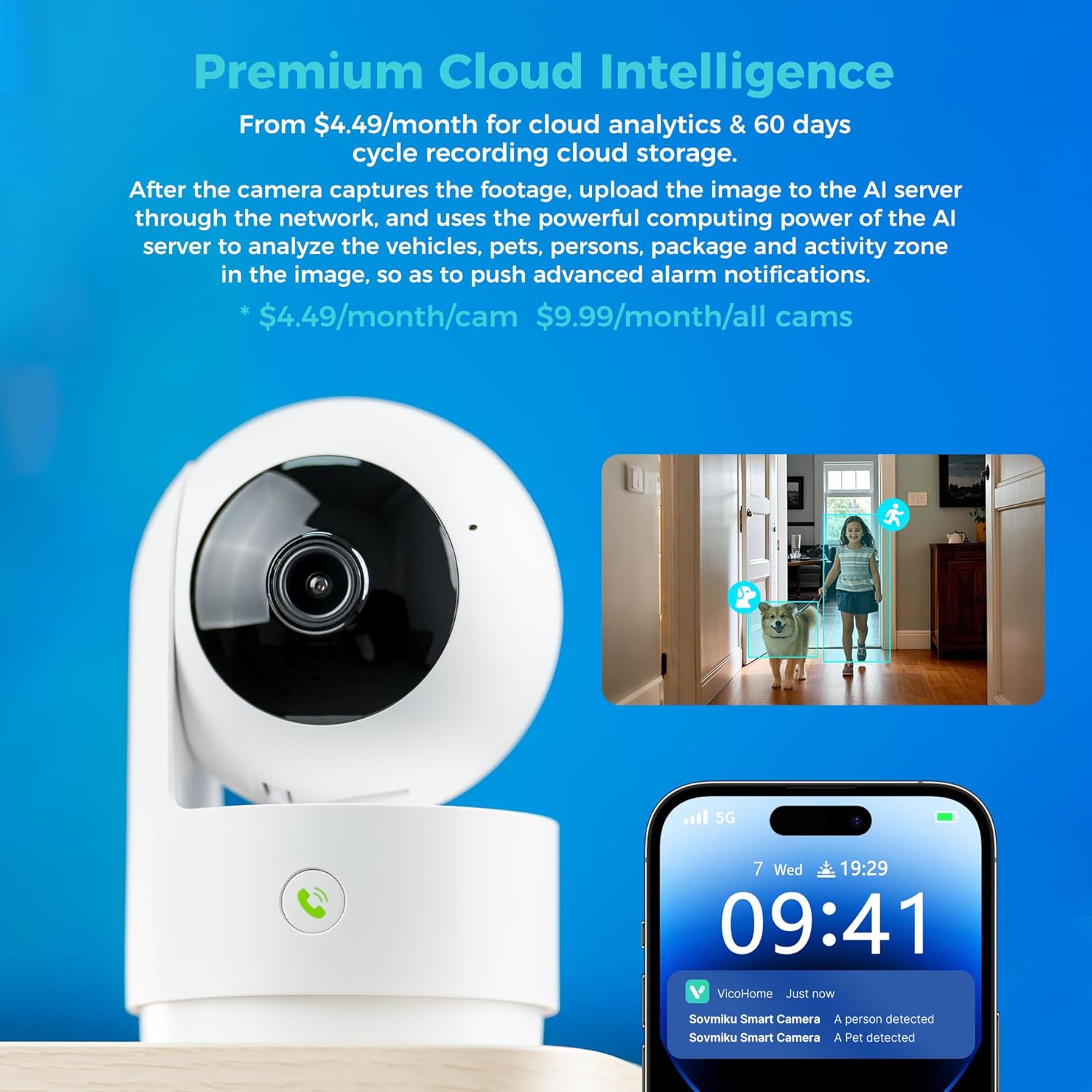
Image: A hand pressing the emergency SOS button on the camera, with a smartwatch showing an incoming call from the Vicohome app, indicating the emergency alert feature.
5.5 Tryb prywatności
- Activate Privacy Mode in the app to physically hide the camera lens, ensuring privacy when monitoring is not desired.

Image: Two Vicohome cameras side-by-side, one in normal operating mode and the other in privacy mode with its lens retracted, demonstrating the privacy feature.
6. Funkcje
- Rozdzielczość 2K: Przechwytuje wyraźne i szczegółowe wideo footage (3MP effective still resolution).
- Dwuzakresowe Wi-Fi: Supports both 2.4GHz and 5GHz Wi-Fi networks for flexible connectivity.
- 360° Pan/Tilt: Oferuje szeroki viewing angle with horizontal (83.5°), vertical (44°), and diagonal (59.2°) movement.
- Śledzenie AI: Automatically detects and follows human or pet movement.
- Dwukierunkowy dźwięk: Komunikuj się z osobami znajdującymi się w pobliżu kamery, korzystając z wbudowanego mikrofonu i głośnika.
- Widzenie nocne: Equipped with infrared LEDs for clear black and white video in low-light conditions.
- Przechowywanie lokalne i w chmurze: Supports Micro SD card up to 128GB for local storage and offers optional cloud storage services.
- SOS alarmowy: One-touch call feature for immediate contact in emergencies.
- Tryb prywatności: Physically hides the camera lens for enhanced privacy.
- Seamless Vicohome App Compatibility: Integrates with existing Vicohome devices for unified management.

Image: The Vicohome camera with example images demonstrating its 3MP resolution, showing clear details of a dog and a child in a home setting.

Image: A graphic illustrating the Vicohome camera's compatibility with both 2.4GHz and 5GHz dual-band Wi-Fi networks.

Image: A hand inserting a Micro SD card into the camera, with icons for 128GB storage and cloud storage, indicating local and cloud storage options.
7. Konserwacja
- Czyszczenie: Do czyszczenia obiektywu i korpusu aparatu używaj miękkiej, suchej ściereczki. Unikaj środków czyszczących o właściwościach ściernych i rozpuszczalników.
- Aktualizacje oprogramowania układowego: Regularly check the Vicohome app for available firmware updates to ensure your camera has the latest features and security enhancements.
- Zasilanie: Ensure the camera is connected to a stable power source. Use only the provided power adapter or a compatible replacement.
- Umieszczenie: Place the camera in a location where it has a clear view and is protected from extreme temperatures or direct moisture.
8. Rozwiązywanie Problemów
- Kamera nie łączy się z Wi-Fi:
- Ensure your Wi-Fi password is correct and the camera is within range of your router.
- Spróbuj zresetować kamerę i powtórzyć proces konfiguracji.
- Verify your router supports 2.4GHz or 5GHz Wi-Fi and is not using a hidden SSID.
- Nie na żywo View:
- Check your internet connection and ensure the camera is powered on.
- Uruchom ponownie aplikację Vicohome.
- Nie otrzymano alertów ruchu:
- Sprawdź, czy wykrywanie ruchu jest włączone w ustawieniach aplikacji.
- Sprawdź ustawienia powiadomień aplikacji na swoim smartfonie.
- Problemy z dwukierunkowym dźwiękiem:
- Ensure microphone and speaker permissions are granted to the Vicohome app on your phone.
- Check the volume settings on both the app and your phone.
9. Specyfikacje
| Funkcja | Szczegół |
|---|---|
| Zalecane zastosowania | Bezpieczeństwo w pomieszczeniach |
| Marka | SOVMIKU |
| Nazwa modelu | CA43 |
| Technologia łączności | Wi-Fi (2.4 GHz i 5 GHz) |
| Funkcja specjalna | Adjustable, AI Tracking, Two-Way Audio, Night Vision, SOS Call, Privacy Mode |
| Zastosowanie wewnątrz/na zewnątrz | Wnętrz |
| Kompatybilne urządzenia | iOS, Android, iPad OS |
| Metoda kontroli | Aplikacja |
| Źródło zasilania | Elektryczny przewodowy |
| Efektywna rozdzielczość obrazu nieruchomego | 3 MP (2K) |
| Kodowanie wideo | H.265 |
| Typ pamięci flash | Mikro SD |
| Maksymalna obsługiwana pamięć Flash | 128 GB |
| Waga przedmiotu | 1.5 funtów |
| Tworzywo | PCV |
10. Gwarancja i wsparcie
- Gwarancja: The product comes with a 1-Year Manufacturer Warranty.
- Polityka wymiany: Enjoy a 180-Day No-Risk Guarantee, backed by a 6-month replacement promise for defects.
- Obsługa klienta: Free expert support is available 24/7 to assist with any questions or issues.
For further assistance, please refer to the contact information provided in your product packaging or through the Vicohome app.