
1. Wprowadzenie
This manual provides detailed instructions for the installation, operation, and maintenance of your FILWY Power Train Prism 8RS 12CM ARGB 4-Pin PWM Fan. This fan is designed to provide efficient cooling and customizable lighting for computer systems. Please read this manual thoroughly before installation and use to ensure proper function and safety.
2. Informacje dotyczące bezpieczeństwa
- Zawsze odłączaj zasilanie komputera przed instalacją lub usunięciem jakichkolwiek podzespołów.
- Handle the fan by its frame to avoid damaging the blades or wiring.
- Ensure all cables are properly connected and secured to prevent short circuits or damage.
- Trzymaj wentylator z dala od płynów i nadmiernej ilości kurzu.
- Do not attempt to modify the fan or its components. Unauthorized modifications may void the warranty and pose safety risks.
3. Zawartość opakowania
Sprawdź, czy w przesyłce znajdują się wszystkie elementy:
- Power Train Prism 8RS 12CM ARGB 4-Pin PWM Fan
- Śruby montażowe
- Instrukcja obsługi (ten dokument)
Note: The specific quantity of fans and accessories may vary based on the product bundle purchased.
4. Konfiguracja i instalacja
Follow these steps to install the Power Train Prism 8RS fan into your computer system.
4.1. Przygotowanie
- Turn off your computer and disconnect it from the power outlet.
- Open your computer case to access the desired fan mounting location.
4.2. Montaż wentylatora
Position the fan in the desired location (e.g., CPU cooler, radiator, PC case intake/exhaust). Ensure the airflow direction is correct for your cooling configuration.
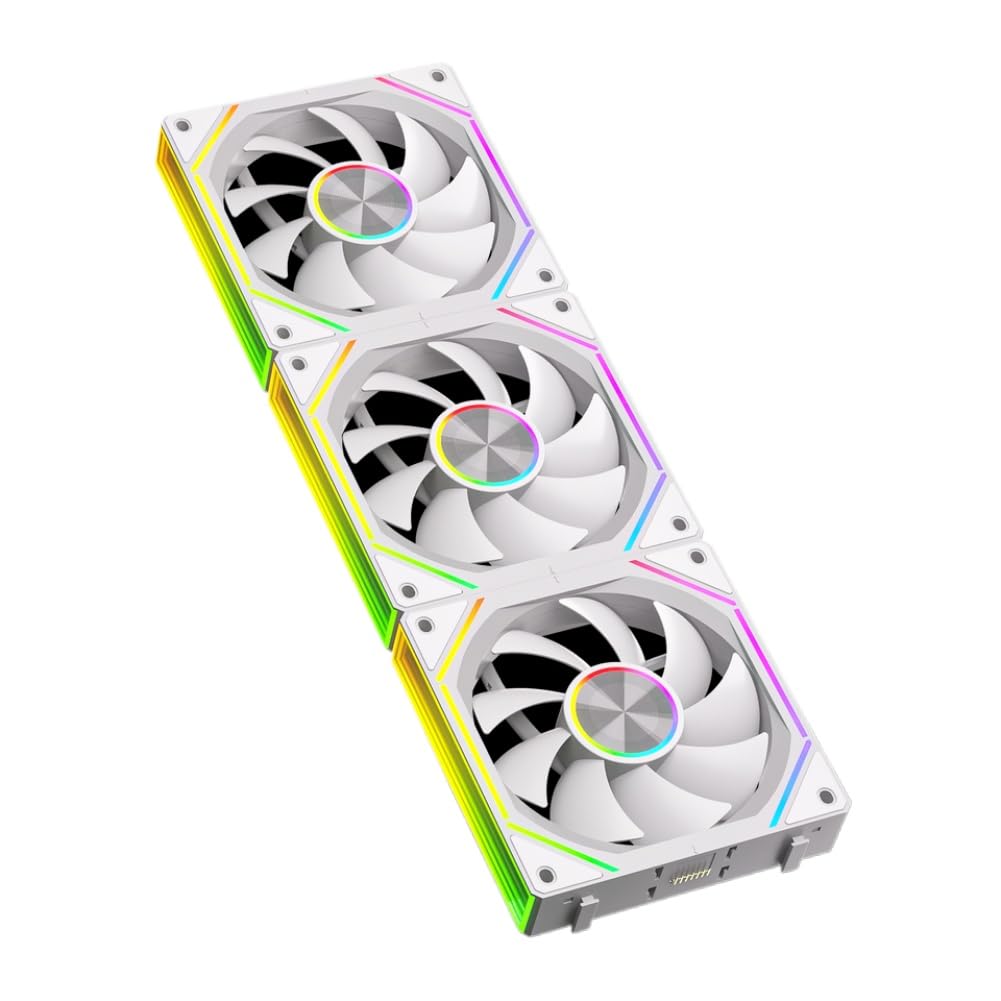
Image: The FILWY Power Train Prism 8RS fan, showing its 12cm frame, fan blades, and attached PWM and ARGB cables. The fan is white with a central hub and mounting holes at the corners.
- Align the fan's mounting holes with the corresponding holes on your case, radiator, or CPU cooler.
- Zamocuj wentylator za pomocą dołączonych śrub montażowych. Nie dokręcaj ich zbyt mocno.
4.3. Połączenia kablowe
The Power Train Prism 8RS fan has two main cables:
- 4-Pin PWM Cable: Connect this cable to an available 4-pin fan header on your motherboard (e.g., CPU_FAN, SYS_FAN). This allows for speed control based on system temperature.
- ARGB Cable: Connect this 3-pin 5V ARGB cable to a compatible 5V ARGB header on your motherboard or an ARGB controller. Ensure the arrow on the connector aligns with the +5V pin on the header to prevent damage. Do not connect to a 12V RGB header.
Once all connections are made, close your computer case and reconnect the power.
5. Instrukcja obsługi
5.1. Sterowanie prędkością wentylatora (PWM)
The 4-pin PWM connection allows your motherboard to dynamically adjust the fan speed (800-1800 RPM) based on your system's thermal load. This optimizes cooling performance while minimizing noise.
- Access your motherboard's BIOS/UEFI settings or use compatible software provided by your motherboard manufacturer to configure fan curves and control profiles.
- You can set custom fan speeds for different temperature thresholds or choose pre-defined modes like 'Silent', 'Standard', or 'Performance'.
5.2. Sterowanie oświetleniem ARGB
The Addressable RGB (ARGB) lighting allows for customizable illumination effects. Control is typically managed through your motherboard's ARGB software or a dedicated ARGB controller.
- Install the ARGB control software provided by your motherboard manufacturer (e.g., ASUS Aura Sync, MSI Mystic Light, Gigabyte RGB Fusion, ASRock Polychrome Sync).
- Use the software to select various lighting modes, colors, and effects. You can synchronize the fan's lighting with other compatible ARGB components in your system.
6. Konserwacja
Regular maintenance helps ensure optimal performance and longevity of your fan.
6.1. Czyszczenie
- Periodically (e.g., every 3-6 months), turn off your computer and disconnect power.
- Use compressed air to gently blow dust off the fan blades and frame. Hold the fan blades to prevent them from spinning rapidly during cleaning, which can damage the bearings.
- For stubborn dust, use a soft, dry cloth or a cotton swab. Do not use liquid cleaners.
6.2. Kontrola
- Sprawdź, czy kable i połączenia nie są luźne.
- Ensure the fan is securely mounted and not vibrating excessively.
- Listen for unusual noises during operation, which could indicate a bearing issue.
7. Rozwiązywanie Problemów
If you encounter issues with your Power Train Prism 8RS fan, refer to the following common problems and solutions:
- Problem: Wentylator nie kręci się.
- Rozwiązanie:
- Ensure the 4-pin PWM cable is securely connected to a functional fan header on the motherboard.
- Sprawdź ustawienia BIOS/UEFI płyty głównej, aby upewnić się, że złącze wentylatora jest włączone i prawidłowo skonfigurowane.
- Sprawdź, czy zasilacz działa prawidłowo.
- Problem: ARGB lighting is not working or displaying incorrect colors.
- Rozwiązanie:
- Ensure the 3-pin 5V ARGB cable is correctly connected to a 5V ARGB header (not 12V RGB). The arrow on the connector should align with the +5V pin.
- Verify that your motherboard's ARGB software is installed and updated.
- Check for conflicts with other RGB software or controllers.
- Ensure the ARGB header is enabled in your motherboard's BIOS/UEFI.
- Problem: Fan is making unusual noise.
- Rozwiązanie:
- Sprawdź, czy w łopatki wentylatora nie uderzają żadne kable ani przeszkody.
- Upewnij się, że wentylator jest solidnie zamontowany i nie wibruje, uderzając w obudowę.
- Wyczyść kurz nagromadzony na łopatkach wentylatora.
8. Specyfikacje
| Model | Power Train Prism 8RS |
| Rozmiar wentylatora | 120mm x 120mm x 25mm (12CM) |
| Typ wentylatora | PWM Controlled Fan |
| Złącze | 4-Pin PWM, 3-Pin 5V ARGB |
| Objętość operacyjnatage | 12V prądu stałego |
| Prędkość wentylatora | 800 - 1800 obr./min (±10%) |
| Przepływ powietrza | 56.62 CFM (stopy sześcienne na minutę) |
| Poziom hałasu | Not specified (optimized for low operational noise) |
| Typ łożyska | Nie określono |
| Oświetlenie | Addressable RGB (ARGB) |
9. Gwarancja i wsparcie
FILWY products are manufactured to high-quality standards. For warranty information and technical support, please refer to the documentation provided with your purchase or visit the official FILWY webZachowaj dowód zakupu na wypadek roszczeń gwarancyjnych.
If you require further assistance, please contact FILWY customer support through the channels listed on our webstrona.