
Wstęp
The ATTACK SHARK X8 Ultimate is a high-performance wireless gaming mouse designed for precision and responsiveness. It features a lightweight design, tri-mode connectivity, an advanced PixArt PAW3950MAX sensor, and an 8K polling rate for an optimal gaming experience.

Obraz: Ponadview of the ATTACK SHARK X8 Ultimate Wireless Gaming Mouse highlighting its key features.
Główne cechy:
- Ultralekka konstrukcja: Weighing only 55g, with a Nano-ice coating for comfortable grip during extended use.
- Częstotliwość sondowania 8K: Supports up to 8KHz polling rate in both wireless and wired modes for low latency and fast response.
- Łączność trójmodowa: Seamlessly switch between Bluetooth, 2.4GHz wireless, and wired USB connections.
- PixArt PAW3950MAX Sensor: Advanced gaming sensor with up to 42,000 DPI sensitivity, 700 IPS accuracy, and 60G acceleration.
- Durable Switches & Long Battery Life: Equipped with Omron micro switches rated for over 100 million clicks and an 800mAh battery providing up to 800 hours of intermittent use at 1000Hz polling rate.
- Sterownik chmury: Innowacyjny web-based driver for DPI adjustment, polling rate settings, competitive mode, customized buttons, macro recording, and personalized key mapping.
Zawartość opakowania
Proszę sprawdzić, czy w paczce znajdują się następujące elementy:
- ATTACK SHARK X8 Ultimate Wireless Gaming Mouse
- Odbiornik USB (2.4 GHz)
- Kabel USB-C do ładowania/przesyłania danych
- Instrukcja obsługi (ten dokument)
Przewodnik po konfiguracji
1. Ładowanie myszy
Before first use, it is recommended to fully charge the mouse. Connect the provided USB-C cable to the mouse's charging port and the other end to a USB power source (e.g., computer USB port, USB wall adapter).

Image: The ATTACK SHARK X8 Ultimate mouse connected via its USB-C charging cable, illustrating the 800mAh battery capacity.
The LED indicator on the mouse will show charging status. A full charge provides up to 800 hours of intermittent use at a 1000Hz polling rate.
2. Podłączanie myszy (połączenie trójmodowe)
The X8 Ultimate mouse offers three connection modes: 2.4GHz Wireless, Bluetooth, and Wired USB.

Image: The ATTACK SHARK X8 Ultimate mouse illustrating its three connection modes: Type-C wired, 2.4GHz wireless, and Bluetooth wireless.
2.1. Połączenie bezprzewodowe 2.4 GHz
- Znajdź odbiornik USB (klucz sprzętowy) dołączony do zestawu.
- Podłącz odbiornik USB do dostępnego portu USB w komputerze.
- Turn on the mouse using the power switch located on the bottom. Ensure it is set to 2.4GHz mode (usually indicated by a specific switch position or LED color).
- Mysz powinna automatycznie połączyć się z komputerem.
2.2. Połączenie Bluetooth
- Turn on the mouse and set it to Bluetooth mode (usually indicated by a specific switch position or LED color).
- Na komputerze lub urządzeniu przejdź do ustawień Bluetooth i włącz Bluetooth.
- Szukaj new devices. The mouse should appear as "ATTACK SHARK X8 Ultimate" or similar.
- Wybierz myszkę, którą chcesz sparować.
2.3. Połączenie przewodowe USB
- Podłącz dołączony kabel USB-C do przedniego portu myszy.
- Podłącz drugi koniec kabla USB-C do wolnego portu USB w komputerze.
- Mysz automatycznie przełączy się na tryb przewodowy i rozpocznie ładowanie.
Instrukcja obsługi
1. Podstawowe funkcje myszy
- Lewy przycisk myszy: Działanie podstawowe.
- Kliknij prawym przyciskiem myszy: Akcja drugorzędna/menu kontekstowe.
- Kółko przewijania: Przewijaj w górę/w dół, kliknij środkowym przyciskiem.
- Przyciski boczne: Typically for forward/backward navigation in web przeglądarki. Można je dostosować.
2. Regulacja DPI
The X8 Ultimate features an adjustable DPI range from 50 to 42,000. DPI settings can be changed using the dedicated DPI button (if present) or through the Cloud Driver software. Refer to the Cloud Driver section for detailed customization.

Image: The ATTACK SHARK X8 Ultimate mouse highlighting the PixArt PAW3950MAX sensor and its capabilities (750 IPS, 60G, 8000Hz wireless polling rate, 50-42000 DPI).
3. Polling Rate Settings
The mouse supports an 8KHz polling rate for both wireless (2.4GHz) and wired modes, reducing operation latency to 0.163ms. The polling rate can be configured via the Cloud Driver software.
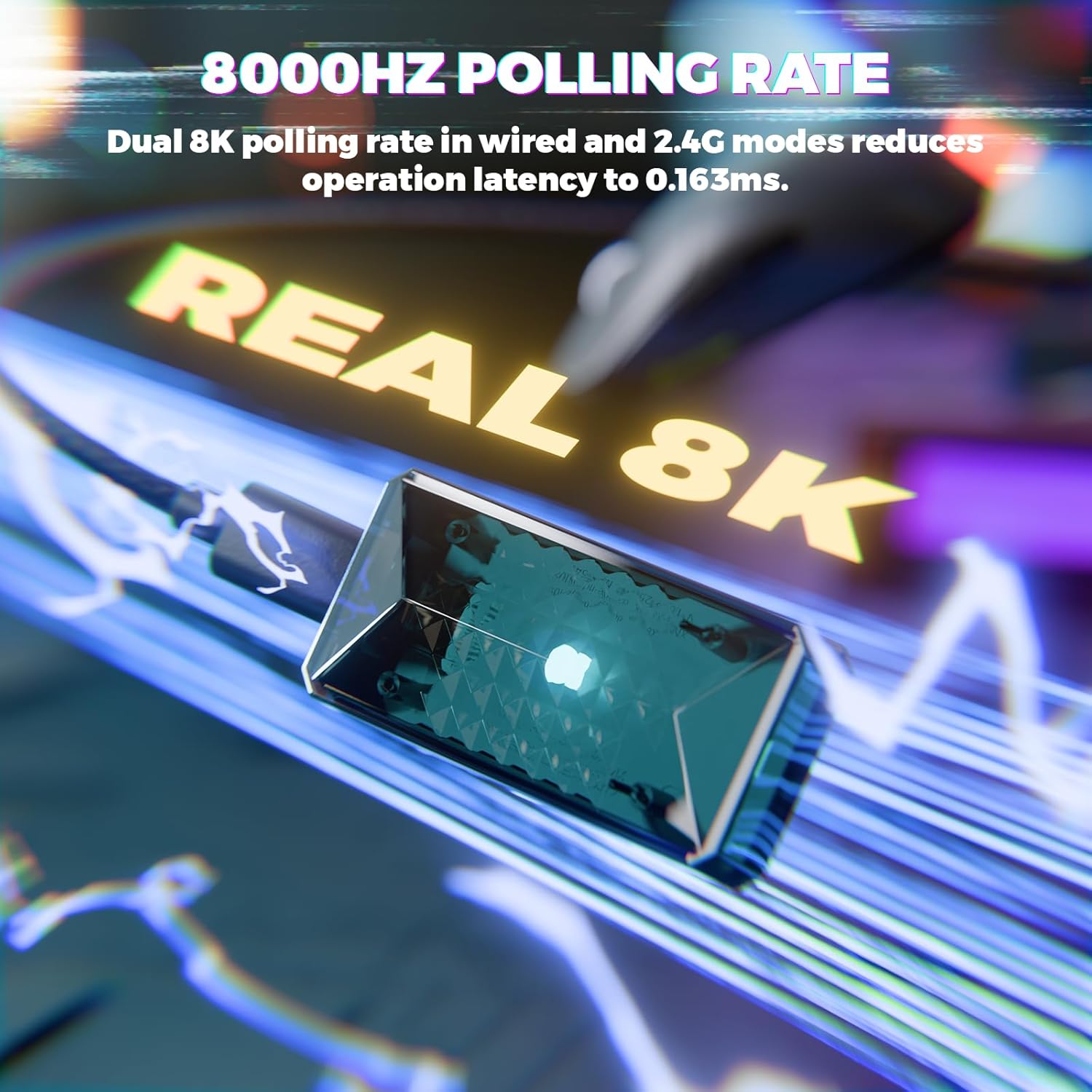
Image: Visual representation of the 8000Hz polling rate feature of the ATTACK SHARK X8 Ultimate mouse.
4. Cloud Driver Software
The X8 Ultimate utilizes an innovative cloud-driven webpage for customization. This eliminates the need for traditional software installation.
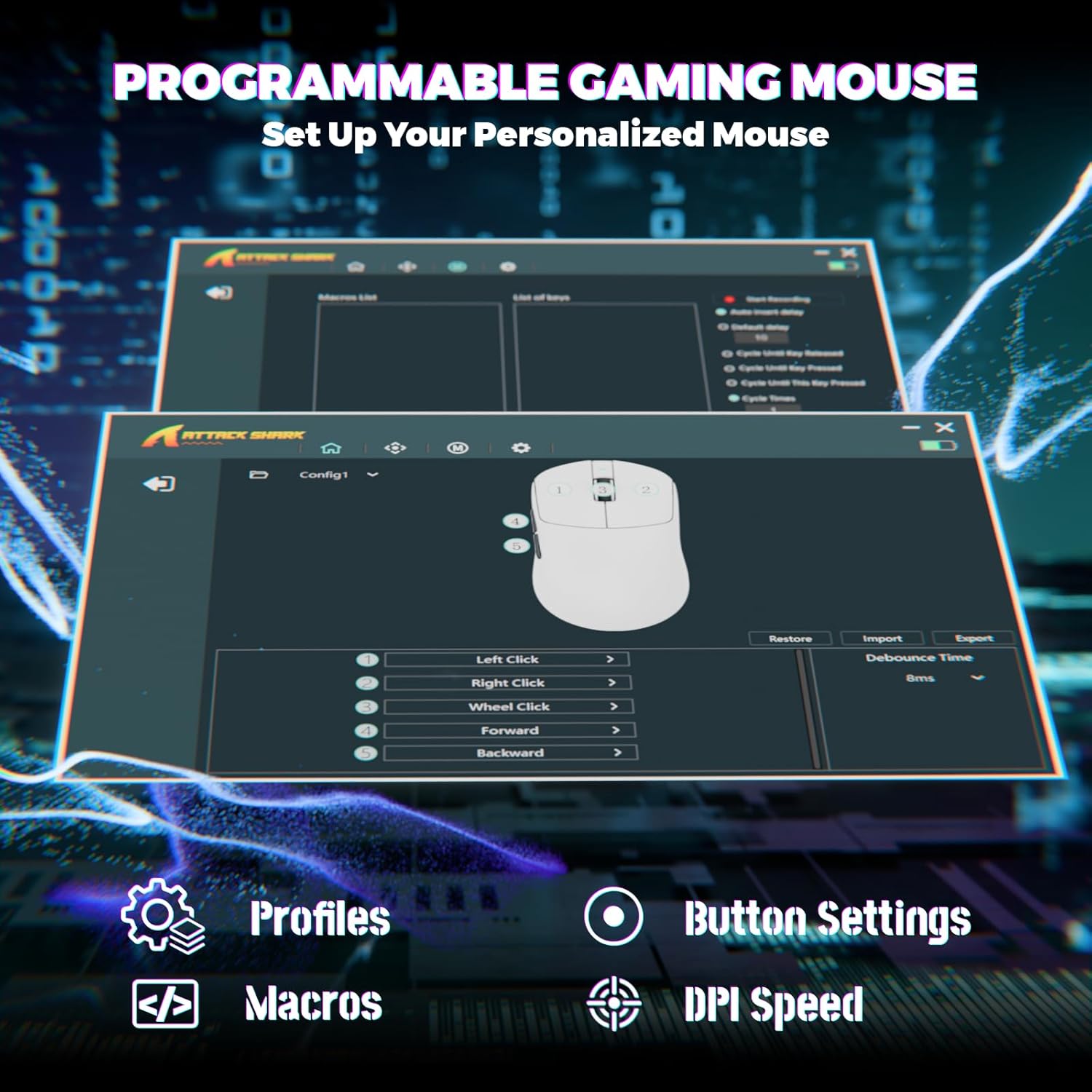
Image: Screenshot of the Cloud Driver interface for the ATTACK SHARK X8 Ultimate mouse, showing options for profiles, button settings, macros, and DPI speed.
To access the Cloud Driver:
- Ensure your mouse is connected to your computer.
- Otwórz web browser and navigate to the official ATTACK SHARK support page or the specific Cloud Driver URL (refer to packaging or official website for the exact link).
- The open-source driver will automatically identify your computer system.
- From the Cloud Driver interface, you can:
- Dostosuj czułość DPI.
- Set polling rate.
- Configure competitive modes.
- Dostosuj przypisania przycisków.
- Record and assign macros.
- Personalize key mapping and other advanced functions.
Konserwacja
1. Czyszczenie
Aby zachować optymalną wydajność i wygląd myszy, należy ją regularnie czyścić:
- Użyj miękkiej, niestrzępiącej się ściereczki, lekko wyczyśćampwodą lub łagodnym roztworem czyszczącym.
- Avoid harsh chemicals, solvents, or abrasive materials.
- Clean the optical sensor on the bottom of the mouse gently with a cotton swab to ensure accurate tracking.
2. Pielęgnacja baterii
Aby przedłużyć żywotność baterii:
- Unikaj wystawiania myszy na działanie ekstremalnych temperatur (wysokich lub niskich).
- Do not fully discharge the battery frequently. Charge it when the battery indicator is low.
- Jeśli przechowujesz mysz przez dłuższy czas, naładuj ją do około 50% przed schowaniem.
Rozwiązywanie problemów
If you encounter issues with your ATTACK SHARK X8 Ultimate mouse, try the following solutions:
- Mysz nie odpowiada:
- Upewnij się, że mysz jest włączona.
- Sprawdź poziom naładowania akumulatora i w razie potrzeby naładuj.
- Verify the connection mode (2.4GHz, Bluetooth, or Wired) is correctly selected and established.
- W przypadku częstotliwości 2.4 GHz należy upewnić się, że odbiornik USB jest prawidłowo podłączony.
- W przypadku technologii Bluetooth upewnij się, że Bluetooth jest włączony w Twoim urządzeniu i mysz jest sparowana.
- Try connecting the mouse via the wired USB cable.
- Przerywane połączenie lub opóźnienie:
- Ensure the USB receiver is not obstructed and is close to the mouse.
- Avoid using the mouse near other wireless devices that may cause interference.
- Zaktualizuj sterowniki USB lub Bluetooth w swoim komputerze.
- DPI or button settings not working:
- Access the Cloud Driver software to verify and reconfigure your settings.
- Ensure the mouse firmware is up to date (check via Cloud Driver).
- Problemy ze śledzeniem myszy:
- Wyczyść czujnik optyczny znajdujący się na spodzie myszy.
- Używaj myszy na czystej, jednolitej powierzchni lub wysokiej jakości podkładce pod mysz.
Specyfikacje
| Funkcja | Opis |
|---|---|
| Marka | ATAK REKIN |
| Model | X8 Ultimate |
| Technologia łączności | 2.4Ghz Wireless, Bluetooth, USB (Tri-mode) |
| Technologia wykrywania ruchu | Optical (PixArt PAW3950MAX Sensor) |
| Czułość DPI | 50 - 42,000 DPI (regulowana) |
| Współczynnik sondowania | Do 8000 Hz (bezprzewodowo/przewodowo) |
| Przyśpieszenie | 60G |
| Szybkość śledzenia | 700 IPS |
| Waga | 55 g (ultralekki) |
| Pojemność baterii | 800mAh |
| Typ przełącznika | Omron Micro Switches (100 Million Clicks lifespan) |
| Ilość przycisków | 5 (Programowalne) |
| Orientacja dłoni | Oburęczny |
| Kompatybilne urządzenia | Gaming Console, Personal Computer, Tablet |
| Platforma sprzętowa | PC |
| UPC | 752010401109 |

Image: The ATTACK SHARK X8 Ultimate mouse emphasizing its 59g ultra-light design and smooth-gliding double-layer feet.

Obraz: Szczegółowy view of the optical micro switches inside the ATTACK SHARK X8 Ultimate mouse, highlighting their instant click and zero rebound lag features, and 100 million click lifespan.
Gwarancja i wsparcie
The ATTACK SHARK X8 Ultimate Wireless Gaming Mouse comes with a 1-letnia gwarancja od daty zakupu.
For technical support, warranty claims, or further assistance, please contact ATTACK SHARK customer service through their official website or the retailer where the product was purchased. Please have your proof of purchase and product model information ready.
Oficjalny sklep ATTACK SHARK: Sklep ATTACK SHARK na Amazon