
1. Wprowadzenie
Thank you for choosing the Philips SPK7818 Dual Mode Wireless Ergonomic Silent Mouse. This manual provides essential information for setting up, operating, and maintaining your new mouse. Please read it carefully to ensure optimal performance and longevity of your device.
The Philips SPK7818 mouse offers versatile connectivity with both 2.4GHz wireless and Bluetooth (3.0 and 5.0) modes, allowing connection to up to three devices simultaneously. Its ergonomic design and silent clicks provide a comfortable and quiet user experience, while adjustable DPI settings up to 3200 ensure precise control.
2. Zawartość opakowania
Proszę sprawdzić, czy w paczce znajdują się następujące elementy:
- 1x Philips SPK7818 Wireless Mouse
- 1x USB-C Charging Cable (1.5m)
- 1x USB 2.4GHz Wireless Receiver (stored inside the mouse)
- 1x User Manual and Warranty Card
- 1x Internal Rechargeable Lithium Battery (pre-installed)

Image: Retail packaging of the Philips SPK7818 wireless mouse, showing the mouse and its features on the box.
3. Koniec produktuview
The Philips SPK7818 mouse is designed for comfort and efficiency, featuring 8 functional buttons, silent click technology, and an ergonomic shape that fits comfortably in the hand.
Główne cechy:
- Łączność w dwóch trybach: Seamlessly switch between 2.4GHz wireless and Bluetooth 3.0/5.0.
- Parowanie wielu urządzeń: Connect to up to three devices simultaneously and switch with a single button.
- Regulowane DPI: Five DPI levels (800, 1200, 1600, 2400, 3200) for precise cursor control.
- Ergonomiczna konstrukcja: Contoured shape for comfortable right-hand use, reducing strain during long periods.
- Ciche kliknięcia: Reduced click noise for a quiet working environment.
- Akumulator: Built-in 450 mAh lithium battery provides extended use on a single charge.
- Szeroka kompatybilność: Supports Windows, Linux, and Mac OS.

Obraz: widok z góry view of the Philips SPK7818 mouse, showing the scroll wheel, DPI button, and left/right click buttons.

Obraz: Bok view of the Philips SPK7818 mouse, highlighting its ergonomic contour and the two programmable side buttons.

Image: Diagram illustrating key features of the Philips SPK7818 mouse, including silent clicks, ergonomic design, rechargeable battery, 15m range, optical sensor, and USB dongle storage.
4. Konfiguracja
4.1. Ładowanie myszy
Before first use, it is recommended to fully charge the mouse. The Philips SPK7818 features a built-in 450 mAh rechargeable lithium battery.
- Connect the provided USB-C charging cable to the charging port on the front of the mouse.
- Podłącz drugi koniec kabla USB-C do źródła zasilania USB (np. portu USB komputera, zasilacza ściennego USB).
- The LED indicator on the mouse will show charging status. It will typically turn off or change color when fully charged.
4.2. Połączenie bezprzewodowe 2.4 GHz
For a stable and fast wireless connection, use the 2.4GHz USB receiver.
- Locate the USB 2.4GHz wireless receiver. It is typically stored in a compartment on the underside of the mouse.
- Podłącz odbiornik USB do wolnego portu USB w komputerze.
- Slide the power switch on the underside of the mouse to the '2.4G' position.
- The mouse should automatically connect to your computer. No additional drivers are usually required for Windows, Linux, or Mac OS.

Image: The Philips SPK7818 mouse demonstrating plug-and-play wireless connection with its USB dongle.
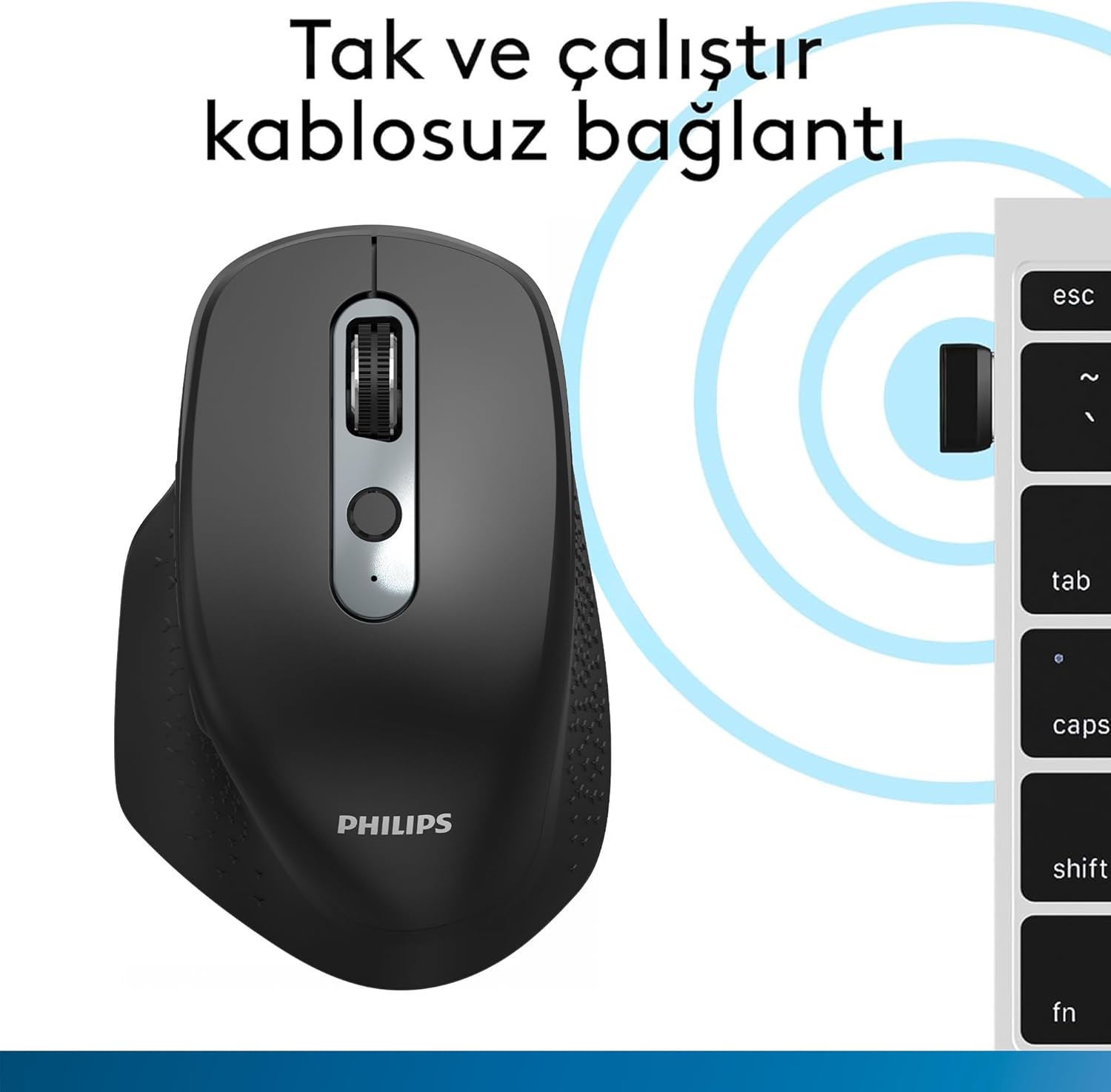
Image: Underside of the Philips SPK7818 mouse, showing the dedicated storage slot for the USB 2.4GHz wireless receiver.
4.3. Połączenie Bluetooth (BT3.0 / BT5.0)
The mouse supports two Bluetooth channels for connecting to different devices.
- Slide the power switch on the underside of the mouse to either the 'BT1' or 'BT2' position.
- Press and hold the Bluetooth pairing button (usually located near the power switch or channel switch) for 3-5 seconds until the LED indicator starts flashing, indicating pairing mode.
- Na komputerze lub urządzeniu przejdź do ustawień Bluetooth i wyszukaj nowe urządzenia.
- Select "Philips SPK7818" from the list of available devices to pair.
- Once paired, the LED indicator will stop flashing and remain solid for a few seconds before turning off.
- Repeat these steps for the second Bluetooth channel ('BT2') if you wish to connect to another device.

Image: The Philips SPK7818 mouse demonstrating universal compatibility with various operating systems including Windows, macOS, Chrome OS, Linux, and Android.
5. Instrukcja obsługi
5.1. Regulacja DPI
The mouse features a dedicated DPI button to cycle through five sensitivity levels, allowing you to adjust cursor speed to your preference.
- Locate the DPI button, usually positioned below the scroll wheel.
- Press the DPI button to cycle through the available sensitivity settings: 800, 1200, 1600, 2400, and 3200 DPI.
- Each press will change the DPI level, and you can observe the change in cursor speed on your screen.

Image: Diagram showing the Philips SPK7818 mouse and its five adjustable DPI settings: 800, 1200, 1600, 2400, and 3200.
5.2. Przełączanie między wieloma urządzeniami
To switch between connected devices (2.4GHz, BT1, BT2):
- Locate the channel switch button on the underside of the mouse.
- Press the button to cycle through the connected channels: 2.4G, BT1, and BT2.
- The corresponding LED indicator will light up briefly to confirm the selected channel.
6. Konserwacja
6.1. Czyszczenie
To keep your mouse clean and functioning properly:
- Do czyszczenia powierzchni myszy należy używać miękkiej, suchej ściereczki.
- W przypadku uporczywych zabrudzeń, delikatnieampPrzetrzyj ściereczkę wodą lub delikatnym środkiem czyszczącym. Unikaj silnych środków chemicznych.
- Nie dopuść do przedostania się płynów do wewnętrznych podzespołów myszy.
- Aby zapewnić dokładne śledzenie, okresowo czyść czujnik optyczny znajdujący się na spodzie przy pomocy wacika.
6.2. Pielęgnacja baterii
Aby zmaksymalizować żywotność wbudowanego akumulatora:
- Unikaj częstego całkowitego rozładowywania akumulatora.
- Naładuj mysz, gdy pojawi się wskaźnik niskiego poziomu naładowania baterii.
- Jeśli przechowujesz mysz przez dłuższy czas, naładuj ją do około 50% i przechowuj w chłodnym, suchym miejscu.
7. Rozwiązywanie Problemów
If you encounter issues with your Philips SPK7818 mouse, please refer to the following common solutions:
| Problem | Możliwa przyczyna | Rozwiązanie |
|---|---|---|
| Mysz nie reaguje (2.4 GHz) | Low battery, receiver not connected, incorrect mode selected. | Charge the mouse. Ensure the USB receiver is securely plugged in. Switch the mouse to 2.4G mode. Try a different USB port. |
| Mysz nie reaguje (Bluetooth) | Low battery, not paired, incorrect mode selected, Bluetooth off on device. | Charge the mouse. Ensure Bluetooth is enabled on your device. Switch the mouse to the correct BT channel (BT1/BT2). Re-pair the mouse if necessary. |
| Ruch kursora jest nieregularny lub skokowy | Zabrudzony czujnik optyczny, nieodpowiednia powierzchnia, słaba bateria. | Clean the optical sensor. Use the mouse on a clean, non-reflective surface or a mouse pad. Charge the mouse. |
| Mysz często się rozłącza | Zakłócenia, odległość od odbiornika/urządzenia, niski poziom naładowania baterii. | Reduce distance between mouse and receiver/device. Remove obstacles. Charge the mouse. Avoid using near other wireless devices that may cause interference. |
| Nie można przełączać się między urządzeniami | Incorrect button press, device not properly paired. | Ensure you are pressing the correct channel switch button. Verify that all devices are properly paired to their respective channels (2.4G, BT1, BT2). |
8. Specyfikacje
Detailed technical specifications for the Philips SPK7818 mouse:
- Marka: FILIPSY
- Model: SPK7818
- Kolor: Czarny
- Technologia łączności: Łączność bezprzewodowa 2.4 GHz, Bluetooth 3.0, Bluetooth 5.0
- Technologia wykrywania ruchu: Optyczny
- Liczba przycisków: 8
- Poziomy DPI: 800, 1200, 1600, 2400, 3200 (regulowane)
- Orientacja dłoni: Ergonomiczna konstrukcja dla praworęcznych
- Zgodne urządzenia: Laptop, komputer stacjonarny
- Zgodność z systemem operacyjnym: Microsoft Windows 7, Windows 8, Windows 10 or higher; Linux V1.24 or higher; Mac OS 10.5 or higher
- Źródło zasilania: Wbudowana bateria litowa o pojemności 450 mAh
- Zasięg bezprzewodowy: Up to 15 meters (2.4GHz mode), Up to 10 meters (Bluetooth mode)
- Waga produktu: 122 gramów (w tym bateria)
- Wymiary produktu (dł. x szer. x wys.): Wymiary: 11.8 cm x 7.7 cm x 4.6 cm
- Kraj pochodzenia: Chiny

Image: Diagram illustrating the physical dimensions (length, width, height) and weight of the Philips SPK7818 mouse.
9. Gwarancja i wsparcie
9.1. Informacje o gwarancji
This Philips SPK7818 mouse is covered by a Philips Turkey Guarantee. Please refer to the warranty card included in your package for specific terms and conditions, including the warranty period and coverage details.
9.2. Obsługa klienta
For technical assistance, troubleshooting beyond this manual, or warranty claims, please contact Philips customer support in your region. Contact details can typically be found on the Philips official webmiejscu lub na karcie gwarancyjnej.