
1. Wprowadzenie
This manual provides detailed instructions for the installation, operation, and maintenance of your Anlapus A61/C696 2K WiFi Security Camera. Please read this manual thoroughly before using the product to ensure proper functionality and safety. The Anlapus A61/C696 is a versatile 3MP 2K WiFi security camera designed for both outdoor and indoor surveillance, featuring advanced connectivity and detection capabilities.
2. Co znajduje się w pudełku
Sprawdź, czy w opakowaniu znajdują się wszystkie poniższe elementy:
- 2 x Anlapus A61/C696 Camera
- 2 x zasilacz
- 2 x wspornik magnetyczny
- 2 x Płyta montażowa
- 2 x podkładka samoprzylepna
- 2 x Mounting Sticker
- 2 x śruby montażowe
- 1 x Resetuj pin
- 1 x Skrócona instrukcja obsługi

Image: All components included in the Anlapus A61/C696 security camera package.
3. Funkcje produktu
- 2K Ultra HD with Full Color Night Vision & IP66: The camera features a 3MP resolution for clear 2K images. It offers three night vision modes: full color, black and white, and smart mode, ensuring visibility day and night. Its IP66 weatherproof design allows for reliable performance in various indoor or outdoor environments.
- AI Detection & Real-time Alerts: Advanced AI technology accurately detects human and vehicle movement, minimizing false alarms. Upon detection, sound and light alarms activate automatically to deter intruders. Instant push notifications and email alerts are sent to your mobile device. Motion detection zones can be customized.
- Two-Way Audio & Remote Access: A built-in speaker and microphone enable two-way communication, allowing you to speak with visitors or deter unwanted guests. Access and control your cameras remotely via the Vsees app on your smartphone or PC without additional fees.
- WiFi 6 & Flexible Storage: This camera utilizes the latest WiFi 6 technology and is compatible with 2.4GHz networks for faster and more stable data transmission. It supports local storage via a Memory Card (up to 256GB, not included) or cloud storage (30-day free trial available).
- Simple Installation & Magnetic Mount: The camera offers multiple mounting options: magnetic, adhesive, and wall-mounted. The powerful magnetic base allows for flexible positioning and easy adjustment of the viewkąt.
Wideo: Ponadview of Anlapus A61 3MP Security Camera features, including WiFi 6, 2K resolution, AI detection, and two-way audio.

Image: Demonstrates the camera's 2K color night vision capability with spotlights (ON) versus standard IR night vision (OFF).

Image: Illustration of AI detection for vehicles and humans, showing real-time alerts.
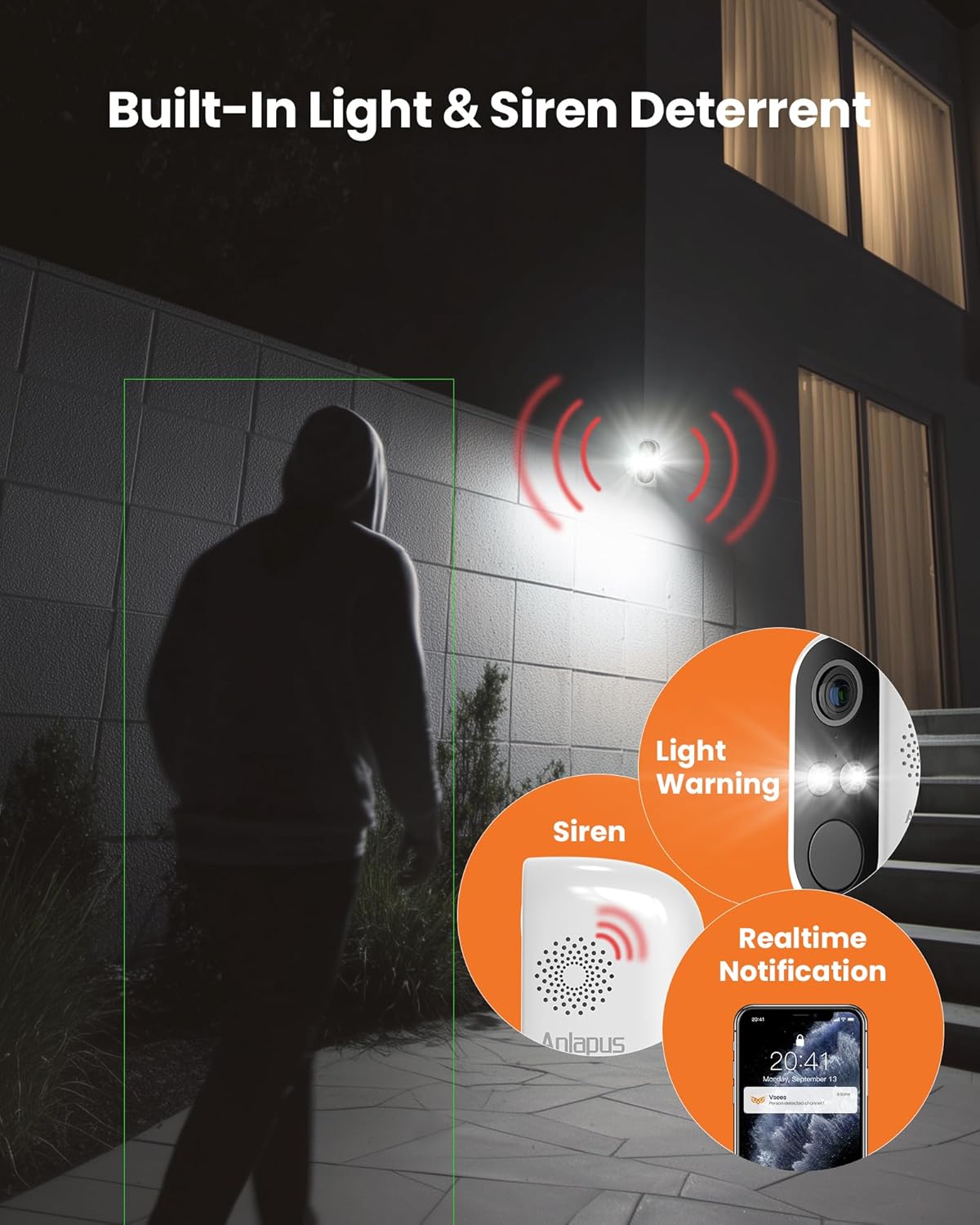
Image: The camera's built-in light and siren deterrent in action, alongside a mobile notification.

Image: The camera's IP66 weatherproof design, suitable for outdoor use in various weather conditions.
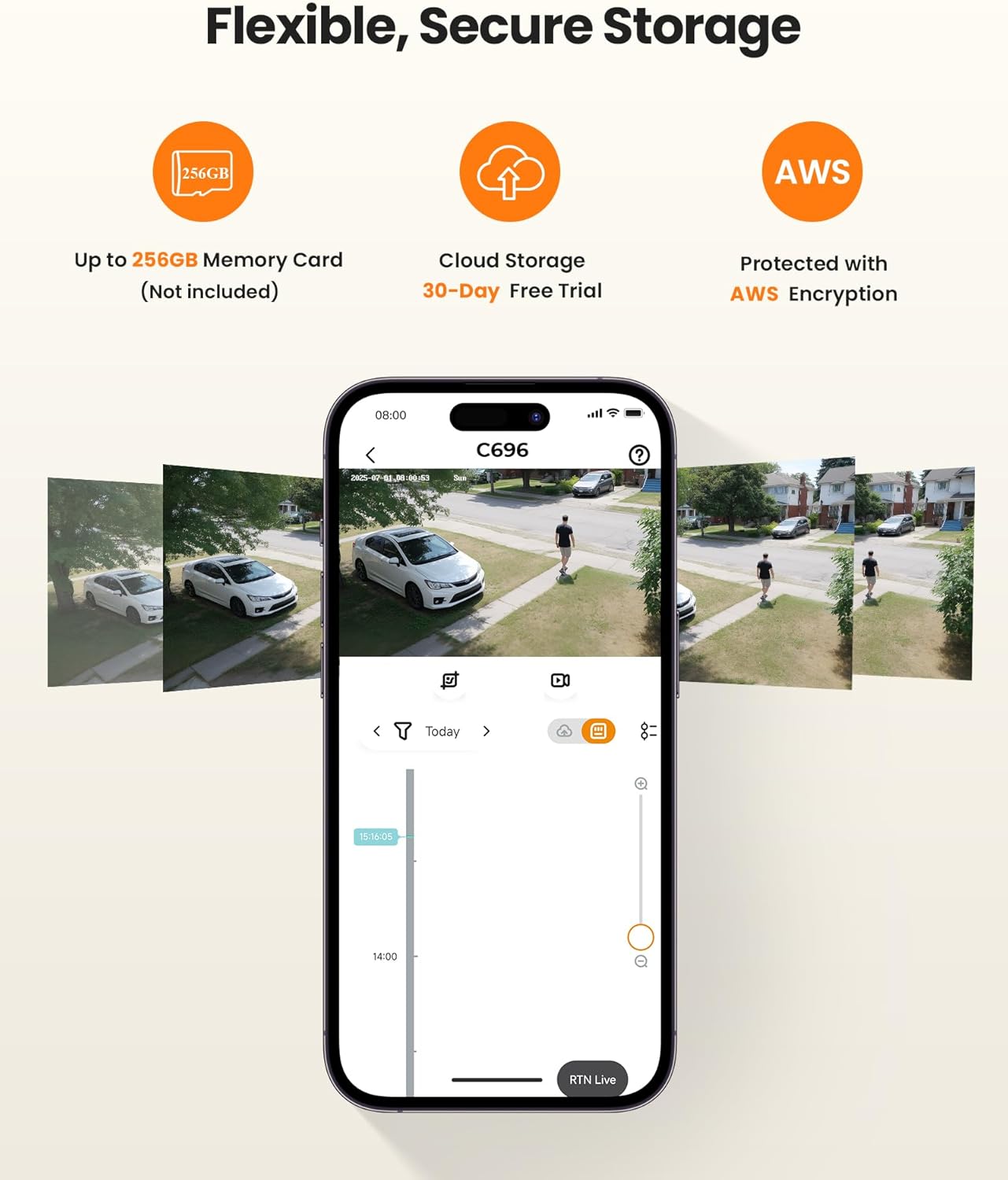
Image: Details on the camera's multiple storage options, including local microSD and secure cloud storage.
4. Instrukcje konfiguracji
Follow these steps to set up your Anlapus A61/C696 camera:
- Przygotowanie sprzętu:
- Open the charging port's waterproof seal and plug in the power cable for charging.
- Open the larger waterproof rubber plug to insert a TF card (up to 256GB, not included) or perform a device reset using the provided reset pin.
- Download Vsees App:
- Scan the QR code provided in the Quick Start Guide or search for "Vsees" in your device's app store (Apple App Store or Google Play Store) to download the latest version of the app.
- Zarejestruj się i zaloguj:
- Open the Vsees app, register a new account, and log in.
- Add Device by App (Smart Connection Method):
- On the app's device page, click "+ Add device". The app should automatically discover the device model 'IPC_C696'. Click 'Add to'.
- Select the 2.4GHz Wi-Fi network you wish to connect to and input the Wi-Fi password. (Note: The device does not support 5GHz Wi-Fi).
- Confirm the Wi-Fi details. The device will connect to the network.
- Once connected, set a name for your device (e.g., "Home", "Office", "Living Room") and click "Confirm".
- Add Device by App (AP Hotspot Addition Method):
- If smart connection fails, click "+ Add device" and then the top-right icon to switch to another way to add. Choose "AP Hotspot Addition".
- Ensure the device is powered on and you hear "Device waiting to connect". Check the box "Heard 'Device waiting to connect'" and tap "Next".
- Connect your phone to the camera's Wi-Fi hotspot (usually named "IPC_AP_XXXX").
- Return to the Vsees app, select your home 2.4GHz Wi-Fi network, and enter its password.
- Confirm the details. The device will connect.
- Set a name for your device and click "Confirm".
Video: Step-by-step guide on how to set up the Anlapus A61 WiFi Security Camera using the Vsees app.

Image: Visual guide for quick setup, including powering on, app download, Wi-Fi connection, and live viewing initiation.
5. Instalacja
The Anlapus A61/C696 camera offers flexible installation options:
5.1 No-Drill Installation (Adhesive/Magnetic)
- Tear off the double-sided adhesive from the adhesive pad and stick it to your desired installation position.
- Place the mounting iron plate onto the adhesive pad. It is recommended to wait 12 hours for the adhesive to fully cure before attaching the camera.
- Attach the camera to the iron plate using its magnetic base and adjust the camera angle as needed.
5.2 Drilling Installation (Wall Mount)
- Use the provided mounting sticker to mark the drill holes on the wall.
- Drill holes at the marked positions and insert the rubber plugs.
- Place the mounting iron plate over the holes and tighten the screws to secure it in place.
- Attach the camera to the fixed iron plate using its magnetic base and adjust the camera angle.

Image: Various flexible installation methods for the Anlapus A61/C696 camera.
6. Instrukcja obsługi
Once your camera is set up and installed, you can begin using its features via the Vsees app:
- Na żywo View: Uzyskaj dostęp do transmisji wideo na żywo z Twojej kamery w dowolnym czasie i miejscu.
- Dwukierunkowy dźwięk: Użyj ikon mikrofonu i głośnika w aplikacji, aby komunikować się za pomocą kamery.
- Odtwarzanie nagranego dźwięku: Review nagrano footage stored on your microSD card or cloud storage.
- Wykrywanie ruchu i alerty: Customize detection zones and sensitivity settings. Receive instant push notifications and email alerts when human or vehicle motion is detected.
- Alarm świetlny i syrena: Manually activate or set up automatic activation of the built-in light and siren to deter intruders.
- Tryby widzenia nocnego: Switch between full color, black and white, or smart night vision modes as per your preference and lighting conditions.
- Maskowanie prywatności: Configure privacy zones within the app to exclude specific areas from recording, ensuring privacy for sensitive locations.

Image: The Vsees app interface demonstrating live view, two-way audio, and playback functionalities.
7. Konserwacja
To ensure optimal performance and longevity of your Anlapus A61/C696 camera, follow these maintenance guidelines:
- Regularne czyszczenie: Gently wipe the camera lens and body with a soft, dry cloth to remove dust and dirt. Avoid using harsh chemicals or abrasive materials.
- Aktualizacje oprogramowania układowego: Periodically check the Vsees app for available firmware updates. Keeping your camera's firmware up-to-date ensures access to the latest features, security patches, and performance improvements.
- Podłączenie zasilania: Ensure the power cable is securely connected and the waterproof cover for the charging port is properly sealed, especially for outdoor installations, to prevent water ingress.
- Zarządzanie pamięcią masową: Regularnie ponownieview i zarządzaj nagranymi utworamitage. If using a microSD card, ensure it is not full to avoid interruption of recording. Back up important footage w razie potrzeby.
- Zagadnienia dotyczące ochrony środowiska: While the camera is IP66 weatherproof, extreme weather conditions (e.g., prolonged heavy rain, snow, or direct sunlight) can still impact performance over time. Consider additional protective measures if installed in harsh environments.
8. Rozwiązywanie Problemów
If you encounter issues with your Anlapus A61/C696 camera, refer to the following common troubleshooting steps:
- Kamera nie łączy się z Wi-Fi:
- Upewnij się, że Twoja sieć Wi-Fi obsługuje częstotliwość 2.4 GHz. Kamera nie obsługuje sieci 5 GHz.
- Sprawdź, czy hasło Wi-Fi jest poprawne.
- Aby poprawić siłę sygnału, przesuń kamerę bliżej routera Wi-Fi.
- Perform a device reset using the reset pin and try the setup process again.
- Nie na żywo View lub nagrywanie:
- Check the camera's power connection and ensure it is receiving power.
- Sprawdź, czy Twoje połączenie internetowe jest stabilne.
- Ensure the microSD card is correctly inserted and not full, or that your cloud storage subscription is active.
- Alerty o fałszywym ruchu:
- Adjust the motion detection sensitivity settings in the Vsees app.
- Define specific motion detection zones to exclude areas with frequent irrelevant movement (e.g., trees swaying).
- Słaba jakość widzenia nocnego:
- Upewnij się, że obiektyw aparatu jest czysty i nie ma w nim żadnych przeszkód.
- Check if there are any reflective surfaces close to the camera that might be causing glare.
- Switch between different night vision modes (full color, black and white) to see which performs best in your environment.
- Problemy z dwukierunkowym dźwiękiem:
- Ensure your phone's volume is up and the microphone/speaker functions are enabled in the app.
- Check for any obstructions around the camera's microphone and speaker.
If these steps do not resolve your issue, please contact Anlapus customer support for further assistance.
9. Specyfikacje
| Funkcja | Szczegół |
|---|---|
| Nazwa modelu | C696 (A2K-A61W3-W-US) |
| Zastosowanie wewnątrz/na zewnątrz | Wewnątrz, Na zewnątrz |
| Rozdzielczość przechwytywania wideo | 2K (3MP, 1296p) |
| Technologia łączności | Wi-Fi (2.4GHz, WiFi 6 compatible) |
| Źródło zasilania | Elektryczny przewodowy (5 V DC) |
| Zakres noktowizora | 33 stóp |
| Liczba diod LED podczerwieni | 2 |
| Cechy specjalne | Dwukierunkowy dźwięk, rozdzielczość HD, czujnik ruchu, widzenie nocne, odporność na warunki atmosferyczne |
| Metoda kontroli | App (Vsees) |
| Typ montażu | Wall Mount (Magnetic, Adhesive, Screw-in) |
| Pozycja Wymiary (dł. x szer. x wys.) | 8.3 x 4.1 x 3.2 cala |
| Waga przedmiotu | 1.54 funta |
| Kolor | Biały |
10. Gwarancja i wsparcie
Anlapus is dedicated to providing high-quality, easy-to-install smart home electronics. Every product undergoes rigorous testing and quality checks. For warranty information, technical support, or any inquiries, please refer to the contact details provided in your Quick Start Guide or visit the official Anlapus website. Anlapus offers lifetime technical support and is FCC certified.