
Wstęp
This manual provides detailed instructions for the installation, operation, and maintenance of your Furitek Predator Brushless Sensored ESC/Motor Power System (Model FUR-2577). This system is designed to enhance the performance of your Losi 1/18 Mini LMT monster truck, offering precise control and increased power. Please read this manual thoroughly before installation and use to ensure proper function and longevity of the product.
Zawartość opakowania
Sprawdź, czy w przesyłce znajdują się wszystkie elementy wymienione poniżej:
- 1x Furitek 40/70A PASO Sensored/Sensorless ESC with built-in wireless module
- 1x Furitek 5600kv KINETIC Brushless Sensored Motor
- 1x Instrukcja obsługi (ten dokument)
- 2x Sensored Cable
- 1x Signal Cable
- 1x Adapter IC2 to EC2

Image: The complete Furitek Predator power system components, including the ESC, motor, sensored cables, signal cable, and IC2 to EC2 adapter.
Specyfikacje
ESC Specifications:
| Wsparcie baterii | 2-3S LiPo batteries |
| Wyjście BEC | 5.5 V/7.4 V/8.4 V, 3 A |
| Prąd stały | 40A |
| Burst Prąd | 70A |
| Wyłącznik zasilania | Wbudowany |
| Wireless Setup Module | Wbudowany |
| Wymiary | 16 x 28 x 10 mm (0.63 x 1.1 x 0.39 cala) |
| Waga | 15.2 grama (0.53 uncji) |
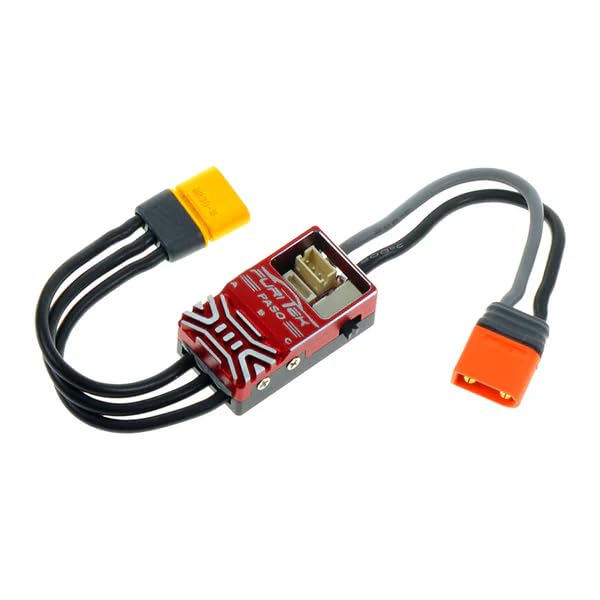
Image: The Furitek Predator Electronic Speed Controller (ESC) module.
Dane techniczne silnika:
| Typ silnika | Sensored Waterproof |
| Silnik Kv | 5600 |
| Cotage | 300 W |
| Bateria | 2-3S |
| Opór | 0.035 omów |
| Maksymalny prąd | 30A |
| Slot/Pole | 12 slot/4 pole |
| Rozmiar silnika | 24x35mm |
| Wał | 2.3x12mm |
| Waga | 54g |

Image: The Furitek Kinetic 5600kv Brushless Sensored Motor.
Konfiguracja i instalacja
Careful installation is crucial for optimal performance. Follow these steps for proper setup:
1. Prepare Your Vehicle:
- Ensure your Losi 1/18 Mini LMT is clean and free of debris.
- Disconnect the existing ESC and motor from the vehicle.
- Ważny: This system requires a separate receiver. The stock 2-in-1 receiver/ESC unit must be replaced with a standalone receiver compatible with your transmitter.
2. Instalacja silnika:
- Mount the Furitek 5600kv KINETIC Brushless Sensored Motor into the motor mount of your Losi Mini LMT.
- The motor is compatible with the stock pinion gear and 2.3mm shaft of the Losi LMT. Attach the stock pinion gear to the new motor shaft.
- Adjust the motor position to achieve proper gear mesh between the pinion and spur gear. Secure the motor firmly.
3. ESC Installation and Wiring:
- Find a suitable location in your vehicle chassis to mount the Furitek Predator ESC. Ensure it is secure and has adequate airflow.
- Connect the three motor wires from the ESC to the motor. Ensure the connections are secure.
- Connect one of the provided sensored cables from the ESC to the sensored port on the motor.
- Connect the signal cable from the ESC to the throttle channel (usually Channel 2) on your standalone receiver.
- The ESC features an IC2 battery connector. If your battery uses an EC2 connector, use the included IC2 to EC2 adapter. Connect your LiPo battery (2-3S) to the ESC.
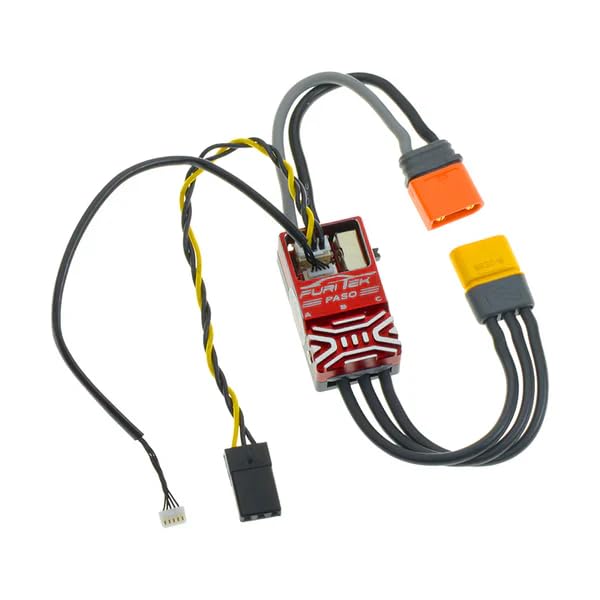
Image: The Furitek Predator ESC showing connected motor wires, sensored cable, and battery connector.
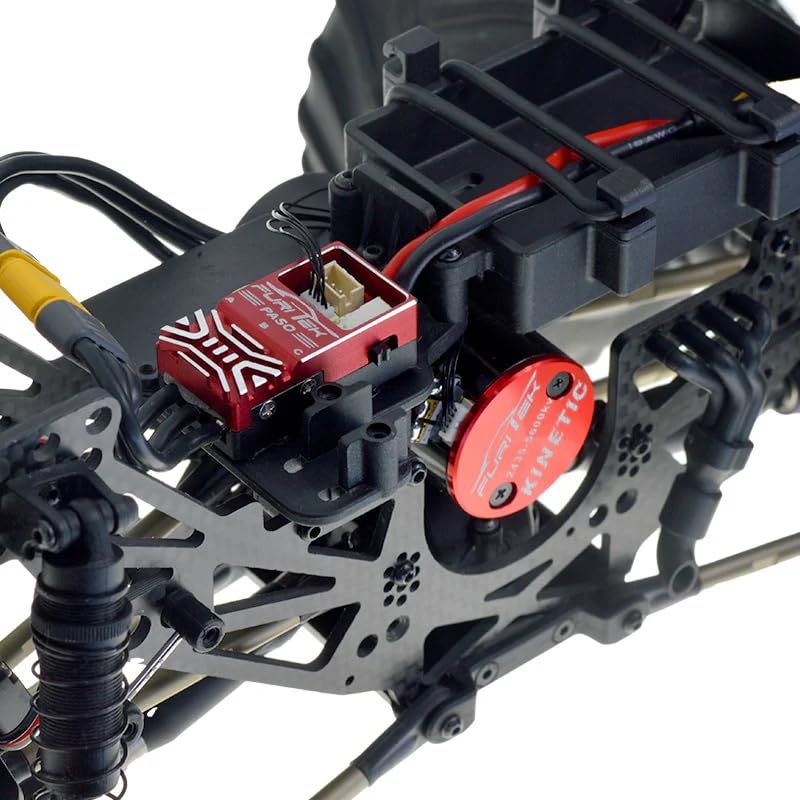
Obraz: Zbliżenie view of the Furitek Predator ESC and Kinetic motor installed within an RC vehicle chassis.
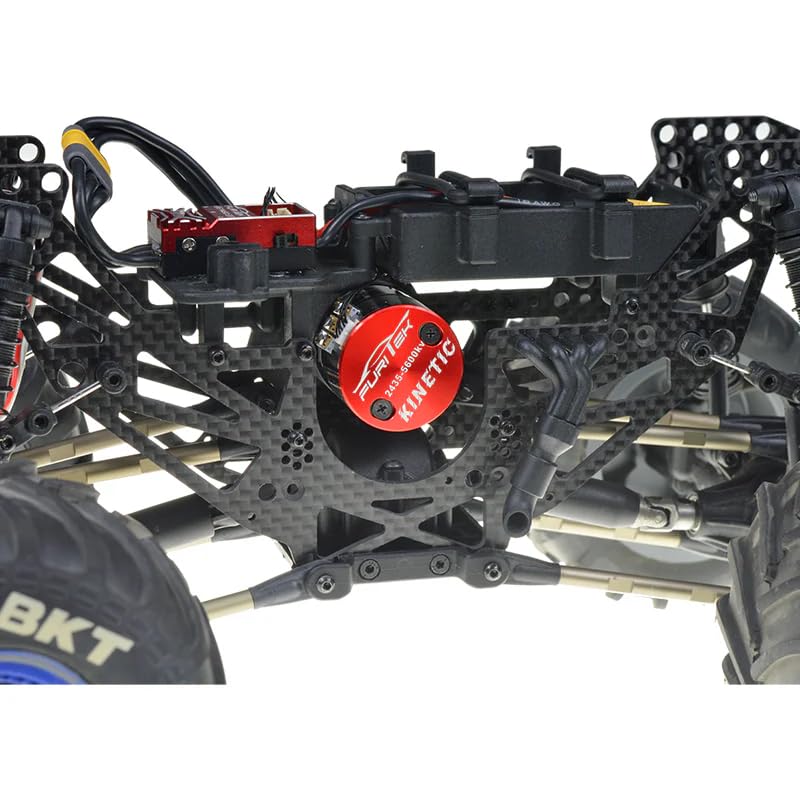
Image: A wider view of the Furitek Predator ESC and Kinetic motor installed in an RC vehicle chassis, showing overall placement.
4. Pierwsze uruchomienie:
- Before powering on, ensure all connections are secure and there are no loose wires.
- Turn on your transmitter first, then connect the battery to the ESC.
- The ESC will perform a self-test and emit a series of beeps.
- Calibrate the ESC with your transmitter if necessary, following your transmitter's instructions.
Instrukcja obsługi
The Furitek Predator system offers advanced features accessible via the Furicar App.
Furicar App Connectivity and Tuning:
- The ESC has a built-in wireless setup module, eliminating the need for external programming cards.
- Download the Furicar App from your device's app store (available on Android and iOS).
- Ensure your ESC is powered on. Open the Furicar App and connect to your ESC via Bluetooth.
- The app allows for real-time tuning and parameter adjustments, such as throttle curves, braking, and other ESC settings.
- Utilize the app's live tuning feature to make adjustments while the vehicle is in operation, optimizing performance for different conditions.
- The app also provides real-time telemetry updates up to 10Hz, offering data on your system's performance.
Smooth Throttle Control:
The sensored motor design combined with the Predator ESC provides exceptionally smooth and precise throttle control, which is beneficial for both crawling and high-speed driving. Adjust throttle curves in the Furicar App to match your driving style and vehicle requirements.
Konserwacja
Regular maintenance ensures the longevity and optimal performance of your power system.
- Czyszczenie: After each use, especially in dusty or wet conditions, gently clean the ESC and motor to remove dirt and debris. Use a soft brush or compressed air. Avoid using harsh chemicals.
- Znajomości: Periodically check all electrical connections (motor wires, sensored cable, battery connectors, signal cable) for tightness and signs of wear or corrosion.
- Łożyska silnika: While the motor features high-quality bearings, extreme conditions may require inspection. If you notice unusual noise or resistance, consider professional servicing.
- Składowanie: When not in use, store the system in a cool, dry place away from direct sunlight and extreme temperatures. Disconnect batteries when storing.
- Aktualizacje oprogramowania układowego: Regularly check the Furicar App for free lifetime firmware updates to ensure your system has the latest features and performance enhancements.
Rozwiązywanie problemów
Jeśli napotkasz problemy, zapoznaj się z poniższymi typowymi problemami i rozwiązaniami:
| Problem | Możliwa przyczyna | Rozwiązanie |
|---|---|---|
| No Power to System | Battery not connected, battery discharged, faulty connection, ESC power switch off. | Check battery connection, charge battery, inspect all wiring, ensure ESC power switch is on. |
| Motor Not Responding | Incorrect ESC calibration, motor wires loose, sensored cable disconnected, receiver not bound. | Recalibrate ESC, check motor and sensored cable connections, ensure receiver is properly bound to transmitter. |
| Erratic Motor Behavior | Loose sensored cable, interference, incorrect ESC settings. | Secure sensored cable, check for sources of interference, adjust ESC settings via Furicar App. |
| Przegrzanie | Incorrect gearing, excessive load, poor airflow, aggressive ESC settings. | Check gear mesh and ratio, reduce load, ensure adequate ventilation, adjust ESC settings (e.g., timing) in the app. Allow components to cool. |
| Cannot Connect to Furicar App | ESC not powered on, Bluetooth off on device, app permissions, distance. | Ensure ESC is powered, enable Bluetooth on your mobile device, grant necessary app permissions, try connecting closer to the ESC. |
Informacje o gwarancji
Furitek products are manufactured to high standards. For specific warranty terms and conditions, please refer to the official Furitek webOdwiedź witrynę lub skontaktuj się z punktem sprzedaży. Zachowaj dowód zakupu na wypadek roszczeń gwarancyjnych.
Wsparcie
For further assistance, technical support, or inquiries, please visit the official Furitek website or contact their customer service department. You can often find FAQs, additional resources, and contact information on their webstrona.
Zasoby internetowe: www.furitek.com