
1. Przewodnik konfiguracji
This section provides instructions for the initial setup of your XIAOMI Poco M8 5G smartphone.
1.1 Rozpakowanie i zawartość opakowania
Ostrożnie rozpakuj urządzenie i sprawdź całą jego zawartość. Standardowy zestaw zawiera:
- XIAOMI Poco M8 5G Smartphone
- Kabel USB (Typ C)
- Etui na telefon
- Wysuwacz tacy na kartę SIM
- Instrukcja obsługi (ten dokument)
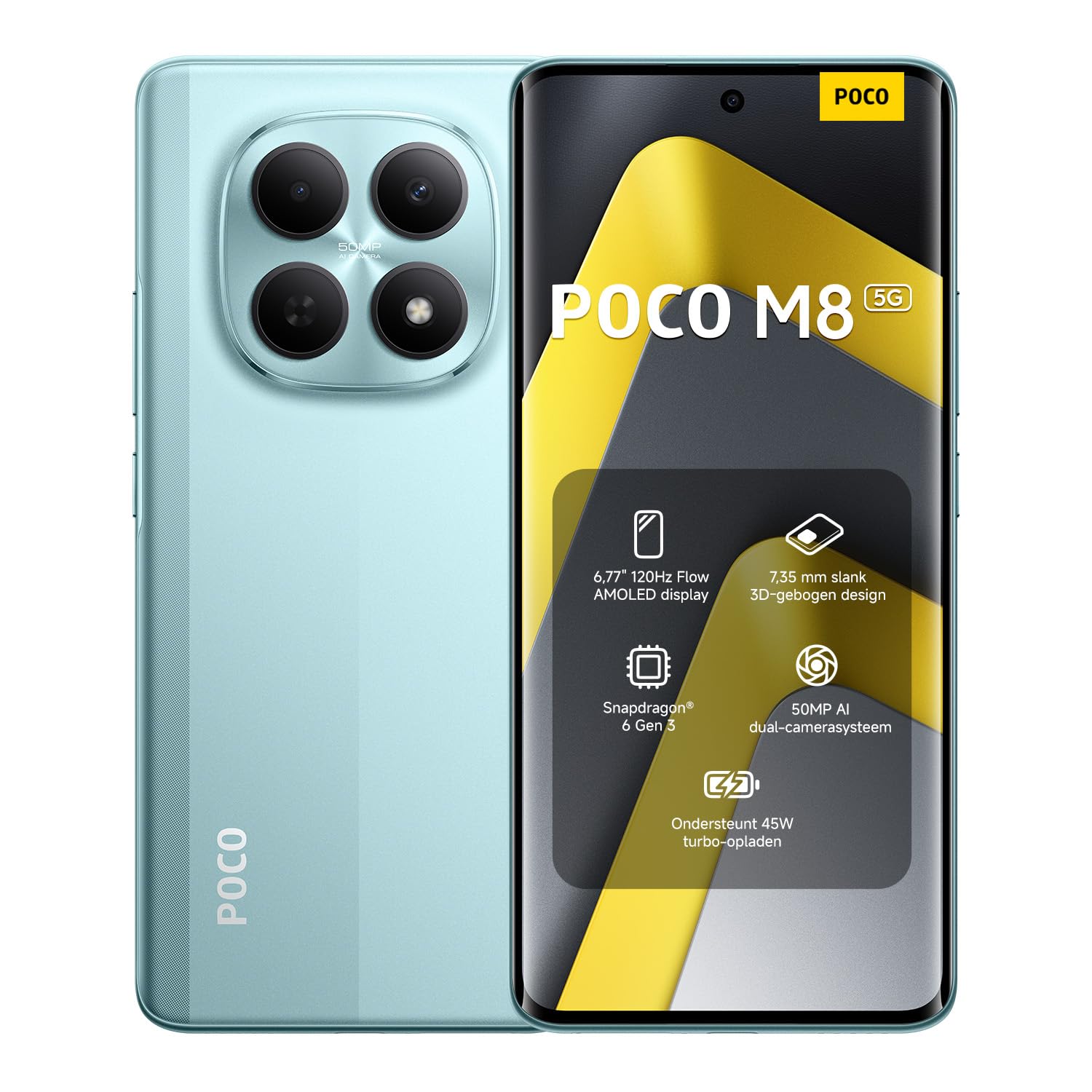
Image: The XIAOMI Poco M8 5G smartphone, USB-C cable, phone case, and SIM tray ejector pin, as typically found in the product box.
1.2 Instalacja karty SIM
Your Poco M8 5G supports a nano SIM 1 and a hybrid slot for either a second nano SIM or a microSD card. eSIM is not supported.
- Znajdź tackę na kartę SIM znajdującą się z boku urządzenia.
- Włóż narzędzie do wyjmowania tacki karty SIM w mały otwór obok tacki i delikatnie naciśnij, aż tacka wyskoczy.
- Place your nano SIM card(s) and/or microSD card into the tray with the gold contacts facing down, ensuring they are correctly oriented.
- Ostrożnie włóż tackę karty SIM z powrotem do urządzenia, aż zatrzaśnie się na swoim miejscu.
1.3 Pierwsze włączenie i zgodność sieciowa
Press and hold the power button until the XIAOMI logo appears. Follow the on-screen instructions to complete the initial setup, including language selection, Wi-Fi connection, and account setup.
Kompatybilność sieciowa:
- USA Market: This device is compatible with T-Mobile, Mint, Tello, or any carrier operating on the T-Mobile network. A pre-activated SIM card is required.
- Poza Stanami Zjednoczonymi: The device works with any GSM carrier worldwide.
- Obsługiwane zespoły:
- 5G: 1/2/3/5/7/8/20/28/38/40/41/48/66/71/77/78
- 4G LTE FDD: B1/2/3/4/5/7/8/18/19/20/26/28/66/71
- 4G LTE TDD: B38/40/41/42/48
- 3G WCDMA: B1/2/4/5/6/8/19
- 2G: Czterozakresowy
2. Instrukcja obsługi
Learn how to use the key features of your XIAOMI Poco M8 5G smartphone.
2.1 Wyświetlacz i interfejs użytkownika
The Poco M8 5G features a 6.77-inch Flow AMOLED display with a resolution of 2392 x 1080 pixels. Key display features include:
- Częstotliwość odświeżania: Up to 120Hz (adjustable for supported apps).
- Dotknij Sampstawka lingwistyczna: 240Hz, with an instant touch sampling rate of 2560Hz activated under Game Turbo Mode.
- Jasność: Up to 3200 nits peak brightness, 800 nits typical.
- Głębia koloru: 12-bit (68.7 billion colors) with DCI-P3 wide color gamut.
- Ściemnianie: 3840 PWM dimming and 16,000 (Hardware Solution) for eye comfort.
- System operacyjny: The device runs on Hyper OS 2.
2.2 Funkcje aparatu
Rób wysokiej jakości zdjęcia i filmy dzięki zintegrowanemu systemowi aparatów.
- Kamera tylna:
- Główna kamera: 50MP with Light Fusion 400 sensor (1/2.88", 1.22µm 4-in-1 Super Pixel, f/1.8 aperture, 5P lens).
- Kamera głębi: 2 MP.
- Nagrywanie wideo: Supports 4K at 30fps, 1080p at 30fps, and 720p at 30fps.
- Przednia kamera:
- 20MP sensor (1/4", f/2.2 aperture, 4P lens).
- Nagrywanie wideo: Supports 1080p at 30fps and 720p at 30fps.
2.3 Dźwięk i łączność
Experience immersive audio and seamless connectivity.
- Audio: Dual speakers with Dolby Atmos certification and Hi-Res Audio certification. Features a 3.5mm headphone jack.
- Łączność: Supports 5G, Wi-Fi, Bluetooth, NFC, and GPS (L1 | GLONASS: G1 | BDS: B1I+B1C | Galileo E1).
- Czujniki: Virtual proximity sensor, ambient light sensor, accelerometer, electronic compass, IR blaster, gyroscope, in-screen fingerprint sensor, and AI face unlock.
2.4 Wet Touch Technology 2.0
The device features Wet Touch Technology 2.0, which intelligently detects water, oil, foam, sweat, and more, ensuring responsive and accurate screen operation even with wet or oily fingers.
3. Konserwacja
Proper care and maintenance will extend the lifespan of your XIAOMI Poco M8 5G.
3.1 Pielęgnacja baterii
- The device is equipped with a 5520mAh (typical) battery and supports 45W turbo charging.
- To optimize battery longevity, avoid extreme temperatures and fully discharging the battery frequently.
- The silicon-carbon battery technology is designed to retain over 80% capacity after 1,600 charge cycles.
- Używaj wyłącznie zatwierdzonych ładowarek i kabli.
3.2 Screen and Device Cleaning
- The display features high-durability glass. To clean the screen, gently wipe it with a soft, lint-free cloth.
- W przypadku uporczywych plam delikatnieampPrzetrzyj ściereczkę wodą lub specjalnym środkiem do czyszczenia ekranów przeznaczonym do urządzeń elektronicznych.
- Unikaj stosowania silnych środków chemicznych, materiałów ściernych i nadmiernej wilgoci.
- Keep the device free from dust and debris, especially around ports and speaker grilles.
4. Rozwiązywanie Problemów
W tej sekcji opisano typowe problemy, które mogą wystąpić podczas korzystania z urządzenia.
4.1 Typowe problemy i rozwiązania
- Urządzenie się nie włącza: Ensure the battery is charged. Connect the device to its charger for at least 15 minutes before attempting to power it on again.
- Ekran nie reaguje: If the screen is unresponsive, try a forced restart by holding the power button for approximately 10-15 seconds.
- Problemy z łącznością sieciową:
- Sprawdź, czy karta SIM jest prawidłowo włożona.
- Verify that mobile data is enabled in your settings.
- Upewnij się, że jesteś w zasięgu sieci.
- Uruchom ponownie urządzenie.
- Bateria szybko się rozładowuje:
- Zamknij nieużywane aplikacje działające w tle.
- Zmniejsz jasność ekranu.
- Wyłącz funkcje takie jak Wi-Fi, Bluetooth czy GPS, gdy z nich nie korzystasz.
- Check for app updates, as outdated apps can sometimes consume more power.
- Aplikacje ulegają awarii lub zawieszają się:
- Clear the cache and data for the problematic app in settings.
- Zaktualizuj aplikację do najnowszej wersji.
- Jeśli problem nadal występuje, odinstaluj aplikację i zainstaluj ją ponownie.
If you encounter issues not covered here or require further assistance, please refer to the Warranty & Support section.
5. Specyfikacje
Detailed technical specifications for the XIAOMI Poco M8 5G smartphone.
| Nazwa modelu | Poco M8 5G |
| Numer modelu przedmiotu | MZB0NF7EU |
| Rozmiar wyświetlacza | 6.77 Inches Flow AMOLED |
| Rezolucja | 2392x1080 |
| Częstotliwość odświeżania | Do 120 Hz |
| Edytor | Snapdragon 6 Gen 3 Mobile Platform (4nm, Octa-core up to 2.4GHz) |
| BARAN | 8 GB |
| Składowanie | 256 GB (Expandable up to 1TB via microSD in hybrid slot) |
| System operacyjny | Hyper OS 2 |
| Kamera tylna | Główny 50 MP + głębia 2 MP |
| Przednia kamera | 20MP |
| Pojemność baterii | 5520 mAh (typowo) |
| Ładowanie | 45W Turbo Charge |
| Łączność | 5G, Wi-Fi, Bluetooth, NFC, GPS |
| Gniazdo audio | 3.5 mm |
| Wymiary | 7.05 x 3.54 x 1.65 cala (opakowanie) |
| Waga przedmiotu | 13 uncji |
| Kolor | Green (as per current product variant) |
6. Gwarancja i pomoc techniczna
For warranty information and customer support, please refer to the official XIAOMI resources.
6.1 Gwarancja na produkt
Your XIAOMI Poco M8 5G smartphone is covered by a limited manufacturer's warranty. Details regarding the warranty period and terms can typically be found on the official XIAOMI website or within the warranty card included in your product packaging. Please retain your proof of purchase for warranty claims.
6.2 Obsługa klienta
If you require technical assistance, have questions about your device, or need to report an issue, please contact XIAOMI customer support through their official channels. This may include their website, dedicated support hotlines, or authorized service centers.
For the most up-to-date support information, visit the official XIAOMI webstrona: www.mi.com/global/support