
Wstęp
This manual provides detailed instructions for the operation and maintenance of your SWOFY M4 MP3 Player. Please read this manual thoroughly before using the device to ensure proper functionality and to maximize your user experience. The SWOFY M4 is a portable digital music player featuring Bluetooth 5.4 connectivity, a 2.4-inch touchscreen, and a range of multimedia functions.
Zawartość opakowania
Sprawdź, czy w przesyłce znajdują się wszystkie wymienione poniżej elementy:
- SWOFY M4 MP3 Player (128GB)
- Kabel USB typu C.
- Słuchawki przewodowe
- Instrukcja obsługi
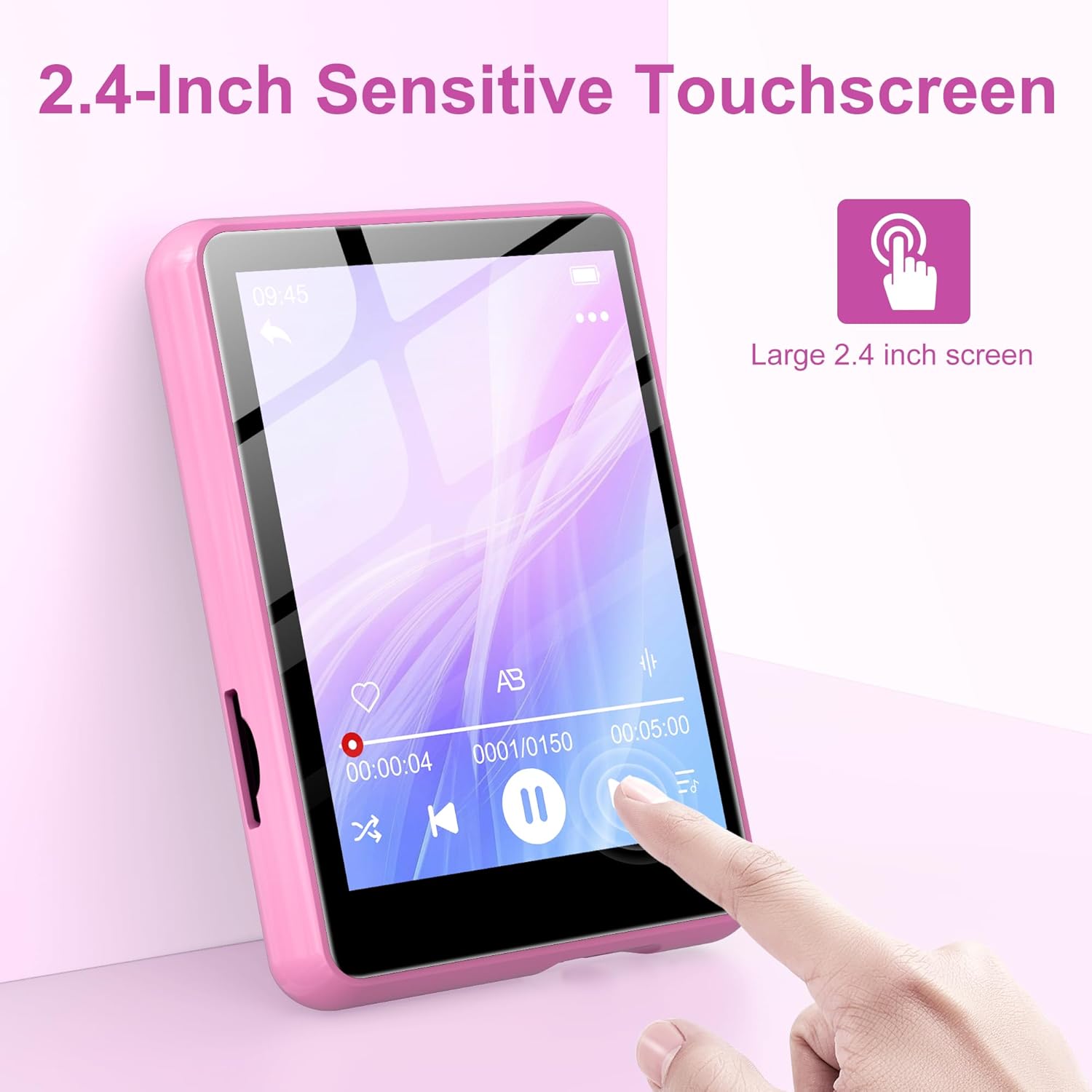
Image: Contents of the SWOFY M4 MP3 Player package, showing the device, USB Type-C cable, wired headphones, and user manual.
Produkt ponadview
The SWOFY M4 MP3 Player features a compact design with a 2.4-inch sensitive touchscreen and physical buttons for navigation and control.

Obraz: Przód view of the SWOFY M4 MP3 Player, highlighting the 2.4-inch touchscreen interface.
Główne cechy:
- Wyświetlacz: 2.4-calowy ekran dotykowy LCD
- Składowanie: 128GB internal, expandable via Micro SD card (up to 512GB)
- Łączność: Bluetooth 5.4, USB 2.0
- Formaty audio: MP3, OGG, FLAC, AAC, WMA, WAV, APE
- Funkcje: Music Player, FM Radio, Voice Recorder, E-book Reader, Video Player, Alarm Clock, Built-in HD Speaker
- Czas pracy baterii: Up to 50 hours of music playback (with headphones)
- Czas ładowania: Około 2 godziny do pełnego naładowania

Image: The SWOFY M4 MP3 Player's main menu screen, showing icons for various functions such as Music, FM Radio, Bluetooth, E-book, and Video.
Organizować coś
1. Ładowanie urządzenia
Before initial use, fully charge the MP3 player. Connect the provided USB Type-C cable to the player's charging port and the other end to a USB power adapter (not included) or a computer's USB port. The device will indicate charging status on the screen. A full charge takes approximately 2 hours.
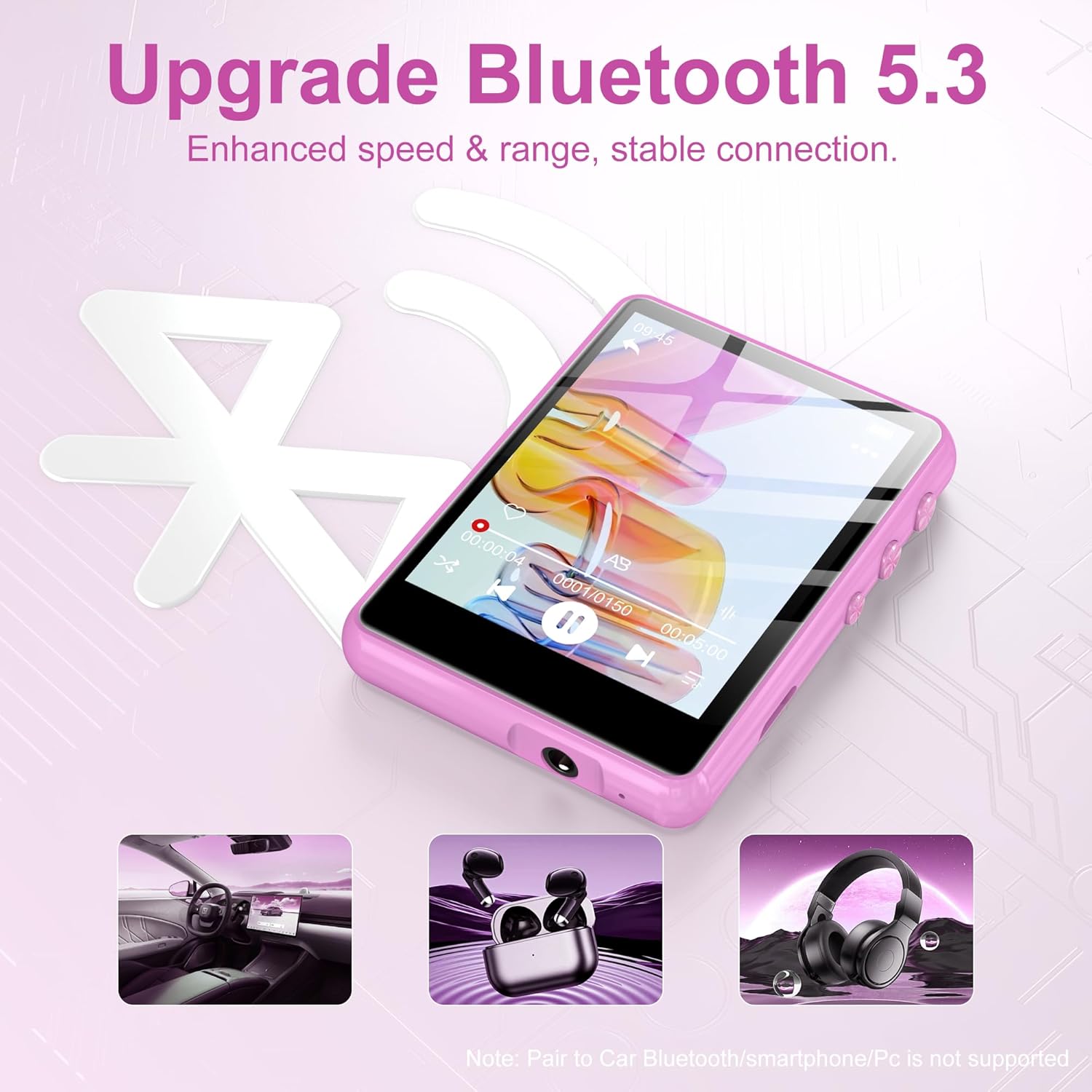
Image: The SWOFY M4 MP3 Player displaying battery information, indicating a 2-hour charging time for extended usage.
2. Przenoszenie Files (Muzyka, Filmy, E-booki)
Przenieść files from your computer to the MP3 player:
- Connect the MP3 player to your computer using the USB Type-C cable.
- Odtwarzacz pojawi się na Twoim komputerze jako dysk wymienny.
- Przeciągnij i upuść wybraną muzykę, wideo lub e-booka files into the appropriate folders on the player (e.g., "Music," "Video," "Ebook").
- Przed odłączeniem kabla należy bezpiecznie wyjąć dysk wymienny z komputera.
The device has 128GB of internal storage and supports Micro SD cards for expansion up to 512GB. Insert a Micro SD card into the designated slot to expand storage capacity.

Image: The SWOFY M4 MP3 Player highlighting its 128GB high capacity, expandable up to 512GB, for storing thousands of songs.
Instrukcja obsługi
1. Włączanie/wyłączanie zasilania
- Włączanie: Naciśnij i przytrzymaj przycisk zasilania znajdujący się z boku urządzenia, aż ekran się podświetli.
- Aby wyłączyć: Naciśnij i przytrzymaj przycisk zasilania, aż na ekranie pojawi się opcja wyłączenia, a następnie potwierdź.
2. Podstawowa nawigacja
The SWOFY M4 features a 2.4-inch sensitive touchscreen for navigation. Tap icons to select functions and swipe to scroll through lists or pages. Physical buttons on the side provide additional control for volume and playback.

Image: A finger interacting with the 2.4-inch sensitive touchscreen of the SWOFY M4 MP3 Player, demonstrating its touch interface.
3. Odtwarzanie muzyki
- W menu głównym kliknij ikonę „Muzyka”.
- Przeglądaj swoją muzykę według artysty, albumu, gatunku lub wszystkich utworów.
- Kliknij utwór, aby rozpocząć odtwarzanie.
- Use the on-screen controls or physical buttons for play/pause, skip tracks, and volume adjustment.
The player supports HiFi lossless sound quality for formats like MP3, OGG, FLAC, AAC, WMA, WAV, and APE.

Image: A visual representation of enjoying music with HiFi lossless sound quality, listing supported audio formats.
4. Łączność Bluetooth
The SWOFY M4 features Bluetooth 5.4 for connecting to compatible devices such as Bluetooth headphones or speakers.
- W menu głównym kliknij ikonę „Bluetooth”.
- Włącz Bluetooth.
- Ensure your Bluetooth device (headphones/speaker) is in pairing mode.
- Wybierz urządzenie z listy dostępnych urządzeń, które chcesz sparować.
Notatka: The player does not support pairing with car Bluetooth systems, smartphones, or PCs for audio output.
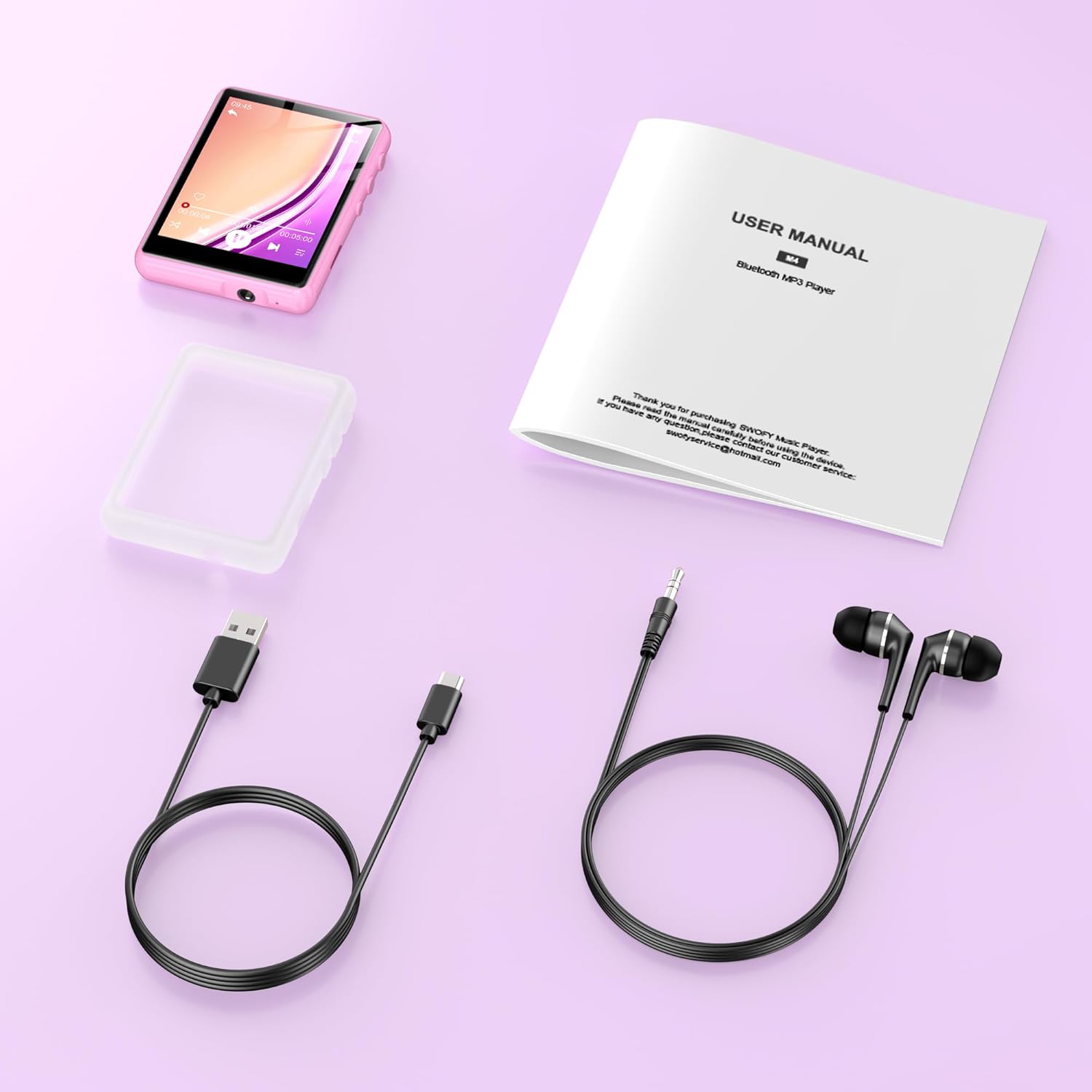
Image: The SWOFY M4 MP3 Player demonstrating its Bluetooth 5.4 connectivity for enhanced speed and stable connection with headphones and speakers.
5.Radio FM
- Connect wired headphones to the player; they act as the antenna.
- W menu głównym kliknij ikonę „Radio FM”.
- Use the auto-scan function to find available stations or manually tune to a frequency.
6. Dyktafon
- From the main menu, tap the "Recording" icon.
- Kliknij przycisk nagrywania, aby rozpocząć nagrywanie.
- Kliknij przycisk Stop, aby zakończyć i zapisać nagranie.
7. Czytnik e-booków
- From the main menu, tap the "Ebook" icon.
- Wybierz e-booka file otworzyć i przeczytać.
8. Odtwarzanie wideo
- W menu głównym kliknij ikonę „Wideo”.
- Wybierz film file to play. Ensure video files are in compatible formats for optimal playback.
9. Ustawienia
Access the "Settings" menu to adjust various device parameters, including:
- Język
- Data i godzina
- Jasność wyświetlacza
- Ustawienia korektora
- Informacje o systemie
Konserwacja
- Przechowuj urządzenie w suchym miejscu. Unikaj narażenia na działanie wilgoci i płynów.
- Czyść ekran i obudowę miękką, suchą ściereczką. Nie używaj środków czyszczących o właściwościach ściernych.
- Unikaj ekstremalnych temperatur. Nie wystawiaj urządzenia na bezpośrednie działanie promieni słonecznych ani bardzo niskich temperatur.
- Zachowaj ostrożność. Unikaj upuszczania urządzenia i narażania go na silne uderzenia.
- Regularly back up important data to a computer to prevent loss.
Rozwiązywanie problemów
| Problem | Możliwe rozwiązanie |
|---|---|
| Urządzenie nie włącza się. | Upewnij się, że urządzenie jest w pełni naładowane. Podłącz je do źródła zasilania i spróbuj ponownie. |
| Nie można przenieść files. | Check the USB cable connection. Ensure the device is recognized by the computer. Try a different USB port or cable. |
| Urządzenie Bluetooth nie łączy się. | Ensure Bluetooth is enabled on both the MP3 player and the target device. Place devices close to each other and ensure the target device is in pairing mode. Note that the player does not pair with phones or PCs for audio output. |
| Brak dźwięku z radia FM. | Ensure wired headphones are connected, as they serve as the antenna. Check volume levels. |
| Ekran dotykowy nie reaguje lub działa niedokładnie. | Uruchom ponownie urządzenie. Upewnij się, że ekran jest czysty i suchy. Jeśli problem będzie się powtarzał, skontaktuj się z obsługą klienta. |
Specyfikacje
| Funkcja | Szczegół |
|---|---|
| Model | M4 |
| Wyświetlacz | 2.4-calowy ekran dotykowy LCD |
| Pamięć wewnętrzna | 128 GB |
| Możliwość rozbudowy pamięci masowej | Karta micro SD do 512 GB |
| Wersja Bluetooth | 5.4 |
| Interfejs USB | USB 2.0 (typ C) |
| Obsługiwane formaty audio | MP3, OGG, FLAC, AAC, WMA, WAV, APE |
| Czas pracy baterii (odtwarzanie muzyki) | Up to 50 hours (with headphones) |
| Czas ładowania | Około 2 godzin |
| Cechy specjalne | Built-in Speaker, FM Radio, Voice Recorder, E-book Reader, Video Playback, Equalizer |
| Kompatybilne urządzenia | Bluetooth Headphones, Personal Computer, Bluetooth Speakers |
| Producent | SWOFY |
| GTIN/UPC | 762786808415 |
Gwarancja i wsparcie
The SWOFY M4 MP3 Player comes with a warranty of up to 24 months from the date of purchase. If you encounter any issues or require assistance, please contact SWOFY customer support. Refer to the contact information provided in your product packaging or on the official SWOFY webstronie, aby uzyskać szczegółowe informacje na temat pomocy technicznej.
For further assistance, please visit our support page or contact us directly via support@swofy.com.