
1. Wprowadzenie
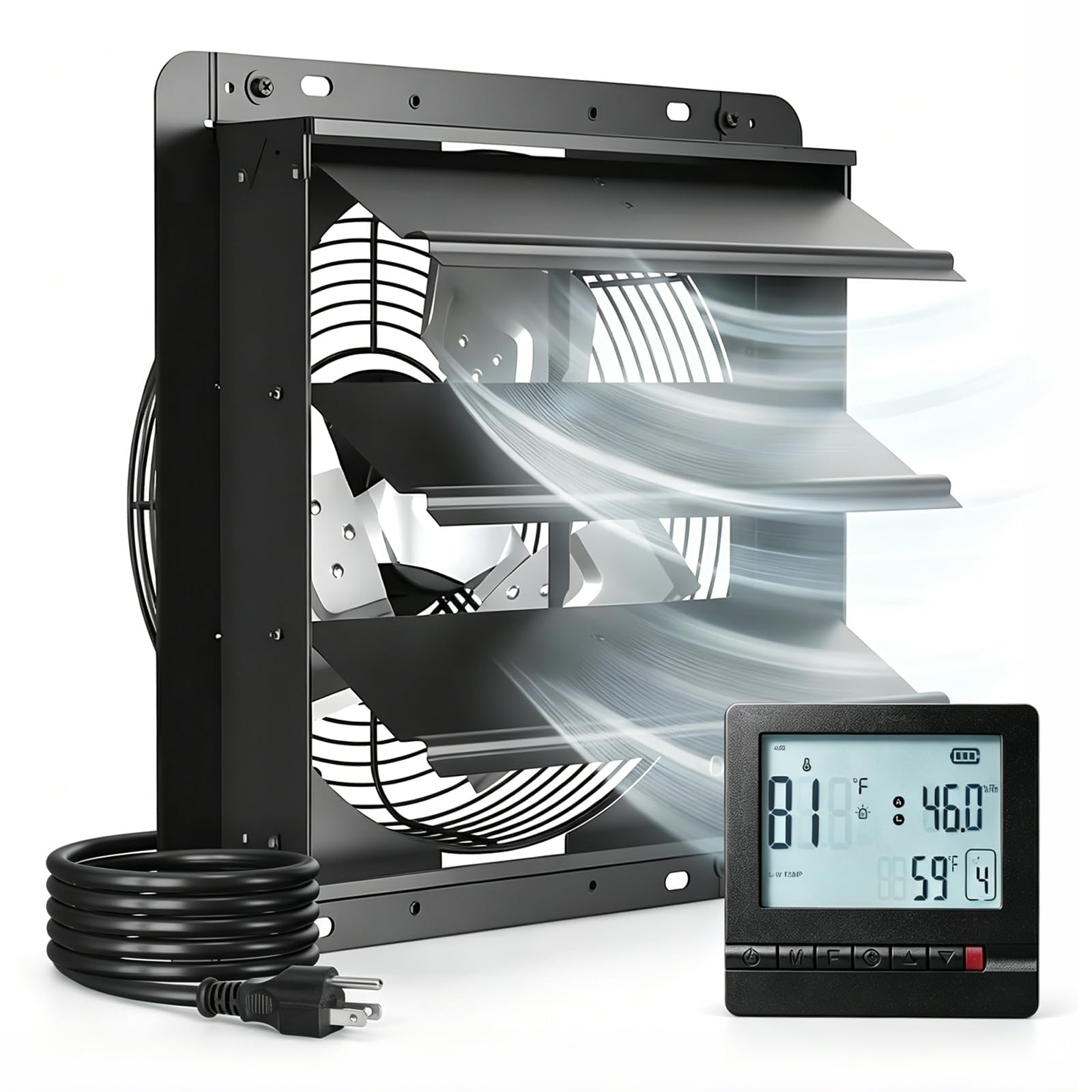
This manual provides essential information for the safe and efficient operation of your Amico 12-inch Shutter Exhaust Fan. Please read these instructions thoroughly before installation and use, and retain them for future reference. This exhaust fan is designed for optimal ventilation in various environments such as greenhouses, garages, chicken coops, and attics, offering smart temperature and humidity control.
2. Informacje dotyczące bezpieczeństwa
- Przed instalacją, serwisowaniem lub czyszczeniem urządzenia należy zawsze odłączyć zasilanie.
- Upewnij się, że źródło zasilania jest zgodne z mocą wentylatora.tagwymagania (120V).
- Nie uruchamiaj wentylatora z uszkodzonym przewodem lub wtyczką.
- Keep fingers and other objects away from moving parts during operation.
- Install the fan in a location that allows for proper airflow and is free from obstructions.
- This product is FCC certified for safety and performance.
3. Funkcje produktu
The Amico 12-inch Shutter Exhaust Fan incorporates advanced features for efficient and controlled ventilation:
- Smart Temperature & Humidity Control: Automatically adjusts operation based on preset high and low temperature/humidity thresholds.
- 8-Speed Auto Adjust & 24H Timer: Features an 8-speed fan with automatic adjustment based on environmental conditions and a programmable 24-hour timer.
- High Airflow & Energy-Efficient DC Motor: Delivers 1238 CFM airflow with a 25W Brushless DC (BLDC) motor, ensuring powerful yet energy-saving performance.
- Cicha praca: Działa przy niskim poziomie hałasu wynoszącym 55 dB.
- Draft-Blocking Gravity Shutters: Automatic shutters open during operation and close tightly when off, preventing drafts, rain, and pests.

Illustration of the efficient 25W DC motor, designed for maximum airflow with minimal energy consumption.

Visual representation of the fan's massive airflow capacity of 1238 CFM, effectively ventilating spaces.

The fan features automatic gravity shutters that open during operation and close when the fan is off, providing protection against drafts, rain, and insects.
4. Konfiguracja i instalacja
The Amico Shutter Exhaust Fan is designed for straightforward, plug-and-play installation. A paper template is included to assist with wall cutting.
- Mark & Cut: Use the provided template to mark the desired installation area and cut the opening.
- Assemble Frame Panels: If necessary, assemble any frame panels according to the included instructions.
- Bezpieczny wentylator: Position the fan in the opening and secure it using appropriate fasteners for your wall material.
- Podłącz i graj: Connect the pre-wired 120V plug to a standard power outlet.

Visual guide for the four-step installation process: marking and cutting, assembling frame panels, securing the fan, and plugging it in.

Byłyample of the exhaust fan properly installed in a wall opening.
Video demonstrating installation in various locations such as attics, greenhouses, and garages.
5. Instrukcja obsługi
The fan is controlled by a remote thermostat and humidity control unit, offering both automatic and manual operation modes.
Pilot zdalnego sterowaniaview

The remote control unit allows for smart climate control, displaying current temperature and humidity, and enabling setting adjustments.

Szczegółowy view of the remote's display, showing temperature and humidity readings.
Tryb automatyczny
- Set your desired high and low temperature thresholds (e.g., 80°F high, 35°F low).
- Set your desired high and low humidity thresholds (e.g., 100% high, 0% low).
- The fan will automatically activate when the ambient temperature or humidity exceeds the high threshold or drops below the low threshold.
- In auto mode, the fan intelligently adjusts its speed (up to 8 levels) based on the deviation from your set points (e.g., one speed level increase for every 1.8°F or 5% humidity rise).
Tryb ręczny
- Switch to manual mode to select your desired fan speed directly (1-8).
- Use the built-in 24-hour timer to schedule specific operating times.
Zdalne parowanie
The remote control typically comes pre-paired. If re-pairing is needed, ensure both the fan and controller are powered on. Refer to the detailed video instructions for specific steps, as the process may vary slightly. Press the 'M' button for pairing, not the 'F' button as sometimes mistakenly indicated in older documentation.
Detailed video guide on how to use the control box, including thermostat and humidity settings.
Video illustrating the automatic ventilation function with temperature and humidity control.
6. Konserwacja
Regularna konserwacja zapewnia optymalną wydajność i długą żywotność wentylatora wyciągowego.
- Czyszczenie: Periodically clean the fan blades and shutters to prevent dust and debris buildup, which can reduce efficiency. Use a soft cloth and mild detergent if necessary. Ensure the fan is disconnected from power before cleaning.
- Kontrola: Routinely check the power cord for any signs of damage. Inspect the shutters for smooth operation.
7. Rozwiązywanie Problemów
If you encounter issues with your Amico Shutter Exhaust Fan, refer to the following common solutions:
- Wentylator się nie włącza:
- Check if the fan is properly plugged into a live 120V outlet.
- Sprawdź, czy pilot jest naładowany i włączony.
- Verify that the remote is paired with the fan. Refer to the 'Remote Pairing' section if needed.
- In automatic mode, check if the current temperature or humidity is within the set thresholds. The fan will only activate if thresholds are exceeded.
- Problemy ze zdalnym sterowaniem:
- If the remote is unresponsive, ensure it is charged. The remote has a long-range capability (up to 50ft) and a battery life of up to one year.
- If the remote is not pairing, ensure both the fan and controller are powered. Try re-pairing by pressing the 'M' button on the remote.
- For programming difficulties, review the operating instructions and videos carefully. The system uses both high and low temperature/humidity limits, which may require specific settings for single-threshold applications.
- Zmniejszony przepływ powietrza:
- Check for obstructions around the fan blades or shutters.
- Clean any dust or debris from the blades and grilles.
- Ensure the fan is operating at a higher speed setting if in manual mode.
8. Specyfikacje
Detailed technical specifications for the Amico 12-inch Shutter Exhaust Fan:

Visual representation of the fan's dimensions and key performance metrics.
| Specyfikacja | Szczegół |
|---|---|
| Marka | Przyjaciel |
| Numer modelu | DLT-E3000E120L |
| Rozmiar | 12 cali |
| Wymiary produktu (Gł. x Szer. x Wys.) | 5.91" gł. x 12" szer. x 12" wys. |
| Tworzywo | Stal stopowa, aluminium |
| Projekt wentylatora elektrycznego | Wentylator wyciągowy |
| Źródło zasilania | DC |
| Typ silnika | Brushless DC (BLDC) |
| Cotage | 25 watów |
| Tomtage | 120 woltów |
| Przepływ powietrza | 1238 stopy sześcienne na minutę |
| Prędkość | 1758 obr./min. |
| Liczba prędkości | 8 |
| Poziom hałasu | 55dB |
| Typ kontrolera | Remote Control (Temperature & Humidity) |
| Typ montażu | Montaż ścienny |
| Zastosowanie wewnątrz/na zewnątrz | Wewnątrz, Na zewnątrz |
| Orzecznictwo | Certyfikat FCC |
9. Gwarancja i wsparcie
Amico gwarantuje jakość swoich produktów.
- Gwarancja: This product comes with a 3-year product support warranty.
- Obsługa klienta: For any installation, setup, or operational assistance, reliable 24/7 customer support is available. Please refer to the product packaging or manufacturer's webwitryna do informacji kontaktowych.