
1. Wprowadzenie
Thank you for choosing the FLEXISPOT Electric Standing Desk. This manual provides detailed instructions for the assembly, operation, and maintenance of your new adjustable height desk. Designed to promote a healthier work environment, this desk allows you to easily switch between sitting and standing positions, reducing the negative effects of prolonged sitting. Please read this manual thoroughly before assembly and use to ensure proper function and safety.
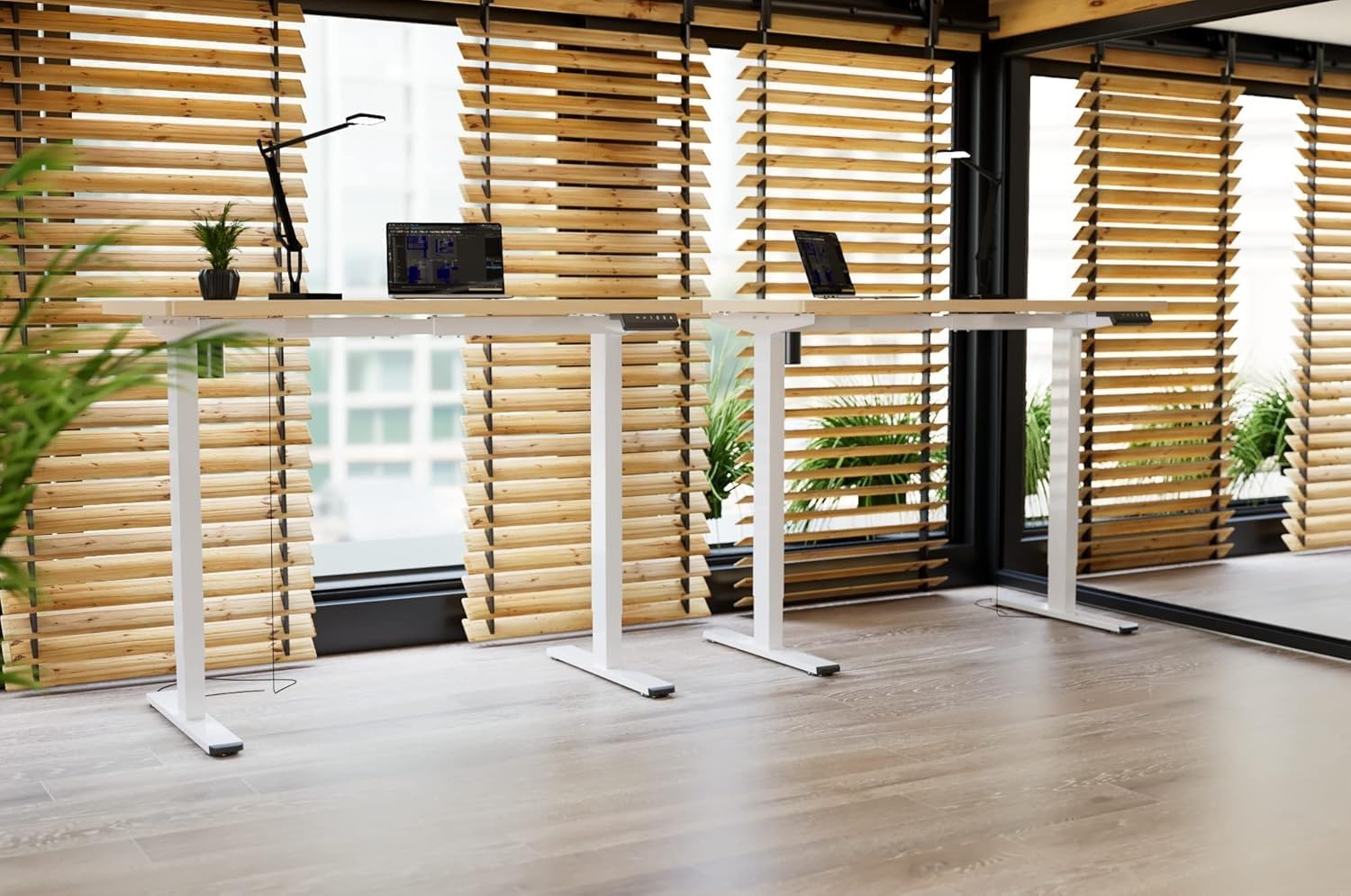
Image: Two FLEXISPOT electric standing desks with maple tops and white frames, set up in an office environment.
2. Informacje dotyczące bezpieczeństwa
- Przed montażem należy upewnić się, że wszystkie elementy są obecne i nieuszkodzone.
- Podczas pracy urządzenia należy trzymać dzieci i zwierzęta z dala od biurka.
- Do not place hands or other body parts near moving parts of the desk frame.
- Avoid overloading the desk beyond its specified weight capacity.
- Należy używać wyłącznie dołączonego zasilacza i upewnić się, że jest podłączony do uziemionego gniazdka.
- Do not disassemble or modify the desk's motor or control system.
- Jeśli usłyszysz jakikolwiek nietypowy hałas lub usłyszysz ruch, natychmiast przerwij pracę biurka i odłącz je od zasilania.
- Biurko jest przeznaczone wyłącznie do użytku w pomieszczeniach zamkniętych.
3. Zawartość opakowania
Sprawdź, czy w opakowaniu znajdują się wszystkie poniższe elementy:
- Desktop (Maple, 140x60cm)
- Electric Lifting Columns (2x)
- Desk Feet (2x)
- Elementy poprzeczki/ramy
- Skrzynka sterownicza
- Klawiatura wielofunkcyjna
- Zasilacz i kabel
- Backpack Hook (2x)
- Sprzęt montażowy (śruby, klucze imbusowe)
- Instrukcja obsługi
4. Instalacja i montaż
Follow these steps to assemble your FLEXISPOT Electric Standing Desk. It is recommended to have two people for assembly.
- Rozpakuj komponenty: Ostrożnie wyjmij wszystkie części z opakowania i połóż je na czystej, miękkiej powierzchni, aby zapobiec zarysowaniom.
- Assemble Desk Feet: Attach the desk feet to the bottom of the lifting columns using the provided screws.
- Połącz poprzeczkę: Secure the crossbar components between the two lifting columns.
- Dołącz pulpit: Place the desktop upside down on a soft surface. Carefully position the assembled frame onto the desktop, aligning the pre-drilled holes. Secure the frame to the desktop with the appropriate screws.
- Install Control Box and Keypad: Mount the control box and multi-function keypad to the underside of the desktop using the provided hardware.
- Podłącz kable: Connect the motor cables from the lifting columns to the control box. Connect the keypad cable to the control box. Finally, connect the power adapter to the control box and then to a power outlet.
- Zainstaluj akcesoria: Attach the backpack hooks to the desired location on the desk frame or desktop edge.
- Zarządzanie kablami: Organize all cables using cable ties or management trays (not included) to prevent tangles and ensure safe operation.
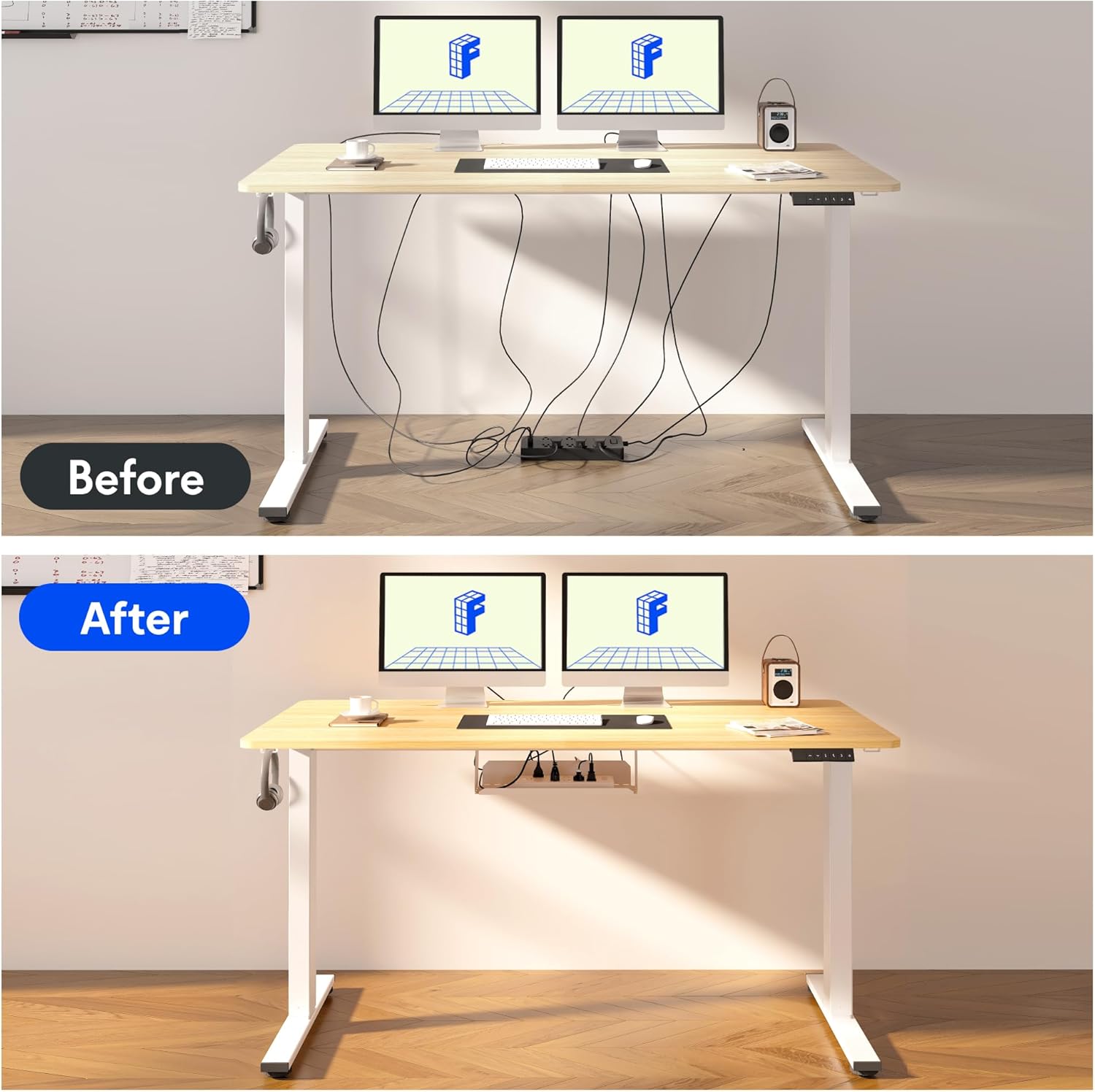
Image: Illustration of effective cable management for the desk, showing a 'before' state with loose cables and an 'after' state with cables neatly secured.

Obraz: Zbliżenie view of the optional cup holder and backpack hooks, demonstrating their attachment to the desk.
5. Instrukcja obsługi
Your FLEXISPOT desk features an intuitive multi-function keypad for easy height adjustment and memory presets.

Obraz: Szczegółowy view of the multi-function keypad, highlighting the LED display, up and down adjustment keys, and four memory preset buttons.
- Regulacja wysokości: Użyj Up (▲) I W dół (▼) keys to raise or lower the desk to your desired height. The current height will be displayed on the LED screen.
- Ustawianie ustawień pamięci:
- Adjust the desk to your preferred sitting or standing height using the Up/Down keys.
- Naciśnij "M" button (or similar memory set button, if present, otherwise directly press a number).
- Immediately press one of the numbered memory buttons (1, 2, 3 lub 4) to save the current height to that preset. The LED display will confirm the setting.
- Przywoływanie ustawień pamięci: Press any of the numbered memory buttons (1, 2, 3 lub 4) aby automatycznie przesunąć biurko na zapisaną wysokość.
- Funkcja resetowania: If the desk encounters an error or needs to be reset, press and hold the W dół (▼) button until the desk reaches its lowest position and then slightly rises, indicating a successful reset.
6. Konserwacja
- Czyszczenie: Przetrzyj powierzchnię biurka i ramę miękką szmatką.amp szmatką. Unikaj silnych środków chemicznych i ściernych środków czyszczących.
- Zarządzanie kablami: Regularly check and organize cables to prevent damage and ensure smooth operation.
- Smarowanie: The lifting mechanism is designed to be maintenance-free. Do not apply lubricants to the columns.
- Kontrola: Okresowo sprawdzaj wszystkie śruby i połączenia, aby upewnić się, że są dobrze dokręcone. W razie potrzeby dokręć.
7. Rozwiązywanie Problemów
| Problem | Możliwa przyczyna | Rozwiązanie |
|---|---|---|
| Biurko się nie porusza. | Power cable disconnected, control box cable loose, overload. | Check all cable connections. Reduce weight on the desk. Perform a reset (see Operating Instructions). |
| Biurko porusza się nierównomiernie lub wydaje nietypowe dźwięki. | Loose screws, obstruction, uneven load. | Check all assembly screws. Ensure no obstructions are in the path of the lifting columns. Distribute weight evenly. |
| Ustawienia pamięci nie działają. | Ustawienia predefiniowane nie zostały zapisane prawidłowo. | Re-save the memory presets following the steps in the Operating Instructions. |
| Wyświetlacz LED pokazuje kod błędu. | Błąd systemu. | Perform a reset. If the error persists, contact customer support. |
8. Specyfikacje
- Wymiary pulpitu: 140 cm (długość) x 60 cm (szerokość)
- Regulowany zakres wysokości: od 73.5 cm do 118 cm
- Tworzywo: Maple wood desktop, Metal frame (White)
- Silnik: Single motor, quiet operation (below 50 dB)
- Cechy szczególne: Electric height adjustment, Smart memory panel (4 presets), Backpack hook (2x)
- Stabilność: Enhanced frame design with wider feet and thicker columns for improved stability.

Image: Technical drawing illustrating the desktop dimensions (140x60cm) and the adjustable height range of the desk frame (73.5-118cm).

Obraz: Wewnętrzny view of the desk's powerful and quiet motor, emphasizing its smooth and stable operation.
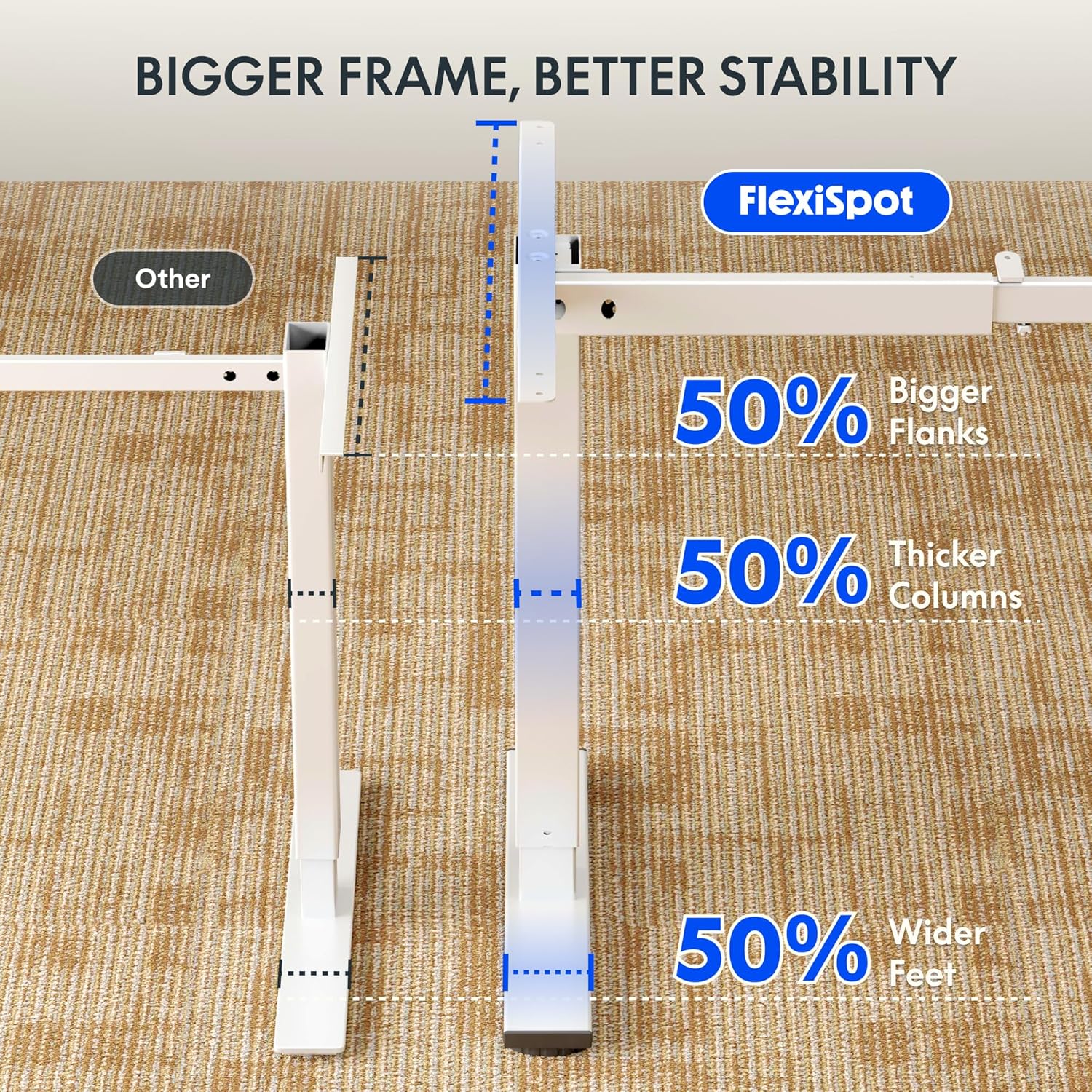
Image: Comparative diagram illustrating the superior stability of the FlexiSpot desk frame, featuring 50% bigger flanks, thicker columns, and wider feet compared to standard designs.
9. Informacje o gwarancji
This FLEXISPOT Electric Standing Desk is covered by a limited manufacturer's warranty. Please refer to the warranty card included in your package or visit the official FLEXISPOT website for detailed terms and conditions regarding coverage, duration, and claims process. Keep your proof of purchase for warranty service.
10. Obsługa klienta
If you have any questions, require assistance with assembly, or encounter issues not covered in this manual, please contact FLEXISPOT customer support. You can find contact information on the official FLEXISPOT webna stronie internetowej lub u sprzedawcy.
Więcej informacji znajdziesz na stronie: www.flexispot.com