
Moman Xview M4 Pro
Moman Xview M4 Pro Selfie Monitor User Manual
Model: Xview M4 Pro
1. Wprowadzenie
This manual provides comprehensive instructions for the safe and efficient use of your Moman Xview M4 Pro Selfie Monitor. Please read this manual thoroughly before operating the device and retain it for future reference.
2. Informacje dotyczące bezpieczeństwa
Aby zapewnić bezpieczną obsługę i zapobiec uszkodzeniom, należy przestrzegać następujących środków ostrożności:
- Nie wystawiaj monitora na działanie wody ani nadmiernej wilgotności.
- Unikaj upuszczania i narażania urządzenia na silne uderzenia.
- Nie próbuj samodzielnie demontować ani naprawiać monitora. Skontaktuj się z wykwalifikowanym serwisantem.
- Trzymaj monitor z dala od bezpośredniego światła słonecznego i źródeł ciepła.
- Należy używać wyłącznie wskazanego zasilacza i akcesoriów.
3. Zawartość opakowania
Sprawdź, czy w opakowaniu znajdują się wszystkie elementy:
- Moman Xview M4 Pro Selfie Monitor (main unit)
- Kabel ładujący USB-C
- Instrukcja obsługi (ten dokument)
Uwaga: Zawartość opakowania może się nieznacznie różnić w zależności od regionu lub konkretnego zakupionego pakietu.
4. Konfiguracja
4.1 Ładowanie monitora
Before first use, fully charge the Moman Xview M4 Pro monitor. Connect the provided USB-C cable to the monitor's charging port and the other end to a compatible USB power adapter (not included) or a computer's USB port.
The charging indicator light will typically show red while charging and turn green or off when fully charged.
4.2 Montaż monitora
The Moman Xview M4 Pro is designed to be mounted on various camera rigs or smartphone cages. It features a standard 1/4"-20 screw hole for attachment.
- Attach the monitor to a cold shoe mount or a compatible bracket (sold separately) using the 1/4"-20 screw.
- Securely fasten the monitor to your smartphone cage or camera setup.
- Dostosuj vieww razie potrzeby.
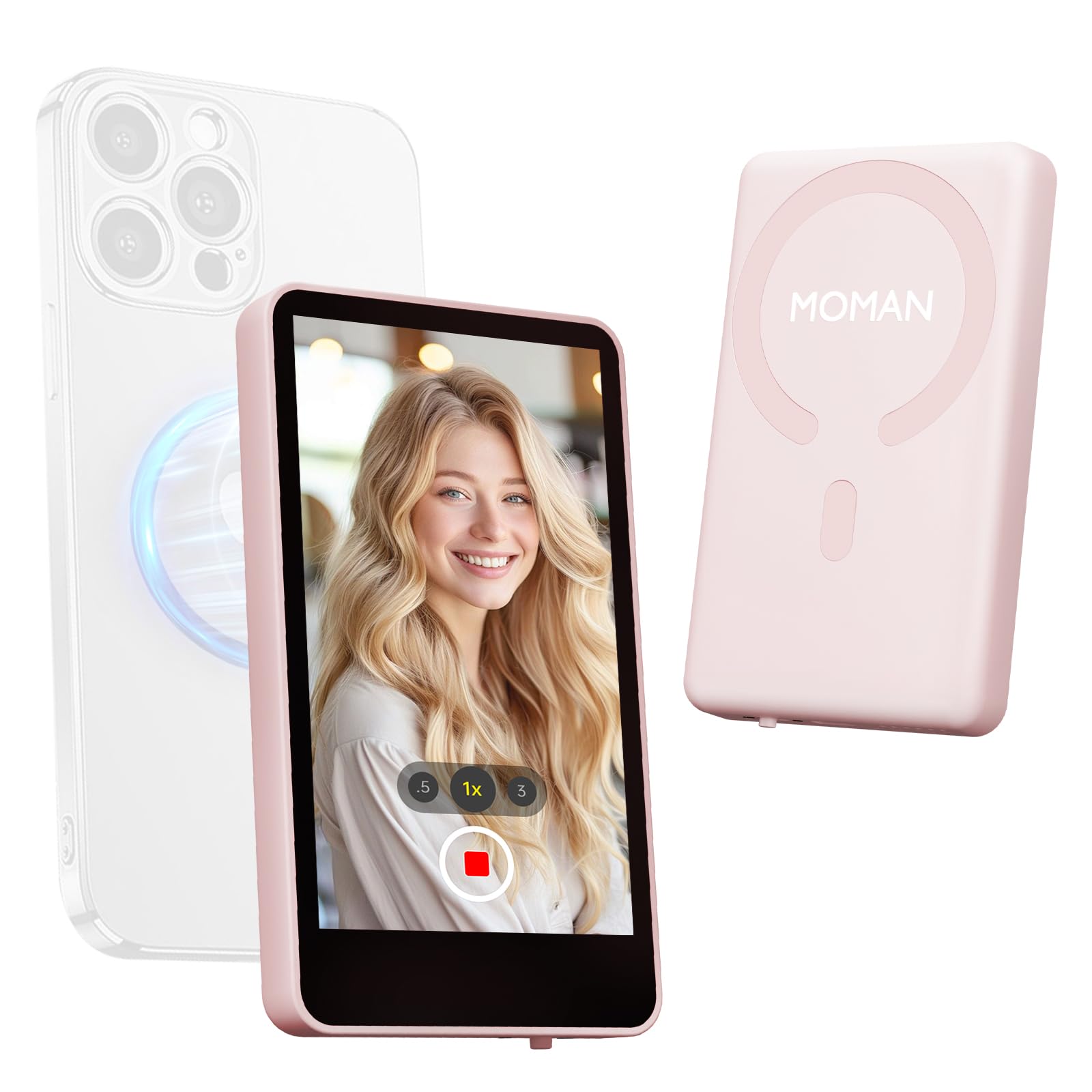
Image: The Moman Xview M4 Pro Selfie Monitor shown attached to a smartphone rig, demonstrating its compact size and mounting flexibility.
5. Instrukcja obsługi
5.1 Włączanie/wyłączanie
To power on the monitor, press and hold the power button located on the side/back of the device for approximately 3 seconds. The screen will illuminate. To power off, press and hold the power button again until the screen turns off.
5.2 Łączenie ze smartfonem
The Moman Xview M4 Pro connects wirelessly to your smartphone (iPhone 7-17 Series & Android). Follow these steps:
- Upewnij się, że Bluetooth i Wi-Fi w Twoim smartfonie są włączone.
- Download and install the dedicated Moman Xview aplikację ze sklepu z aplikacjami na Twoim smartfonie.
- Open the Moman Xview app and follow the on-screen instructions to pair with the M4 Pro monitor. The app will guide you through the connection process, typically involving selecting the monitor from a list of available devices.
- Once connected, your smartphone's camera feed will be mirrored on the M4 Pro monitor.
For optimal performance, ensure your smartphone and the monitor are within close proximity and free from wireless interference.
5.3 Funkcje monitora
The M4 Pro monitor provides various functions to enhance your selfie and video recording experience:
- Monitorowanie na żywo: View your smartphone's camera feed in real-time.
- Regulacja jasności: Use the dedicated buttons or app controls to adjust screen brightness.
- Mirror/Flip Function: Some models or app versions may offer options to mirror or flip the display for specific shooting scenarios. Refer to the app for available features.
- Wskaźnik baterii: The monitor displays its current battery level.
6. Konserwacja
6.1 Czyszczenie
To clean the monitor, use a soft, dry, lint-free cloth. For stubborn smudges, lightly dampen the cloth with water or a screen-cleaning solution. Do not use harsh chemicals or abrasive materials.
6.2 Przechowywanie
When not in use, store the monitor in a cool, dry place, away from direct sunlight and extreme temperatures. It is recommended to use the original packaging or a protective case to prevent scratches and damage.
7. Rozwiązywanie Problemów
| Problem | Możliwa przyczyna | Rozwiązanie |
|---|---|---|
| Monitor się nie włącza. | Niski poziom naładowania baterii. | Charge the monitor using the provided USB-C cable. |
| Nie można połączyć się ze smartfonem. | Bluetooth/Wi-Fi off; App not installed; Monitor not in pairing mode; Interference. | Ensure Bluetooth/Wi-Fi are on. Install Moman Xview app. Restart monitor and app. Move closer to the monitor. |
| Ekran jest pusty lub migocze. | Luźne połączenie; Błąd oprogramowania. | Ensure secure connection. Restart monitor and smartphone. Check for app updates. |
If the problem persists after trying these solutions, please contact Moman customer support.
8. Specyfikacje
| Funkcja | Szczegół |
|---|---|
| Model | Xview M4 Pro |
| Łączność | Wireless (Bluetooth/Wi-Fi) |
| Zgodność | iPhone 7-17 Series & Android smartphones |
| Wymiary | 12.19 x 9.91 x 1.9 cm (w przybliżeniu) |
| Waga | 168 grama (w przybliżeniu) |
| Źródło zasilania | USB-C (internal rechargeable battery) |
Dane techniczne mogą ulec zmianie bez powiadomienia.
9. Gwarancja i wsparcie
Moman products are covered by a limited warranty. For detailed warranty terms and conditions, please refer to the warranty card included with your product or visit the official Moman webstrona.
For technical support, troubleshooting assistance, or service inquiries, please contact Moman customer support through their official webstronę internetową lub dane kontaktowe znajdujące się na opakowaniu produktu.
Moman Official Webstrona: www.moman.co
Ask a question about this manual
Ask about setup, troubleshooting, compatibility, parts, safety, or missing instructions. Manuals+ will review the question and use this page’s manual context to help answer it.