
1. Rozpoczęcie pracy
1.1 Zawartość opakowania
Before using your Gtonster DV04 camcorder, please verify that all items are present in the package:
- 4K FHD Camcorder
- Karta SD 64 GB
- Bateria litowa
- Pilot zdalnego sterowania
- Osłona obiektywu
- Torba na aparat
- Kabel USB-C
- Kabel HDMI
- Instrukcja obsługi
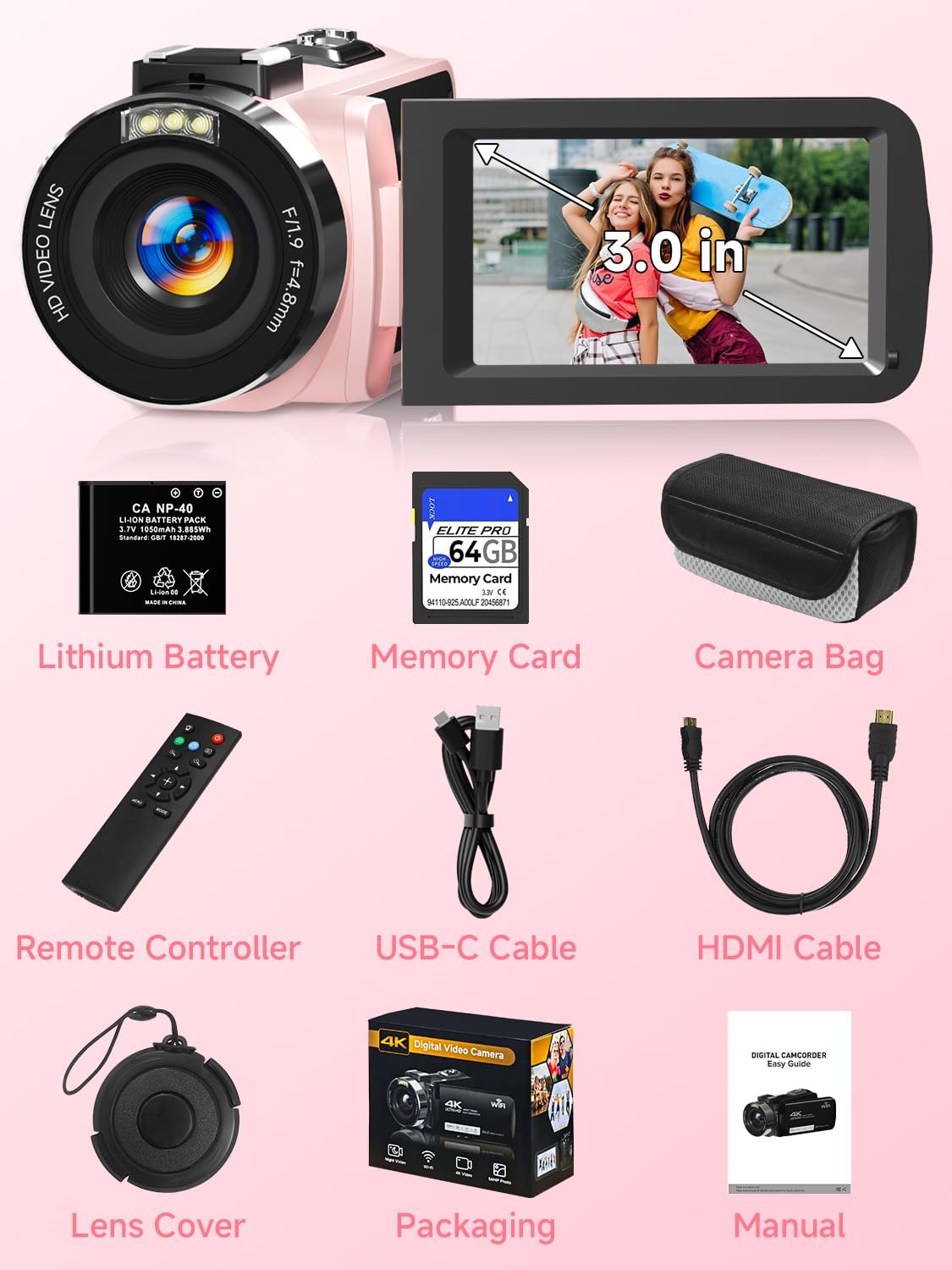
Image: Contents of the Gtonster DV04 Camcorder package.
1.2 kamera ponadview
Familiarize yourself with the main components and controls of your camcorder:

Image: Labeled diagram of the Gtonster DV04 Camcorder, highlighting key features like the 3.0-inch screen, IR light, lens, hot shoe, built-in speaker, zoom controls, photo shutter, charge/busy indicator, Power/OK button, Mode button, Menu button, Up/Wi-Fi button, Down button, Rec/Stop button, External MIC Jack, HDMI output interface, and USB interface.
- Obiektyw: Nagrywa filmy i robi zdjęcia.
- Światło podczerwone: Used for infrared night vision.
- Ekran 3.0 cala: Rotatable touchscreen display for viewi kontroli.
- Gorąca stopka: For attaching external accessories like an LED light or microphone.
- Pikolak: Power/OK, Mode, Menu, Up/Wi-Fi, Down, Rec/Stop for navigation and control.
- Porty: External MIC Jack, HDMI output, USB interface.
1.3 Instalacja baterii
- Otwórz pokrywę komory baterii znajdującą się na spodzie kamery.
- Insert the provided lithium battery, ensuring the correct polarity (+/-) aligns with the markings inside the compartment.
- Zamknij pokrywę komory baterii, aż do momentu jej bezpiecznego zamknięcia.
1.4 Instalacja karty SD
- Znajdź gniazdo karty SD, zazwyczaj znajdujące się w pobliżu komory baterii lub z boku urządzenia.
- Insert the provided 64GB SD card (or another compatible SD card up to 128GB) with the metal contacts facing the correct direction, as indicated by a small diagram near the slot.
- Delikatnie dociśnij kartę, aż zatrzaśnie się na miejscu. Aby ją wyjąć, dociśnij ją ponownie, aż wysunie się.
1.5 Ładowanie kamery
To charge the camcorder's battery:
- Connect the USB-C cable to the camcorder's USB port.
- Podłącz drugi koniec kabla USB-C do zasilacza USB (brak w zestawie) lub do portu USB komputera.
- The charge indicator light will illuminate during charging and turn off when fully charged.
2. Instrukcja obsługi
2.1 Włączanie/wyłączanie
- Włączanie: Open the 3.0-inch screen. The camera will automatically power on. Alternatively, press and hold the Power/OK button.
- Aby wyłączyć: Close the 3.0-inch screen. The camera will automatically power off. Alternatively, press and hold the Power/OK button.
2.2 Podstawowe nagrywanie wideo i robienie zdjęć
The Gtonster DV04 supports 4K FHD video recording and 56MP still photography.

Image: The camcorder capturing 4K video, showing the 270-degree rotatable screen.

Image: Demonstrating various photo resolutions, including 56MP, captured by the camcorder.
- Wybierz tryb: Use the 'Mode' button to switch between video recording mode and photo capture mode. The current mode will be displayed on the screen.
- Start/Stop Recording (Video): Press the 'Rec/Stop' button to start recording. Press it again to stop.
- Take Photo (Photo): In photo mode, press the 'Photo Shutter' button to capture a still image.
2.3 Using the Touchscreen and 270° Flip Screen
The 3.0-inch touchscreen allows for intuitive control and menu navigation. The screen can be rotated 270 degrees, which is useful for self-recording (vlogging) or shooting from various angles.
2.4 18X Digital Zoom
The camcorder features an 18X digital zoom to magnify distant subjects.

Image: The camcorder's 18X digital zoom capability and its use as a webkamera
Use the 'Zoom In' (T) and 'Zoom Out' (W) buttons, typically located near the lens or on the top of the camera, to adjust the digital zoom level.
2.5 Widzenie nocne w podczerwieni
For low-light conditions, activate the infrared night vision feature.
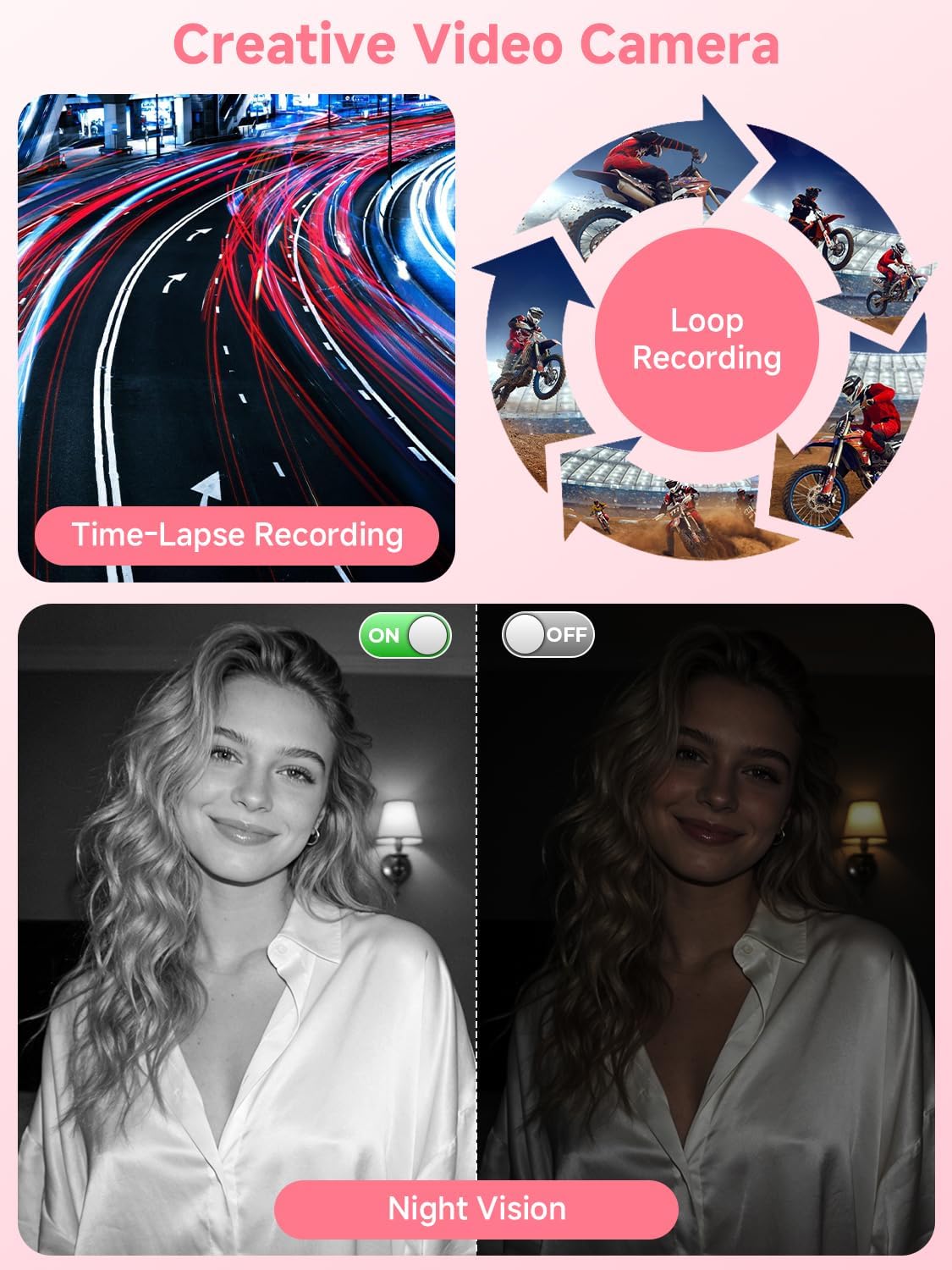
Image: Illustrates Time-Lapse Recording, Loop Recording, and the effect of Night Vision (color vs. monochrome).
Press the 'IR Light' button (often integrated with the Power/OK button or a dedicated button) to toggle night vision on or off. In night vision mode, recordings will appear in monochrome.
2.6 WebFunkcja krzywki
Kamerę można używać jako webkamera do transmisji na żywo lub połączeń wideo.
Connect the camcorder to your computer using the USB-C cable. On the camera's screen, select 'PC Camera' from the pop-up menu. Your computer should recognize the camcorder as a webkamera
2.7 Obsługa pilota zdalnego sterowania
Dołączony pilot pozwala na wygodną obsługę na odległość.
Point the remote control at the front of the camcorder. Use the buttons on the remote to start/stop recording, take photos, and navigate menus without touching the camera.
2.8 Łączność Wi-Fi
Transfer photos and videos wirelessly to your smartphone or tablet.
Activate Wi-Fi on the camcorder via the menu. On your mobile device, connect to the camcorder's Wi-Fi network. Use the dedicated app (if applicable, refer to the full manual for app details) to transfer files.
2.9 wyjście HDMI
View Twoje nagrania na większym ekranie.
Connect the camcorder to a TV or monitor using the provided HDMI cable. Switch your TV's input source to the corresponding HDMI port. The camcorder's display will be mirrored on the TV.
2.10 Zaawansowane tryby fotografowania
The DV04 camcorder offers several advanced features:

Image: Multi-functional video camera modes including Slow Photography, Auto Photo, Continuous Shooting, and Timer Photo.
- Slow-motion Recording: Nagrywa wideo z większą liczbą klatek na sekundę, co umożliwia odtwarzanie w zwolnionym tempie.
- Nagrywanie w pętli: Records video in segments, overwriting the oldest footage gdy karta pamięci jest pełna.
- Tryb seryjny: Wykonuje wiele zdjęć jedno po drugim.
- Fotografia poklatkowa: Captures images at set intervals to create a time-lapse video.
- Samowyzwalacz: Delays photo capture by a set number of seconds (e.g., 3s, 5s, 10s).
- Multiple Filter Options: Apply various color filters to your photos and videos (e.g., Automatic, Daylight, Cloudy, Fluorescent, Incandescent).
Wideo: Ponadview of the Gtonster 4K Video Camera's features and capabilities.
3. Konserwacja
3.1 Czyszczenie
- Obiektyw: Używaj miękkiej, niepozostawiającej włókien ściereczki przeznaczonej specjalnie do czyszczenia obiektywów aparatów. Nie używaj materiałów ściernych ani silnych środków chemicznych.
- Ekran: Wipe the touchscreen gently with a microfiber cloth. For stubborn smudges, use a screen cleaning solution sparingly.
- Ciało: Use a dry, soft cloth to clean the camera body. Avoid getting moisture into ports or openings.
3.2 Pielęgnacja baterii
- Całkowicie naładuj baterię przed pierwszym użyciem.
- Unikaj wystawiania baterii na działanie ekstremalnych temperatur.
- Jeśli aparat będzie przechowywany przez dłuższy czas, należy wyjąć baterię.
3.3 Przechowywanie
Store the camcorder in a cool, dry place away from direct sunlight and excessive humidity. Use the provided camera bag for protection against dust and scratches.
4. Rozwiązywanie Problemów
If you encounter issues with your Gtonster DV04 camcorder, refer to the following common problems and solutions:
| Problem | Możliwa przyczyna | Rozwiązanie |
|---|---|---|
| Kamera się nie włącza. | Low battery; Battery not installed correctly; Faulty battery. | Charge the battery; Reinstall battery correctly; Try a different battery if available. |
| Nie można nagrywać filmów ani robić zdjęć. | SD card full; SD card not inserted; SD card error; Incorrect mode. | Usuwać files or use a new SD card; Insert SD card; Format SD card (this will erase all data); Switch to correct mode (video/photo). |
| Słaba jakość obrazu/wideo. | Lens is dirty; Insufficient lighting; Incorrect settings. | Clean the lens; Ensure adequate lighting or use night vision; Adjust resolution or exposure settings. |
| Problemy z połączeniem Wi-Fi. | Wi-Fi not enabled; Incorrect password; Distance too far. | Enable Wi-Fi on camera; Re-enter password; Move closer to the camera. |
| Pilot nie działa. | Battery low in remote; Obstruction between remote and camera; Not pointing correctly. | Replace remote battery (1 AAA battery required); Ensure clear line of sight; Point remote directly at the camera's IR receiver. |
5. Specyfikacje
Key technical specifications for the Gtonster DV04 4K Video Camera Camcorder:
- Marka: Gtonster
- Numer modelu: DV04
- Technologia czujnika fotograficznego: CMOS
- Rozdzielczość przechwytywania wideo: 4K (efektywna liczba pikseli: 3840)
- Efektywna rozdzielczość zdjęć: 56 MP
- Zoom cyfrowy: 18x
- Rozmiar ekranu: 3 Inches (270° Rotatable Touchscreen)
- Typ pamięci Flash: SD (Supports up to 128GB, 64GB included)
- Technologia łączności: HDMI, USB, Wi-Fi
- Cechy: Night Vision, Webcam Function, Remote Control, Slow-motion Recording, Loop Recording, Burst Mode, Time-lapse Photography, Self-timer, Multiple Filter Options, Digital Image Stabilization
- Bateria: Bateria litowa 1 (w zestawie)
- Obsługiwany format obrazu: Plik JPG
- Format przechwytywania wideo: Ruch
- Ustawienia balansu bieli: Auto, Cloudy, Fluorescent, Incandescent
- Typ skupienia: Autofokus
- Minimalna ogniskowa: 10 milimetrów
- Maksymalna ogniskowa: 70 milimetrów
6. Informacje o gwarancji
The Gtonster DV04 4K Video Camera Camcorder comes with a 1-letnia gwarancja producenta. Please retain your proof of purchase for any warranty claims. For detailed terms and conditions, refer to the warranty card included in your package or contact Gtonster customer support.
7. Wsparcie
For further assistance, technical support, or inquiries regarding your Gtonster DV04 camcorder, please refer to the contact information provided in your product packaging or visit the official Gtonster website. Ensure you have your model number (DV04) and purchase details ready when contacting support.