1. Wprowadzenie
Thank you for choosing the RockSeed S2-50M Digital Laser Distance Meter. This device is designed for precise and efficient distance measurements, offering various functions for professional and DIY applications. Please read this manual carefully before using the device to ensure safe and correct operation.
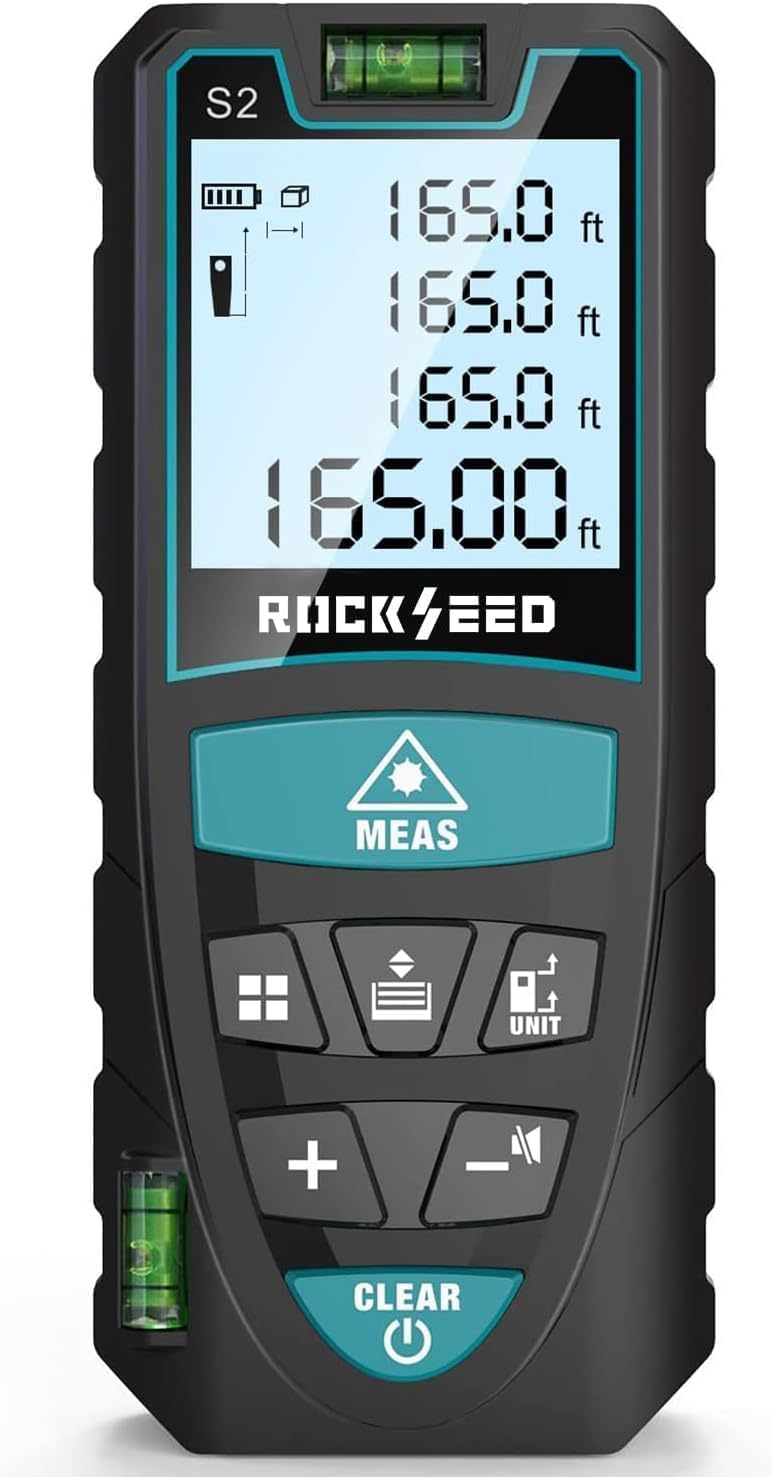
Image 1.1: RockSeed S2-50M Laser Measure displaying its accuracy of ±2mm/±0.08inch and a measurement range of 50m/165ft.
2. Informacje dotyczące bezpieczeństwa
This device is a Class 2 laser product. Observe the following safety precautions:
- Nie patrz w wiązkę lasera. Direct exposure to the laser beam can cause eye injury.
- Nie kieruj wiązki lasera na ludzi ani zwierzęta.
- Nie modyfikuj urządzenia. Unauthorized modifications can lead to hazardous radiation exposure.
- Przechowywać urządzenie w miejscu niedostępnym dla dzieci.
- Stosować wyłącznie zgodnie z opisem w niniejszej instrukcji.
- Unikaj używania urządzenia w otoczeniu zagrożonym wybuchem lub w pobliżu materiałów łatwopalnych.
3. Zawartość opakowania
Sprawdź, czy w przesyłce znajdują się wszystkie elementy:
- RockSeed S2 Red Laser Distance Meter
- Instrukcja obsługi
- Pudełko opakowaniowe
- Torba materiałowa
- AAA 1.5V Batteries (2 included)
- Falrep

Image 3.1: Visual representation of the items included in the RockSeed S2-50M package.
4. Funkcje produktu
- Wysoka dokładność: Provides measurements with an accuracy of ±1/16 inch (±2mm).
- Extended Measurement Range: Measures distances up to 165 feet (50 meters).
- Przełączanie jednostek: Easily switch between Meters (M), Inches (In), and Feet (Ft).
- Podwójne poziomice bąbelkowe: Equipped with two bubble levels for more precise horizontal and vertical alignment compared to single-bubble designs.
- Podświetlany wyświetlacz LCD: Large display with backlight for clear visibility in low-light conditions.
- Ustawienie wyciszenia: Option to turn measurement beep sounds on or off, suitable for quiet environments.
- Wiele trybów pomiaru: Includes single distance, continuous measurement, area, volume, and Pythagorean (three points) calculations.
- Pamięć danych: Przechowuje do 20 grup danych pomiarowych.
- Automatyczne wyłączenie: Urządzenie wyłącza się automatycznie po 150 sekundach bezczynności w celu oszczędzania baterii.
- Trwała konstrukcja: IP54 rated for water and dust resistance, featuring a hard rubber body for a secure grip and enhanced durability.
- Przenośny: Compact size and included wrist strap for easy carrying.

Image 4.1: The RockSeed S2-50M device fits easily into a pocket, highlighting its portability.
5. Układ urządzenia i przyciski

Obraz 5.1: Koniecview of the RockSeed S2-50M Laser Measure's buttons and their corresponding functions.
Funkcje przycisków:
- MEAS (Laser/Measure): Activates the laser, initiates single or continuous measurement.
- JEDNOSTKA: Long press to switch measurement units (M/In/Ft).
- Function (Area/Volume/Pythagorean): Przełącza między różnymi trybami pomiaru.
- Switch (Measurement References): Changes the measurement reference point (front or back of the device).
- +: Addition function for measurements.
- -: Subtraction function for measurements.
- WŁ./WYŁ. wyciszenia: Włącza i wyłącza dźwięk.
- CLEAR (Power Off/Data Record Clear): Short press to clear current data or exit a mode. Long press to power off the device.
6. Konfiguracja
6.1 Instalacja baterii
- Znajdź pokrywę komory baterii z tyłu urządzenia.
- Otwórz pokrywę.
- Włóż dwie (2) baterie AAA 1.5 V, zwracając uwagę na prawidłową biegunowość (+/-).
- Dokładnie zamknij pokrywę komory baterii.
7. Instrukcja obsługi
7.1 Włączanie/wyłączanie zasilania
- Włączanie: Naciśnij JASNE przycisk. Wyświetlacz się zaświeci.
- Wyłączone: Naciśnij i przytrzymaj JASNE Naciśnij przycisk przez około 3 sekundy. Urządzenie wyłączy się automatycznie po 150 sekundach bezczynności.
7.2 Przełączanie jednostek
- Naciśnij i przytrzymaj JEDNOSTKA button to cycle through the available measurement units: Meters (M), Inches (In), and Feet (Ft).

Image 7.1: The device display illustrating the four available unit conversions: feet+inches, inches, meters, and feet.
7.3 Ustawienie punktu odniesienia
- Naciśnij PRZEŁĄCZNIK button to toggle between the front and back reference points.
- The display will show an icon indicating whether the measurement is taken from the front edge or the back edge of the device.

Image 7.2: Illustration of how the two reference points (front and back) affect the measurement origin.
8. Tryby pomiaru

Image 8.1: Visual representation of the different measurement functions available on the device.
8.1 Pojedynczy pomiar odległości
- Skieruj laser na cel.
- Naciśnij POMIAR Naciśnij przycisk raz. Zmierzona odległość pojawi się na wyświetlaczu.
8.2 Pomiar ciągły
- From single measurement mode, press the POMIAR button repeatedly. The device will continuously measure and display the current distance (MAX/MIN values will also be shown).
- Naciskać POMIAR ponownie, aby zatrzymać pomiar ciągły.
8.3 Pomiar powierzchni
- Naciśnij Funkcjonować button once. The area icon will appear on the display.
- Zmierz pierwszy bok (długość) naciskając POMIAR.
- Zmierz drugi bok (szerokość) naciskając POMIAR.
- Urządzenie automatycznie obliczy i wyświetli powierzchnię.
8.4 Pomiar objętości
- Naciśnij Funkcjonować button twice. The volume icon will appear on the display.
- Zmierz długość naciskając POMIAR.
- Zmierz szerokość naciskając POMIAR.
- Zmierz wysokość naciskając POMIAR.
- Urządzenie automatycznie obliczy i wyświetli głośność.
8.5 Pomiar pitagorejski (pomiar pośredni)
Tryb ten służy do obliczania niedostępnych wysokości lub odległości przy użyciu twierdzenia Pitagorasa.
Pythagorean Mode 1 (Two Points)
- Naciśnij Funkcjonować button three times. The Pythagorean mode 1 icon will appear.
- Zmierz przeciwprostokątną (odległość przekątnej) naciskając POMIAR.
- Measure the horizontal or vertical leg by pressing POMIAR.
- Urządzenie obliczy i wyświetli nieznaną nogę.
Pythagorean Mode 2 (Three Points)
- Naciśnij Funkcjonować button four times. The Pythagorean mode 2 icon will appear.
- Measure the first hypotenuse by pressing POMIAR.
- Measure the second hypotenuse by pressing POMIAR.
- Measure the base by pressing POMIAR.
- Urządzenie obliczy i wyświetli wysokość.
9. Konserwacja
- Wyczyść urządzenie miękką,amp ściereczka. Nie należy używać środków czyszczących o właściwościach ściernych ani rozpuszczalników.
- Nie zanurzaj urządzenia w wodzie ani nie wystawiaj go na działanie nadmiernej wilgoci.
- Przechowuj urządzenie w suchym i wolnym od kurzu miejscu, gdy nie jest używane.
- Aby zapobiec wyciekowi baterii, wyjmij je, jeśli urządzenie nie będzie używane przez dłuższy czas.
- Protect the laser lens from scratches and dirt.
10. Rozwiązywanie Problemów
| Problem | Możliwa przyczyna | Rozwiązanie |
|---|---|---|
| Urządzenie się nie włącza | Niski poziom naładowania baterii lub rozładowane baterie; nieprawidłowa instalacja baterii | Wymień baterie. Sprawdź biegunowość baterii. |
| Niedokładne odczyty | Unstable device; Target surface too reflective/non-reflective; Incorrect reference point | Ensure device is stable; Use a target plate for difficult surfaces; Verify reference point setting. |
| Laser beam not visible outdoors | Jasne światło otoczenia | Use the device in shaded areas or at dusk/dawn; Use a target plate. |
| Komunikat o błędzie na wyświetlaczu | Measurement out of range; Obstruction of laser path; Internal error | Ensure target is within range; Clear laser path; Restart device. If error persists, contact support. |
11. Specyfikacje
| Funkcja | Specyfikacja |
|---|---|
| Zakres pomiarowy | 0.05m - 50m (0.16ft - 165ft) |
| Dokładność pomiaru | ±2mm (±0.08 inch) |
| Jednostki miary | m/cal/stopa |
| Klasa laserowa | Klasa 2, <1mW |
| Typ lasera | 635nm |
| Automatyczne wyłączanie (laser) | 20 sekund |
| Automatyczne wyłączanie (urządzenie) | 150 sekund |
| Typ baterii | 2 x AAA 1.5V Alkaline |
| Żywotność baterii | Do 5000 pomiarów |
| Temperatura pracy | 0°C do 40°C (32°F do 104°F) |
| Temperatura przechowywania | -20°C do 60°C (-4°F do 140°F) |
| Wymiary | Około. 112 x 50 x 25 mm |
| Waga | Około 120g |
| Stopień ochrony IP | IP54 (odporność na kurz i zachlapanie) |
12. Gwarancja i wsparcie
12.1 Informacje o gwarancji
All RockSeed products in the United States come with a two-year free repair service. This warranty covers defects in materials and workmanship under normal use.
12.2 Obsługa klienta
For technical support or after-sales service, please contact our support team:
- Telefon: 904-900-2136 (Monday to Friday, 9:00 a.m. to 6:00 p.m. Eastern Time)
- E-mail: Expect a reply within 24 hours on weekdays.
We are committed to continuously improving our products and ensuring user satisfaction.