
1. Wprowadzenie
The SENTKENG Y03008 InstaVision 1080P WiFi Camera is an indoor security camera designed for monitoring your home, baby, or pets. It offers 1080P Full HD video, pan and tilt functionality for wide coverage, two-way audio communication, infrared night vision, and intelligent motion detection. This manual provides essential information for setting up, operating, and maintaining your camera.
2. Informacje dotyczące bezpieczeństwa
- Ensure the camera is used indoors only.
- Używaj wyłącznie dołączonego zasilacza i kabla.
- Trzymaj urządzenie z dala od wody, wilgoci i ekstremalnych temperatur.
- Nie próbuj samodzielnie demontować ani naprawiać aparatu. W razie problemów skontaktuj się z pomocą techniczną.
- Przechowywać w miejscu niedostępnym dla dzieci i zwierząt domowych.
3. Zawartość opakowania
Proszę sprawdzić, czy w paczce znajdują się następujące elementy:
- SENTKENG Y03008 InstaVision 1080P WiFi Camera
- Instrukcja obsługi
- Kabel ładujący typu C.
- Uchwyt ścienny
- Pakiet śrubowy

Image: The camera, Type-C charging cable, wall bracket, screw package, and instruction manual are included in the box.
4. Koniec produktuview
Zapoznaj się z głównymi elementami swojego aparatu:
- Obiektyw aparatu: Nagrywa filmy w rozdzielczości Full HD 1080P.
- Głośnik: Do dwukierunkowej komunikacji audio.
- Gniazdo na kartę pamięci: Insert a microSD card (up to 128GB, not included) for local storage.
- Przycisk reset: Służy do przywracania ustawień fabrycznych aparatu.
- Port ładowania typu C: Podłącz tutaj kabel zasilający.
Obraz: szczegółowy view of the camera highlighting the camera lens, speaker, storage card slot, reset key, and Type-C charging port.
5. Przewodnik konfiguracji
5.1 Włączanie i instalacja aplikacji
- Włączanie: Connect the camera to a power outlet using the provided Type-C charging cable and power adapter. The camera will power on automatically.
- Download the InstaVision App: Szukaj 'InstaVision' in your smartphone's app store (iOS or Android) and download the application.
- Zarejestruj się/Zaloguj: Open the InstaVision app and follow the on-screen instructions to register a new account or log in if you already have one.

Image: The camera next to a smartphone displaying the InstaVision app's welcome screen, illustrating the easy connection process.
5.2 Łączenie z Wi-Fi
- Dodaj urządzenie: In the InstaVision app, tap the '+' icon or 'Add Device' to begin the pairing process.
- Wybierz typ kamery: Wybierz odpowiedni model aparatu z listy.
- Postępuj zgodnie z instrukcjami w aplikacji: The app will guide you through connecting the camera to your 2.4GHz Wi-Fi network. Ensure your phone is connected to the same 2.4GHz Wi-Fi network during setup.
- Potwierdzenie: Po nawiązaniu połączenia kontrolka kamery zaświeci się, a aplikacja potwierdzi pomyślne sparowanie.
5.3 Opcje instalacji
The SENTKENG Y03008 camera offers flexible installation:
- Tabletop Mount (Freestanding): Place the camera on any flat surface such as a table, shelf, or desk. Ensure it has a clear view obszaru, który chcesz monitorować.
- Montaż sufitowy: Use the included wall bracket and screws to mount the camera to the ceiling. After mounting, you may need to adjust the image orientation in the InstaVision app settings.

Obraz: Byłyamples of camera placement, showing both flat surface installation and ceiling mounting options.
6. Instrukcja obsługi
6.1 Na żywo View i odtwarzanie
Once connected, open the InstaVision app to access the live video feed from your camera. You can view foo w czasie rzeczywistymtage i ponownieview recorded events from anywhere, anytime.
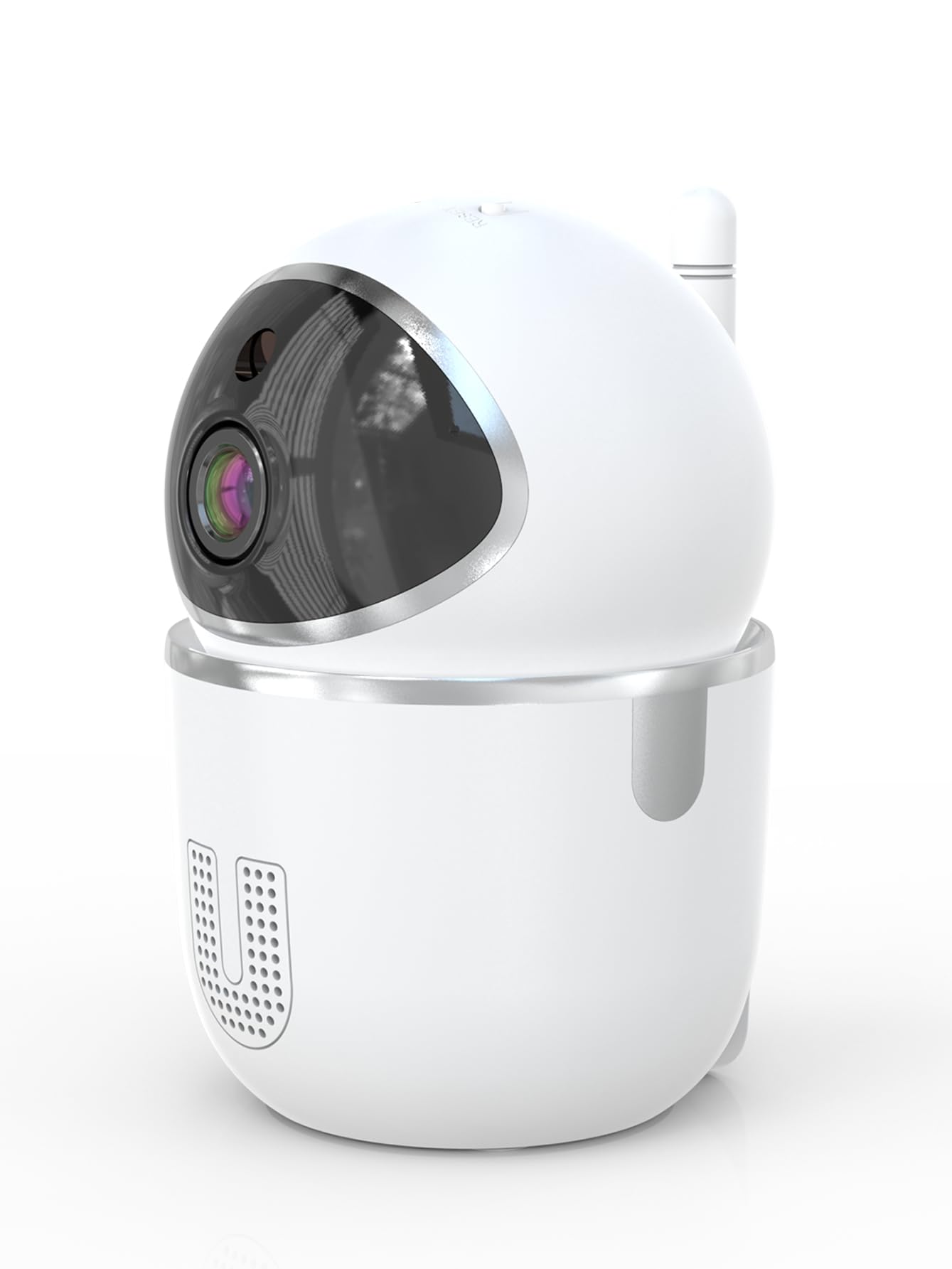
Image: A smartphone displaying the live video feed from the camera, showing a living room scene.
6.2 Sterowanie obrotem i pochyleniem
Zdalne sterowanie kamerą viewing angle through the InstaVision app. The camera supports 355° horizontal rotation and 90° vertical tilt, allowing you to cover a wide area with minimal blind spots.

Image: The camera illustrating its pan (355°) and tilt (90°) capabilities, showing the range of motion.
6.3 Dźwięk dwukierunkowy
The built-in microphone and speaker enable real-time two-way communication. Tap the microphone icon in the app to speak through the camera, and listen to audio from the camera's surroundings.
6.4 Widzenie nocne
The camera is equipped with powerful infrared LEDs, providing clear black-and-white video footage in low-light conditions or complete darkness, ensuring 24/7 monitoring.
6.5 Detekcja ruchu i alerty
The camera detects motion and sends instant notifications to your smartphone. You can customize motion detection sensitivity and alert schedules within the InstaVision app.

Image: A smartphone screen showing a list of motion detection events and alerts, indicating human presence.
6.6 Opcje przechowywania
- Przechowywanie kart MicroSD: Insert a microSD card (up to 128GB, not included) into the camera's card slot for local recording. The camera will automatically overwrite the oldest footage gdy karta jest pełna.
- Przechowywanie w chmurze: An optional cloud service is available via a paid InstaVision app subscription. This provides secure off-site storage for your recordings.

Image: The camera with visual cues indicating support for both local microSD card storage (up to 128GB) and optional cloud storage.
6.7 AI Detection (Subscription)
With a paid InstaVision app subscription, you can access advanced AI-powered features such as recognizing people, pets, and specific human actions. This allows for more precise alerts and faster searching of recorded events.

Image: A smartphone screen demonstrating the contextual AI search feature, allowing users to quickly find specific events like package deliveries or pet movements.
6.8 Wielu użytkowników Viewwchodzenie
Share access to your camera's live feed with family members or trusted individuals through the InstaVision app, allowing multiple users to view jednocześnie włącz kamerę.

Image: The camera surrounded by multiple smartphones, illustrating the multi-user viewing capability for real-time online monitoring.
7. Konserwacja
- Czyszczenie: Do czyszczenia obiektywu i korpusu aparatu używaj miękkiej, suchej ściereczki. Nie używaj płynów ani aerozoli.
- Aktualizacje oprogramowania układowego: Regularly check the InstaVision app for available firmware updates. Keeping your camera's firmware updated ensures optimal performance and security.
- Zarządzanie kartami MicroSD: If using a microSD card, periodically check its status in the app. Format the card if necessary to maintain recording quality.
8. Rozwiązywanie Problemów
8.1 Kamera nie łączy się z siecią Wi-Fi
- Upewnij się, że Twoja sieć Wi-Fi obsługuje częstotliwość 2.4 GHz. Kamera nie obsługuje Wi-Fi 5 GHz.
- Check that your Wi-Fi password is entered correctly.
- Przesuń kamerę bliżej routera Wi-Fi.
- Uruchom ponownie router i kamerę.
- Perform a factory reset on the camera using the reset key and try connecting again.
8.2 Brak transmisji wideo
- Sprawdź, czy kamera jest włączona i podłączona do sieci Wi-Fi.
- Sprawdź swoje połączenie internetowe.
- Restart the InstaVision app.
8.3 Detekcja ruchu nie działa
- Ensure motion detection is enabled in the InstaVision app settings.
- Dostosuj czułość wykrywania ruchu.
- Check the detection zone settings to ensure the desired area is covered.
8.4 Problemy z dwukierunkową transmisją dźwięku
- Ensure your phone's microphone is enabled for the InstaVision app.
- Sprawdź ustawienia głośności w telefonie i w aplikacji.
- Ensure there are no obstructions blocking the camera's speaker or microphone.
9. Specyfikacje
| Nazwa modelu | Y03008 InstaVision |
| Zastosowanie wewnątrz/na zewnątrz | Wnętrz |
| Rozdzielczość przechwytywania wideo | 1080p Full HD |
| Zakres obrotu/pochylenia | 355° w poziomie, 90° w pionie |
| Technologia łączności | Bezprzewodowa (Wi-Fi 2.4 GHz) |
| Źródło zasilania | Elektryczny przewodowy |
| Zakres noktowizora | 8 metrów |
| Opcje przechowywania | MicroSD card (up to 128GB, not included), Cloud Storage (optional subscription) |
| Cechy specjalne | 2-Way Audio, PTZ Technology, Motion Detection, AI Detection (subscription) |
| Wymiary produktu | 3.18 x 2.63 x 4.02 cala |
| Waga przedmiotu | 8.5 uncji |
10. Gwarancja i wsparcie
10.1 Informacje o gwarancji
For detailed warranty information, please refer to the documentation included with your purchase or visit the official SENTKENG webZachowaj dowód zakupu na wypadek roszczeń gwarancyjnych.
10.2 Obsługa klienta
If you encounter any issues or have questions regarding your SENTKENG Y03008 InstaVision Camera, please contact SENTKENG customer support through the InstaVision app or the official SENTKENG webStrona. Nasz zespół wsparcia jest do Twojej dyspozycji.