
Wstęp
This manual provides detailed instructions for the installation, operation, and maintenance of your GNCC GT1ProB-2P Outdoor Security Camera. Designed for reliable home surveillance, this 2K camera features motion detection, color night vision, two-way audio, and 24/7 recording capabilities. Please read this manual thoroughly before use to ensure proper setup and optimal performance.
Zawartość opakowania
- GNCC GT1ProB-2P Outdoor Security Camera (2 units)
- Zasilacz
- Stojak montażowy
- Śruby montażowe
- Instrukcja obsługi
Organizować coś
1. Instalacja fizyczna
The GNCC GT1ProB-2P camera is designed for outdoor use and is IP65 waterproof. Select a suitable location that provides the desired viewing angle and is within range of a power outlet and your 2.4 GHz Wi-Fi network.
- Zaznacz pozycje wiercenia: Place the mounting stand against the wall or surface where you intend to install the camera. Use a pencil to mark the positions for the mounting screws.
- Wiercenie otworów: Drill pilot holes at the marked positions. Insert wall anchors if necessary for your mounting surface.
- Zabezpiecz stojak: Attach the mounting stand to the wall using the provided mounting screws.
- Podłącz kamerę: Securely attach the camera to the mounting stand. Adjust the camera angle as needed.
- Podłącz zasilanie: Connect the power adapter to the camera and plug it into a power outlet. The camera will power on.

Image: The GNCC GT1ProB-2P camera, demonstrating its IP65 waterproof design, suitable for outdoor installation.
2. Instalacja i parowanie aplikacji
The GNCC GT1ProB-2P camera uses the Osaio app for control and monitoring.
- Pobierz aplikację: Szukaj "Osaio" in your smartphone's app store (App Store for iOS or Google Play Store for Android) and download the application.
- Utwórz konto: Open the Osaio app and follow the on-screen instructions to create a new user account or log in if you already have one.
- Dodaj urządzenie: Tap the "+" icon or "Add Device" option within the app. Select your camera model (GT1ProB-2P) from the list.
- Połącz się z Wi-Fi: Follow the app's prompts to connect the camera to your 2.4 GHz Wi-Fi network. Ensure your phone is also connected to the same 2.4 GHz Wi-Fi network during the pairing process.
- Skanowania QR code: The app may display a QR code. Hold your camera up to your phone screen to scan the QR code. A voice prompt from the camera will confirm successful connection.
- Pełna konfiguracja: Po połączeniu nadaj nazwę swojej kamerze i zakończ proces konfiguracji w aplikacji.
Instrukcja obsługi
Na żywo View i nagrywanie
Access the Osaio app to view żyćtage from your camera. The camera supports 24/7 continuous recording.
- Pamięć lokalna: Insert a MicroSD card (up to 128GB, not included) into the camera's MicroSD card slot for local storage of recordings.
- Przechowywanie w chmurze: An optional cloud storage service is available, offering a 14-day free trial. This provides remote backup of your recordings.

Image: A smartphone interface showing 24/7 recording playback from the GNCC camera, with a timeline of events.
Wykrywanie ruchu i powiadomienia
The camera features advanced motion detection. When motion is detected, the camera can send instant notifications to your smartphone via the Osaio app.
- Włącz/Wyłącz: You can enable or disable motion detection and adjust sensitivity settings within the Osaio app.
- Alerty: Receive push notifications on your phone when motion or sound is detected.
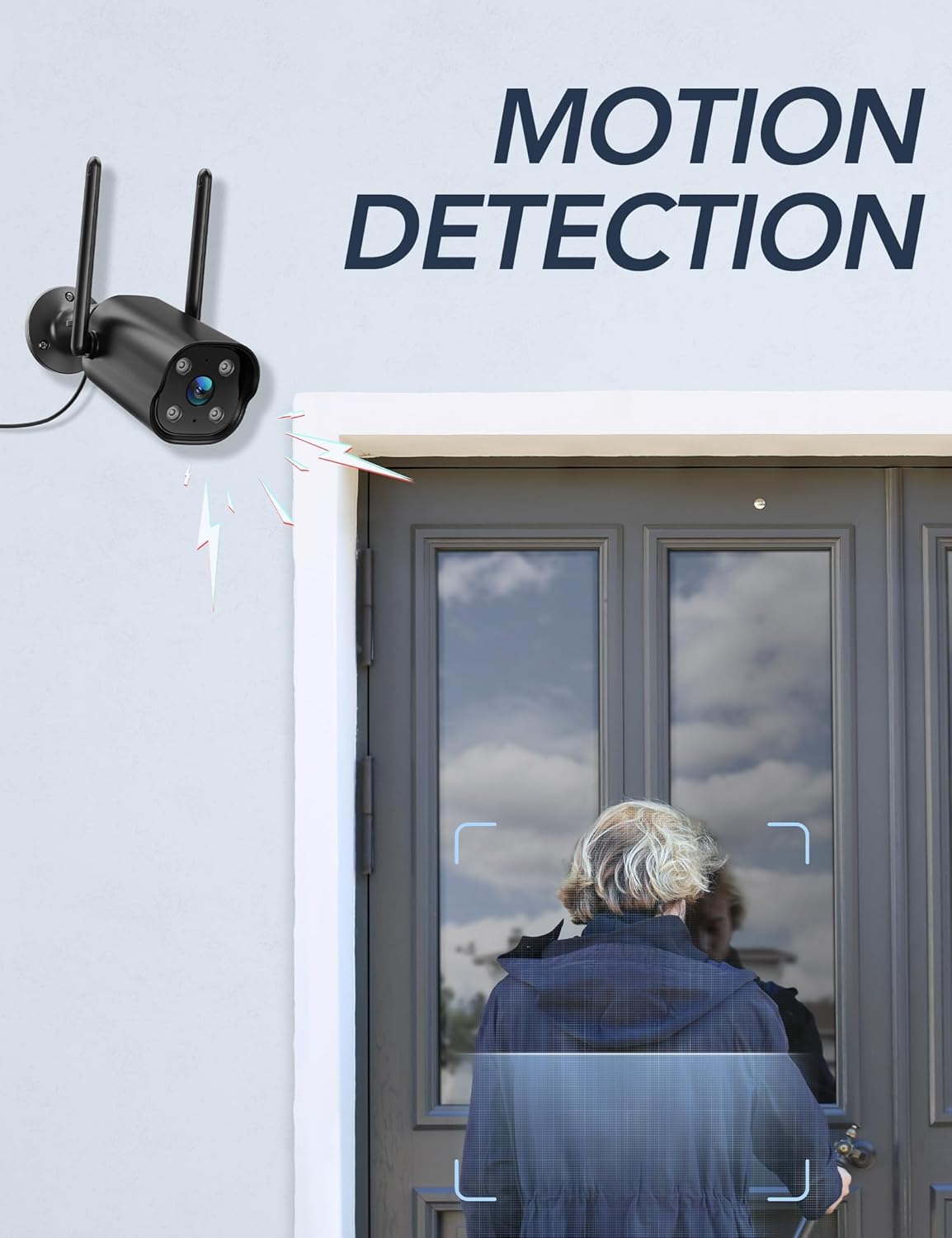
Image: The GNCC camera illustrating its motion detection capability, highlighting a person entering the detection zone.

Image: A smartphone displaying push notifications from the Osaio app, indicating detected motion and sound events.
Dwukierunkowy dźwięk
The integrated microphone and speaker allow for two-way communication through the camera. This feature enables you to speak to visitors or deter intruders remotely.
- Aktywować: Na żywo view interface of the Osaio app, locate and tap the microphone icon to speak through the camera.
- Słuchać: Mikrofon kamery będzie wychwytywał dźwięki z otoczenia, które możesz usłyszeć na swoim telefonie.

Image: The GNCC camera demonstrating its two-way audio function, allowing communication between the user and the monitored area.
Wizja nocna
The camera is equipped with enhanced night vision, providing clear visibility up to 50 feet (15 meters) in low-light conditions. It also supports color night vision for improved detail.
Integracja inteligentnego domu
The GNCC GT1ProB-2P camera is compatible with Amazon Alexa and Google Home. Refer to the Osaio app settings or your smart home assistant's documentation for instructions on linking your camera.
Konserwacja
Czyszczenie
To ensure optimal image quality, periodically clean the camera lens. Use a soft, damp cloth to gently wipe away dust and dirt. Avoid using harsh chemicals or abrasive materials that could scratch the lens.
Aktualizacje oprogramowania układowego
GNCC regularly releases firmware updates to improve camera performance and add new features. Check for available updates through the Osaio app settings. It is recommended to keep your camera's firmware up to date.
Rozwiązywanie problemów
Typowe problemy i rozwiązania
- Kamera offline:
- Sprawdź, czy kamera jest włączona i czy zasilacz jest prawidłowo podłączony.
- Sprawdź router Wi-Fi i połączenie internetowe.
- Verify the camera is within range of your 2.4 GHz Wi-Fi network.
- Uruchom ponownie kamerę, odłączając i ponownie podłączając zasilacz.
- Nie wolno robić nagrań:
- If using local storage, ensure a MicroSD card is properly inserted and formatted within the Osaio app.
- Check recording settings in the Osaio app to ensure 24/7 recording or motion-triggered recording is enabled.
- If using cloud storage, verify your subscription status.
- Słaba jakość obrazu:
- Oczyść obiektyw aparatu miękką szmatką.
- Ensure the camera is receiving sufficient power.
- Sprawdź siłę sygnału Wi-Fi. Słaby sygnał może mieć wpływ na jakość przesyłania strumieniowego wideo.
- Wykrywanie ruchu nie działa:
- Verify motion detection is enabled in the Osaio app settings.
- Dostosuj ustawienia czułości ruchu.
- Upewnij się, że nie ma żadnych przeszkód blokujących kamerę. view.
Specyfikacje
| Nazwa modelu | GT1ProB-2P |
| Marka | GNCC |
| Technologia łączności | Wired (Power), Wi-Fi (2.4 GHz), Bluetooth |
| Rozdzielczość przechwytywania wideo | 2K |
| Rozdzielczość czujnika fotograficznego | 3 MP |
| Zakres noktowizora | Do 50 stóp (15 metrów) |
| Cechy specjalne | 2-Way Audio, HD Resolution, Motion Sensor, Night Vision, Weatherproof (IP65) |
| Zastosowanie wewnątrz/na zewnątrz | Plenerowy |
| Kompatybilne urządzenia | Smartphone (via Osaio App), Amazon Alexa, Google Home |
| Źródło zasilania | Elektryczny przewodowy |
| Pamięć lokalna | Karta MicroSD do 128 GB (brak w zestawie) |
| Przechowywanie w chmurze | Optional, 14-day free trial available |
| Pozycja Wymiary (dł. x szer. x wys.) | 11 x 7.6 x 5 centymetrów |
| Kolor | Czarny |
| Producent | Kalado |

Image: The GNCC camera highlighting its dual storage options: optional cloud storage and local MicroSD card storage (up to 128GB).
Informacje o gwarancji
GNCC products are covered by a limited warranty from the date of purchase. This warranty typically covers defects in materials and workmanship under normal use. Please refer to the warranty card included in your product packaging or visit the official GNCC webAby zapoznać się ze szczegółowymi warunkami gwarancji, w tym szczegółami dotyczącymi czasu trwania i zakresu ochrony, odwiedź naszą stronę.
The warranty does not cover damage caused by improper installation, accident, misuse, abuse, natural disaster, or unauthorized modification or repair.
Obsługa klienta
If you encounter any issues or have questions regarding your GNCC GT1ProB-2P Outdoor Security Camera, please contact our customer support team. Before contacting support, please ensure you have reviewed the troubleshooting section of this manual.
- Wsparcie online: Visit the official GNCC webwitryna z odpowiedziami na często zadawane pytania, artykułami pomocy i formularzami kontaktowymi.
- Wsparcie e-mailowe: Refer to your product packaging or the GNCC webstrona internetowa zawierająca dedykowany adres e-mail wsparcia klienta.
- Osaio App: The Osaio app may also offer in-app support options or a help section.
When contacting support, please have your product model (GT1ProB-2P) and purchase information readily available.